
 Web Development
 Data Science
 Python
 SQL
 JavaScript
 Artificial Intelligence
 IT & Software
 IT Certifications
 Hacking
 Microsoft Azure
 AWS
 Arduino
 3D Modeling
 Graphic Design
 Photoshop
 Drawing
 Digital Painting
 UX Design
 Business
 Data Analysis
 Communication Skills
 Project Management
 Leadership & Management
 Human Resources
 Digital Marketing
 Social Media Marketing
 Marketing
 SEO
 Google Analytics
 Branding
 Excel
 Office Productivity
 SAP
 PowerPoint
 Microsoft Copilot
 Microsoft Access
 Finance & Accounting
 Trading & Investing
 Accounting
 Bitcoin
 Personal Finance
 Video Editing & Animation
 Photography
 Adobe Premier Pro
 Adobe Lightroom
 Personal Development
 Productivity
 Career Development
 Life Coaching
 Health & Fitness
 Yoga
 Meditation & Mindfulness
 Music
 Music Production
 Guitar
 Piano
 Singing
 Teaching & Academics
 Engineering
 Language Learning
 English Language
 Math
 Lifestyle
Arduino Communication with SPI Protocol (Udemy.com)
Arduino Communication with SPI Bus: A step by step guide to Master SPI Protocol and Start using it in your Arduino
Created by: Educational Engineering Team
Last updated February 2026
 What you will learn
- What is SPI and how it works
- Advantages of SPI
- Disadvantages of SPI
- SPI Operation
- Main SPI Bus Library Functions
- Interface different devices with Arduino using SPI
- How to implement SPI in your project
- What is the difference between SPI and other communication methods
- Why using SPI will make your life easier
- How to code SPI the right way and how to talk to multiple devices easily
- A practical example of SPI
How it compares
Against the other 297 rated Udemy courses in Arduino on CourseDuck:
- Rating4.1 out of 5higher than 19% of them
- Reviews52#253 of 298 by number of reviews
- Length2.5 hoursshorter than 73% of them
- Last updatedFebruary 2026more recently than 74% of them
 Course Description
Unlock the power of Serial Peripheral Interface (SPI) and take your Arduino projects to the next level! This course provides a practical, in-depth journey into mastering SPI communication — the go-to protocol for high-speed, synchronous data transfer between microcontrollers and peripherals.
Whether you're an electronics hobbyist or engineering student, you’ll go from basic concepts to designing real-time SPI applications using multiple Arduino boards. This course is structured with digestible sections including interactive quizzes, guided coding lessons, hardware simulations, and real-world assignments to ensure you're job-ready.
Inside the course, you’ll:
Understand the core of SPI and how it differs from other communication protocols.
Master SPI pins and the Arduino SPI library with clarity.
Learn how to code both Master and Slave Arduino boards.
Use Proteus, Arduino IDE, and design tools to create full circuits and test your skills.
Build hands-on projects like real-time data logging and multi-board communication.
What You Will Learn
Core principles of SPI protocol
How SPI compares to other protocols like I2C or UART
Identifying and using SPI pins on Arduino
Using the SPI library in practical scenarios
Real-world SPI communication: Master and Slave setup
Full Arduino-to-Arduino communication workflow
Data logging and real-time monitoring projects
Installing and using Proteus and Arduino software
Circuit design for multi-device communication
Best practices for troubleshooting SPI communication
Who Is This Course For
Arduino beginners who want to go beyond blinking LEDs
Engineering students learning embedded communication
Makers & hobbyists wanting reliable multi-device setups
Educators teaching communication protocols in the classroom
Anyone preparing for IoT or embedded systems roles
Instructor Bio
Your instructor is an experienced embedded systems engineer and Arduino developer, with over 10 years of real-world project experience in industrial automation and IoT systems. Known for clear explanations and practical teaching, they’ve helped thousands of learners move from basic electronics to hands-on embedded programming.
Requirements
Basic knowledge of Arduino and electronics
Arduino board (preferably Uno) x2
USB cables, jumper wires, and breadboard
Willingness to learn and build!
This course teaches you how to get the most out of your Arduino by adding the SPI bus to it! It teaches you how to get started, set up, and work with this protocol. The course includes examples of using SPI in various projects that will help you save time during debugging.
FAQ Section
Do I need any hardware?
While not mandatory, using two Arduino boards (e.g., Uno), jumper wires, and a breadboard will enhance the learning experience.
What software is required?
You’ll install the Arduino IDE, Proteus for simulation, and other helpful circuit design tools — all covered in the course.
Is there a refund policy?
Yes, there's a 30-day money-back guarantee if you're not satisfied.
Can I interact with the instructor or other students?
Absolutely! The course includes access to a learning community and Q&A section where your questions get answered.
Enroll Now to Start Building Smarter Arduino Systems

 Udemy Discount
The discount is applied through our link. Open the course from here and Udemy's current promotional price is applied at checkout on most courses, no code to type.
Some courses are excluded from Udemy's promotions. If the price does not drop, clear your browser cookies and use the button again.
Instructor Details

- 4.1 Rating
 52 Reviews
Educational Engineering Team
Educational Engineering Academy is a global leader in high-tier microcontroller and embedded systems training. Founded by Ashraf, a veteran Mechatronics Engineer with over 13 years of industrial experience, our mission is to transform students from foundation-level learners into Systems Architects.
With a legacy dating back to 2007, we have moved beyond superficial tutorials. We specialize in Production-Grade Engineering, focusing on areas where AI cannot compete: hardware labs, physical circuit design, and complex industrial simulations. Having empowered over 650,000 students globally, we provide the exact, step-by-step blueprints required to master the "Microcontroller Industry" and "PLC Industrial Automation".
Why Engineers Choose Our Ecosystem:
• Deep-Thinking Architecture: Our curriculum utilizes a three-level assignment structure (Basic, Intermediate, and Advanced) to ensure you don't just watch videos, but solve real-world coding challenges.
• Professional Benchmarks: We provide Project Portfolio Reviews and Résumé Feedback to ensure your skills translate directly into a high-paying career.
 More courses by Educational Engineering Team


Android Development: Make Apps without Coding or Experience (2026)
4.0 (552 Reviews)
 Provider: Udemy
 Time: 1.8h
$11.99
Original price
Electronic & Electrical Devices Maintenance&Troubleshooting (2026)
3.9 (549 Reviews)
- Provider: Udemy
- Time: 5.2h
$13.99
Original price
Become an Embedded System Engineer w/ this 60 Days Challenge (2026)
4.0 (412 Reviews)
- Provider: Udemy
- Time: 53.5h
$11.99
Original price
Arduino Practice Test: Get Certified and Test Your Skills (2017)
3.6 (359 Reviews)
- Provider: Udemy
$11.99
Original price
The Complete PLC Programming Bootcamp (2026)
3.9 (337 Reviews)
- Provider: Udemy
- Time: 5.9h
$11.99
Original price More Arduino courses

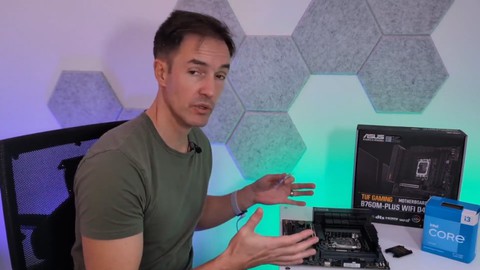
Learn to Build a Computer (PC) in 2026 - all types!
4.9 (245 Reviews)
- Provider: Udemy
- Time: 6.1h
$11.99
Original price
Raspberry Pi For Beginners - 2026 Complete Course
4.8 (3,105 Reviews)
- Provider: Udemy
- Time: 10.6h
$12.99
Original price
Ultimate Guide to Raspberry Pi : Tips, Tricks and Hacks (2023)
4.8 (2,363 Reviews)
- Provider: Udemy
- Time: 5.2h
$12.99
Original price
Mastering Microcontroller: STM32-LTDC, LCD-TFT, LVGL (MCU3) (2026)
4.8 (487 Reviews)
- Provider: Udemy
- Time: 8.1h
$11.99
Original price
Arduino Step by Step: Getting Started (2024)
4.7 (8,714 Reviews)
- Provider: Udemy
- Time: 21.4h
$22.99
Original price  Reviews

By James Venglar on 3/23/2023
Not what I was looking for in SPI. I did learn things,
By NISHANT SARODE on 3/17/2022
good information about SPI PROTOCOL
By Hashim on 10/15/2021
Teacher is very good and explaining spi communication from a to z. Thanks sir
By Cyrille Arnaud Kezembou Tiokou on 8/9/2021
good and Simple course on SPI but I think you test the code
By CHEEPURI V V S SRINIVAS on 6/21/2020
 Quality Score
No CourseDuck member has rated this course yet. Taken it? Give each part a thumbs up or down.
Overall Score : 82 / 100
- Video Duration:
 2.5h
- Price: $11.99
- Provider: Udemy
- Updated:
 February 2026
- Level:
 All Levels
- Language:
 English
- Certificate:
 Yes
30-day money-back guarantee on most paid courses
Udemy Coupon Price Tracker
