
 Web Development
 Data Science
 Python
 SQL
SQL JavaScript
 Artificial Intelligence
 IT & Software
 IT Certifications
 Hacking
 AWS
AWS Arduino
 DevOps
 3D Modeling
 Graphic Design
 Photoshop
 Drawing
 Digital Painting
 UX Design
 Business
 Data Analysis
 Communication Skills
 Project Management
 Leadership & Management
 Human Resources
 Digital Marketing
 Social Media Marketing
 Marketing
 SEO
SEO Google Analytics
 Branding
 Excel
Excel Office Productivity
 SAP
SAP PowerPoint
 Microsoft Access
 SharePoint
 Finance & Accounting
 Trading & Investing
 Accounting
 Bitcoin
 Personal Finance
 Video Editing & Animation
 Photography
 Adobe Premier Pro
 Adobe Lightroom
 Personal Development
 Productivity
 Career Development
 Life Coaching
 Health & Fitness
 Meditation & Mindfulness
 Yoga
Yoga Music
Music Music Production
 Guitar
 Piano
Piano Singing
 Language Learning
 Teaching & Academics
 Engineering
 Math
Math Lifestyle
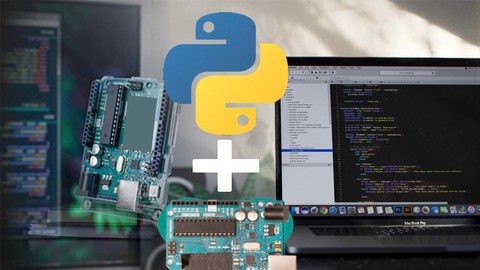
Arduino meets Python: Step by Step (Udemy.com)
Control your Arduino using Python easily and effectively and unleash the power of Python coding and Arduino Hardware
Created by: Educational Engineering Team
Last updated February 2026
 What you will learn
- Design Arduino Circuits
- Program Arduino using Python Language
- Connect Python with Arduino
- Learn serial communication basics in Python
- Learn serial communication basics in Arduino
- Fully Control Arduino using Python
- Set up electronic circuits
- Set up the Communication protocol on Arduino
- Write basic applications for Arduino in Python to control basics functions
- Advanced Control of analog and digital inputs and outputs
- How to Integrate Arduino sensors and switches
How it compares
Against the other 295 rated Udemy courses in Arduino on CourseDuck:
- Rating4.0 out of 5higher than 11% of them
- Reviews248#117 of 296 by number of reviews
- Length2 hoursshorter than 82% of them
- Last updatedFebruary 2026more recently than 73% of them
 Course Description
>>> Arduino meets Python: Step by step guide is a course specially created for Electronic Geeks & Engineers who want to take Arduino Programming to the next level. <<<
Welcome to this course.
The course lesson will explain “How to work on Arduino and Python” by using Python Language and PythonEnvironment. This course will work best for you if you have basic knowledge of Electronics and Arduino. You will learn how to interface the Arduino with your Computer and Control it using Python.
Arduino can be used in your Engineering projects, Industrial Projects, or Home Automation related projects.
Why should you take this course?
The course teaches you how to install Python and Arduino software
The course provides easy-to-follow instructions for setting up an Arduino Board with the right shields, sensors, actuators, and more
This course takes you to step by step through learning how to use Python scripting on your Arduino board.
You'll learn all about Python coding while taking advantage of the huge community support for Arduino boards.
You’ll learn how to:
Set up electronic circuits
Set up the Communication protocol on Arduino
Write basic applications for Arduino in Python to control basics functions
Advanced Control of analog and digital inputs and outputs
How to Integrate Arduino sensors and switches
Why Learn Arduino?
If you an Engineering or Science student you might come across projects in which you want Physical interaction with your computer system & to display the operations on PC Screen
Arduino is one of the cost-effective tools which you can create or purchase & starts programming to interact with physical elements with your logic & create results the way you want.
And using Python, you can fully control the Arduino Board and the various process parameters like Motor Speed, LED ON/OFF Feedback, Temperature Signal, you can also create unlimited Buttons, Switches & Message Box to control the Arduino
At the end of this course, you can create Innovative Projects. The only thing that you need to do is THINKING, WIRING & CODING.

 Udemy Discount
The discount is applied through our link. Open the course from here and Udemy's current promotional price is applied at checkout on most courses, no code to type.
Some courses are excluded from Udemy's promotions. If the price does not drop, clear your browser cookies and use the button again.
Instructor Details

- 4.0 Rating
 248 Reviews
Educational Engineering Team
Educational Engineering Academy is a global leader in high-tier microcontroller and embedded systems training. Founded by Ashraf, a veteran Mechatronics Engineer with over 13 years of industrial experience, our mission is to transform students from foundation-level learners into Systems Architects.
With a legacy dating back to 2007, we have moved beyond superficial tutorials. We specialize in Production-Grade Engineering, focusing on areas where AI cannot compete: hardware labs, physical circuit design, and complex industrial simulations. Having empowered over 650,000 students globally, we provide the exact, step-by-step blueprints required to master the "Microcontroller Industry" and "PLC Industrial Automation".
Why Engineers Choose Our Ecosystem:
• Deep-Thinking Architecture: Our curriculum utilizes a three-level assignment structure (Basic, Intermediate, and Advanced) to ensure you don't just watch videos, but solve real-world coding challenges.
• Professional Benchmarks: We provide Project Portfolio Reviews and Résumé Feedback to ensure your skills translate directly into a high-paying career.
 More courses by Educational Engineering Team


Android Development: Make Apps without Coding or Experience (2026)
4.0 (552 Reviews)
 Provider: Udemy
 Time: 1.8h
$34.99

Electronic & Electrical Devices Maintenance&Troubleshooting (2026)
3.9 (549 Reviews)
- Provider: Udemy
- Time: 5.2h
$54.99
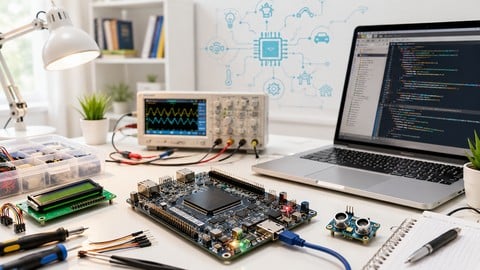
Become an Embedded System Engineer w/ this 60 Days Challenge (2026)
4.0 (412 Reviews)
- Provider: Udemy
- Time: 53.5h
$64.99
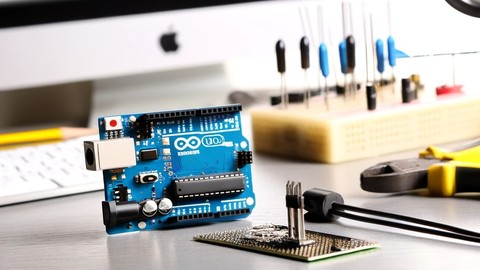
Arduino Practice Test: Get Certified and Test Your Skills (2017)
3.6 (359 Reviews)
- Provider: Udemy
$29.99
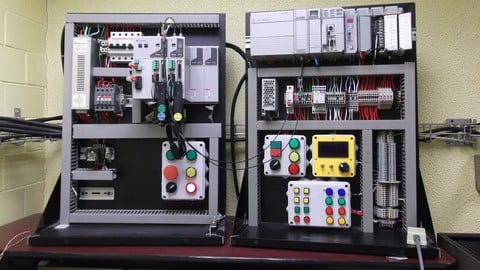
More Arduino courses


Learn to Build a Computer (PC) in 2026 - all types!
4.9 (245 Reviews)
- Provider: Udemy
- Time: 6.1h
$74.99

Raspberry Pi For Beginners - 2026 Complete Course
4.8 (3,105 Reviews)
- Provider: Udemy
- Time: 10.6h
$89.99

Ultimate Guide to Raspberry Pi : Tips, Tricks and Hacks (2023)
4.8 (2,363 Reviews)
- Provider: Udemy
- Time: 5.2h
$69.99

Mastering Microcontroller: STM32-LTDC, LCD-TFT, LVGL (MCU3) (2026)
4.8 (487 Reviews)
- Provider: Udemy
- Time: 8.1h
$79.99

Arduino Step by Step: Getting Started (2024)
4.7 (8,714 Reviews)
- Provider: Udemy
- Time: 21.4h
$159.99
 Reviews

By Johann Weidner Tomazelli on 11/30/2022
Had some valuable information, although there was no hardware demonstration, the code was running but couldn't see LED's being activated
By Morne Alfred on 6/24/2022
It's awesome Everything was clear
By Miguel Montiel Martínez on 4/9/2022
Basicamente, son tres ejemplos de como con arduino con entrada y salidas digitales, por medio de Python, no cumple con la entrada analógica, pero se puede deducir a partir de lo mostrado. Gracias!
By Mayank Baber on 2/6/2022
I shouldn't be complaining but, the course needed more lectures in order to cover more topics for the better understanding of the subject. Otherwise, i would have given 5 stars to this course. Great work!!
By Fabián López Mercado on 8/11/2021
Thanks; I do not speak English, however the words and ideas are clear, very easy to understand from the language, to the instructions, I am already looking forward to writing code in python exploring other cards such as esp8266 etc. Wonderful what was explained has been looking for time and had found only very limited micropython.
By Josue Banega on 7/22/2021
This course is a nice introductory explanation about how to use python to control arduino.
By Paulo Pigozzi on 5/25/2021
Interesting but very short course with few examples. I expected more examples. I will look for more information on the internet.
By Shlok Soni on 11/30/2020
Very Short And Easy Course :)
By Enrique Tosi on 5/9/2020
I got the knowledge that I needed to make it work, and learn a new easier method that I was never aware of. It was worth the price. The only issue I had was when I downloaded the pyfirmata via cmd pip protocol, that I had to seek troubleshooting before continuing on Section 6, when the IDLE wasn't finding the pyfirmata location. This should be covered as well, so that those who do pip imports can perform the tasks smoothly, and know how to troubleshoot if such error occurs. Everything else is Flawless.
By Jatin Parmar on 4/11/2020
The pip is not installed correctly in the video, it still shows the pip not found. Please show us how I successfully install the pip in the system.
 Quality Score
No CourseDuck member has rated this course yet. Taken it? Give each part a thumbs up or down.
Overall Score : 80 / 100
- Video Duration:
 2h
2h - Price: $29.99
- Provider: Udemy
- Updated:
 February 2026
 - Level:
 All Levels
 - Language:
 English
 - Certificate:
 Yes
Yes
30-day money-back guarantee on most paid courses
Udemy Coupon Price Tracker
