
 Web Development
 Data Science
 Python
 SQL
SQL JavaScript
 Artificial Intelligence
 IT & Software
 IT Certifications
 Hacking
 AWS
AWS Arduino
 DevOps
 3D Modeling
 Graphic Design
 Photoshop
 Drawing
 Digital Painting
 UX Design
 Business
 Data Analysis
 Communication Skills
 Project Management
 Leadership & Management
 Human Resources
 Digital Marketing
 Social Media Marketing
 Marketing
 SEO
SEO Google Analytics
 Branding
 Excel
Excel Office Productivity
 SAP
SAP PowerPoint
 Microsoft Access
 SharePoint
 Finance & Accounting
 Trading & Investing
 Accounting
 Bitcoin
 Personal Finance
 Video Editing & Animation
 Photography
 Adobe Premier Pro
 Adobe Lightroom
 Personal Development
 Productivity
 Career Development
 Life Coaching
 Health & Fitness
 Meditation & Mindfulness
 Yoga
Yoga Music
Music Music Production
 Guitar
 Piano
Piano Singing
 Language Learning
 Teaching & Academics
 Engineering
 Math
Math Lifestyle
Arduino Programming and Simulation without Coding (Udemy.com)
Start working with different Arduino boards without buying them and start unleashing the power of code in Simulation
Created by: Educational Engineering Team
Last updated February 2026
 What you will learn
- Simulate Arduino UNO Boards
- Simulate Arduino Mega Boards
- Simulate Arduino nano Boards
- Write codes and test them without having an Arduino Board
- Test Codes without having a real physical an Arduino Board
How it compares
Against the other 295 rated Udemy courses in Arduino on CourseDuck:
- Rating4.0 out of 5higher than 11% of them
- Reviews151#157 of 296 by number of reviews
- Length2.2 hoursshorter than 77% of them
- Last updatedFebruary 2026more recently than 73% of them
 Course Description
The Arduino is an open-source electronics platform based on easy-to-use hardware and software. Sensing the environment by receiving inputs from many sensors, Arduino affects its surroundings by controlling lights, motors, and a number of other accessories. It's intended for anyone making interactive hardware projects and in this course, we will make it easy for you to Design and Simulate Arduino Boards and Start Testing Your Codes Freely.
So, if you want to make cool things using your Arduino, but don't know how to code, this is the course for you!
This course will help you learn how to program Arduino without having to use any complicated coding. With helpful illustrations and step-by-step instructions, this is a great way for beginners to get started in Arduino programming. You can also enhance your skills with fun memory games that challenge you to think like an engineer!
Why you should take this course?
Learn how to program Arduino boards without coding with a simulation tool
Learn how to use Arduino for electronics projects and build standalone applications
Create interactive projects using buttons, switches, and dials
Simulate Arduino programming before actually building
Be able to create your own boards or circuits that work flawlessly with Arduino software
Welcome to Arduino Programming and Simulation without Coding.
In this course, you will learn how to Simulate different Arduino Boards in a Professional Simulation Environment. It will help you unleash your full coding potential without buying any of the Arduino boards.
This course will help you test your codes and schematics for Arduino without the risk of burning your board. No more bad connections or wrong codes.
Contents and Overview:
This course is designed for anyone interested in learning electronic design. You don't need to have any previous experience, and all you need is a computer.
Boards that can be Simulated:
Arduino Uno
Arduino Mega
Arduino Nano
Arduino Zero
And others
User Testimonials: "This course made Arduino programming accessible and fun. Highly recommend it!" - John D.
"A fantastic way to start learning Arduino without the need for hardware. Excellent course!" - Sarah M.
Author Bio: Ashraf is an educator, Mechatronics engineer, electronics and programming hobbyist, and Maker. As a Chief Educational Engineer since 2007 at Educational Engineering Team, the company he founded, Ashraf’s mission is to explore new trends and technology and help educate the world. With over 250,000 students from around the world, Ashraf’s online courses have helped many to kick-start their careers in the industry.
Call to Action: Enroll now to start your journey into Arduino programming and simulation without the need for coding. Unleash your creativity and build amazing projects today!
FAQ: Q: Do I need any special equipment or software to take this course? A: No, you only need a computer with internet access and the free software mentioned in the course.
Q: How quickly can I start creating Arduino projects after taking this course? A: Results may vary, but many students see success within the first few projects by following the strategies taught in this course.
What You Will Learn
How to program Arduino boards without coding
How to use simulation tools for Arduino projects
How to create interactive projects using buttons, switches, and dials
How to test Arduino codes and schematics without hardware
Who Is This Course For
Beginners interested in Arduino programming
Hobbyists and makers looking to learn Arduino without buying hardware
Anyone interested in electronic design and simulation
Requirements
A computer with internet access
No prior coding experience needed
About the Instructor
Educational Engineering Team
Team of skilled Engineers Sharing Knowledge with the World
Educational Engineering Team is a leading team in the Microcontroller Industry, with over 13 Years of Experience in teaching and doing practical projects. They strive to provide deep, hands-on experience in their courses, offering step-by-step blueprints on various topics.
Ashraf is an educator, Mechatronics engineer, electronics and programming hobbyist, and maker. He has been the Chief Educational Engineer at Educational Engineering Team since 2007, and his mission is to explore new trends and technology to help educate the world. His online courses have helped over 250,000 people worldwide to build successful careers.
Educational Engineering Team offers courses on:
Circuit Design, Simulation, and PCB Fabrication
Arduino, PIC Microcontroller, and Raspberry Pi
Programming in C, Python, and other programming languages
PLC Industrial Programming and Automation
3D Design and Simulation
ESP and IoT World

 Udemy Discount
The discount is applied through our link. Open the course from here and Udemy's current promotional price is applied at checkout on most courses, no code to type.
Some courses are excluded from Udemy's promotions. If the price does not drop, clear your browser cookies and use the button again.
Instructor Details

- 4.0 Rating
 151 Reviews
Educational Engineering Team
Educational Engineering Academy is a global leader in high-tier microcontroller and embedded systems training. Founded by Ashraf, a veteran Mechatronics Engineer with over 13 years of industrial experience, our mission is to transform students from foundation-level learners into Systems Architects.
With a legacy dating back to 2007, we have moved beyond superficial tutorials. We specialize in Production-Grade Engineering, focusing on areas where AI cannot compete: hardware labs, physical circuit design, and complex industrial simulations. Having empowered over 650,000 students globally, we provide the exact, step-by-step blueprints required to master the "Microcontroller Industry" and "PLC Industrial Automation".
Why Engineers Choose Our Ecosystem:
• Deep-Thinking Architecture: Our curriculum utilizes a three-level assignment structure (Basic, Intermediate, and Advanced) to ensure you don't just watch videos, but solve real-world coding challenges.
• Professional Benchmarks: We provide Project Portfolio Reviews and Résumé Feedback to ensure your skills translate directly into a high-paying career.
 More courses by Educational Engineering Team


Android Development: Make Apps without Coding or Experience (2026)
4.0 (552 Reviews)
 Provider: Udemy
 Time: 1.8h
$34.99

Electronic & Electrical Devices Maintenance&Troubleshooting (2026)
3.9 (549 Reviews)
- Provider: Udemy
- Time: 5.2h
$54.99

Become an Embedded System Engineer w/ this 60 Days Challenge (2026)
4.0 (412 Reviews)
- Provider: Udemy
- Time: 53.5h
$64.99
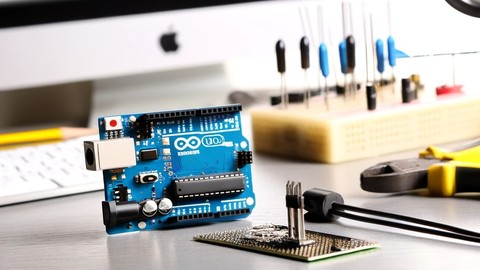
Arduino Practice Test: Get Certified and Test Your Skills (2017)
3.6 (359 Reviews)
- Provider: Udemy
$29.99
More Arduino courses


Learn to Build a Computer (PC) in 2026 - all types!
4.9 (245 Reviews)
- Provider: Udemy
- Time: 6.1h
$74.99

Raspberry Pi For Beginners - 2026 Complete Course
4.8 (3,105 Reviews)
- Provider: Udemy
- Time: 10.6h
$89.99

Ultimate Guide to Raspberry Pi : Tips, Tricks and Hacks (2023)
4.8 (2,363 Reviews)
- Provider: Udemy
- Time: 5.2h
$69.99

Mastering Microcontroller: STM32-LTDC, LCD-TFT, LVGL (MCU3) (2026)
4.8 (487 Reviews)
- Provider: Udemy
- Time: 8.1h
$79.99

Arduino Step by Step: Getting Started (2024)
4.7 (8,714 Reviews)
- Provider: Udemy
- Time: 21.4h
$159.99
 Reviews

By Ajay Singh on 9/17/2021
It is nothing more than introduction to a website www.tinkercad.com
By Cyrille Arnaud Kezembou Tiokou on 7/14/2021
Pratique pour ceux qui veulent faire apprendre à leurs enfants comment programmer
By Clive Wilby on 1/29/2021
Thanks for a great introduction to TinkerCAD and Block Coding. Made it easy to understand.
By PONRAJ SELVARAJ on 6/28/2020
now i get basic knowledge for arduino from this course ....thank you
By Siti Suyati Binte Samri on 5/7/2020
Interesting I to know more.
By Jeferson Peter on 11/7/2019
A explicação é boa em si até , mas senti falta da experiência direta com fazer o código, e não utilizar blocos, e o inglês é confuso no vídeo
By Junaid Khalfay on 9/21/2019
Great explanation and very much for beginners. Go for it.
By Luis Edgardo Duno Castellano on 8/28/2019
Me gusto la explicación no sabia que había plataformas para aprender arduino desde el navegador solo queda practicar mas
By Sivakumar on 8/14/2019
The explanation and details were very good, but I was expecting a deeper explanation of Arduino programming. Only basics of Arduino programming were covered.
By Rama Suryam Jalamanchili on 5/8/2019
The course is a good start for those who wanna try tinkercad.
 Quality Score
No CourseDuck member has rated this course yet. Taken it? Give each part a thumbs up or down.
Overall Score : 80 / 100

- Video Duration:
 2.2h
2.2h - Price: $34.99
- Provider: Udemy
- Updated:
 February 2026
 - Level:
 Beginner
 - Language:
 English
 - Certificate:
 Yes
Yes
30-day money-back guarantee on most paid courses
Udemy Coupon Price Tracker
