
 Web Development
 Data Science
 Python
 SQL
SQL JavaScript
 Artificial Intelligence
 IT & Software
 IT Certifications
 Hacking
 AWS
AWS Arduino
 DevOps
 3D Modeling
 Graphic Design
 Photoshop
 Drawing
 Digital Painting
 UX Design
 Business
 Data Analysis
 Communication Skills
 Project Management
 Leadership & Management
 Human Resources
 Digital Marketing
 Social Media Marketing
 Marketing
 SEO
SEO Google Analytics
 Branding
 Excel
Excel Office Productivity
 SAP
SAP PowerPoint
 Microsoft Access
 SharePoint
 Finance & Accounting
 Trading & Investing
 Accounting
 Bitcoin
 Personal Finance
 Video Editing & Animation
 Photography
 Adobe Premier Pro
 Adobe Lightroom
 Personal Development
 Productivity
 Career Development
 Life Coaching
 Health & Fitness
 Meditation & Mindfulness
 Yoga
Yoga Music
Music Music Production
 Guitar
 Piano
Piano Singing
 Language Learning
 Teaching & Academics
 Engineering
 Math
Math Lifestyle
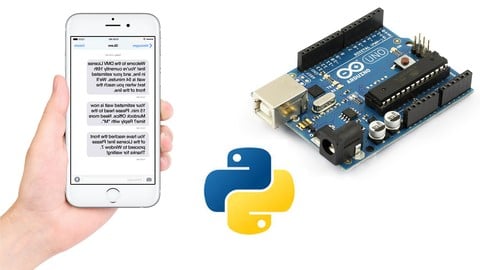
Arduino SMS Sending Motion Detector using Python (Udemy.com)
Move Arduino to the Next Level using Python and get SMS notifications on your Mobile when Motion is Detected via APIs
Created by: Educational Engineering Team
Last updated February 2026
 What you will learn
- Design Arduino Circuits
- Program Arduino to get it ready for sending data to Python script via Serial Port
- Connect Python with Arduino
- Learn serial communication basics in Python
- Learn serial communication basics in Arduino
- Fully Control Arduino using Python and get Motion Sensor reading from Arduino
- Send SMS Once a Motion is detected using Python scripting
- Unleash the power of APIs in Python
- Code like a Professional
- Advanced Control of analog and digital inputs and outputs
How it compares
Against the other 295 rated Udemy courses in Arduino on CourseDuck:
- Rating4.3 out of 5higher than 36% of them
- Reviews88#210 of 296 by number of reviews
- Length2.1 hoursshorter than 79% of them
- Last updatedFebruary 2026more recently than 73% of them
 Course Description
Arduino SMS Sending Motion Detector using Python: Step by step guide is a course specially created for Electronic Geeks & Engineers who want to move their Arduino Programming to the next level by implementing Python APIs to receive SMS Notification whenever Arduino detected a Movement.
Why you should take this course?
Learn how to use Python to connect with the Arduino via SMS
Learn how to use PIP and MIMETOOLS to send SMS Text Messages
Learn how to take a Motion Detection image from a camera and upload it securely
Learn how to build a webcam based Motion Detector using Python
Welcome to this new course.
The course lesson will explain “How to achieve the full potential of your Arduino using Python” by using Python APIs. This course will work best for you if you have got basic knowledge of Electronics and Arduino. you'll find out how to interface the Arduino along with your Computer and Control it using Python and the way to share data between Arduino and Python to initiate an action like sending an SMS.
Arduino is often employed in your Engineering projects, Industrial Projects or Home Automation related projects.
Arduino is one among the cost-effective tools which you'll create or purchase & starts programming to interact with physical elements along with your logic & create results the way you wish.
And using Python, you'll fully control the Arduino Board and therefore the various process parameters like Motor Speed, LED ON/OFF Feedback, Temperature Signal, you'll also create unlimited Buttons, Switches & Message Box to manage the Arduino
After ending this course, you'll create Innovative Projects. the sole thing that you simply got to do is THINKING, WIRING & CODING.
Note: No Previous Python experience is required.

 Udemy Discount
The discount is applied through our link. Open the course from here and Udemy's current promotional price is applied at checkout on most courses, no code to type.
Some courses are excluded from Udemy's promotions. If the price does not drop, clear your browser cookies and use the button again.
Instructor Details

- 4.3 Rating
 88 Reviews
Educational Engineering Team
Educational Engineering Academy is a global leader in high-tier microcontroller and embedded systems training. Founded by Ashraf, a veteran Mechatronics Engineer with over 13 years of industrial experience, our mission is to transform students from foundation-level learners into Systems Architects.
With a legacy dating back to 2007, we have moved beyond superficial tutorials. We specialize in Production-Grade Engineering, focusing on areas where AI cannot compete: hardware labs, physical circuit design, and complex industrial simulations. Having empowered over 650,000 students globally, we provide the exact, step-by-step blueprints required to master the "Microcontroller Industry" and "PLC Industrial Automation".
Why Engineers Choose Our Ecosystem:
• Deep-Thinking Architecture: Our curriculum utilizes a three-level assignment structure (Basic, Intermediate, and Advanced) to ensure you don't just watch videos, but solve real-world coding challenges.
• Professional Benchmarks: We provide Project Portfolio Reviews and Résumé Feedback to ensure your skills translate directly into a high-paying career.
 More courses by Educational Engineering Team


Android Development: Make Apps without Coding or Experience (2026)
4.0 (552 Reviews)
 Provider: Udemy
 Time: 1.8h
$34.99

Electronic & Electrical Devices Maintenance&Troubleshooting (2026)
3.9 (549 Reviews)
- Provider: Udemy
- Time: 5.2h
$54.99
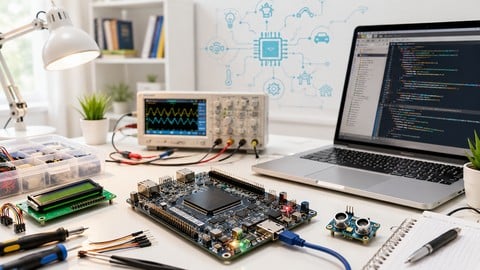
Become an Embedded System Engineer w/ this 60 Days Challenge (2026)
4.0 (412 Reviews)
- Provider: Udemy
- Time: 53.5h
$64.99
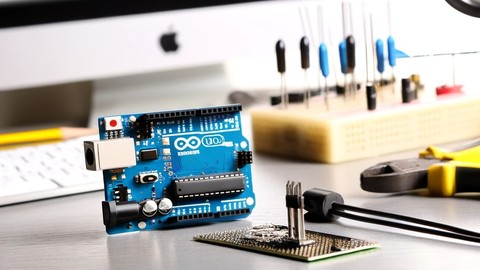
Arduino Practice Test: Get Certified and Test Your Skills (2017)
3.6 (359 Reviews)
- Provider: Udemy
$29.99
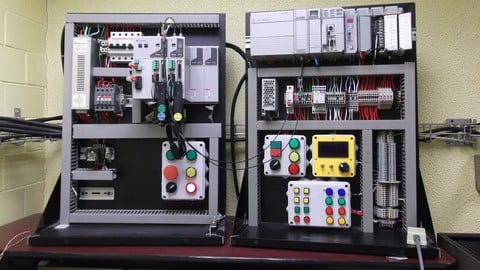
More Arduino courses


Learn to Build a Computer (PC) in 2026 - all types!
4.9 (245 Reviews)
- Provider: Udemy
- Time: 6.1h
$74.99

Raspberry Pi For Beginners - 2026 Complete Course
4.8 (3,105 Reviews)
- Provider: Udemy
- Time: 10.6h
$89.99

Ultimate Guide to Raspberry Pi : Tips, Tricks and Hacks (2023)
4.8 (2,363 Reviews)
- Provider: Udemy
- Time: 5.2h
$69.99

Mastering Microcontroller: STM32-LTDC, LCD-TFT, LVGL (MCU3) (2026)
4.8 (487 Reviews)
- Provider: Udemy
- Time: 8.1h
$79.99

Arduino Step by Step: Getting Started (2024)
4.7 (8,714 Reviews)
- Provider: Udemy
- Time: 21.4h
$159.99
 Reviews

By Andres Toth on 3/5/2022
Buena elección para aprender los pasos de la API completa, incluyendo demo real. gracias
By Juan Daniel Alvarez Monsivais on 6/6/2021
Easy and very useful
By Asmita madhukar khare on 5/24/2021
It's very nice to learn
By Snehal Sayaji Nalawade on 5/21/2021
This course is very helpful .I like Udemy courses.
By Alisha inamdar on 5/18/2021
it was really very helpful sessions
By Mariusz Rutkowski on 1/22/2021
Course was great, but subtitles need corrections.
By Viswanath A L on 11/25/2020
I don't like the explanation, he just reads out the ppt without any explaining detail.
By Md. Abdullah Al Mamun Khan on 11/16/2020
not easy but good description, i learn some new feature about arduino and python also. thanx
By Arif Febriadi on 10/27/2020
good and useful course
By John Summers on 10/26/2020
I like the presentation and the material covered.
 Quality Score
No CourseDuck member has rated this course yet. Taken it? Give each part a thumbs up or down.
Overall Score : 86 / 100
- Video Duration:
 2.1h
2.1h - Price: $44.99
- Provider: Udemy
- Updated:
 February 2026
 - Level:
 All Levels
 - Language:
 English
 - Certificate:
 Yes
Yes
30-day money-back guarantee on most paid courses
Udemy Coupon Price Tracker
