
 Web Development
 Data Science
 Python
 SQL
SQL JavaScript
 Artificial Intelligence
 IT & Software
 IT Certifications
 Hacking
 AWS
AWS Arduino
 DevOps
 3D Modeling
 Graphic Design
 Photoshop
 Drawing
 Digital Painting
 UX Design
 Business
 Data Analysis
 Communication Skills
 Project Management
 Leadership & Management
 Human Resources
 Digital Marketing
 Social Media Marketing
 Marketing
 SEO
SEO Google Analytics
 Branding
 Excel
Excel Office Productivity
 SAP
SAP PowerPoint
 Microsoft Access
 SharePoint
 Finance & Accounting
 Trading & Investing
 Accounting
 Bitcoin
 Personal Finance
 Video Editing & Animation
 Photography
 Adobe Premier Pro
 Adobe Lightroom
 Personal Development
 Productivity
 Career Development
 Life Coaching
 Health & Fitness
 Meditation & Mindfulness
 Yoga
Yoga Music
Music Music Production
 Guitar
 Piano
Piano Singing
 Language Learning
 Teaching & Academics
 Engineering
 Math
Math Lifestyle
AutoCAD 2D and Autocad Electrical 2017 for beginners (Udemy.com)
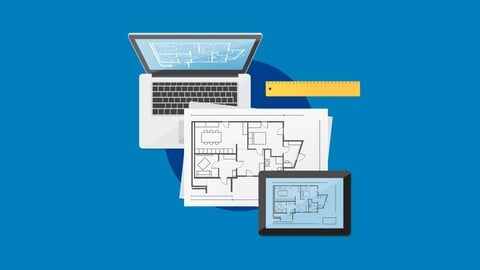
Learn how to design maps (House Plans), add electrical schematics, and draw 2D shapes using AutoCAD Electrical 2017
Created by: Ali Mehdy
Last updated August 2016
 What you will learn
- Work easily with any AutoCAD workspace
- Master the house plan designs using AutoCAD
- Draw advanced 2D shapes
- Learn about drawing tools provided by AutoCAD
- Draw maps for all type of facilities
- Designing electrical schematics for facilities
- Design master electrical panel
How it compares
Against the other 545 rated Udemy courses in 3D Modeling on CourseDuck:
- Rating4.3 out of 5higher than 15% of them
- Reviews451#172 of 546 by number of reviews
- Length3.8 hoursshorter than 67% of them
- Last updatedAugust 2016earlier than 97% of them
 Course Description
This course provide basic information in the electrical part and advanced lectures on AutoCAD 2D.
This course can be taken by students who already have AutoCAD Electrical 2015, 2016 or 2017.
At the end of this course, you will be able to draw maps for all facilities, make electrical wiring for each map, and design an electrical panel that controls all the electrical installments of a facility. Plus, you will be able to draw a 2D design from scratch.
This course is dedicated for absolute beginners in any AutoCAD software.
We will start with an introduction about AutoCAD and how to download it, then we will learn the basics of 2D drawings (including all the tools like lines, polylines, circles, offset, trim, fillet, chamfer, and more). And we will create advanced 2D shapes as exercises.
The second part of this course, is about electrical wiring, and panels.

 Udemy Discount
The discount is applied through our link. Open the course from here and Udemy's current promotional price is applied at checkout on most courses, no code to type.
Some courses are excluded from Udemy's promotions. If the price does not drop, clear your browser cookies and use the button again.
Instructor Details

- 4.3 Rating
 451 Reviews
Ali Mehdy
I am an Electrical, Telecommunications and IT engineer graduate with a Master degree since 2013, with experience in designing software and web apps for telecommunication purposes, designing household electrical schematics and designing electrical panels. I have an advanced experience programming industrial microprocessors PLC. And now I am an Udemy Premium Instructor.
 More courses by Ali Mehdy
More 3D Modeling courses

3D Printing with " Ultimaker CURA Slicer- Start to finish" (2025)
4.9 (192 Reviews)
 Provider: Udemy
 Time: 1h
$34.99

Girl and the Dog Creation in Zbrush for Intermediate Level (2020)
4.9 (173 Reviews)
- Provider: Udemy
- Time: 48.8h
$59.99



Blender Character Creator for Video Games (2026)
4.8 (9,160 Reviews)
- Provider: Udemy
- Time: 34.3h
$159.99

Master SOLIDWORKS 3D CAD using real-world examples (2022)
4.8 (2,451 Reviews)
- Provider: Udemy
- Time: 18.9h
$69.99
 Reviews

By Yusuf Mohamed on 2/23/2024
AMAZING BEGINNER-LEVEL 2D AUTOCAD ELECTRICAL COURSE! I enjoyed the course content and the instructor explained the material very straightforward manner. I would recommend this course to Electrical Engineering students and professionals as well.
By Phil Bunce on 6/11/2020
I have been drafting panel drawings for years using various packages. I am old enough to say I started drafting by hand.. I design electrical panels for the control industry an my company wants to use autoCAD Electrical 2021 so I am just familiarizing myself with the tools. I have already been using this for a month or so and have a purchased license so this course is just what I need. :)
By Gordon on 5/11/2020
Many thanks for producing this series of lectures on AutoCAD Electrical. It have given me a great overview of how to use this software and what it can do for producing electrical drawings.
By Francois Choquette on 12/26/2019
Starts from the very beginning, which is often necessary for a lot of people. The pace is fairly quick, but it is easy to stop and review. Recommend using ACAD at the same time to do all the exercises.
By Ashutosh Kumar on 5/9/2018
It's a very informative course for a beginner. Greatly benefitted from it. One significant shortcoming I would like to mention as a feedback is that there is more emphasis given to Mechanical or Civil Drawings than on Electrical Drawings.
By Aashish Jariwala on 7/16/2017
The educational information in the second-to-last video seemed incomplete. Conclusion to every video would be good. When the video ends it feels as if the tutor was abruptly cut-off while delivering the presentation. The tutor made a mistake in the drawing but failed to explain the updated dimension in his speech but instead simply put a note advising the learner of the mistake that was made in the drawing. It feels incomplete and confusing at times.
By Jeremy Nelson on 6/23/2017
He gave some good information, but spoke too fast even when playing at .75 speed. He showed how to use most of the features in AutoCAD Electrical, and it is definitely a tool I will be using in the future. Main thing is he spoke really fast and blew past somethings that he could have explained better.
By John Grandy on 5/28/2017
The course is great for beginners and people like me who have a moderate understanding of AutoCAD. I deducted one star for a couple reasons. First, I feel that the instructor explains things too fast and I was constantly pausing to hear again and try to catch up on my own AutoCAD sketches. It would be better if he could slow down a little and explain more about the commands he's selecting and why. Secondly, it's unfortunate that I only have access to the student version of AutoCAD Electrical. I had hoped that this wouldn't be a problem, but unfortunately there are some important features missing from the student version, such as inserting 'enclosures' in the electrical icons, so I was unable to follow along with many of the later lessons. It is still valuable to watch, but I was disappointed that I was unable to copy his instructions in the student version. Other than that, it's a good course with a lot of valuable information about AutoCAD.
By Moises Fernando Morett Novelo on 4/17/2017
This class is good for starting with AutoCAD electrical, it is a little focus on House Plans as mentioned in the description but it gives you a good idea of the potential of the features in AutoCAD Electrical. Recommended for a quick start or refresh.
By Gregory Ebert on 9/20/2016
Instructor jumped way too fast into the all the little features and settings of AutoCAD without any sort of overview or outline. He also is going quite fast, I slowed down playback but still end up jumping back in time a lot. Another issue is that many of the AutoCAD features he is using are at the bottom of the screen, which is covered up by the playback controls much of the time (since I need to jump back and repeat so much). I know that this is an AutoCAD course but there are some basic drafting issues with the examples. Also, a typographic error in a quiz question where one of the answers repeats the question. The course just feels like it was put together in a hurry. I have learned a lot, so it is worth the time, but it could be better.
 Quality Score
No CourseDuck member has rated this course yet. Taken it? Give each part a thumbs up or down.
Overall Score : 86 / 100
- Video Duration:
 3.8h
3.8h - Price: $13.99
- Provider: Udemy
- Updated:
 August 2016
 - Level:
 Beginner
 - Language:
 English
 - Certificate:
 Yes
Yes
30-day money-back guarantee on most paid courses
Udemy Coupon Price Tracker
