
 Web Development
 Data Science
 Python
 SQL
SQL JavaScript
 Artificial Intelligence
 IT & Software
 IT Certifications
 Hacking
 AWS
AWS Arduino
 DevOps
 3D Modeling
 Graphic Design
 Photoshop
 Drawing
 Digital Painting
 UX Design
 Business
 Data Analysis
 Communication Skills
 Project Management
 Leadership & Management
 Human Resources
 Digital Marketing
 Social Media Marketing
 Marketing
 SEO
SEO Google Analytics
 Branding
 Excel
Excel Office Productivity
 SAP
SAP PowerPoint
 Microsoft Access
 SharePoint
 Finance & Accounting
 Trading & Investing
 Accounting
 Bitcoin
 Personal Finance
 Video Editing & Animation
 Photography
 Adobe Premier Pro
 Adobe Lightroom
 Personal Development
 Productivity
 Career Development
 Life Coaching
 Health & Fitness
 Meditation & Mindfulness
 Yoga
Yoga Music
Music Music Production
 Guitar
 Piano
Piano Singing
 Language Learning
 Teaching & Academics
 Engineering
 Math
Math Lifestyle
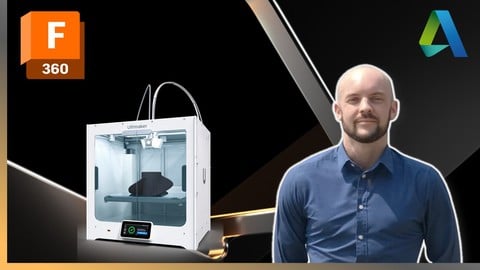
Autodesk Fusion 360 (2026) - Complete Beginners Guide (Udemy.com)
Beginner to Intermediate Course for 3D Mechanical Design
Created by: Christopher Richardson
Last updated September 2026
 What you will learn
- Sketching - Learn the Sketch tools available to create detailed Sketch geometries.
- 3D Modelling - Turn Sketches into 3D Models using a wide range of 3D tools.
- 2D Engineering Drawings - Create technical blueprints of assemblies and parts.
- Edits, Modifications & Customization - The core practices to design to high standards.
- 3D Visualization - Rendering, Materials, Appearances and more.
- Exporting STL files for 3D Printing
How it compares
Against the other 545 rated Udemy courses in 3D Modeling on CourseDuck:
- Rating4.7 out of 5higher than 75% of them
- Reviews2,721#27 of 546 by number of reviews
- Length10.6 hourslonger than 69% of them
- Last updatedSeptember 2026more recently than 99% of them
 Course Description
Course Overview:
This is a beginner-friendly Autodesk Fusion 360 course that will guide you step-by-step through the elements of Autodesk Fusion 360. You will learn how to navigate the user interface, create parts and sketches, build 3D Assembly models and how to create detailed 2D engineering drawings to industry standards. Fusion 360 is a perfect tool for 3D printing, enabling you to have complete design capability in preparation for 3D printing applications.
Throughout the course are plenty of examples, also featured are assignments/ tests that will enable you to apply the skills and techniques that you've learnt. The course is broken down into sections designed a logical order for building your skills and knowledge in this powerful CAD tool.
About the Instructor:
Christopher Richardson MEng is an Automotive Engineer specializing in Military Automotive Modifications. He also teaches various CAD software's to students undertaking Engineering and Design courses and runs online classes for students and professionals globally. Chris began his career working for automotive OEM's and has since moved to military applications. Chris aims to further educate those who are also passionate for design.
Who should enroll on this Course:
Whether you're a student, engineer, or 3D Printing hobbyist, this course is perfect for anyone starting out with Autodesk Fusion 360 or for those who want to brush up on their skills. By the end of this course, you will have the skillset to begin independently navigating and creating your own designs and be in a position ready to 3D model for 3D printing applications.
Course Pre-requisites:
Autodesk Fusion 360 2018+ software are suitable versions for this course. Versions prior to 2018 will be fine but the tools and layout may be slightly different.
Please note that Fusion Free version and the LT version (the light version) does not feature all the tools required for this course. Therefore it is recommended to use full versions only. If you use the LT or free versions then you will be able to complete 98% of the course but some of the advanced edit features will be 'greyed out'.

 Udemy Discount
The discount is applied through our link. Open the course from here and Udemy's current promotional price is applied at checkout on most courses, no code to type.
Some courses are excluded from Udemy's promotions. If the price does not drop, clear your browser cookies and use the button again.
Instructor Details

- 4.7 Rating
 2,721 Reviews
Christopher Richardson
Chris has been working as a professional design engineer for over 15 years. He specialized in Automotive engineering with focus on vehicle modification for off-road and military applications. He has expert knowledge in Autodesk Inventor, Dassault Systèmes Solidworks, Fusion 360, Siemens NX and CATIA softwares.
From Chris:
'Automotive Engineering is a very broad subject, I am passionate about interior medications and part/ assembly testing. 3D printing has become very useful in today's world to mock up conceptual designs and for product testing/ presentation and approvals.'
 More 3D Modeling courses

3D Printing with " Ultimaker CURA Slicer- Start to finish" (2025)
4.9 (192 Reviews)
 Provider: Udemy
 Time: 1h
$34.99

Girl and the Dog Creation in Zbrush for Intermediate Level (2020)
4.9 (173 Reviews)
- Provider: Udemy
- Time: 48.8h
$59.99



Blender Character Creator for Video Games (2026)
4.8 (9,160 Reviews)
- Provider: Udemy
- Time: 34.3h
$159.99

Master SOLIDWORKS 3D CAD using real-world examples (2022)
4.8 (2,451 Reviews)
- Provider: Udemy
- Time: 18.9h
$69.99
 Reviews

By Olga Donoga on 9/15/2026
A huge thank you to Christopher Richardson for this incredible course! As a true beginner to Fusion 360 and 3D modeling, I was a bit intimidated at first, but Christopher’s patience and the depth of knowledge he shares in these video lessons are unmatched. He made learning AutoCAD and Fusion genuinely fun. His teaching style gave me so much confidence that I was able to start creating my own designs after just a few lessons. Fast forward to today: I now run two 3D printers and manage accounts on popular 3D modelling sites with almost 50 of my own models! It just goes to show that starting this journey later on is absolutely possible—which is exactly why I named my account 3D_After_40. Highly recommend this course to anyone looking to level up from beginner to intermediate!
By Alejandro Del Barrio on 8/14/2026
I really enjoyed this course. The instructor explains everything very clearly, and the lessons are easy to follow and understand. My only criticism would be the final exams/projects. I feel like they could have been better designed, as they seemed a bit rushed, and I ended up just following along with the videos to complete them. Other than that, it was a great course with a great instructor. I learned a lot and would definitely recommend it!
By Jodi G. on 8/13/2026
This was almost an exceptional course. The core instruction and content quality are great, but a few organization and polish issues held it back from a full 5 stars. For example: Incomplete Drawing Dimensions: Not all exercise drawings include complete dimensions. This forces you to watch the solution videos just to get basic measurements, which undermines the opportunity to attempt exercises on your own. Missing Course Assets: A few reference files are missing entirely. For example, Section 10.91 lacks the drawings and dimensions for the coaster holder part. Exercise Progression: The difficulty curve feels out of order in places. For example, placing a simple paperclip sweep exercise after a complex flange/pipe structure requiring multiple sweeps and offset construction planes disrupts the natural learning flow. With completed dimension sheets, uploaded missing files, and resequenced exercises based on difficulty, this would easily be a 5-star course.
By Tusitha Jayatunge on 8/11/2026
Great course! Taught me everything I need to know about Fusion 360 and creating my own 3D models for 3D printing. My only piece of feedback is that it would be good if there was an outro to the course, suggesting where to go from here to expand my knowledge on Fusion 360, CAD modeling and anything else to become more proficient. Other than that I really enjoyed the course.
By Kirsten Anne Rose on 7/25/2026
This course was fantastic! Detailed and comprehensive. I feel as though I've completely levelled up and gone from a state of confusion to knowing I can do this! I appreciated the number of practice exercises and opportunities to test what I've learned. I felt as though the instructor really knows his stuff, and made it accessible and understandable. 100% recommend! A+
By Mohamed Reda El Meallem on 7/16/2026
This course is incredibly educational. The teacher’s instructions are clear, professional, and structured perfectly—starting with the fundamentals and gradually increasing in difficulty to build your skills with each video. I also loved that every lesson included drawing exercises and practical materials, allowing me to try it myself before watching the teacher's approach. Having completed the course, I now feel confident to begin my own 3D designs. I'm really looking forward to diving even deeper into 3D design on my journey. Thank you for such a great course!
By Derek Bushman on 6/29/2026
Questions about personal use license and limitations. It doesn't really make it clear whether I can get through the course with it or not. Says course is for "all versions" but then they generically say "wouldn't recommend it, don't want to run into limitations". I think some time should be taken to check on how those limitations would affect the course.
By Alex Bokovoy on 6/8/2026
Pretty good explaination of the tools and workings of Fusion.........so far. Pretty complicated modeling for a beginner!! Had to move along with the demo, which was way too fast. Would be nice to be able to download the tech drawing so one didn't have to keep going back in the video to see it. Learning a lot, but I'm just slow with these types of instructions. Would have been nice to have a few very simple items to model and work into the more complicated ones. Have to say, I wasn't feeling too smart having to cheat and follow the demo for every model
By Paul Griffith on 5/19/2026
The presenter has a nice style and his diction is very clear. Mac users may find that middle mouse button operations are very tedious with the Apple Magic Mouse. I purchased a Logitech Pebble mouse. Much better! It would be useful to have a little window showing what modifier keys are pressed at any time. It is not always obvious what Christopher is doing and he doesn't always remember to tell the viewer. More explanation on how to make multiple selections and how to apply constraints would be useful. I took me a while to figure out the correct order in which to select objects (constraint, first constrained item, other constrained items with shift held down and lastly the reference item (ie the one that doesn't move)). I had problems getting Sketch Assignment 2 constrained properly. Is there any want of getting Fusion to reveal what it doesn't like? I tried adding dimensions, but got over-constrained warnings. Eventually, I re-enterered the slot dimensions and it was ok. I had not moved the slot so it was not obvious why I needed to do this. I find that aligning objects to a line midpoint can be really fiddly. I can move along the line very slowly but often just don't see the triangle icon. Is there another way to do this? A discussion of how to go back and change things without losing subsequent work would be useful. For example, correcting mistakes with dimensions or hole details. I am still very happy with the course and am definitely learning!
By Ryan Silver on 4/30/2026
Really enjoyed this course! I've always wanted to learn how to model in Fusion and this gave me a really strong foundation and hours of engagement. I've been making my own models and referring back to the course for processes as needed. Can't wait to continue modelling and hoping for a more advanced course in the future!
 Quality Score
No CourseDuck member has rated this course yet. Taken it? Give each part a thumbs up or down.
Overall Score : 94 / 100
- Video Duration:
 10.6h
10.6h - Price: $19.99
- Provider: Udemy
- Updated:
 September 2026
 - Level:
 Beginner
 - Language:
 English
 - Certificate:
 Yes
Yes
30-day money-back guarantee on most paid courses
Udemy Coupon Price Tracker
