
 Web Development
 Data Science
 Python
 SQL
SQL JavaScript
 Artificial Intelligence
 IT & Software
 IT Certifications
 Hacking
 AWS
AWS Arduino
 DevOps
 3D Modeling
 Graphic Design
 Photoshop
 Drawing
 Digital Painting
 UX Design
 Business
 Data Analysis
 Communication Skills
 Project Management
 Leadership & Management
 Human Resources
 Digital Marketing
 Social Media Marketing
 Marketing
 SEO
SEO Google Analytics
 Branding
 Excel
Excel Office Productivity
 SAP
SAP PowerPoint
 Microsoft Access
 SharePoint
 Finance & Accounting
 Trading & Investing
 Accounting
 Bitcoin
 Personal Finance
 Video Editing & Animation
 Photography
 Adobe Premier Pro
 Adobe Lightroom
 Personal Development
 Productivity
 Career Development
 Life Coaching
 Health & Fitness
 Meditation & Mindfulness
 Yoga
Yoga Music
Music Music Production
 Guitar
 Piano
Piano Singing
 Language Learning
 Teaching & Academics
 Engineering
 Math
Math Lifestyle
Blender: Precise Modeling (Udemy.com)
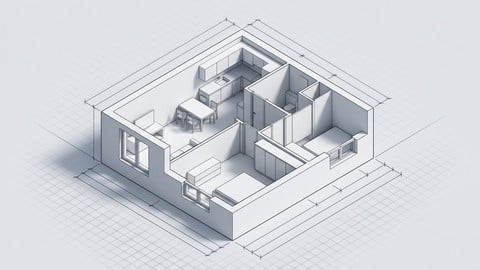
Use Blender like a CAD tool to build accurate, dimensioned 3D models for architecture, engineering, and 3D printing
Created by: Allan Brito
Last updated March 2026
 What you will learn
- Create 3D Models with Blender using precise modeling techniques and numeric input
- Learn the Basics about 3D Modeling with Blender
- Create 3D Models for Architecture and Enginnering
- Manage Add-ons and extending Blender resources to create 3D Models
- Prepare Models for 3D Printing by verifying
- Use Blender as a CAD tool for design and manufacturing
How it compares
Against the other 545 rated Udemy courses in 3D Modeling on CourseDuck:
- Rating4.6 out of 5higher than 56% of them
- Reviews154#358 of 546 by number of reviews
- Length9.8 hourslonger than 66% of them
- Last updatedMarch 2026more recently than 87% of them
 Course Description
Blender is an incredible resource for professionals in design and creative fields. For those in architecture, engineering, and 3D printing, it offers a powerful way to visualize ideas and manage 3D model creation. However, to fully harness these capabilities, you need to learn how to use Blender as a precision CAD tool.
In the Blender: Precise Modeling for Architecture, Engineering, and 3D Printing course, you'll master powerful resources in Blender to gain precise control over lengths, positions, and dimensions. You'll learn to use Blender with the precision of CAD tools like AutoCAD. Our workflow enables you to create any model in Blender using either metric or imperial units, making it suitable for a wide range of projects.
This course provides a solid foundation in using Blender and key Add-ons for precise modeling across various design projects. You'll learn techniques applicable to architecture, engineering, and 3D printing, enabling you to integrate Blender seamlessly into your professional workflow.
Course Highlights:
Start from scratch: No prior experience required – we begin with a comprehensive introduction to Blender
Real-world application: Practical examples for architecture, engineering, and 3D printing projects
Flexibility in measurement: Master both Metric and Imperial systems
Technical precision: Learn to accurately follow technical drawings and image references
The workshop follows the proven structure and learning path from the author's book, Precise Modeling for Architecture, Engineering, and 3D Printing, ensuring a comprehensive and well-tested approach to mastering Blender as a CAD tool.

 Udemy Discount
The discount is applied through our link. Open the course from here and Udemy's current promotional price is applied at checkout on most courses, no code to type.
Some courses are excluded from Udemy's promotions. If the price does not drop, clear your browser cookies and use the button again.
Instructor Details

- 4.6 Rating
 154 Reviews
Allan Brito
Architect who is deeply passionate about integrating open-source technology into design and architectural visualization. With a rich history of exploring various open-source tools since 2005, Allan has broadened his focus beyond Blender to encompass a wide range of open-source software utilized in architecture and design. One of his core objectives is to support artists across these fields by guiding them in leveraging open-source tools to their advantage.
 More 3D Modeling courses

3D Printing with " Ultimaker CURA Slicer- Start to finish" (2025)
4.9 (192 Reviews)
 Provider: Udemy
 Time: 1h
$34.99

Girl and the Dog Creation in Zbrush for Intermediate Level (2020)
4.9 (173 Reviews)
- Provider: Udemy
- Time: 48.8h
$59.99



Blender Character Creator for Video Games (2026)
4.8 (9,160 Reviews)
- Provider: Udemy
- Time: 34.3h
$159.99

Master SOLIDWORKS 3D CAD using real-world examples (2022)
4.8 (2,451 Reviews)
- Provider: Udemy
- Time: 18.9h
$69.99
 Reviews

By Daffo Dil on 9/29/2026
A bit of an information dump at the beginning (good if you come from a 3d modelling background bad if not), gets way better in section 7 where the knowledge actually starts getting used for a project. Could have used some exercises to apply the knowledge yourself.
By Chris Bennett on 2/18/2026
Overall, the course should help you to become better at Blender, and helps to build up a basis for more precise modeling. The instructor provides a clear description of how to use several useful add-ons (most notably PDT (precision drawing tools), but also extra meshes and extra curves which are quite handy. I certainly learned a few things and have become a lot more comfortable modeling in blender. The instructor also took the opportunity to use some more advanced features such as using geometry nodes, which was nice. His instructions were generally clear and easy to follow. Overall, well done and thank you for the time and effort put into the course. My criticism is minor, I would say that I found sections 12-14 reasonably redundant, and there were several minor errors, or less accurate ways of performing the drawings (e.g., using dimensions he claimed were missing but were actually there, simply tracing or guessing where the dimensions were there). It felt a little bit like section 13 was added bc he didn't know how to use the tangent function in section 12, so there was a fair bit of redundancy. Overall a good course though (I have utilized autoCAD and SolidWorks a fair bit in the past to design scientific equipment, so I am probably more of an expert than I realize, hence I probably caught a fair number of things that wouldn't matter for most people).
By Joe Specht on 7/2/2025
The presenter did a great job. I was very happy with this course and find that I really know Blender a lot better and have total confidence to go in and edit vertices. I think in Blender 4.4 there are a lot of new tooling that makes PDT less useful, but it is certainly worth understanding and using (probably just less than the presenter does). I did discover, by taking this course, that other tools like Plasticity is better suited for my needs. I would love to have this presenter create a similar Plasticity 101 video for Precision. Many of the tips and tricks in this series I ported almost directly over to Plasticity, and can do all of the creations in about 10% of the time as in Blender.
By Jonathan Hiatt on 6/6/2025
It was helpful, but not as comprehensive as I had hoped. I would have liked it if the instructor had covered some more of the modifiers and discussed modelling of parts in more detail (gears, for one). I did learn a fair amount from the course, though.
By John Cutler on 5/21/2025
I gave this course a 5 star rating because it quickly got me up the Blender learning curve. My background is in CAD, and I wanted to learn to use blender to create "precise" mechanical-type 3D models for 3D printing. It seems to me that Blender was created for what I call "organic" modeling, such as what is used in video games and animation, where precision is not as important as making something look good. This course was perfect for me regarding creating mechanical-type 3D models. The instructor did a good job explaining how to create a model with specific (precise) measurements, including the add-ons that make being precise easier (e.g., PDT, MeasureIt, etc.). But I was disappointed in Section 14, which specifically deals with 3D printing. In my opinion, the instructor did not meet the standard of excellence in presentation and explanation that he established in the earlier sections. Sometimes he stumbled trying to demonstrate a concept, and as a result he did not explain the concept very well. In particular, I still don't fully understand how scale affects exporting an STL file, and I especially don't understand the concept of "non-manifold edges", "bad contiguous edges", "zero faces", etc. Finally, it seems the instructor gave up answering my questions. As I was doing a lesson, I would ask a specific question on something I did not understand, or some action he performed that I tried to repeat on my own Blender model but did not get the same result. After the first few questions that he answered, he did not respond to my later questions.
By Alberto Isaac on 3/19/2025
Me parece un curso muy bien explicado para comprender el modelado básico, muy enfocado a aspectos técnicos; es ideal para aquellos que buscan aprender a usar Blender enfocado en arquitectura o ingeniería. Te explica muy bien como hacer el levantamiento 3D de una casa e incluso ejemplos de pequeñas piezas de maquinas. Te explica las bases, pero una vez que lo entiendes y siendo creativo puedes empezar a generar todo lo que se te ocurra . Respecto al profesor, es muy claro en todo momento, todo lo que se realiza en cada lección, queda muy bien explicado. Me pareció un buen curso Gracias Allan Brito
By Jose Luiz Yohachi Deguchi on 1/20/2025
I just purchased a 3D printer. I had the option of learning how to use a CAD program, like Autodesk Fusion 360, or use Blender, which I already knew. It was a pleasant surprise to discover that I can make precise drawings in Blender, with the help of some add-ons. The course expanded my knowledge of Blender, and I can use this knowledge in other areas besides 3D printing.
By Thomas Manek on 1/13/2025
Yes, its a very good match. I come from an AutoCad Pro/Engineering back ground and I've always struggled with the predominant Blender paradigm of push and moving vertices. I've always wanted to place things in precise locations.
By Kyrylo Savin on 11/29/2024
Very detailed and consistent. Personally, it seemed to me quite accurate standard blender methods, but maybe it is worth knowing how PDT works, but I think that the other methods shown are also good. Although I am still in the process of watching. And maybe further PDT will turn out to be indispensable. I was looking for some kind of course where attention is paid specifically to accuracy in blender and I am quite satisfied with the course. Thank you.
By Valter Robson de Oliveira Santos on 9/21/2024
It was very important to discover how to use basic precision tools in the blender, I simply had no idea. I hope there will be more content about 3D printing in the future, although I understand that it is about offering the first steps, congratulations, thank you!
 Quality Score
No CourseDuck member has rated this course yet. Taken it? Give each part a thumbs up or down.
Overall Score : 92 / 100
- Video Duration:
 9.8h
9.8h - Price: $89.99
- Provider: Udemy
- Updated:
 March 2026
 - Level:
 Beginner
 - Language:
 English
 - Certificate:
 Yes
Yes
30-day money-back guarantee on most paid courses
Udemy Coupon Price Tracker
