
 Web Development
 Data Science
 Python
 SQL
SQL JavaScript
 Artificial Intelligence
 IT & Software
 IT Certifications
 Hacking
 AWS
AWS Arduino
 DevOps
 3D Modeling
 Graphic Design
 Photoshop
 Drawing
 Digital Painting
 UX Design
 Business
 Data Analysis
 Communication Skills
 Project Management
 Leadership & Management
 Human Resources
 Digital Marketing
 Social Media Marketing
 Marketing
 SEO
SEO Google Analytics
 Branding
 Excel
Excel Office Productivity
 SAP
SAP PowerPoint
 Microsoft Access
 SharePoint
 Finance & Accounting
 Trading & Investing
 Accounting
 Bitcoin
 Personal Finance
 Video Editing & Animation
 Photography
 Adobe Premier Pro
 Adobe Lightroom
 Personal Development
 Productivity
 Career Development
 Life Coaching
 Health & Fitness
 Meditation & Mindfulness
 Yoga
Yoga Music
Music Music Production
 Guitar
 Piano
Piano Singing
 Language Learning
 Teaching & Academics
 Engineering
 Math
Math Lifestyle
Build Responsive Website Using HTML5, CSS3, JS And Bootstrap (Udemy.com)
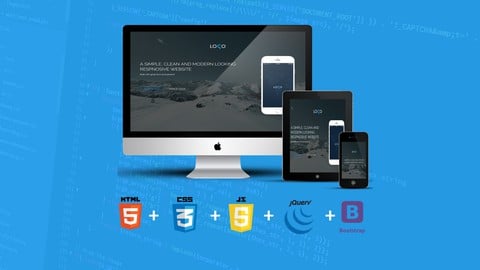
Learn HTML5, CSS3, JavaScript, jQuery and Bootstrap framework by building a modern looking responsive website.
Created by: Irfan Dayan
Last updated October 2019
 What you will learn
- At the end of this course, You will have a great skills set like HTML5, CSS3, JavaScript, JQuery and Bootstrap Framwork.
- You will learn about web design guidelines which you can apply to real world web projects.
- You will see, the complete web development process from start to finish project.
- You will be able to build modern looking website which will look great on all the small & wide screens.
- You will learn about media queries and will be able to make website perfect for responsive design.
- You will get complete code for real responsive website
How it compares
Against the other 110 rated Udemy courses in CSS on CourseDuck:
- Rating4.2 out of 5higher than 14% of them
- Reviews3,600#15 of 111 by number of reviews
- Length7.9 hourslonger than 60% of them
- Last updatedOctober 2019earlier than 70% of them
 Quality Score
Overall Score : 84 / 100
 Course Description
*** Over 98,000+ Students Are Already Taking This course ***
*** BEST REVIEWED course on Udemy ***
Are looking to learn Web Design & Web Development Skills? Then this is the RIGHT course For you! The very first things you need to learn HTML5, CSS3, JavaScript and JQuery to become a Web Developer and off-course some Web Design Guidelines. This course will exactly teach you all these New Skills to become a good Web Developer. This course also teach how to use Bootstrap Framework which is the most Popular Responsive Framework on the internet. In this course, you will also learn Web Design Guidelines, which you can apply to Real World Websites.
This course will first give basic understanding of HTML5, CSS3, JavaScript, JQuery and Bootstrap Framework then by combining all these skills, you will Build a Modern Looking Responsive Website which will look Great on all the Small and Wide Screens.
Student's Reviews:
Excellent, excellent course! You can follow through the whole process of modern website creation! From wireframing and user experience design, through important technologies (like HTML5, CSS3, Bootstrap, Javascript, jQuery) to some SEO, you will learn a lot! I enrolled into this course, because I already knew some HTML and CSS, but have never put together a whole site. I've got practical advice and the guidance I was looking for. Thanks! - Peter
Almost Perfect explanation about html css js and boostrap and responsive design with different layouts am enjoying this course and waiting for more courses!! Thank you Author - Imran Sufi
Enroll now and I'll see you inside the classroom!

 Udemy Discount
The discount is applied through our link. Open the course from here and Udemy's current promotional price is applied at checkout on most courses, no code to type.
Some courses are excluded from Udemy's promotions. If the price does not drop, clear your browser cookies and use the button again.
Instructor Details

- 4.2 Rating
 3,600 Reviews
Irfan Dayan
Hi,
I'm senior web developer working in development field for last 8 years and with great passion for online teaching. I've worked on hundred of web projects for my happy clients, I mean 'HAPPY' clients :)
Teaching online is great way to spread knowledge in this modern world, therefore I'm here to teach you best of my web development skills.
Waiting for something or someone? I think, you must not :) Sign up today and join me to take you on some awesome journey! The journey of learning GREAT skills for web development!
 More courses by Irfan Dayan
Build Modern Responsive Website With HTML5, CSS3 & Bootstrap (2019)
4.4 (1,160 Reviews)
 Provider: Udemy
 Time: 13.9h
$11.99
Build Creative Website Using HTML5, CSS3, jQuery & Bootstrap (2019)
4.8 (906 Reviews)
- Provider: Udemy
- Time: 27.8h
$17.99
More CSS courses
Build Responsive Real-World Websites with HTML and CSS (2024)
4.8 (119,018 Reviews)
- Provider: Udemy
- Time: 37.5h
$174.99
Advanced CSS and Sass: Flexbox, Grid, Animations and More! (2024)
4.8 (46,326 Reviews)
- Provider: Udemy
- Time: 28.1h
$149.99
Modern HTML & CSS From The Beginning 2.0 (2025)
4.8 (28,669 Reviews)
- Provider: Udemy
- Time: 24.3h
$129.99

How to Create A Website: An HTML Tutorial and CSS Tutorial (2025)
4.7 (2,057 Reviews)
- Provider: Udemy
- Time: 31.9h
$10.99
Ultimate CSS Grid Course: From Beginner to Advanced (2021)
4.7 (1,039 Reviews)
- Provider: Udemy
- Time: 2.7h
$13.99
 Reviews

By Pratyush Kumar Panda on 5/19/2019
Wanted proper explanation on many topics like relative, absolute, carousel and how the slides were getting linked with carousel, tag, why clear-fix was needed to be used because of what reason. But overall you gave a nice effort. At the beginning proper explanation was given to us about the css grid system and in exact similar way we expected a reasoning of the above listed things.
By Fadly Wychowvski Hussin on 2/7/2019
Positives first: Irfan is great in that he jumps right into it without thorough explanations(at first). For those people like me who tend to only remember if I take the extra effort to google, it's helpful(in a weird way). Also, some of his codes are mistyped, possibly because he types too fast! but, in doing so, He has made me aware and critical, and those are things that stick in my head as I embark on my own web developing. Irfan does clean up his codes in the end, but those mistype-ing really helps me remember. That said, if you're someone who's looking for a step-by-step guide on the inner-workings of front-end web development, you won't find it here. You have to google it yourself and read up. But hey, that's what makes learning successful. Sometimes I wonder if Irfan purposely does it, either way, it tends to help(in a weird way). This is a complete guide though. It touches on all the topics you need, albeit, abit briefly at times. Kudos!
By Pierre de Witt on 10/20/2018
The course only requires of you to have a text editor but that won't cut it. You do need to have HTML, CSS and JS knowledge unless you want to use this course as a cookbook. In that case, it will serve you well. Although the instructor explains HTML and CSS in greater detail than JS, he still uses parts that weren't covered or, at least, talked about in previous lessons. I regard this course as practice after you've learned the web trinity and you want to practice it on a webpage. If you've never touched JavaScript, the code you type will do its thing but you won't know why it is used or how it actually works. Directing students to job sites like Upwork or Freelancer with only the knowledge gathered during this course is a great mistake unless you have decided to do some background reading about HTML, CSS and JS on MDN, W3Schools or another reference site, and made a couple of websites yourself. The most useful part for me in this course was figuring out how to use Bootstrap framework.
By Carl Reams on 9/16/2018
Initial comments: I am getting a LOT of great new tools to use and great input for building a website. Course Midpoint Review: The instructor has picked up the pace a little and the content is a bit more interesting. Really enjoying the course. The pace is just about right. Lots of great explanations. Course Final Review: Really enjoyed the course. I got hung up in one place near the end of the course and the instructor responded quickly to my request for assistance. Thank you for a great course Mr. Dayan
By Šimon Procházka on 2/26/2018
This course was great. It covered pretty much everything I was looking for. However, there is one thing that prevents me from giving a 5 star rating. Being "a poor student" without previous web development experience, I would want to create myself some websites that I can show potential employers. That being said, at the end of this course, the instructor is using wow.js "extension" for animate.css, which is under license and needs to be paid for to use. That is okay, but as a beginner without previous experience, I don't want to pay more than I have to. All in all, it's a great and comprehensive course and I would recommend it to everyone who is starting with web development.
By Amjad Majed on 10/16/2017
This course was a great refresher for me as I know all these technologies before but didn't use in-depth for a while. However I am thinking if I was a guy with no basic knowledge about these, I would have felt confused, many parts are not explained, like why to include this or why to include that (eg. what is viewport or what is use strict), these things are sure explained on the web, but including them without explaining will cause people to get confused, especially when at the beginning of the course it is stated that no previous experience is needed whatsoever and you only need editor. I suggest adding some resources (links) to some of the lectures to explain new parts that you don't elaborate. It is correct that not everything can be explained in videos, but the links you put in question answers as references can be put as extra reading material for more information. I think HTML and CSS and bootstrap parts are good explained, but the js and jQuery part needs more work or maybe more examples as they were at the minimum. I really appreciate your effort, and wanted to give an honest review that might help instead of just saying thank you. Thank you
By Cedric Le Mercier on 1/10/2017
What is great about this course is that you see from the start what you're going to build, what tools we will be using and how it looks like. It goes straight to the point rather quickly, you don't lose a lot of time on useless speech. In my case I was wondering how to make a website for an app, a kind of website I see everywhere and make it quickly to demonstrate my coding skills for web development. Now, for total beginners who know nothing about coding that may be hard to follow and understand why they are doing things, but the course is perfect for someone like myself who did some coding in HTML and CSS in the past and needed to re-learn everything again and see how websites are structured. I didn't know much about Javascript so I was also expecting more explanations on why I'm doing such a thing in that section, hope it will be explained better in the other course from the author.
By Angela Witham Gardiner on 10/30/2016
Interesting course. What was good about the course, is that he explains the use of Bootstrap, Google fonts, font awesome and other libraries and how they need to be set up. He also uses good practice in his set up of all the components and the various parts of the site, using a uniform structure and fully commenting, making it easy to see where there were errors when something was not working as intended. He uses many different layouts within the practice site, showing what can be done and how to achieve these effects. The narration is sometimes difficult to hear and the audio occasionally is a bit buzzy. I did this course with prior knowledge and understanding of HTML, CSS & bootstrap, I think I may have struggled to understand some of the concepts in the course if I had no prior knowledge. There were times that I did feel that more explanation may have been useful. Overall, I enjoyed doing the course and learned a lot of useful information & will be using the knowledge gained, to improve the look of my own site.
By Sohan Kisna on 9/29/2016
So far it has been okay but when the instructor starts coding, he goes into the zone and do not explain about the tags he using and what other options available. It would nice if he could go in a little detail about the properties of the tags for example while talking through css, he add two values to the padding property. It would be nice to talk through a little more about available options and best practices. similarly for cursor property there are quite a few values that we can define. Talking through and explaining a little bit more about these with best practices would be nice and helpful.
By Dave Filchak on 8/19/2016
I thought course was ok but would have liked a bit more explanation of things as instructor went along. I have experience and so got by ok but for a person who is a novice, I think they would have been lost. Also had a bit of a hard time understanding instructor from time-to-time. But, I did learn so that is what you want.
- Video Duration:
 7.9h
7.9h - Price: $69.99
- Provider: Udemy
- Updated:
 October 2019
 - Level:
 All Levels
 - Language:
 English
 - Certificate:
 Yes
Yes
30-day money-back guarantee on most paid courses
Udemy Coupon Price Tracker
