
 Web Development
 Data Science
 Python
 SQL
SQL JavaScript
 Artificial Intelligence
 IT & Software
 IT Certifications
 Hacking
 AWS
AWS Arduino
 DevOps
 3D Modeling
 Graphic Design
 Photoshop
 Drawing
 Digital Painting
 UX Design
 Business
 Data Analysis
 Communication Skills
 Project Management
 Leadership & Management
 Human Resources
 Digital Marketing
 Social Media Marketing
 Marketing
 SEO
SEO Google Analytics
 Branding
 Excel
Excel Office Productivity
 SAP
SAP PowerPoint
 Microsoft Access
 SharePoint
 Finance & Accounting
 Trading & Investing
 Accounting
 Bitcoin
 Personal Finance
 Video Editing & Animation
 Photography
 Adobe Premier Pro
 Adobe Lightroom
 Personal Development
 Productivity
 Career Development
 Life Coaching
 Health & Fitness
 Meditation & Mindfulness
 Yoga
Yoga Music
Music Music Production
 Guitar
 Piano
Piano Singing
 Language Learning
 Teaching & Academics
 Engineering
 Math
Math Lifestyle
CAD Design 101 | 3D modelling for beginners (by an engineer) (Udemy.com)
The ultimate beginner´s guide on how to create 3D objects with free CAD software for 3D printing and much more!
Created by: M.Eng. Johannes Wild
Last updated August 2021
 What you will learn
- Create 3D objects using FREE CAD software (for 3D printing, model making,...)
- The basics of CAD: from 2D sketches to complete three-dimensional objects
- Master functions, features and handling of CAD software
- Implement your own projects & ideas in no time
- Reproduce spare parts
- Become a professional in using the free CAD software: DesignSpark Mechanical
- Alternative CAD software (free & charged)
How it compares
Against the other 545 rated Udemy courses in 3D Modeling on CourseDuck:
- Rating4.2 out of 5higher than 10% of them
- Reviews69#494 of 546 by number of reviews
- Length1.3 hoursshorter than 95% of them
- Last updatedAugust 2021earlier than 62% of them
 Course Description
Learn CAD Design | The Practical Guide for Beginners | Created by an Engineer
Are you interested in CAD design and the creation of three-dimensional objects for 3D printing or other applications (model making, prototypes, design elements,...)? You are looking for a practical and compact beginner course on CAD & Design and want to take a professional course from an engineer right away?
Then you have come to the right place and this course is best for you! Because, in this course you will learn all the basics you need to use a free CAD design software (DesignSpark Mechanical) to create your own 3D objects. Start now with a clearly presented, step-by-step guided and professional CAD tutorial.
The advantages at a glance:
FREE CAD SOFTWARE !
Step by step basics and explanations on how to use CAD software.
Learn all the basics about CAD design through the guidance of an engineer and experienced user and get started easily & quickly.
Easy to follow explanations on the subject. Ideal for absolute beginners.
Learn everything important in no time! Compact and to the point: Total running time approx. 75 minutes.
START NOW AND ENROLL IN THE COURSE RIGHT AWAY! GET STARTED AND LEARN CAD!
FAQ's about the course:
What can I learn in the CAD course?
The course includes everything you need to know to design 3D components on your PC. From the creation of a 2D sketch to the handling of the features of the software (DesignSpark Mechanical) to the three-dimensional object, everything is included. The software is explained step by step using several design projects.
What do I need for the course and how long does it take?
The course on 3D modelling has a total running time of approx. 77 minutes (divided into several individual lessons). Of course, you are free to choose which chapters you would like to view at which time and you can also take breaks at any time. Apart from a PC and the CAD software DesignSpark Mechanical (available as a free download) you don't need anything else.
Is the tutorial only for CAD beginners?
This course is generally designed for beginners and absolute beginners with no prior knowledge. It doesn't matter if it is only for information purposes about the technique of CAD design or for the application and implementation of your own ideas and projects. All procedures are explained in detail and are easy to understand. This course is also ideal for tinkerers, inventors, artists, students, teenagers, etc.
Who will show me the CAD basics in this course?
The design course is taught by an engineer (M.Eng.).
Is learning CAD design difficult?
CAD design is definitely a complex subject, as the handling of the software (here: DesignSpark Mechanical) has to be learned and some kind of three-dimensional imagination is required. Without help you can lose the overview. With this CAD tutorial, however, you have all the information in one format and always keep track. Everything you need is explained step by step and taught as simple and straightforward as possible.
Will I also learn how to handle assemblies and create technical drawings?
No, only parts, but no assemblies are designed in the course. This is usually sufficient for beginner applications. The handling of assemblies and the creation of technical drawings would go beyond the scope of this beginner course and is often simply not necessary when you practice it as a hobby. Therefore, this course is limited to the essentials to remain compact and clearly understandable .
What can I do with 3D objects and CAD?
You have the opportunity to create numerous great objects, virtually from scratch, and implement your own ideas and projects. You could then print the objects usind a 3D printer, for example, or have them manufactured (by milling, turning,...). In this way, you could create prototypes of an invention, 3D objects for model making, spare parts that are no longer available or other great objects.
START NOW AND ENROLL IN THE COURSE RIGHT AWAY! GET STARTED AND LEARN CAD!

 Udemy Discount
The discount is applied through our link. Open the course from here and Udemy's current promotional price is applied at checkout on most courses, no code to type.
Some courses are excluded from Udemy's promotions. If the price does not drop, clear your browser cookies and use the button again.
Instructor Details

- 4.2 Rating
 69 Reviews
M.Eng. Johannes Wild
Die deutsche Übersetzung steht weiter unten im Text.
La traduzione in italiano si trova più avanti nel testo.
La traduction française se trouve plus bas dans le texte.
La traducción al español se encuentra más abajo en el texto.
English:
Johannes Wild is an engineer (BSc & M.Eng.) and non-fiction author. He has a bachelor's and master's degree. Johannes Wild has a strong interest in modern technology, especially computer-aided design and simulation (CAD, CAM, FEM), as well as electrical engineering & electronics, programming, and 3D printing, both through his time at university and through his hobbies. Through his five years of regular study, he has been able to acquire a high level of knowledge in these areas. He uses this knowledge to create books and learning materials on many technical topics with a lot of passion and commitment. In this way, he wants to reach people of all ages and backgrounds to share technical knowledge in a compact, and especially understandable and descriptive way.
Deutsch:
 More courses by M.Eng. Johannes Wild
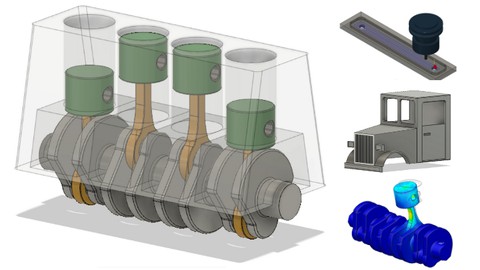
Fusion 360 Step by Step | CAD, FEM & CAM for Beginners (2021)
4.4 (80 Reviews)
 Provider: Udemy
 Time: 3.5h
$44.99
More 3D Modeling courses

3D Printing with " Ultimaker CURA Slicer- Start to finish" (2025)
4.9 (192 Reviews)
- Provider: Udemy
- Time: 1h
$34.99

Girl and the Dog Creation in Zbrush for Intermediate Level (2020)
4.9 (173 Reviews)
- Provider: Udemy
- Time: 48.8h
$59.99



Blender Character Creator for Video Games (2026)
4.8 (9,160 Reviews)
- Provider: Udemy
- Time: 34.3h
$159.99

Master SOLIDWORKS 3D CAD using real-world examples (2022)
4.8 (2,451 Reviews)
- Provider: Udemy
- Time: 18.9h
$69.99
 Reviews

By Shri Hari Ram G on 8/9/2025
Author has taken a simplified approach to the basics of CAD. Overall, a good course, and can be improved by providing exercise challenges.
By Stefan Fiedler on 9/28/2024
I upgraded my rating from 3 to 4 after finishing this course. My main complaint is that in the description it mentioned free CAD and I assumed the software "free cad" is demonstrated. Instead a CAD software I have never heard about is used throughout the course. The instructor is factual, with a slight accent and easy to understand. A little bit personality could improve the course experience but it was manageable for such a short course. The course can be finished in a day and the projects are chosen well, building on each other. I had some problems with the restraints settings, the instructor may have already set them in his software or it changed with the version, e.g. changing length of lines made them disconnect from objects for me while it didn't in the course. I was able to fix most of them to check the box of auto-restraining in sketch mode. I may check out the 3d printing course whenever I feel inclined to learn about it. May as well, since I am invested already in some weird CAD software ...
By Paul Bevillard on 6/27/2023
I expected a little more. However, the instructions were clear, though I did have a trouble with the last one when it came to creating threads on a nut. Regardless, I do recommend the instructor.
By Wayne Elgar on 3/14/2023
Great practical and quick guides to two and three dimensional drawing. unlike another course I am currently taking, the teacher does not talk his way through each key movement as he does them. Although this may seem basic, as a beginner, it takes the guess work out of the process and leaves more time to take in the way the process works. Great experience, thank you. Wayne
By Zach Pelletier on 11/9/2022
I learned a lot
By Brian "Êļíxïř" Moore on 9/30/2022
Informative lesson so far (about 10% into the course). Looking forward to seeing the end result of the material.
By Mukesh Bharadwaj on 8/9/2022
Very Basic and Easy to Follow. Great Learning for Beginners. Highly Recommended.
By James Smith on 6/3/2022
Very good introduction, but I lost you at the end. I was not able to create the cylinder that appeared in your presentation.
By Jendra Gosai on 5/19/2022
It is a good match, starting with the basics.
By Amanda Rudack on 6/1/2021
This is a good course for beginners, as advertised. There are times when I feel the instructor moves a little too fast without fully explaining each step, but rewind and replay helped me to complete each project in the unit without too much frustration.
 Quality Score
No CourseDuck member has rated this course yet. Taken it? Give each part a thumbs up or down.
Overall Score : 84 / 100
- Video Duration:
 1.3h
1.3h - Price: $39.99
- Provider: Udemy
- Updated:
 August 2021
 - Level:
 All Levels
 - Language:
 English
 - Certificate:
 Yes
Yes
30-day money-back guarantee on most paid courses
Udemy Coupon Price Tracker
