
 Web Development
 Data Science
 Python
 SQL
SQL JavaScript
 Artificial Intelligence
 IT & Software
 IT Certifications
 Hacking
 AWS
AWS Arduino
 DevOps
 3D Modeling
 Graphic Design
 Photoshop
 Drawing
 Digital Painting
 UX Design
 Business
 Data Analysis
 Communication Skills
 Project Management
 Leadership & Management
 Human Resources
 Digital Marketing
 Social Media Marketing
 Marketing
 SEO
SEO Google Analytics
 Branding
 Excel
Excel Office Productivity
 SAP
SAP PowerPoint
 Microsoft Access
 SharePoint
 Finance & Accounting
 Trading & Investing
 Accounting
 Bitcoin
 Personal Finance
 Video Editing & Animation
 Photography
 Adobe Premier Pro
 Adobe Lightroom
 Personal Development
 Productivity
 Career Development
 Life Coaching
 Health & Fitness
 Meditation & Mindfulness
 Yoga
Yoga Music
Music Music Production
 Guitar
 Piano
Piano Singing
 Language Learning
 Teaching & Academics
 Engineering
 Math
Math Lifestyle
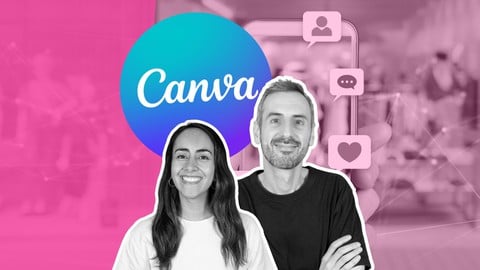
Canva for Social Media | Create & Share Content the EASY Way (Udemy.com)
Learn how to use Canva to plan, design and publish your social media campaigns
Created by: Team RonDi
Last updated April 2024
 What you will learn
- Learn what it takes to be successful on social media
- Use Canva to create a month's worth of social media content
- Craft your brand's visual identity & imagery style
- Create the perfect social media profile picture
- Discover how to edit & organize your photos with Canva
- Design posts, banners & videos for all social media platforms
- How to use Canva to create content 10X faster
How it compares
Against the other 413 rated Udemy courses in Graphic Design on CourseDuck:
- Rating4.7 out of 5higher than 81% of them
- Reviews391#133 of 414 by number of reviews
- Length8.5 hourslonger than 71% of them
- Last updatedApril 2024earlier than 61% of them
 Course Description
Welcome to "Canva for Social Media".
Ever wondered how some creators produce such jaw-dropping visuals on social media, from stunning GIFs to captivating videos? Wish you could do the same? Well, guess what? You absolutely can, and we’re here to make sure of that!
What's this course all about?
It's about mastering the power of social media using Canva's simple tools.
We'll start by exploring why social media is the ultimate tool for promoting your business. Next, we'll dive into how you can harness Canva to meticulously plan content and campaigns. We’ll guide you in developing a standout visual brand identity with Canva, and then pivot to showing you how to use Canva to edit your photos, so they can shine on social media.
And, of course, we'll teach you how to confidently use Canva to design content for any platform.
Why should you learn Canva with us?
Here's why you should trust Team RonDi – that's Ronny and Diana for the uninitiated – for your Canva education:
As Canva Verified Experts, we're more than just users; we're brand ambassadors with direct access to Canva
Our bond with Canva started in 2018, with Ronny even spending 2 exciting years working directly at Canva in Sydney
YouTube: we run one of the largest channels dedicated to Canva with over 500 Canva tutorials
Our bustling Facebook Community is a hub where designers showcase their Canva creations
With a whopping 500,000+ followers across social media, creating engaging content is our daily grind
We walk the talk!
How is this Canva Course Different?
What sets this course apart from the rest?
Depth & Structure: It's a detailed road map to social media success!
We dive deep, showing you Canva's potential in a structured, progressive way.Brand Building & Campaign Planning: More than mere design tricks, this course is a journey from identifying your target audience, to shaping your brand's visually identity and planning effective social media campaigns.
Practical & Actionable: Forget generic designs; here, we roll up our sleeves and use Canva to craft real-world designs that you actually need for your social media platforms. Everything you'll design in this course will be actionable for your business.
Guarantee to Have Fun: Our course isn't just informative, it's downright entertaining!
Filmed in a laid-back style sprinkled with jokes, we ensure your learning experience is as enjoyable as it is enlightening.
Learn by Doing: 5 real-world projects
Here’s what you'll have accomplished for your business by the end of the course:
Created a Social Media Planner for an entire month
Crafted a Visual Identity Cheat Sheet for your social media
Edited a collection of photos that are ready to use on social media
Designed an Instagram post that captures attention
Created an animated post to share on Facebook
Our Promise to You
You'll build a unique brand identity. You'll map out a solid content plan. And we'll guide you, every step of the way, to create content that your audience will love with Canva. Our goal is to empower you to design for any social platform, anytime.
Ready to get started?
Let's set the ball rolling!

 Udemy Discount
The discount is applied through our link. Open the course from here and Udemy's current promotional price is applied at checkout on most courses, no code to type.
Some courses are excluded from Udemy's promotions. If the price does not drop, clear your browser cookies and use the button again.
Instructor Details

- 4.7 Rating
 391 Reviews
Team RonDi
If you want to learn Canva, you're in the right place.
We're Ronny and Diana, a husband and wife duo better known as Team RonDi. We're both Canva Verified Experts, handpicked by Canva. Only 45 people in the world hold this title.
Here's why students trust us with their Canva learning:
✅ Ronny worked at Canva for 2 years, inside the community team and the Design School
✅ Our YouTube channel has close to 600,000 subscribers and over 1,000 free Canva tutorials
✅ We've taught over 230,000 students and earned 25,000+ reviews right here on Udemy
✅ As official ambassadors, we have direct access to Canva, get early access to new features, and give regular feedback to their product teams
You won't find another duo on Udemy this obsessed with Canva. Canva is what we do, all day, every day.
Here's how we work with you.
Our courses give you the knowledge. The Canva Master Course, our flagship, takes you from beginner to fully confident. That's where you learn.
Then there's Canva Next Level, our community here on Udemy. This is where you do the work with us. Real projects, real feedback, real progress.
 More courses by Team RonDi
Canva Master Course 2026 | Design Smarter with Ronny & Diana
4.6 (16,530 Reviews)
 Provider: Udemy
 Time: 36.6h
$19.99

Personal Branding Master Course| Become THE Go-To Person (2024)
4.5 (1,065 Reviews)
- Provider: Udemy
- Time: 7.9h
$14.99
More Graphic Design courses

Adobe InDesign - From Basics to Professional Level Designs (2024)
4.9 (320 Reviews)
- Provider: Udemy
- Time: 11.4h
$84.99

Shop Drawing & Details-Autodesk Revit 2025- for BIM Modelers
4.9 (300 Reviews)
- Provider: Udemy
- Time: 30.9h
$10.99

The Adobe Illustrator CC Mastery Course: Basics to Pro + AI (2026)
4.9 (268 Reviews)
- Provider: Udemy
- Time: 30.8h
$19.99


Software Architecture & System Design Practical Case Studies (2026)
4.8 (2,584 Reviews)
- Provider: Udemy
- Time: 4h
$15.99

Graphic Design Masterclass: Design 40+ Projects in Photoshop (2025)
4.8 (668 Reviews)
- Provider: Udemy
- Time: 16.5h
$109.99
 Reviews

By Gunisetty.suresh on 2/4/2026
Ronny Hermosa is a good Canva tutor. He explains designs in an easy and clear way. Because of his teaching, I learned how to use Canva better and create more professional designs. His teaching is practical and useful.
By Jeanne on 12/15/2025
I knew nothing about posting to social media; tried using YouTube videos for instructions and wasted days, struggling and learning nothing. Your videos are so well done and informative - I'm thrilled that I'm finally learning how to do this!
By Ming Yong Chen on 10/16/2024
Again, for their other courses only talking about themselves and teaching nothing about design. Regret spending money on this course. They are promoting Canva and totally don't care about the students welfare. Awful!
By Jennifer R Held on 6/28/2024
I've been struggling to find a place that will teach me how to use social media to share my brand, but I didn't know where to start. I've now found the answers, and I'm excited about getting out there!
By Cheyenne Terranova on 5/1/2024
Team RonDi, you have done an amazing job with this course! I feel supercharged and ready to put my creativity to the test! I was an experienced Canva user already before taking your course. Even with all the knowledge I had from my own learning experiences, I still learned sooo much from you. For that, I'm grateful. Thank you Team RonDi! You rock!!!
By Myriam Diaz Jimenez on 1/19/2024
I loved it. It is amazing how Ronny and Diana have developed this course. They not only teach you all the interesting tips and tricks of Canva for Social Media but they give you some steps to organize the content for achiving your project without getting lost and with success. Thank so much to them for doing this course. Myriam from Spain
By Col Watt on 11/22/2023
Yes, I am 71 years young & I have started a business doing social media for 2 local Bakery Cafe's I produce all my content in Canva and this will help make things a bit quicker for me as I become more proficient as I learn. I am enjoying the course so far. Thanks, Col Watt
By Yusuf Melih ÇELİK on 10/18/2023
The course is good, but there is too much talk and the implementation is too short. I wanted to see the application, but I see too much, too much talk. After a while, I watched it by rewinding. It would be better if you show what comes out after editing the video you create.
By Gloria J Bass on 10/9/2023
This is exactly the type of help I was looking for. Realtors that have been in business for a long time need direction with the entire concept of social media and targeting a consistent message. I'm enjoying this course -- even though I have a millenial on my team!!
By DiAnn Campbell on 10/6/2023
I'm halfway through the course and learning so much! Both Ronny and Diana are excellent at explaining both social media content creation and the many benefits of Canva as well as taking a deep dive into Canva's many useful features. They're both a delight to listen to and keep me interested and engaged in what they're talking about. I highly recommend this course. You'll learn a lot!
 Quality Score
No CourseDuck member has rated this course yet. Taken it? Give each part a thumbs up or down.
Overall Score : 94 / 100
- Video Duration:
 8.5h
8.5h - Price: $10.99
- Provider: Udemy
- Updated:
 April 2024
 - Level:
 All Levels
 - Language:
 English
 - Certificate:
 Yes
Yes
30-day money-back guarantee on most paid courses
Udemy Coupon Price Tracker
