
 Web Development
 Python
 SQL
SQL Data Science
 JavaScript
 Artificial Intelligence
 IT & Software
 IT Certifications
 Hacking
 Arduino
 AWS
AWS DevOps
 3D Modeling
 Graphic Design
 Photoshop
 Drawing
 Digital Painting
 UX Design
 Business
 Data Analysis
 Communication Skills
 Leadership & Management
 Project Management
 Human Resources
 Digital Marketing
 Social Media Marketing
 Marketing
 SEO
SEO Google Analytics
 Branding
 Excel
Excel Office Productivity
 SAP
SAP PowerPoint
 Microsoft Access
 SharePoint
 Finance & Accounting
 Trading & Investing
 Accounting
 Bitcoin
 Personal Finance
 Video Editing & Animation
 Photography
 Adobe Premier Pro
 Adobe Lightroom
 Personal Development
 Productivity
 Career Development
 Life Coaching
 Health & Fitness
 Meditation & Mindfulness
 Yoga
Yoga Music
Music Music Production
 Guitar
 Piano
Piano Singing
 Language Learning
 Teaching & Academics
 Engineering
 Math
Math Lifestyle
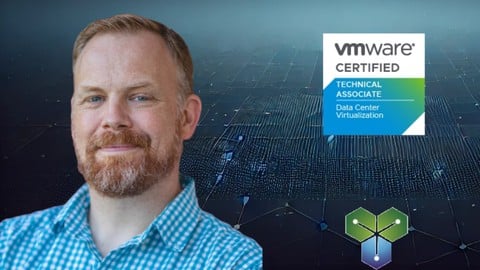
Clear and Simple VCTA VMware Technical Associate - vSphere 8 (Udemy.com)
Prepare for the VMware Certified Technical Associate exam. Learn about vSphere version 8 and how to manage it.
Created by: Rick Crisci
Last updated May 2026
Our take
Based on the ratings of 2,429 students, a sample of their written reviews and the syllabus, as the course stood in May 2026. No course pays to be reviewed.
Rick Crisci's vSphere 8 course is a 13-hour walk through the VMware Certified Technical Associate material, built for people who may never have touched a hypervisor. There are no requirements. The syllabus runs through ESXi and vCenter basics, a long networking section, storage including iSCSI, Fibre Channel and vSAN, VM management, vMotion, availability and DRS. Most lectures are short, with demos in the vSphere Client, plus a brief section on what changed under Broadcom. About 11,000 students have enrolled.
Reviewers keep coming back to the teaching. They describe a calm pace, plain explanations, analogies that stick, and English that is easy to follow for non-native speakers. One person refreshing ESXi knowledge from versions 3 through 7 called it very clearly presented, and another said it goes deep on networking. The complaints are small. One reviewer found some linked websites outdated, and a 2024 reviewer wanted more hands-on tasks in each section. Out of 2,429 ratings, only 20 are one or two stars.
The course was last updated in May 2026, which is recent for a product that changes this fast. It lists 65 quizzes, though no full practice exams. Dedicated lab time is thin, so plan to practice on your own. That is the main gap. For a first pass at vSphere 8 and the VCTA objectives it looks like a safe pick, and one reviewer is already heading to the VCP course next.
Pros
- Short lectures with demos in the vSphere 8 HTML5 client keep each topic easy to absorb
- Analogies and a calm pace make abstract layers and networking easy to follow
- Clear English that non-native speakers say is easy to understand
- Updated May 2026, with 65 quizzes and a section on the Broadcom changes
Cons
- Reviewers want more hands-on lab tasks for students to complete in each section
- One reviewer reports some of the linked outside websites are outdated
- No practice exams are listed, so exam prep needs extra material
The instructor teaches in a clear manner. He also explains the details at a pace you can follow. Great Course!
Beginner is accurate: nothing is required, and even a reviewer refreshing ESXi knowledge from older versions found it clear.
 What you will learn
- Design and Administer a vSphere 8 environment
- Create and configure vCenter, ESXi hosts, and Virtual Machines (VM)
- Understand and configure vSphere Standard and Distributed Virtual Switches
- Manage vSphere 8 Storage inlcuding vSAN, iSCSI, Fiber Channel, and FCoE
- Create VMs, manage VMware Tools, work with vApps, Templates, Cloning, and Snapshots
- Configure vMotion, DRS, High Availability, and Fault Tolerance
Course content
9 sections · 120 lectures · 13 hours of video 65 quizzes, 1 article
- 1Introduction to vSphere 7 free previews11 lectures · 7 quizzes · 1 hour
- 2Changes to VMware under Broadcom 1 free preview2 lectures · 7 min
- 3Configure and Manage vSphere and ESXi 8 5 free previews15 lectures · 4 quizzes · 1.6 hours
- 4Configure and Manage vSphere 8 Networking 7 free previews31 lectures · 20 quizzes · 2.7 hours
- 5Configure and Manage vSphere 8 Storage 2 free previews14 lectures · 12 quizzes · 1.9 hours
- 6Deploy and Administer vSphere 8 VMs 2 free previews13 lectures · 3 quizzes · 1.8 hours
- 7Using vMotion to Migrate vSphere 8 VMs 2 free previews10 lectures · 4 quizzes · 1.1 hours
- 8Administer Availability in vSphere 8 2 free previews12 lectures · 6 quizzes · 1.5 hours
- 9Administer Resource Management Features in vSphere 812 lectures · 9 quizzes · 1.3 hours
Who it is for
The instructor says it suits
- Administrators that want to learn more about vSphere 8
- Anyone that needs to pass the VMware Certified Technical Associate exam
What you need before you start
- None
 Course Description
"Incredible, I have had several VMware courses but never explained it as fantastically as this course, thank you very much Rick, please keep it up" -Dario
"This course is great. The instruction is straightforward and easy to follow. I would highly recommend." -Andrew
Are you looking for VMware vSphere Training? Do you want to learn from an experienced trainer who makes complex concepts simple and easy to understand? Do you need to prepare for the VMware Certified Technical Associate (VCTA) exam?
I am a VMware Certified Instructor who has taught thousands of hours of live training directly for VMware. Most lectures in this course are 5 - 15 minutes long. A few deeper topics are slightly longer. There are over 40 real-life demos of tasks being performed in a vSphere 8 environment using the new HTML5 vSphere Client.
VMware vSphere is everywhere. Non-virtualized datacenters are a thing of the past, and in order to stay relevant you must understand vSphere. This course is ideal for anyone who wants to learn vSphere, including absolute beginners.
Topics covered in this course include (but are not limited to):
vSphere Essentials
Licensing
Installing ESXi and vCenter
Basic ESXi Configuration and Management
Content Libraries
LifeCycle Manager
Networking
Understand vSphere Networking Concepts
Configure vSphere Standard and Distributed Switches
Virtual Switch Features
Storage
VMFS, NFS 3, NFS 4.1
iSCSI
FC and FCoE
LUN Masking and Zoning
vSAN
Managing Virtual Machines
Templates and Cloning
VMware Tools
OVF and OVA Templates
Snapshots
Resource Management
Configuring vMotion Requirements
vMotion, Storage vMotion, and Shared-Nothing vMotion
Configuring DRS Clusters
DRS Affinity Rules, Overrides, and advanced settings
DRS Automation Levels and Resource Fragmentation
Resource Pools
Availability
vSphere High Availability
vCenter High Availability
Admission Control
Heartbeat Datastores

 Udemy Discount
The discount is applied through our link. Open the course from here and Udemy's current promotional price is applied at checkout on most courses, no code to type.
Some courses are excluded from Udemy's promotions. If the price does not drop, clear your browser cookies and use the button again.
Instructor Details

- 4.6 Rating
 2,429 Reviews
Rick Crisci
I am the owner of TrainerTests and have delivered thousands of hours of official live training to my students, and I love teaching people new skills.
I provide video training unlike any other organization. I believe in using high quality illustrations and animations to simplify complex concepts. In my courses you will get the technical depth that you need, with a focus on making sure that you completely understand the underlying concepts.
Please feel free to connect with me on LinkedIn, I always enjoy making new contacts with my students!
 More courses by Rick Crisci

Introduction to AWS - Understand AWS basics in 5 hours! (2026)
4.6 (21,493 Reviews)
 Provider: Udemy
 Time: 5.8h
$49.99
Introduction to Virtualization - 90 Minute Crash Course (2026)
4.5 (20,731 Reviews)
- Provider: Udemy
- Time: 1.7h
Free
Introduction to Cyber Security - 2 Hour Crash Course (2026)
4.4 (16,163 Reviews)
- Provider: Udemy
- Time: 2.8h
$74.99

Introduction to Computer Networking - Beginner Crash Course (2026)
4.7 (15,882 Reviews)
- Provider: Udemy
- Time: 7h
$79.99

Introduction to the Cloud - The basics in only 2 hours! (2026)
4.5 (10,705 Reviews)
- Provider: Udemy
- Time: 3.1h
$59.99

Introduction to DevOps - Learn DevOps basics in 3 hours! (2026)
4.5 (9,444 Reviews)
- Provider: Udemy
- Time: 3.2h
$54.99
More VMware courses

Complete VMWare vSphere ESXi and vCenter Administration (2026)
4.7 (14,620 Reviews)
- Provider: Udemy
- Time: 11.3h
$99.99

The Complete VMware vSphere: Beginner to Advanced (2026)
4.7 (4,526 Reviews)
- Provider: Udemy
- Time: 12.6h
$13.99

VMware vSphere 6.0 Part 1 - Virtualization, ESXi and VMs (2018)
4.7 (4,409 Reviews)
- Provider: Udemy
- Time: 8.9h
$69.99

Clear and Simple VMware vSphere 6.7 Professional VCP-DCV (2024)
4.7 (2,338 Reviews)
- Provider: Udemy
- Time: 12.9h
$10.99

Clear and Simple VMware vSAN 6.7 (Virtual SAN) (2023)
4.7 (2,283 Reviews)
- Provider: Udemy
- Time: 3.1h
$11.99

Clear and Simple VMware Certified Associate (RetiredVCA-DBT) (2024)
4.7 (2,240 Reviews)
- Provider: Udemy
- Time: 6.5h
$13.99
 Reviews

By Erion Bita on 8/5/2026
I would like to give Rick five stars for his excellent work. His clear and engaging way of explaining concepts, combined with practical and relevant examples, is truly impressive. His ability to make complex topics easy to understand is greatly appreciated. Thank you, Rick, for your excellent work and dedication!
By Valentin Hîrlea on 3/6/2026
One word. Outstanding ! From detailed underneath networking concepts, to detailed technical explanation, everitging it is very concise and well structured. There is no rush, english it is easy to undestand for non native speakers. WMware it is a very complex product, but Rick has a gift to explain and make me to understand even dificult concepts, very quick, in simple words. The course cover a broad technical area and go deep with concepts. From zero to certification. I fully recomand, even you don't look to certify.
By C3 PO on 8/28/2024
Votre cours est le meilleur cours auquel il m'est été donné d'assister, et pourtant, j'ai enseigné et fait de longues études. Un grand merci ! Votre anglais est également très accessible. Je suivrai dorénavant tous vos cours, même ceux qui au premier abord ne piquent pas ma curiosité. Je laisse volontairement ce commentaire en français pour témoigner de l'accessibilité de ce cours à des non anglophones.
By Cameron Pedersen on 1/31/2024
Gave good information, though a bit less than what I wanted/needed in some cases. Overall good and helpful. I wish there were more written things to study with this course, flash cards or the like. Having finished the course I feel partially ready to take the VCTA exam, now I need to find a good lab environment to study in.
By Anonymized User on 1/3/2024
I loved the course, save for one details that I think was overlooked. We need more practical hands-on time while studying for this course. Tasks like configurations and setups should be included in each section, to be completed by the student.
By Gilbert Lin on 11/19/2023
Great lectures. No real issues following or understanding the lecture. Wish there was some additional notes giving definitions to key words, but I was able to google those definitions myself. EDIT: I took the Associate Exam today and passed the exam without too much trouble using only this course. Thank you very much!
By Johnny Perreira on 10/3/2023
Would like to have seen a Q&A summary after each chapter. Would like to have seen a condensed min/max section as it may pertain to the test. Would like to have high-probability of appearing on the test items highlighted. Other than that, it was good. Thank you,
By Anonymized User on 9/12/2023
Yes. By going through this course, making flash cards, and reading the Pearson official vSphere certification book, I have a deeper understanding of vSphere. I will be going over the review sections of this course again to make additional flash cards, and practicing the demos on my own.
By Anonymized User on 7/8/2023
As of 9/30/2024, I successfully passed the 1V0-21.20, Associate VMware Virtualization Exam, with a passing score of 321. Rick Crisci's Clear and Simple VCTA VMware Technical Associate - vSphere 8, course gave me the necessary knowledge and confidence to pass the exam. Rick's amazing teaching skills and explanation of complex concepts will enable anyone willing to put in the effort and time to study using this course can pass the exam.
By McKinley Davis on 5/19/2023
The training was very helpful and straight forward. It helped me get a 416 on the Associate VMware Data Center Virtualization exam. Also take the practice tests as well go back through the initial course and retake the quizes and you well be very prepared for the exam.
 Quality Score
No CourseDuck member has rated this course yet. Taken it? Give each part a thumbs up or down.
Overall Score : 92 / 100
- Video Duration:
 13.1h
13.1h - Price: $84.99
- Provider: Udemy
- Updated:
 May 2026
 - Level:
 Beginner
 - Language:
 English
 - Certificate:
 Yes
Yes - Lectures:120 in 9 sections
- Practice:65 quizzes
- Students:11,000
- Subtitles:20 languages
- Udemy badge:Bestseller
30-day money-back guarantee on most paid courses
Udemy Coupon Price Tracker
