
 Web Development
 Python
 SQL
SQL Data Science
 JavaScript
 Artificial Intelligence
 IT & Software
 IT Certifications
 Hacking
 Arduino
 AWS
AWS DevOps
 3D Modeling
 Graphic Design
 Photoshop
 Drawing
 Digital Painting
 UX Design
 Business
 Data Analysis
 Communication Skills
 Leadership & Management
 Project Management
 Human Resources
 Digital Marketing
 Social Media Marketing
 Marketing
 SEO
SEO Google Analytics
 Branding
 Excel
Excel Office Productivity
 SAP
SAP PowerPoint
 Microsoft Access
 SharePoint
 Finance & Accounting
 Trading & Investing
 Accounting
 Bitcoin
 Personal Finance
 Video Editing & Animation
 Photography
 Adobe Premier Pro
 Adobe Lightroom
 Personal Development
 Productivity
 Career Development
 Life Coaching
 Health & Fitness
 Meditation & Mindfulness
 Yoga
Yoga Music
Music Music Production
 Guitar
 Piano
Piano Singing
 Language Learning
 Teaching & Academics
 Engineering
 Math
Math Lifestyle
Complete VMWare vSphere ESXi and vCenter Administration (Udemy.com)
Learn everything about virtualization administration with VMWare vSphere, VM, ESXi, vCenter, vNetwork, vStorage etc.
Created by: Imran Afzal
Last updated June 2026
Our take
Based on the ratings of 14,620 students, a sample of their written reviews and the syllabus, as the course stood in June 2026. No course pays to be reviewed.
Imran Afzal built this from the classroom training he teaches in New York. It runs 109 lectures across 11 sections, about 11 hours. It starts with what virtualization is, then moves to installing ESXi, building vCenter, and setting up vMotion, High Availability and DRS, with quizzes, homework and handouts along the way. With 72,120 students and a 4.7 rating from 14,620 reviews, it is clearly popular. The audience list mentions prior IT knowledge, but reviewers read it as a beginner course.
The praise is steady. Reviewers say the teaching is clear and simple, and that concepts are explained from the basics. The complaints are just as steady. Several say the software on screen is version 6.5, not the version 8 they expected, and one says it needs a refresh to match current layouts. Others call parts repetitive or basic, with a few videos only reading out headings. Two reviewers hit lab trouble: one could not get a virtual disk recognized on a Windows 11 PC, another could not download from Broadcom without a corporate email.
The course was last updated in June 2026, yet reviewers still describe older screens, so expect some gaps with a current install. It works well for theory and for learning the vocabulary and workflow of a vSphere environment. It is weaker as hands-on prep, and one reviewer already working in the field says there is little to take away. Beginners who want concepts first can start here. If you already manage VMware, look elsewhere.
Pros
- Reviewers say Imran explains ESXi and vCenter concepts simply and from the basics
- Covers the full path: ESXi install, vCenter, vMotion, HA with NFS, DRS and datastore clusters
- Quizzes, homework and handouts in most modules give some structure to the videos
- Huge audience: 72,120 students and over 13,500 four- and five-star ratings
Cons
- Reviewers say the screens are vSphere 6.5, not the version 8 some expected
- Some videos are basic or repetitive, with a few only reading out slide headings
- Home labs can stall on hardware, disk issues or Broadcom's corporate email download rule
Imran is a great teacher. He makes you understand the concept very easily. Great job.
Listed for all levels, but reviewers say it suits beginners; one experienced reviewer found little new.
 What you will learn
- Students will be able to do the VMWare vSphere administration
- By the end of this course you will be a professional VMWare vSphere administrator and be able to apply for IT jobs
- You will be able to install and configure ESXi
- You will be able to install and Configure vCenter
- You will be able to create Virtual Machines
- You will have great exposure to VMWare HA and DRS technology.
- You will be able to troubleshoot everyday vSphere related issues
Course content
11 sections · 109 lectures · 11 hours of video 8 quizzes, 10 assignments, 18 articles
- 1Module 1 Introduction 2 free previews4 lectures · 8 min
- 2Module 2: Understanding Virtualization 2 free previews10 lectures · 2 quizzes · 26 min
- 3Module 3: Introduction to VMWare 1 free preview7 lectures · 2 quizzes · 14 min
- 4Module 4 - Download, Install and Configure VMWare (Lab Setup) 1 free preview10 lectures · 2 quizzes · 1.3 hours
- 5Module 5 - VMWare on a Single ESXi11 lectures · 2 quizzes · 58 min
- 6Module 6 - vCenter Installation and Configuration11 lectures · 2 quizzes · 1.3 hours
- 7Module 7 - vCenter Management9 lectures · 2 quizzes · 43 min
- 8Module 8 - Sharing Resources and vCenter Clustering15 lectures · 2 quizzes · 2.2 hours
- 9Module 9 - VM Management on vCenter10 lectures · 3 quizzes · 1.1 hours
- 10Module 10 - ESXi CLI and Other VMWare Products10 lectures · 1 quiz · 1.4 hours
- 11Additional Resources12 lectures · 1.6 hours
Who it is for
The instructor says it suits
- Anyone who has some prior knowledge of IT or VMWare
- Anyone who wants to add a new skill to his or her profile
- Anyone who wants to manage VMWare in their environment
What you need before you start
- Desire to learn
- A computer with at least 4-8G of memory
 Course Description
Look no further. You have found one of the best VMWare course on this platform. This course includes everything you need to know about VMWare vSphere ESXi, vCenter, HA, DRS and much more...
VMWare is number ONE virtualization software in corporate world and if you want to learn it you found the right course. This is the VMWare Administration course that prepares you for corporate world and help you significantly with vSphere certifications (VCA, VCP, VCAP, VCTA 2022 Associate etc.) If you want to start your career in VMWare and have little or no knowledge of it then I can help.
In addition to the lectures there will be quizzes, homework and hand-out material just like a live classroom training
I have been teaching this exact course in a classroom environment in New York City. Please note 70% of my students who took this course got the job in IT within months. Imagine those who take my course only to level up their career, how productive this training can be for them
Following is the list of topics I will cover in this course:
Module 1
Introduction
Course Syllabus
Download Syllabus option
Module 2
What is Virtualization?
How Virtualization Works?
Basic Virtualization Terms
Benefits of Virtualization
Virtualization Technology Companies
Difference Between Virtualization and Cloud
Quiz, handouts and homework
Module 3
What is VMWare?
VMWare Products (Player, ESXi, vSphere, etc.)
Importance of VMWare
Quiz, handouts and homework
Module 4
Lab Design
VMWare Online Lab - Virtualization 101
Download and Install VMWare Player
First VM on VMWare Player (Linux)
Download and Install ESXi Server (Hypervisor)
Configure ESXi Server
Connect to ESXi and Explore vSphere Dashboard
Quiz, handouts and homework
Module 5
First VM on ESXi
Install Linux OS
VM Management
Update ESXi hostname
Install Windows on a VM
Install VMWare Tools
Review VMs and Modify Resources
VM Snapshots
Quiz, handouts and homework
Module 6
Install 2nd ESXi Server
What is vCenter?
Downloading vCenter and Installation Options (Win32 UI or OVA)
Install vCenter
Accessing vCenter (Flash/HTML, SSH, Console, Admin Portal)
vCenter Management Interface
Create a Datacenter and Add ESXi Servers
Managing hosts on vCenter
Quiz, handouts and homework
Module 7
vCenter Homepage
Getting Started and Summary
Monitors
Configure, Permissions and Datacenters (Menu)
Hosts & Clusters and VMs
Other Menu Options
Quiz, handouts and homework
Module 8
Migrating VM without VMWare cluster (Cold)
vMotion
VMWare Cluster
High Availability - (Introduction)
High Availability - Part 1 (Linux Installation)
High Availability - Part 2 (Setup NFS)
High Availability - Part 3 (Mount NFS and Migrate VMs)
High Availability - Part 4 (Setup Cluster and Configure HA)
Distributed Resource Scheduler (DRS)
Sequence of Starting and Shutting VMWare vSphere Environment
Datastore clusters
Quiz, handouts and homework
Module 9
VM Cloning
VM Templates
VM Export and Import (OVF)
Organizing VMs
Other Menu VM Options
Fault Tolerance
Accessing vCenter through HTML5
Quiz, handouts and homework
Module 10
ESXi Command Line (CLI)
VMWare vCenter Converter
VMWare vRealize Operations
VMWare vRealize Automation
VMWare Horizon
VMWare Community and Resources
Bonus
Additional Resources
Many extra lectures
Here is the testimonial from my students:
Main thing about course is its simplicity and the hierarchy. Design is very good and easy which helps to understand things better. -- Akash Garg (Udemy Student)
I just love the teaching ad the learning experience I am getting -- Jacob Samba (Udemy Student)
The course is run very well and I really like the handouts and the homework that is assigned. The homework helps me learn and continue with the learning process even when adult life is still progressing forward. -- Thomas Rogers (Udemy Student)
I genuinely look forward to additional courses in the future. This has been so informative. You hear the name oracle all the time, but this was well put in layman’s terms -- Atoofa Hasan (Classroom Student)
Imran Afzal eats, breathes and sleeps IT! He really knows his stuff. I feel like he has brought me from a novice level education to masters level in a short time period. Anyone who is looking to get a job in IT should definitely take this course. -- TJ Walker (Udemy Student)

 Udemy Discount
The discount is applied through our link. Open the course from here and Udemy's current promotional price is applied at checkout on most courses, no code to type.
Some courses are excluded from Udemy's promotions. If the price does not drop, clear your browser cookies and use the button again.
Instructor Details
- 4.7 Rating
 14,620 Reviews
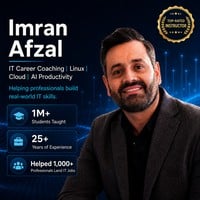
Imran Afzal
Imran Afzal is the CEO of UTCLI Solutions, a best-selling IT instructor, career coach, and technology educator who has trained over 1 million students worldwide. His teaching focuses on helping professionals build real-world skills in IT career growth, Linux, cloud computing, systems administration, and AI productivity.
With 25+ years of experience in enterprise IT, leadership, and training, Imran has worked across Fortune 500 environments in finance, fashion, media, and technology. His professional journey began in 2001 at Time Warner in New York City and includes major projects involving data center migrations, VMware deployments, monitoring tools, Linux/UNIX systems, Windows Server, and Amazon cloud migrations.
Through his Udemy courses, YouTube channel “Learn with Imran Afzal,” corporate training, and career coaching programs, Imran teaches students how to learn practical technology skills, grow their confidence, prepare for IT jobs, and stay ahead in a fast-changing world where AI is transforming the workplace. His mission is simple: make technology easier to understand and help people build careers they are proud of.
 More courses by Imran Afzal
Complete Linux Training Course to Get Your Dream IT Job 2026
4.6 (47,313 Reviews)
 Provider: Udemy
 Time: 42.8h
$22.99
Complete Microsoft SQL Server Database Administration Course (2026)
4.5 (11,205 Reviews)
- Provider: Udemy
- Time: 32h
$119.99
Linux Redhat Certified System Administrator (RHCSA - EX200) (2026)
4.5 (10,904 Reviews)
- Provider: Udemy
- Time: 12.1h
$119.99

IT Fundamentals - Everything you need to know about IT (2026)
4.6 (9,829 Reviews)
- Provider: Udemy
- Time: 13.6h
$89.99
Complete Windows Server Administration Course (2026)
4.4 (6,552 Reviews)
- Provider: Udemy
- Time: 14.6h
$19.99

Complete Linux Bash Shell Scripting with Real Life Examples (2026)
4.7 (4,978 Reviews)
- Provider: Udemy
- Time: 14.7h
$16.99
More VMware courses

The Complete VMware vSphere: Beginner to Advanced (2026)
4.7 (4,526 Reviews)
- Provider: Udemy
- Time: 12.6h
$13.99

VMware vSphere 6.0 Part 1 - Virtualization, ESXi and VMs (2018)
4.7 (4,409 Reviews)
- Provider: Udemy
- Time: 8.9h
$69.99

Clear and Simple VMware vSphere 6.7 Professional VCP-DCV (2024)
4.7 (2,338 Reviews)
- Provider: Udemy
- Time: 12.9h
$10.99

Clear and Simple VMware vSAN 6.7 (Virtual SAN) (2023)
4.7 (2,283 Reviews)
- Provider: Udemy
- Time: 3.1h
$11.99

Clear and Simple VMware Certified Associate (RetiredVCA-DBT) (2024)
4.7 (2,240 Reviews)
- Provider: Udemy
- Time: 6.5h
$13.99

Clear and Simple VMware vSphere 6.7 Foundations (2024)
4.7 (2,191 Reviews)
- Provider: Udemy
- Time: 10.9h
$11.99
 Reviews

By Ron Moller on 8/18/2026
I enjoyed the course and learned a lot. I had only limited experience with Hyper-V at a personal level and wanted to tailor my skills to the environment at work. I watch all of the videos first, skipping the labs. I then went back to focus on the labs (the equivalent of reading the instructions all the way through first). I could not get the lab setup on my windows 11 25H2 PC. VMware takes the Hard Disk Settings at setup, but the disk is not recognized at any other point. I'm now pretty proficient at getting EXSi installed....but could go no further. I could not install the VMs and experiment with most of the features of WMWare. I wish that the installation files for all the components needed could be available for download via the lesson. The versions in use in this course are older, and I think that maybe the newest versions require slightly different configurations? Being able to work with exactly the versions that are used in the instruction would be a huge advantage. I would definitely recommend this instructor, I just wish that I could have gotten the hands-on experience. I continue to try to find a way to make it work...
By Walid OUERGHEMMI on 8/13/2026
interesting content, all the concepts concerning Vmware Vsphere and Vcenter were exposed an explained, with some interactive content and Quiz. i recommend
By Abdirisak Mohamed Yusuf on 6/26/2026
This is an excellent course for anyone who wants to learn VMware vSphere ESXi and vCenter administration. The instructor explains the concepts clearly and covers both the fundamentals and practical administration tasks. The hands-on labs made it easier to understand real-world virtualization environments. Completing this course has strengthened my virtualization skills and will help me in my career growth as a system administrator. I highly recommend it to anyone looking to build or advance their VMware administration knowledge.
By Gabriela Zamora on 5/22/2026
It is going great. We are covering even the small details and definitions that will help us avoid future mistakes and understand virtualization better.
By Prajjwal Mahajan on 4/5/2026
The course is amazing and very engaging. It was easy to follow, and I was able to learn alongside the instructor throughout. Thank you so much!
By Anonymized User on 4/1/2026
Incredible clarity! The instructor explains everything so well that I didn't have to hit the 'rewind' button once. Concise, thorough, and very easy to follow.
By James Lentz on 3/31/2026
Imran always puts together well thought out courses that are engaging and entertaining. While the version shown may be a bit behind, the concepts and principles are still applicable today. Great work!
By Jan Lutzenberger on 3/22/2026
I am currently taking this course as I am about to start a new position that requires more in-depth knowledge of VMware. I find the course to be very well structured, and the instructor presents the material in a clear, engaging, and highly professional manner, demonstrating strong expertise in the subject. The content strikes an excellent balance between depth and conciseness: it is detailed enough to ensure a solid understanding, while remaining focused and accessible without becoming overwhelming or tedious. Unfortunately, due to recent changes in Broadcom’s licensing model, I am currently unable to install and test vCenter on my own, which limits the ability to gain hands-on experience alongside the course.
By Md Arbaz Alam on 2/10/2026
This course was excellent! The instructor explained VMware ESXi concepts clearly, starting from basics and moving to advanced topics like DRS and Host Profiles. The hands‑on labs made it easy to follow along, and I now feel confident setting up and managing ESXi environments. Highly recommended for anyone looking to build strong virtualization skills
By Subba Reddy Dumpala on 1/23/2026
Perfect course for learning virtualization technology; I can proudly say that my skills in virtualisation have increased significantly.
 Quality Score
No CourseDuck member has rated this course yet. Taken it? Give each part a thumbs up or down.
Overall Score : 94 / 100

- Video Duration:
 11.3h
11.3h - Price: $99.99
- Provider: Udemy
- Updated:
 June 2026
 - Level:
 All Levels
 - Language:
 English
 - Certificate:
 Yes
Yes - Lectures:109 in 11 sections
- Practice:8 quizzes
- Students:72,100
- Subtitles:2 languages
- Udemy badge:Bestseller
30-day money-back guarantee on most paid courses
Udemy Coupon Price Tracker
