
 Web Development
 Data Science
 Python
 SQL
SQL JavaScript
 Artificial Intelligence
 IT & Software
 IT Certifications
 Hacking
 AWS
AWS Arduino
 DevOps
 3D Modeling
 Graphic Design
 Photoshop
 Drawing
 Digital Painting
 UX Design
 Business
 Data Analysis
 Communication Skills
 Project Management
 Leadership & Management
 Human Resources
 Digital Marketing
 Social Media Marketing
 Marketing
 SEO
SEO Google Analytics
 Branding
 Excel
Excel Office Productivity
 SAP
SAP PowerPoint
 Microsoft Access
 SharePoint
 Finance & Accounting
 Trading & Investing
 Accounting
 Bitcoin
 Personal Finance
 Video Editing & Animation
 Photography
 Adobe Premier Pro
 Adobe Lightroom
 Personal Development
 Productivity
 Career Development
 Life Coaching
 Health & Fitness
 Meditation & Mindfulness
 Yoga
Yoga Music
Music Music Production
 Guitar
 Piano
Piano Singing
 Language Learning
 Teaching & Academics
 Engineering
 Math
Math Lifestyle
The Complete VMware vSphere: Beginner to Advanced (Udemy.com)
Learn the essentials of VMware vSphere, from installing ESXi to managing vCenter, and start building your virtualization
Created by: Fettah Ben
Last updated August 2026
Our take
Based on the ratings of 4,526 students, a sample of their written reviews and the syllabus, as the course stood in August 2026. No course pays to be reviewed.
This is a hands-on administration course for ESXi 7 and vCenter Server 7, taught by Fettah Ben, an infrastructure engineer with 18 years in the field. It runs 12.6 hours across 119 lectures and 17 sections. The label says All Levels, but the requirements ask for Windows or Linux admin experience and some networking. It starts by helping you build a home lab, then moves through installing ESXi, creating VMs, vCenter and the appliance, cloning, templates, permissions, firewall, switches and shared storage.
Reviewers mostly like the clear explanations and the practical feel, and the ESXi and vCenter sections get the most praise. One calls the pace comfortable, and a few say the hands-on exercises helped ideas stick. The complaints are consistent too. A few students struggle with the instructor's accent and found the captions poor. Older reviews mention labs that repeat themselves and content that is thin on real troubleshooting. One early reviewer pointed out that vMotion, HA and DRS are not covered, and the current syllabus still has no section on them.
The course was last updated in August 2026. A 2022 reviewer had trouble downloading the vCenter setup, and the course now has a 7.0.3 install section marked as updated. With about 24,000 students and a 4.7 rating from 4,526 reviews, it looks like a safe pick next to the 6.0 and 6.5 courses in the same category. Take it if you need practical ESXi and vCenter skills. Look elsewhere if clustering or exam prep is the goal.
Pros
- Starts with a home lab build, so every later exercise has somewhere to run
- Reviewers say the ESXi and vCenter sections are clear, with practical examples from the instructor's field work
- Covers the admin basics in one place: VMs, clones, templates, permissions, standard and distributed switches
- Refreshed in 2026 with a vCenter 7.0.3 install section
Cons
- The accent and weak captions trip up some students, and a few found the English hard to follow
- No vMotion, HA or DRS section in the syllabus, so it is not full VCP prep
- Light on troubleshooting; some reviewers wanted more real-world admin scenarios
This course provided a great overview of VMware vSphere and the hands-on exercises were a valuable learning experience. I would highly recommend this to anyone looking to get started with virtualization.
Labeled All Levels, but it assumes Windows or Linux admin experience and some networking. True IT beginners will struggle.
 What you will learn
- Build Your VMware Hands-on Labs
- Install, Configure, and Manage ESXi Hosts and vCenter® Server Appliance™
- Deploy and Manage virtual machines, templates, clones, and snapshots
- Configure and Manage the Network, Storage, and Virtual Appliances
- Configure and Manage standard/distributed switch
- VMware Certified Professional – Datacenter Virtualization (VCP-DCV)
Course content
17 sections · 119 lectures · 13 hours of video 2 quizzes, 2 practice tests, 3 articles
- 1Introduction to the course 2 free previews4 lectures · 12 min
- 2Introduction To Virtualization3 lectures · 16 min
- 3Build Your Very Own VMware Hands-On-Labs 1 free preview8 lectures · 47 min
- 4Install and Configure ESXi Hypervisor 2 free previews6 lectures · 59 min
- 5Creating Virtual Machines10 lectures · 1.1 hours
- 6vCenter Server 7.0.3 Installation (Updated Section)2 lectures · 18 min
- 7vCenter Server: Installation & Management 1 free preview13 lectures · 1.6 hours
- 8vCSA - vCenter Server Appliance5 lectures · 41 min
- 9Cloning A Virtual Machine 1 free preview9 lectures · 54 min
- 10Virtual Machine Template4 lectures · 27 min
- 11Scheduled Tasks & VM Startup Shutdown4 lectures · 28 min
- 12User Permissions And Privilege 1 free preview10 lectures · 1 hour
- 13Firewall & Lockdown Mode5 lectures · 24 min
- 14vNetwork Standard Switches13 lectures · 1.3 hours
- 15vNetwork Distributed Switch7 lectures · 37 min
- 16vSphere Storage: External and Shared Storage14 lectures · 1.5 hours
- 17Conclusion2 lectures · 3 min
Who it is for
The instructor says it suits
- System Administrators
- IT Infrastructure Manager
- vSphere Administrators
What you need before you start
- System Administration Experience on Microsoft Windows or Linux operating systems
- Have Some Networking knowledge
- All Needed Software Are Available For Free, or Trial
- No Prior Background with Virtual Machine Technologies Is Required
How it compares
Against the other 50 rated Udemy courses in VMware on CourseDuck:
- Rating4.7 out of 5higher than 76% of them
- Reviews4,526#2 of 51 by number of reviews
- Length12.6 hourslonger than 81% of them
- Last updatedAugust 2026more recently than 88% of them
 Course Description
Interested in learning how to virtualize your environment?
VMware vSphere Accelerate your digital transformation through a software-defined approach to business and IT. The trusted platform provider of choice for more than 500,000 customers globally, VMware is the pioneer in virtualization and an innovator in cloud and business mobility. A proven leader, VMware allow you to run, manage, connect and secure applications across clouds and devices in a common operating environment, so you get both freedom and control.
This course introduces you to VMware's virtualization solution. With comprehensive coverage of this industry-leading toolset, this course acts as a training guide and valuable reference. Step-by-step tutorial walks you through installation, configuration, operation, security processes, and much more as you conquer the management and automation of your virtual environment.
This course guide provides hands-on instruction and detailed conceptual explanations, anchored by practical applications and real-world examples.
This is the ultimate guide to vSphere, helping administrators master their virtual environment.
What You Will Learn
The course is designed to teach you:
How to setup your own Hands-on Labs
Install, configure, and manage the ESXi 7 Hosts
Install, configure, and manage the vCenter Server 7 components
Create and Manage virtual machines, templates, clones, and snapshots
Create and configure virtual networks and storage devices
Automate and orchestrate routine administrative tasks
Create and Manage User Permissions and Privileges
Configure and manage Security Profile and Firewall
Configure and manage Local and External Storage
...
This course requires the following prerequisites:
System administration experience on Microsoft Windows or Linux operating systems
PS: Check the Free Preview videos to know more about the course and to be sure you can get accustomed to my accent
Enroll now!

 Udemy Discount
The discount is applied through our link. Open the course from here and Udemy's current promotional price is applied at checkout on most courses, no code to type.
Some courses are excluded from Udemy's promotions. If the price does not drop, clear your browser cookies and use the button again.
Instructor Details

- 4.7 Rating
 4,526 Reviews
Fettah Ben
Hello, I’m Fettah Ben — an IT professional with over 18 years of hands-on experience in infrastructure management, virtualization, data protection, and disaster recovery.
Throughout my career, I’ve worked with small businesses, large enterprises, and government environments—helping them design, secure, and optimize reliable IT infrastructures.
My expertise includes:
- Backup & disaster recovery solutions (Veeam, Nakivo, Acronis)
- Virtualization platforms (VMware & Nutanix)
- Cloud technologies (Microsoft Azure)
I’ve been involved in real-world projects ranging from daily operations to complex production deployments, giving me a deep understanding of what actually works in the field.
My Teaching Approach
I specialize in turning complex IT concepts into simple, practical, and easy-to-understand lessons.
In my courses, you’ll find:
- Step-by-step explanations
- Real-world scenarios
- Hands-on demonstrations
- Clear and structured learning paths
My goal is simple:
Help you gain job-ready skills that you can apply immediately in real environments.
My Mission
I’m passionate about helping IT professionals around the world:
- Learn faster
- Build confidence
- Grow their careers
 More courses by Fettah Ben
The Complete Nutanix Private Cloud Solution Bootcamp. (2026)
4.2 (2,078 Reviews)
 Provider: Udemy
 Time: 9.5h
$11.99

PowerShell Scripting & Automation: The Complete Hands-On (2026)
4.8 (1,750 Reviews)
- Provider: Udemy
- Time: 9.6h
$11.99

The Complete VMware vSphere: Enterprise Features (2026)
4.3 (1,185 Reviews)
- Provider: Udemy
- Time: 12.7h
$13.99
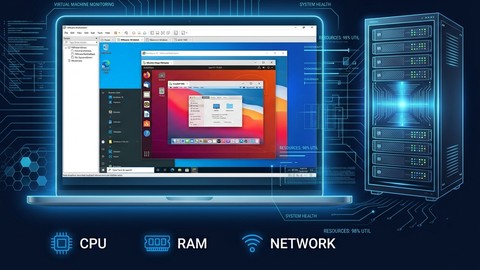
Build a VMware vSphere Home Lab with VMware Workstation (2026)
4.4 (1,113 Reviews)
- Provider: Udemy
- Time: 2h
$11.99
Python Fundamentals: Beginner's Guide to Coding with Python (2025)
4.4 (731 Reviews)
- Provider: Udemy
- Time: 4.7h
$44.99
More VMware courses

Complete VMWare vSphere ESXi and vCenter Administration (2026)
4.7 (14,620 Reviews)
- Provider: Udemy
- Time: 11.3h
$99.99

VMware vSphere 6.0 Part 1 - Virtualization, ESXi and VMs (2018)
4.7 (4,409 Reviews)
- Provider: Udemy
- Time: 8.9h
$69.99

Clear and Simple VMware vSphere 6.7 Professional VCP-DCV (2024)
4.7 (2,338 Reviews)
- Provider: Udemy
- Time: 12.9h
$10.99

Clear and Simple VMware vSAN 6.7 (Virtual SAN) (2023)
4.7 (2,283 Reviews)
- Provider: Udemy
- Time: 3.1h
$11.99

Clear and Simple VMware Certified Associate (RetiredVCA-DBT) (2024)
4.7 (2,240 Reviews)
- Provider: Udemy
- Time: 6.5h
$13.99
Clear and Simple VMware vSphere 6.7 Foundations (2024)
4.7 (2,191 Reviews)
- Provider: Udemy
- Time: 10.9h
$11.99
 Reviews

By Colin Perry on 3/26/2026
Honestly, this is a really well-structured video course. If you’re trying to understand how clustering actually works, this is definitely one you don’t want to miss. The explanations are clear, easy to follow, and the way the concepts are broken down makes a big difference — especially if you’re learning this for the first time. Big ups to the creators for putting this together. Really solid work — well done!
By Mohammed Taqiuddin on 1/27/2021
First of the thing the Course Heading itself says VMware vSphare 7 I bought this course because it says 7, was latest version 7, but unfortunately, everything was taught in version 6.5, they even not teach the difference and new stuff added in version 7. Pronunciation in the language is bit harderd to understand. Over all he did a good job to fulfill basic understanding of subject with his all good effort.
By Declan Conroy on 1/11/2021
Very impressed that you can give training of this quality in a third language. The accent wasn't an issue at all. I've paid top money for on site instructor led training that wasn't as good as this course. A few small issues. Flash was discontinued on Jan 1st 2020, so vSphere 6.5 won't run anymore. I used 6.7 because my lab server CPU wouldn't support 7.0, and the 6.7 UI is subtly different. I was able to follow the course, but very often buttons are missing, such as "New Distributed Port" and it's now on a right click menu instead. Also, StarWind VSAN no longer allows a management UI for the free version, and the trial version is an OVA file. The free version needs to be managed via PowerShell. You create a target and a device using the CreateLSFS.ps1 script supplied which you need to modify to set the size you want. Other than that it all works as per the course.
By Haitham Elatrache on 12/26/2020
The instructor provides detailed explanation so that you rarely need to ask questions. The course is divided to several short videos with reasonable length for each aspect which makes it easy to follow and understand and easy to come back to the section or topic. The instructor knows about his subject and is good when you start as a beginner. It is true that for me the accent was not a problem because I came from same background but for an English native this will be a bit challenging, nevertheless it only count for 5% of the understanding
By Duane Purtell on 11/15/2020
Difficult to understand
By Vikram Dabhi on 11/15/2020
good have the learning with and greate knowledge share for furture ref.
By SONALI Mukherjee on 11/8/2020
Unable to understand the Accent tried subtitles as well but they appearing the same way as he speaks. Otherwise everything is good. needed manual PDF for better understanding
By Umang Mehta on 11/1/2020
yes
By Prateek Anand on 10/24/2020
yeah absolutely a good course structure amd the contents. bit difficulty in understanding due to accent but its manageable.
By Joy Thomas on 10/24/2020
good one
By Tomas Truffy on 10/17/2020
The training is very clear and easy to follow. I especially appreciate the Hand On Lab, its help me to build my own Lab to follow and practice everything from this course.
By mohannad jastineah on 10/15/2020
thanks
 Quality Score
No CourseDuck member has rated this course yet. Taken it? Give each part a thumbs up or down.
Overall Score : 94 / 100

- Video Duration:
 12.6h
12.6h - Price: $13.99
- Provider: Udemy
- Updated:
 August 2026
 - Level:
 All Levels
 - Language:
 English
 - Certificate:
 Yes
Yes - Lectures:119 in 17 sections
- Practice:2 quizzes, 2 practice tests
- Students:24,000
- Subtitles:5 languages
30-day money-back guarantee on most paid courses
Udemy Coupon Price Tracker
