
 Web Development
 Data Science
 Python
 SQL
SQL JavaScript
 Artificial Intelligence
 IT & Software
 IT Certifications
 Hacking
 AWS
AWS Arduino
 DevOps
 3D Modeling
 Graphic Design
 Photoshop
 Drawing
 Digital Painting
 UX Design
 Business
 Data Analysis
 Communication Skills
 Project Management
 Leadership & Management
 Human Resources
 Digital Marketing
 Social Media Marketing
 Marketing
 SEO
SEO Google Analytics
 Branding
 Excel
Excel Office Productivity
 SAP
SAP PowerPoint
 Microsoft Access
 SharePoint
 Finance & Accounting
 Trading & Investing
 Accounting
 Bitcoin
 Personal Finance
 Video Editing & Animation
 Photography
 Adobe Premier Pro
 Adobe Lightroom
 Personal Development
 Productivity
 Career Development
 Life Coaching
 Health & Fitness
 Meditation & Mindfulness
 Yoga
Yoga Music
Music Music Production
 Guitar
 Piano
Piano Singing
 Language Learning
 Teaching & Academics
 Engineering
 Math
Math Lifestyle
Complete Davinci Resolve 20 Bootcamp - Fusion - Particles (Udemy.com)
Learn Davinci resolve 20 from scratch: Video Editing-Fusion-Particles
Created by: Raffi Bedross
Last updated July 2025
 What you will learn
- Learn Davinci Resolve 20 from scratch
- Learn the best editing software in the market
- Learn how to edit your videos
- Learn Fusion, the powerful compositing tool in Davinci
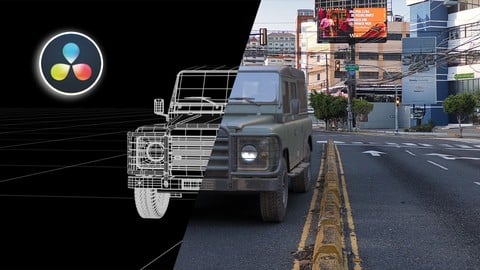
- Create vfx shots using powerful tools of Davinci resolve 20
- Learn everything about particles in Davinci resolve 20
How it compares
Against the other 293 rated Udemy courses in Video Editing & Animation on CourseDuck:
- Rating4.4 out of 5higher than 40% of them
- Reviews87#211 of 294 by number of reviews
- Length8.2 hourslonger than 84% of them
- Last updatedJuly 2025more recently than 64% of them
 Course Description
Straight to the point.
Fast paced.
Projects based lectures.
Note: some lectures are recorded in Davinci 19 , but everything is applicable in Davinci 20
Davinci resolve is the best video editing and color grading software in the market,
You will learn everything in Davinci resolve,
We will start from scratch then gradually we will cover more advanced techniques,
You will learn the most common tools inside Davinci resolve,
You will learn how to edit your videos, how to create typography , motion graphics, how to use Fusion which is integrated visual effects compositing software, you will learn how to use the particles system and much more.
Davinci resolve it very easy software to learn, the user interface is very organized and well built up and easy to navigate.
You will learn how to create video transactions , how to use powerful video editing tools,
how to use the color page to color correct and color grade your clips.
How to use fusion which is one of the most powerful features in Davinci resolve.
We will cover the particles in depth in Fusion.
In the Edit Page You will learn how to import your clips and how to organize them and how filter them.
You will learn how the index window works, how to navigate in the timeline, how to use trim and dynamic trim mode to make your workflow faster.
In the Effects section I will show you how to use the effects in Davinci resolve.
In the first lesson are going to learn how to apply the effects, transitions and generators to the clip, and how to add them to the timeline. and how to copy and duplicate them in the timeline.
Then we are going to take a quick look on how to use green screen removals in Davinci resolve and replace the background and adjust the color of the footage to match the background.
After that you will learn how to animate photos, like animating the position and the scale using Dynamic zoom.
You will learn how to create keys for animation and how to adjust the animation curve inside the timeline.
We are going to cover how the timeline works, and how to create multiple timelines.
I will explain what the compound clips are and how to use them.
Then we will create multiple transition effects.
After that we will cover the powerful retime controls in Davinci resolve.
You will learn how to speed up and slow down the speed of your clips and how to fix the lagging issues caused by slowing down the clip.
Finally we are going to learn how to create a photo opener effect.
Then We are going to cover Fusion which is a powerful integrated visual effects compositing software in Davinci resolve.
After that we are going to fun part which is the particle system in Davinci resolve, you will learn everything about particles in Davinci resolve 20.
So let’s get started.

 Udemy Discount
The discount is applied through our link. Open the course from here and Udemy's current promotional price is applied at checkout on most courses, no code to type.
Some courses are excluded from Udemy's promotions. If the price does not drop, clear your browser cookies and use the button again.
Instructor Details

- 4.4 Rating
 87 Reviews
Raffi Bedross
Raffi is a highly skilled VFX artist and instructor with 18 years of experience in the industry. As an online instructor, he has trained countless students from all around the world and helped them develop the skills they need to succeed in the competitive world of visual effects.
Raffi's expertise covers a wide range of VFX-related topics, including Houdini FX, Maya and Unreal Engine. He has worked on numerous high-profile projects.
In addition to his technical skills, Raffi is also a gifted communicator and teacher. He has a talent for breaking down complex concepts and making them accessible to students of all skill levels. Raffi is passionate about sharing his knowledge and helping others achieve their goals.
Raffi's courses are designed to provide students with hands-on experience and practical skills that they can apply immediately in real-world situations. He uses a variety of teaching methods, including video tutorials, written materials, and interactive exercises to keep students engaged and motivated.
Whether you're just starting out in the world of VFX or you're a seasoned professional looking to hone your skills, Raffi has the expertise and experience to help you reach your goals.
 More courses by Raffi Bedross
Niagara Beginners to advanced in Unreal Engine 5 (2026)
4.6 (777 Reviews)
 Provider: Udemy
 Time: 14.8h
$99.99

Maya For FX Artists - Projects Based Course (2026)
4.4 (646 Reviews)
- Provider: Udemy
- Time: 8.9h
$99.99
Real-time VFX in EmberGen and Unreal Engine 5 (2023)
4.5 (129 Reviews)
- Provider: Udemy
- Time: 4.3h
$69.99
More Video Editing & Animation courses

Learn to Storyboard for Film or Animation (2024)
4.8 (2,727 Reviews)
- Provider: Udemy
- Time: 2.2h
$12.99


Fire Starter Sessions Video Workshop with Danielle LaPorte (2017)
4.8 (1,205 Reviews)
- Provider: Udemy
- Time: 3.7h
$11.99

The Ultimate Color Grading Bootcamp in DaVinci Resolve (2026)
4.8 (947 Reviews)
- Provider: Udemy
- Time: 8.7h
$19.99

The Complete Talking Head Video Production Masterclass (2026)
4.8 (319 Reviews)
- Provider: Udemy
- Time: 17.6h
$59.99

The Complete iMovie Course - from Beginner to Advanced 2026!
4.7 (2,021 Reviews)
- Provider: Udemy
- Time: 11.1h
$10.99
 Reviews

By Shachar Goldberg on 8/18/2026
The speech of the narrator is very clear and easy to follow, but the assets he uses does not add up to a final project, just showing the features with no context to a real usable final video.
By Matias Lara Cares on 5/10/2026
Exelente curso, ya es el segundo curso de davinci resolve y de verdad me ayudó a ampliar mas mi conocimiento, el curso es bastante completo y el profesor explica a la perfeccion.
By David Chaney on 12/25/2025
I've been using Resolve for a little while now, and I purchased this mostly for the Particles and the Compositing videos. I watched the entire lesson just to see if there was anything new I could learn, and found that this instructor has very good tips on how to do things. I learned more about things I thought I already knew, and also got the Particle and Compositing information that I needed. This instructor explains things clearly and very well. I highly recommend this tutorial.
By Asad Kazmi on 11/2/2025
I do not understand why instructor did not uploaded the relevant media clips. It is difficult to comprehend until unless you practice yourself.
By Agustin Vazquez on 10/20/2025
The integration of fusion with footage is missing. Is like you are giving me weapons but not the how to integrate them. For instance lets say I have video with certain object and if I want to integrate part of those particles I dont know how cause isnt explained
By Peter Hellstrand on 9/29/2025
Very good presentation. Not too deep so far, but very easy to follow.
By Murali D on 8/31/2025
I have subscribed many course for the DaVinci Resolve from Udemy, This course is Amazing one, everything to the point without wasting time, explained with appropriate samples with supplied resources, covers all Chapters including Fusion and Particles, I strongly recommend this course to learn (gain) maximum information in minimum time period
By Luis Ruiz on 7/2/2025
This course is a good starting point for beginners, to learn the basics and understanding how tools and pages inside Davinci works.
By Gabriel Petersson on 6/30/2025
Loved this! Sweet and straight to the point. I like the idea of having a variety of mini projects.
By Barbara Konopka on 6/25/2025
fantastyczny, przydatne tipy odnośnie Fusion
 Quality Score
No CourseDuck member has rated this course yet. Taken it? Give each part a thumbs up or down.
Overall Score : 88 / 100
- Video Duration:
 8.2h
8.2h - Price: $19.99
- Provider: Udemy
- Updated:
 July 2025
 - Level:
 All Levels
 - Language:
 English
 - Certificate:
 Yes
Yes
30-day money-back guarantee on most paid courses
Udemy Coupon Price Tracker
