
 Web Development
 Data Science
 Python
 SQL
SQL JavaScript
 Artificial Intelligence
 IT & Software
 IT Certifications
 Hacking
 AWS
AWS Arduino
 DevOps
 3D Modeling
 Graphic Design
 Photoshop
 Drawing
 Digital Painting
 UX Design
 Business
 Data Analysis
 Communication Skills
 Project Management
 Leadership & Management
 Human Resources
 Digital Marketing
 Social Media Marketing
 Marketing
 SEO
SEO Google Analytics
 Branding
 Excel
Excel Office Productivity
 SAP
SAP PowerPoint
 Microsoft Access
 SharePoint
 Finance & Accounting
 Trading & Investing
 Accounting
 Bitcoin
 Personal Finance
 Video Editing & Animation
 Photography
 Adobe Premier Pro
 Adobe Lightroom
 Personal Development
 Productivity
 Career Development
 Life Coaching
 Health & Fitness
 Meditation & Mindfulness
 Yoga
Yoga Music
Music Music Production
 Guitar
 Piano
Piano Singing
 Language Learning
 Teaching & Academics
 Engineering
 Math
Math Lifestyle
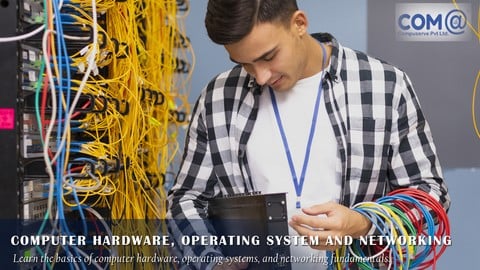
Computer Hardware, Operating System and Networking (Udemy.com)
For Any Graduates/Engineering/Diploma/Arts & Science/Freshers/Home Users/Individuals/Desktop Support/FM/Service Engineer
Created by: Ilanchezhian
Last updated December 2020
 What you will learn
- Computer Hardware & Networking Introduction
- Understanding Computers Architecture
- Understanding Motherboard Technologies
- Understanding Processor Technologies
- Understanding Memory Technologies
- Understanding Storage Technlogies
- Understanding Switch Mode Power Supply (SMPS)
- Understanding BIOS & Power On-Self Test
- Understanding Optical Storage technologies
- Understanding Safe Mode Boot Menu
- Understanding Printer Technologies
- Understanding Scanner Technologies
- Understanding Computer Assembling
- Configuring Bitlocker Encryption in Windows10
- Understanding BSOD in Windows10
- Understanding Windows 10 OS Installation
- Understanding Windows 10 Operating System & Features
- Understanding VMware Workstation & Installing O/S
- Understanding Windows Patchmanagement in End points
- Understanding Disk Management in Windows10
How it compares
Against the other 1,182 rated Udemy courses in IT & Software on CourseDuck:
- Rating4.2 out of 5higher than 13% of them
- Reviews494#584 of 1,183 by number of reviews
- Length20.1 hourslonger than 88% of them
- Last updatedDecember 2020earlier than 82% of them
 Course Description
This course is designed to equip the candidates for becoming an Entry Level L1, Desktop Support, Service Engineer, Customer Support Engineer, FM Engineer, Hardware Engineer and IT Support Specialist in End User Computing environment.
Candidates will learn about Desktop and Laptop Computer Hardware Technology like Motherboard, Hard Disk, Memory Processors, Assembling, Computer Peripherals Like Printers & Scanners.
Windows 10 Operating system, Understanding the latest Technologies.
Troubleshooting all kind of Hardware and OS related issues.
In addition, This course develops the candidature/skills of the professionals to face the Job Interviews.
Home / Individual users can identify the root cause of the issues occurring in their Desktop / Laptop . On their own they can fix, trouble shoot and solve the issue, without the help of any other person .
Through this course, candidates shall also gain the knowledge to take the International Certification example like CompTIA A+ Certification. CompTIA A+ Core Series requires candidates to pass two exams: Core 1 (220-1001) and Core 2 (220-1002).
Learners will gain strong knowledge in:
Computer Hardware & Networking Introduction
Understanding Computers Architecture
Understanding Motherboard Technologies
Understanding Processor Technologies
Understanding Memory Technologies
Understanding Storage Technologies
Understanding Switch Mode Power Supply (SMPS)
Understanding BIOS & Power On-Self Test
Understanding Optical Storage technologies
Understanding Safe Mode Boot Menu
Understanding Printer Technologies
Understanding Scanner Technologies
Understanding Computer Assembling
Configuring Bitlocker Encryption in Windows10
Understanding BSOD in Windows10
Understanding Windows 10 OS Installation
Understanding Windows 10 Operating System & Features
Understanding VMware Workstation & Installing O/S
Understanding Windows Patch Management in End points
Understanding Disk Management in Windows10
Understanding User Account Management
Understanding Local Security Policies
Understanding Network Topologies
Understanding Network Interconnecting Devices
Understanding of OSI Layers
Understanding of IP Address Management
Configuring Windows 10 in Workgroup
Understanding Antivirus Management

 Udemy Discount
The discount is applied through our link. Open the course from here and Udemy's current promotional price is applied at checkout on most courses, no code to type.
Some courses are excluded from Udemy's promotions. If the price does not drop, clear your browser cookies and use the button again.
Instructor Details

- 4.2 Rating
 494 Reviews
Ilanchezhian
A seasoned technocrat with over 25 years of experience in Hybrid Infrastructure, demonstrating deep expertise across Cloud and On-premises Implementations, Datacenter Operations, Cloud Infrastructure, Cybersecurity, and Technical Training. Adept at designing, securing, and managing scalable IT environments using a wide array of industry-leading technologies.
Possesses a robust portfolio of global certifications, reinforcing hands-on capability in architecture, security, forensics, and infrastructure management:
AWS Certified Solutions Architect
Microsoft Certified: Azure Security Engineer
Microsoft Certified: Azure Architect Technologies
Certified Ethical Hacker (CEH)
Computer Hacking Forensic Investigator (CHFI)
Certified EC-Council Instructor (CEI)
Citrix Certified Associate (CCA)
Microsoft Certified Systems Administrator (MCSA)
IBM Certified AIX Administrator
Renowned for strategic problem-solving, strong leadership in mission-critical projects, and a passion for mentoring IT professionals to stay ahead of evolving technology trends.
 More courses by Ilanchezhian
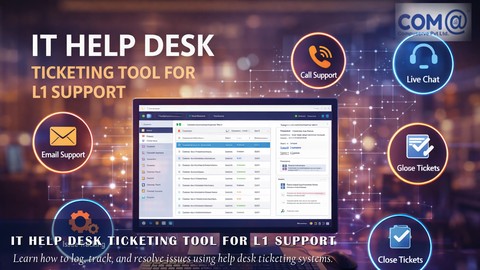
IT Help Desk Ticketing Tool for L1 Support (2021)
4.5 (647 Reviews)
 Provider: Udemy
 Time: 4.9h
$10.99
More IT & Software courses

D3.js Data Visualization Fundamentals - Hands On (2026)
4.9 (3,917 Reviews)
- Provider: Udemy
- Time: 4.6h
$49.99

Hands-On Training: Streaming Data with Apache Kafka on Azure (2025)
4.9 (103 Reviews)
- Provider: Udemy
- Time: 3.7h
$10.99


Oracle Grid Infrastructure and RAC using Oracle Database 19c (2026)
4.8 (2,499 Reviews)
- Provider: Udemy
- Time: 8.7h
$19.99

PowerShell Scripting & Automation: The Complete Hands-On (2026)
4.8 (1,750 Reviews)
- Provider: Udemy
- Time: 9.6h
$11.99

AWS EC2 Crash Course + Load Balancing with Demos and PDFs (2025)
4.8 (866 Reviews)
- Provider: Udemy
- Time: 3.7h
$19.99
 Reviews

By Jack Jones on 3/22/2026
It is a very informative course explaining computer hardware and software architecture and how networking works. My only complaint is that it only covers up to Windows 10 and there has been a lot of significant changes that have occurred with Windows 11.
By Deepali Dagadkhair on 11/29/2025
My experience taking this course was very positive. The content was well-structured, easy to follow, and covered all the essential concepts in a clear way. I especially liked the practical assignments because they helped me apply what I learned immediately.
By Asish Sai on 3/6/2025
yeah so much matter i getting from this course and need to learn more digital learning excepting from this course
By Abasi-ikponke Ekanem on 6/9/2024
This Computer Hardware, Operating System, and Networking course on was good for me. It explained things in a clear and interesting way, even the tricky stuff. Overall, it was just what I needed to learn more about these basic parts of computers.
By Suzie Williams on 3/25/2024
It was good information. I am an IT technician and I still learned some extra info. The accent is hard to understand but once someone pays attend they can get the most of what you're saying
By Ramakrishnan Nagarajan on 2/26/2024
It's a detailed hardware course. However, it has reached its time to get expire since the hardware and other stuffs shown in this course are out-dated. Try to update some topics relevent to windows 11.
By Bevin Scheepers on 8/4/2021
the lecturer doesnt get my full attention, dont understand certain things he says, makes it a bit difficult to follow.
By Hizami Hilmi on 7/23/2021
Comprehensive course for fundamental IT knowledge. Sometimes the lessons are too long, monotonous and heavy-accented. Otherwise, I learnt a lot about computer and IT stuff! Thank you.
By Naomi on 2/28/2021
This guy is smart but I had some difficulty understanding his accent. But there seems to be a lot of valuable content in this course so it seems worth the added focus required to listen.
By Eric Berg on 2/11/2021
I am happy to have come across this course. I've been trying to expand my understanding of computer hardware, and this course goes above and beyond. Thanks for giving me all this information, I will enjoy continuing this course.
 Quality Score
No CourseDuck member has rated this course yet. Taken it? Give each part a thumbs up or down.
Overall Score : 84 / 100
- Video Duration:
 20.1h
20.1h - Price: $49.99
- Provider: Udemy
- Updated:
 December 2020
 - Level:
 All Levels
 - Language:
 English
 - Certificate:
 Yes
Yes
30-day money-back guarantee on most paid courses
Udemy Coupon Price Tracker
