
 Web Development
 Data Science
 Python
 SQL
SQL JavaScript
 Artificial Intelligence
 IT & Software
 IT Certifications
 Hacking
 AWS
AWS Arduino
 DevOps
 3D Modeling
 Graphic Design
 Photoshop
 Drawing
 Digital Painting
 UX Design
 Business
 Data Analysis
 Communication Skills
 Project Management
 Leadership & Management
 Human Resources
 Digital Marketing
 Social Media Marketing
 Marketing
 SEO
SEO Google Analytics
 Branding
 Excel
Excel Office Productivity
 SAP
SAP PowerPoint
 Microsoft Access
 SharePoint
 Finance & Accounting
 Trading & Investing
 Accounting
 Bitcoin
 Personal Finance
 Video Editing & Animation
 Photography
 Adobe Premier Pro
 Adobe Lightroom
 Personal Development
 Productivity
 Career Development
 Life Coaching
 Health & Fitness
 Meditation & Mindfulness
 Yoga
Yoga Music
Music Music Production
 Guitar
 Piano
Piano Singing
 Language Learning
 Teaching & Academics
 Engineering
 Math
Math Lifestyle
Create IoT Smart Garden with ESP32 and Blynk (Udemy.com)
A Different IoT Power and Performance, Use ESP32 microcontroller to MAKE IoT Smart Garden and unleash your creativity
Created by: Educational Engineering Team
Last updated February 2026
 What you will learn
- Learn Why you should Interface Arduino and ESP32 in your Electronic Projects
- Learn How to connect Arduino Boards with ESP32 and make it Web enabled
- Learn how to interface Arduino with ESP32 with one wire only
How it compares
Against the other 295 rated Udemy courses in Arduino on CourseDuck:
- Rating4.0 out of 5higher than 11% of them
- Reviews48#253 of 296 by number of reviews
- Length3.4 hoursshorter than 65% of them
- Last updatedFebruary 2026more recently than 73% of them
 Course Description
A Different IoT Power and Performance, Use ESP32 microcontroller to MAKE IoT Smart Garden and unleash your creativity
Gardening is a very enjoyable hobby. But, because of most people's busy lifestyles, plants in our gardens might not always get the attention they deserve. But today this will end. What if you can remotely monitor your garden and give your plants the care they need?
There is a way! In this course, we are going to create an IoT-based smart gardening system using the Blynk App.
It's really hard to control ESP Board via mobile; creating a mobile application that can connect to an online server to send and receive commands to the ESP Board is a daunting task that requires mobile app development experience and takes a lot of time, effort, and in some cases, money.
But what if you can create a mobile interface using drag-and-drop features with zero programming experience to control and monitor any of the ESP Board pins?
Why you should take this course?
Learn how to create a wireless IoT smart garden with ESP32 and Blynk
ESP32 is a low-cost, low-power microcontroller that can be used as the basis for any IoT project
The course is the perfect introduction to the ESP32 and Blynk and will inspire you to build your own IoT projects
In this course, you will learn how to create an interactive mobile app interface in less than 5 minutes and connect it to your ESP Board via a free web server that will allow you to directly control your board and get a live reading from sensors and buttons, plus sending control data to LEDs, actuators, pumps, and motors.
We will use the knowledge you will gain from this course to create an IoT Smart Garden that has temperature, humidity, water level, and soil moisture sensors, and display sensors reading live on your mobile app. You will also use a button inside the app to control a pump to water your garden from anywhere in the world!
In this course, you will create a plant environment monitoring system that monitors soil moisture level, air temperature, humidity, and water level. Then, depending on the conditions, the system allows users to deliver what is needed remotely through a mobile app.
What You Will Learn In This Course
How to create an IoT garden using ESP and Blynk
The working principle behind this
How to connect the hardware components
What is Blynk and how to use it to control your project smartly
How to code your ESP to read and send sensor data via web interface
System operation
How to use the same methodology to make any device smart!
At the end of this course, you can create innovative IoT projects controlled by a mobile app with almost no programming experience required. The only thing that you need to do is THINKING, WIRING & CODING.
What You Will Learn
How to create an IoT garden using ESP32 and Blynk
Connecting and configuring hardware components
Using Blynk to control your project smartly
Coding ESP32 to read and send sensor data via web interface
System operation and real-time monitoring
Creating smart devices using the same methodology
Who is This Course For
IoT enthusiasts looking to expand their skills
DIY electronics hobbyists
Students of technology and engineering
Educators looking for practical STEM projects
Anyone interested in smart gardening and IoT
Requirements
Basic understanding of electronics and circuitry
Enthusiasm for DIY projects and learning new technology
About the Instructor Info
Educational Engineering Team
Team of skilled Engineers Sharing Knowledge with the World
Educational Engineering Team is a Leading Team in Microcontroller Industry, with over 13 Years of Experience in Teaching and Doing Practical Projects.
We strive to put all our hands-on experience in these courses. Instead of superficial knowledge - we go into the depth of the topic and give you the exact - step by step blueprint on how to tame simple as well as complex topics in easy and digestible bite-sized videos.
This real-world knowledge enables you to grasp knowledge easily, and you can apply this learning immediately to your life and projects.
Educational Engineering Team has been in the Programming and Microcontroller business since 2007. We have been part of many projects. Over the course of these years - we have gained a good insight into students’ and educators’ needs. We are passionate about sharing all our collective knowledge with you. As of 2018, we have already taught over 250k-THOUSAND students and counting.
Currently, we have more than 100+ Courses on Udemy.
Educator and Author of "Educational Engineering".
Ashraf is an educator, Mechatronics engineer, electronics and programming hobbyist, and Maker. He creates online video courses on the EduEng YouTube Channel (More Than 4 Million Views, 20k+ Subscribers) and is the author of four Microcontroller books.
As a Chief Educational Engineer since 2007 at Educational Engineering Team, the company he founded, Ashraf’s mission is to explore new trends and technology and help educate the world and make it a better place.
Educational Engineering offers educational courses and Bootcamps, articles, lessons, and online support for electronics hobbyists, Programming hobbyists, Microcontroller hobbyists, STEM students, and STEM teachers.
The team also works as freelancer engineers, helping many students in their graduation projects, and providing guidance and consulting for many students over the years to help them kick-start their careers.
Ashraf’s core skill is explaining difficult concepts in a step-by-step, easy-to-understand manner using video and text. With over 11 years of tertiary teaching experience, Ashraf has developed a simple yet comprehensive and informative style in teaching that students from all around the world appreciate.
His passion for Microcontrollers and Programming, particularly for Arduino, PIC Microcontroller, and Raspberry Pi, has guided his personal development and his work through Educational Engineering.
Ashraf’s online courses have helped over 250,000 people from around the world to improve their skills and build great careers in the industry.

 Udemy Discount
The discount is applied through our link. Open the course from here and Udemy's current promotional price is applied at checkout on most courses, no code to type.
Some courses are excluded from Udemy's promotions. If the price does not drop, clear your browser cookies and use the button again.
Instructor Details

- 4.0 Rating
 48 Reviews
Educational Engineering Team
Educational Engineering Academy is a global leader in high-tier microcontroller and embedded systems training. Founded by Ashraf, a veteran Mechatronics Engineer with over 13 years of industrial experience, our mission is to transform students from foundation-level learners into Systems Architects.
With a legacy dating back to 2007, we have moved beyond superficial tutorials. We specialize in Production-Grade Engineering, focusing on areas where AI cannot compete: hardware labs, physical circuit design, and complex industrial simulations. Having empowered over 650,000 students globally, we provide the exact, step-by-step blueprints required to master the "Microcontroller Industry" and "PLC Industrial Automation".
Why Engineers Choose Our Ecosystem:
• Deep-Thinking Architecture: Our curriculum utilizes a three-level assignment structure (Basic, Intermediate, and Advanced) to ensure you don't just watch videos, but solve real-world coding challenges.
• Professional Benchmarks: We provide Project Portfolio Reviews and Résumé Feedback to ensure your skills translate directly into a high-paying career.
 More courses by Educational Engineering Team


Android Development: Make Apps without Coding or Experience (2026)
4.0 (552 Reviews)
 Provider: Udemy
 Time: 1.8h
$34.99

Electronic & Electrical Devices Maintenance&Troubleshooting (2026)
3.9 (549 Reviews)
- Provider: Udemy
- Time: 5.2h
$54.99
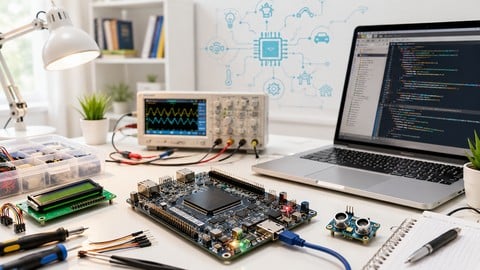
Become an Embedded System Engineer w/ this 60 Days Challenge (2026)
4.0 (412 Reviews)
- Provider: Udemy
- Time: 53.5h
$64.99
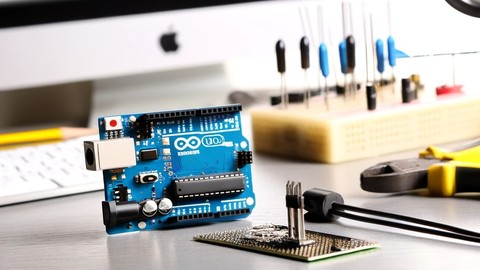
Arduino Practice Test: Get Certified and Test Your Skills (2017)
3.6 (359 Reviews)
- Provider: Udemy
$29.99
More Arduino courses


Learn to Build a Computer (PC) in 2026 - all types!
4.9 (245 Reviews)
- Provider: Udemy
- Time: 6.1h
$74.99

Raspberry Pi For Beginners - 2026 Complete Course
4.8 (3,105 Reviews)
- Provider: Udemy
- Time: 10.6h
$89.99

Ultimate Guide to Raspberry Pi : Tips, Tricks and Hacks (2023)
4.8 (2,363 Reviews)
- Provider: Udemy
- Time: 5.2h
$69.99

Mastering Microcontroller: STM32-LTDC, LCD-TFT, LVGL (MCU3) (2026)
4.8 (487 Reviews)
- Provider: Udemy
- Time: 8.1h
$79.99

Arduino Step by Step: Getting Started (2024)
4.7 (8,714 Reviews)
- Provider: Udemy
- Time: 21.4h
$159.99
 Reviews

By Ramon A Rodriguez on 2/12/2026
I have a few notes, the more important being that the irrigation system is never tested nor finish. the course covers the wifi connection and the reading of analog signals ( although with the wrong pins ) and how to send the analog signal to the blynk app . it also covers the blynk app development ( which i think is very cool ) but it is missing the use of relay , and functions ( along with explinations ) on functions you could use to control that relay when sensor signals go outside of certains ranges . on top of what it's covered or not , I have written several notes throughout the course and are below. I hope the feedback is taken as this course has a lot of good potential. 1. there is no BOM( bill of material) anywhere , you talk about parts you use throughout the videos and I have to go back and forth to get the materials. it would make this a lot more simpler if there was a document saying "this is what youll need" 2. fritzling is no longer free to use. you are force to "donate" 12 dollars for it. and the way you arrange the sensors and the wirring is a bit chaotic , wires overlapping each other is a big no no when it comes to wiring diagrams on any standard. 3. Arduino wont compile if you do not have the auth code, which I still haven't figured out how to get. 4. the UI for Blynk is different from the video , i dont get the auth code at the beggining like you mentioned and I can't set up digital pins. my guess is that maybe you're using the paid version and the UI changes a bit. this include the rfresh option for the gauges 5. written guides with screenshot would be a lot better in the "reading material" options , instead of generic articles that while good dont directly corelate to what the class is doing. 6. in the blynk app/website you no longer get an email for the auth code , at least not yet. but you do get the #define BLYNK_TEMPLATE_ID "soemthing" #define BLYNK_TEMPLATE_NAME "irrigation system" 7. Section 10 doesnt actually gives me any valuable information , they are just some more recommendations... and it would be great to have a video actually going through the project and doing some basic troubleshooting 8. Section 11 should have been section 1. as it seems to cover most of my first point. at least until section 9. on section 49 on touch sensors... it was never talked about it before then, meaning the wiring videos do not talk about the touch sensor. I think it's a cool feature and would like to use it , but with the material currently given I can't. 10.this one drove me crazy, in section 50 you talk about analog signals. back on section 7 parts 28 and 29 you program the sensors (DHT, water level and soil moisture) on pins 19,21 and 22 ....NONE of them are ADC, as I follow along and nothing works ( because it wasn't tested of shown at the end of part 30: Coding ESP32 part 3 ) I spent hours trying to figure out where did I went wrong.... 11. reading some other reviews from a year ago, this is still not up to date for Blynk 2.0. 12. section 11, part 51 you say " we can see that every pin is able to be used as a PWM" ...i do not see it , is it because of the RTC's? is it because every GPIO is able to be a PWM? 13. I dont mind the videos about PWM's and even Servo motors ( motors are cool ), but they dont add to the irrigation system. I would have rather you spend more time in the irrigation system code . like setting a text box with warning or suggestions about watering plants when sensor values go below a certain treshold, or actually see you testing the code because as of right now I have follow along but the water or soil sensor barely move in the UI of blynk. I'm pretty sure it's probably cus of the map functions but that should have been covered.
By Giacomo B on 3/16/2024
no for blynk 2.0
By Olof Scholten on 5/31/2023
Bei der Programmierung habe ich etwas mehr Erklärung erwartet, als in diesem Kurs gegeben wurde. Ein Gesamtüberblick könnte ein wenig mehr darunter leiden, dass man weiß, was man tut. Beispiel, eine Zeichnung, die auch schon einen Überblick über alle Punkte hat, die in den Kapiteln behandelt werden. Auch sollte das Englisch etwas deutlicher gesprochen werden, ich bin kein Engländer und spreche Englisch aber nicht so gründlich und unklar wie hier in den Kurs.
By Sahara O. Asaula on 3/9/2023
The course is great value for money. I learned so much and was able to create my own smart garden for a fraction of the cost of a commercial product. Highly recommended!
By Math A on 3/9/2023
I learned a lot from this course! The instructor explains everything clearly and provides helpful examples. I was able to create my own smart garden project from scratch.
By Rainier on 3/9/2023
This course is definitely worth the investment! The instructor is engaging and provides clear instructions, and the projects are fun and rewarding. I highly recommend it!
By Francis K on 3/9/2023
I highly recommend this course to anyone who wants to learn how to create their own smart garden. The instructor is excellent and the projects are challenging but rewarding.
By Gordon D on 3/9/2023
This course exceeded my expectations! The instructor is knowledgeable and engaging, and the projects are well-designed and practical. I can't wait to create more smart garden projects.
By kai C. on 3/9/2023
I really enjoyed this course! The instructor is very thorough and provides a lot of helpful tips and tricks. I was able to apply what I learned to my own garden and it made a big difference.
By Raghuraman Koteeswaran on 5/26/2021
Only the pronunciation is a little bit different and sub titles are exactly composed as per the saying.
 Quality Score
No CourseDuck member has rated this course yet. Taken it? Give each part a thumbs up or down.
Overall Score : 80 / 100

- Video Duration:
 3.4h
3.4h - Price: $49.99
- Provider: Udemy
- Updated:
 February 2026
 - Level:
 All Levels
 - Language:
 English
 - Certificate:
 Yes
Yes
30-day money-back guarantee on most paid courses
Udemy Coupon Price Tracker
