
 Web Development
 Data Science
 Python
 SQL
SQL JavaScript
 Artificial Intelligence
 IT & Software
 IT Certifications
 Hacking
 AWS
AWS Arduino
 DevOps
 3D Modeling
 Graphic Design
 Photoshop
 Drawing
 Digital Painting
 UX Design
 Business
 Data Analysis
 Communication Skills
 Project Management
 Leadership & Management
 Human Resources
 Digital Marketing
 Social Media Marketing
 Marketing
 SEO
SEO Google Analytics
 Branding
 Excel
Excel Office Productivity
 SAP
SAP PowerPoint
 Microsoft Access
 SharePoint
 Finance & Accounting
 Trading & Investing
 Accounting
 Bitcoin
 Personal Finance
 Video Editing & Animation
 Photography
 Adobe Premier Pro
 Adobe Lightroom
 Personal Development
 Productivity
 Career Development
 Life Coaching
 Health & Fitness
 Meditation & Mindfulness
 Yoga
Yoga Music
Music Music Production
 Guitar
 Piano
Piano Singing
 Language Learning
 Teaching & Academics
 Engineering
 Math
Math Lifestyle
Design and Simulate Arduino Boards and Test Your Code (Udemy.com)
Start working with different Arduino boards without buying them and start unleashing the power of code in Simulation
Created by: Educational Engineering Team
Last updated February 2026
 What you will learn
- Simulate Arduino UNO Boards
- Simulate Arduino Mega Boards
- Simulate Arduino nano Boards
- Write codes and test them without having an Arduino Board
- Test Codes without having a real physical an Arduino Board
How it compares
Against the other 295 rated Udemy courses in Arduino on CourseDuck:
- Rating3.9 out of 5higher than 5% of them
- Reviews77#224 of 296 by number of reviews
- Length1.3 hoursshorter than 94% of them
- Last updatedFebruary 2026more recently than 73% of them
 Quality Score
Overall Score : 78 / 100
 Course Description
>>> Continues Updates <<<
More Than 700 STUDENTS!!! THANK YOU!!!
What students are saying about Design and Simulate Arduino Boards Course:
- Ashley Reid says, "Another good course, nice simple & basic. The reason I like this course is there isn't too much talk & theory, just straight into the course. Even though this course is very it goes straight to the point of finding the software, downloading the software & using the software. Even though this is short quick & too the point, it a very quick start & to the point course, perfect for beginners Great job & cheers."
- Leonildo Carnevalli Junior says, "Short but it fulfills the promises "
In this course, you will learn how to Simulate different Arduino Boards in A Professional Simulation Environment. It will help you unleash your full coding potential without buying any of the Arduino boards.
This course will help you test your codes and schematics for Arduino without the risk of burning your board. No More bad connections or wrong codes.
Contents and Overview This course is designed for anyone interested in learning electronic design. You don't need to have any previous experience, and all you need is a computer.
Boards that can be Simulated: Arduino Uno, Mega, Nano, zero and othersWho this course is for:
- Arduino Geeks
- Anyone looking to learn Arduino but don't want to buy the boards
- Anyone looking to learn Arduino without spending any money buying different boards
- Anyone starting their journey in Microcontrollers

 Udemy Discount
The discount is applied through our link. Open the course from here and Udemy's current promotional price is applied at checkout on most courses, no code to type.
Some courses are excluded from Udemy's promotions. If the price does not drop, clear your browser cookies and use the button again.
Instructor Details

- 3.9 Rating
 77 Reviews
Educational Engineering Team
Educational Engineering Team is a Leading Team in Microcontroller Industry, with over than 11 Years of Experience in Teaching and Doing Practical Projects.
We strive to put all our hands-on experience into these courses. Instead of superficial knowledge - we go into the depth of the topic and give you the exact - step by step blueprint on how to tame simple as well as complex topics in easy and digestible bite-sized videos.
This real-world knowledge enables you to grasp knowledge easily, and you can apply this learning immediately into your life and projects.
Educational Engineering Team has been in the Programming and Microcontroller business since 2007. We have been part of many projects. Over the course of these years - we have gained a good insight into students and educators needs. We are passionate about sharing all our collective knowledge with you. As of 2018, we have already taught over FIFTY-THOUSAND students and counting.
Educator and Author of "Educational Engineering".
Ashraf is an educator, Mechatronics engineer, electronics and programming hobbyist, and Maker. He creates online video courses on EduEng YouTube Channel (More Than 2 Million View) and author of two Microcontroller books.
As a Chief Educational Engineer since 2007 at Educational Engineering Team, the company he founded, Ashraf's mission is
 More courses by Educational Engineering Team


Android Development: Make Apps without Coding or Experience (2026)
4.0 (552 Reviews)
 Provider: Udemy
 Time: 1.8h
$34.99

Electronic & Electrical Devices Maintenance&Troubleshooting (2026)
3.9 (549 Reviews)
- Provider: Udemy
- Time: 5.2h
$54.99

Become an Embedded System Engineer w/ this 60 Days Challenge (2026)
4.0 (412 Reviews)
- Provider: Udemy
- Time: 53.5h
$64.99
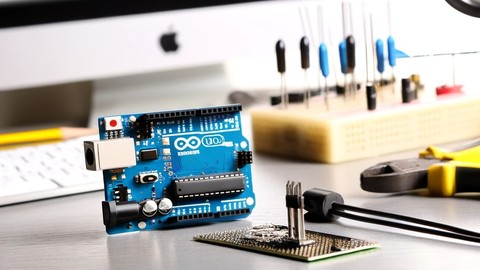
Arduino Practice Test: Get Certified and Test Your Skills (2017)
3.6 (359 Reviews)
- Provider: Udemy
$29.99
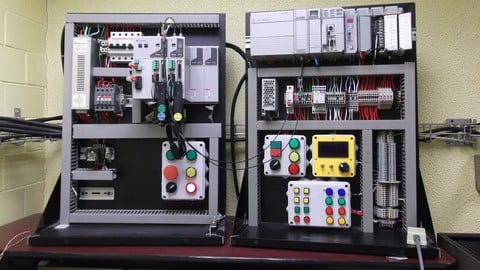
More Arduino courses


Learn to Build a Computer (PC) in 2026 - all types!
4.9 (245 Reviews)
- Provider: Udemy
- Time: 6.1h
$74.99

Raspberry Pi For Beginners - 2026 Complete Course
4.8 (3,105 Reviews)
- Provider: Udemy
- Time: 10.6h
$89.99

Ultimate Guide to Raspberry Pi : Tips, Tricks and Hacks (2023)
4.8 (2,363 Reviews)
- Provider: Udemy
- Time: 5.2h
$69.99

Mastering Microcontroller: STM32-LTDC, LCD-TFT, LVGL (MCU3) (2026)
4.8 (487 Reviews)
- Provider: Udemy
- Time: 8.1h
$79.99

Arduino Step by Step: Getting Started (2024)
4.7 (8,714 Reviews)
- Provider: Udemy
- Time: 21.4h
$159.99
 Reviews

By Christopher Laskaris
The example was much too basic. Several complex examples are needed to make this course useful.
By Ashley Reid
Another good course, nice simple & basic. The reason I like this course is there isn't too much talk & theory, just straight into the course.
Even though this course is very it goes straight to the point of finding the software, downloading the software & using the software.
Even though this is short quick & too the point, it a very quick start & to the point course, perfect for beginners
Great job & cheers.
By Leonildo Carnevalli Junior
It is very short but it fulfills the promises
By Noitcel@hotmail.com Neil W. Phillips
Need closed captioning, hard to understand the accent
By Olof Scholten
When you show something, take out all the mistakes and with a download shorten the time. I am not wasting my time with looking how someone is trying out something or is waiting for a download. My time is also important.
By Newton Curi
Este curso ensina perfeitamente como utilizar o Proteus como simulador de Arduino. O prof. ensina corretamente, até aí tudo bem, mas o problema é que o site que ele indica no curso está desativado ( não tem como baixar arquivos citados) e só fornece um único exemplo de simulação! Poderia talvez colocar mais exemplos ..

- Video Duration:
 1.3h
1.3h - Price: $24.99
- Provider: Udemy
- Updated:
 February 2026
 - Level:
 All Levels
 - Language:
 English
 - Certificate:
 Yes
Yes
30-day money-back guarantee on most paid courses
Udemy Coupon Price Tracker
