
 Web Development
 Data Science
 Python
 SQL
SQL JavaScript
 Artificial Intelligence
 IT & Software
 IT Certifications
 Hacking
 AWS
AWS Arduino
 DevOps
 3D Modeling
 Graphic Design
 Photoshop
 Drawing
 Digital Painting
 UX Design
 Business
 Data Analysis
 Communication Skills
 Project Management
 Leadership & Management
 Human Resources
 Digital Marketing
 Social Media Marketing
 Marketing
 SEO
SEO Google Analytics
 Branding
 Excel
Excel Office Productivity
 SAP
SAP PowerPoint
 Microsoft Access
 SharePoint
 Finance & Accounting
 Trading & Investing
 Accounting
 Bitcoin
 Personal Finance
 Video Editing & Animation
 Photography
 Adobe Premier Pro
 Adobe Lightroom
 Personal Development
 Productivity
 Career Development
 Life Coaching
 Health & Fitness
 Meditation & Mindfulness
 Yoga
Yoga Music
Music Music Production
 Guitar
 Piano
Piano Singing
 Language Learning
 Teaching & Academics
 Engineering
 Math
Math Lifestyle
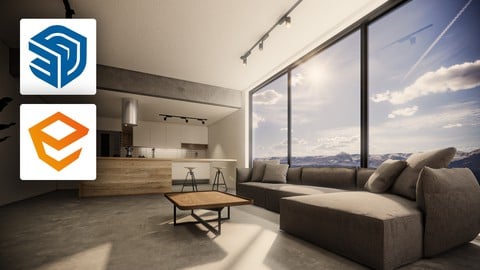
Enscape for Sketchup: full course from zero to advanced! (Udemy.com)
Learn Enscape and produce incredible 3d images, tours and animations in real time powered by Artificial Intelligence
Created by: Professor Nisenbaum
Last updated May 2025
 What you will learn
- Create foto realistic images in just a few seconds
- Set up sofisticated lighting in different scenes using procedural methods
- Set up sofisticated lighting in different scenes using HDRI
- Create and edit artificial lights
- Create and configure Enscape materials
- Set up the final render considering the post production process
- Create incredible animations in a few minutes
How it compares
Against the other 545 rated Udemy courses in 3D Modeling on CourseDuck:
- Rating4.7 out of 5higher than 75% of them
- Reviews424#185 of 546 by number of reviews
- Length7.8 hourslonger than 57% of them
- Last updatedMay 2025more recently than 77% of them
 Course Description
Hey, welcome to our Enscape course!!
Here, you will learn the best workflow and produce realistic 3d renders, 360 tours, Virtual Reality and much more, in just a few seconds with Enscape for Sketchup. Enscape is an amazing renderer, very intuitive and easy to use and it can deliver incredible results in real time. However, to produce sophisticated images and animations it is important to master an efficient workflow.
In this course, I teach the most important resources that you need to know about Enscape for Sketchup but also the best workflow and practices that can take your render to a next level.
As a university professor and a 3d artist (working with Archviz for over 20 years) I share in this course my experience in the field and several tips and tricks that I have learned throughout my career.
So, if you are a Sketchup user (beginner or experienced) you should definitely try this awesome real time renderer!
What you will learn:
The best workflow for lighting up exterior scenes with procedural methods.
The best workflow for lighting up interior scenes with procedural methods.
How to use HDR for producing photo realistic renders.
How to work with artificial lights.
How to work with the enscape materials.
Tips and tricks for producing the final render.
Configure and produce animations in a few minutes.
Explore the Enscape Asset Library.
Explore a workflow based in the combination of Enscape with Vray 6.0.
Create panoramas, tours, 360 images, and Virtual Reality to be seen with a headset (Oculus, HTC, etc.).
Use Artificial Intelligence to enhance images.
And much more!!!
Check it ou and Enscape-it!

 Udemy Discount
The discount is applied through our link. Open the course from here and Udemy's current promotional price is applied at checkout on most courses, no code to type.
Some courses are excluded from Udemy's promotions. If the price does not drop, clear your browser cookies and use the button again.
Instructor Details

- 4.7 Rating
 424 Reviews
Professor Nisenbaum
Nice to meet you! My name is Marcio Nisenbaum, I am an architect - MArch (Dessau Institute of Architecture, Germany) and PhD (UFRJ, Brazil) - and a professor for more than 10 years. I have worked in several architecture offices in Germany and Brazil, and I am pleased to share here my experience with architecture visualization, digital tools, presentation techniques, and much more!
---------------------------------------------------------------------------------
Muito prazer :) Me chamo Marcio Nisenbaum, sou arquiteto com mestrado pela DIA (Alemanha) e doutorado pela UFRJ. Sou professor universitário há 10 anos (UERJ, IED-RJ, UVA e Belas Artes-SP) e trabalhei em diversos escritórios de Arquitetura. Compartilho aqui na Udemy meus conhecimentos sobre ferramentas digitais 3d aplicadas a Arquitetura, Urbanismo e Design de Interiores.
 More 3D Modeling courses

3D Printing with " Ultimaker CURA Slicer- Start to finish" (2025)
4.9 (192 Reviews)
 Provider: Udemy
 Time: 1h
$34.99

Girl and the Dog Creation in Zbrush for Intermediate Level (2020)
4.9 (173 Reviews)
- Provider: Udemy
- Time: 48.8h
$59.99



Blender Character Creator for Video Games (2026)
4.8 (9,160 Reviews)
- Provider: Udemy
- Time: 34.3h
$159.99

Master SOLIDWORKS 3D CAD using real-world examples (2022)
4.8 (2,451 Reviews)
- Provider: Udemy
- Time: 18.9h
$69.99
 Reviews

By Ozde Akbulut on 4/9/2026
I had used Enscape for SketchUp a few times before, but I hadn’t had the chance to explore its full potential in depth. I would recommend this course to beginners, as you will gain detailed knowledge about all of its features.
By Jahnavi K on 3/11/2026
A very clear and concise course. Thouroughly enjoyed learning the software, thanks to simple and easy to undertand modules. I would highly recommend to anyone who wants to start, without having any prior knowledge of enscape.
By Trupal Rokad on 1/3/2026
when i started learning the course i was aware about some things but seeing this and learning from the lectures made me realise there's much more to learn than just render the view so thank you for the explanation!!
By Steve Tsai on 9/11/2025
Great courses! I've learned a lot of information that I had previously overlooked. One suggestion, though — it would be even better if you included more content about lighting in plugins. That would really enhance the learning experience.
By Sparksue on 9/6/2025
A great course that i can refer time to time. Learn alot with no experience in Enscape. A great course that i can recommend for those who are starting new like myself. =)
By Mark Kenyon Jones on 2/12/2025
Best value I ever had. I am an undergraduate student taking Enscape and Sketchup with Udemy and I am learning more in Sketchup at Udemy than what I took at the University.
By Shilpa Ashwath on 10/1/2024
More emphasis was given to the exteriors than the interiors. Should've used the interior space more to teach us about the settings.
By Melissa Cabre on 10/23/2023
I believe is a great way to obtain an overview of most of the tools Enscape has to offer using Sketchup. He provides recommendations along the way. It is worth your time.
By Nancy on 10/23/2023
everything you need to know about enscape , really recommend, hope we get more classes about modeling on SketchUp and ensacpe full projects i will defiantly then subscribe thanks for all the efforts and the knowledge
By Jean Carl Mangana on 9/22/2023
Wonderful experience with Professor Nisenbaum! Perfect for beginners and he provided some tips that can be handy when we apply it to our renderings. Thank you so much!
 Quality Score
No CourseDuck member has rated this course yet. Taken it? Give each part a thumbs up or down.
Overall Score : 94 / 100
- Video Duration:
 7.8h
7.8h - Price: $10.99
- Provider: Udemy
- Updated:
 May 2025
 - Level:
 Beginner
 - Language:
 English
 - Certificate:
 Yes
Yes
30-day money-back guarantee on most paid courses
Udemy Coupon Price Tracker
