
 Web Development
 Data Science
 Python
 SQL
SQL JavaScript
 Artificial Intelligence
 IT & Software
 IT Certifications
 Hacking
 AWS
AWS Arduino
 DevOps
 3D Modeling
 Graphic Design
 Photoshop
 Drawing
 Digital Painting
 UX Design
 Business
 Data Analysis
 Communication Skills
 Project Management
 Leadership & Management
 Human Resources
 Digital Marketing
 Social Media Marketing
 Marketing
 SEO
SEO Google Analytics
 Branding
 Excel
Excel Office Productivity
 SAP
SAP PowerPoint
 Microsoft Access
 SharePoint
 Finance & Accounting
 Trading & Investing
 Accounting
 Bitcoin
 Personal Finance
 Video Editing & Animation
 Photography
 Adobe Premier Pro
 Adobe Lightroom
 Personal Development
 Productivity
 Career Development
 Life Coaching
 Health & Fitness
 Meditation & Mindfulness
 Yoga
Yoga Music
Music Music Production
 Guitar
 Piano
Piano Singing
 Language Learning
 Teaching & Academics
 Engineering
 Math
Math Lifestyle
Filmora (11/12/13/14): Beginner To Expert Complete Training (Udemy.com)
Learn Filmora (11/12/13/14) Beginner To Expert Including Video Editing, Video Production, Audio Editing
Created by: Sayan Roy
Last updated May 2026
 What you will learn
- Basics Of Video Editing In Filmora Including Applying Cuts, Speed Correction, Noise Correction, Sound Editing
- How To Make Your Videos Stand Out By Using Animations, Transitions, Stock Media, GIFS, 3D Titles, Video Effects And Video Elements
- How To Apply The Advanced Editing Features Like Applying Keyframe Animations, Applying Pan & Zoom Effects, Applying Color Grading & Color Correction
- Complete Case Study On How To Edit Your Videos From Beginning To End And Apply All Video Editing Techniques For Creating An Amazing Output.
- How To Apply Motion Tracking And How To Apply AI Portrait, AI Cutout, Chroma Key Effect To Your Videos
How it compares
Against the other 173 rated Udemy courses in Marketing on CourseDuck:
- Rating4.1 out of 5higher than 7% of them
- Reviews318#83 of 174 by number of reviews
- Length6.6 hourslonger than 73% of them
- Last updatedMay 2026more recently than 79% of them
 Course Description
Who Is This Course For?
Our comprehensive Filmora Video Editing course is designed for individuals who are tired of struggling to create professional-quality videos that effectively showcase their skills and talents. If you are looking to elevate your visual content by mastering the latest video editing software and techniques, this course is the perfect solution for you.
Whether you are a beginner seeking to learn the fundamentals of video editing or have some prior experience and wish to enhance your skills, our course is tailored to help you succeed. Our expert instructors will provide step-by-step instructions and hands-on exercises, ensuring that you become proficient in using Filmora (11, 12, 13, 14) to edit and enhance your footage. You will also learn advanced techniques such as color grading and audio editing, motion tracking, enabling you to captivate and engage your audience.
The course is designed to simulate a real-world editing environment, and all the materials required for practice are integrated into the Filmora Software itself. By following our comprehensive curriculum and mastering the skills and techniques utilized by top video editors, you will be able to create professional-quality videos that effectively showcase your talents.
Key Features:
A comprehensive course covering all aspects of video editing using Filmora (11, 12, 13, 14)
Expert instructors providing step-by-step instructions and hands-on exercises
Emphasis on mastering advanced techniques such as color grading, audio mixing, and motion tracking
Integration of a real-world editing environment with all necessary practice materials built into Filmora Software
In-depth exploration of features like video templates, split screen, masking, chroma key, and more
Instructions on utilizing AI-based tools like AI portrait, smart cutout, and AI audio stretch
Focus on video stabilization, lens correction, video animation, keyframes, and audio adjustments
Integration of ChatGPT for enhanced editing capabilities
Opportunity to create professional-quality videos showcasing your talents
Key Benefits:
Acquire the skills to create professional-quality videos that captivate and engage your audience
Enhance your visual content and showcase your skills and talents effectively
Stay up to date with the latest video editing software and techniques
Gain proficiency in using Filmora (9,X,11, 12, 13) and its advanced features
Develop expertise in color grading, audio mixing, and motion tracking
Learn how to leverage AI-based tools for improved editing efficiency and quality
Master the art of video stabilization, lens correction, and creative video animation
Gain a deeper understanding of keyframes, audio adjustments, and ChatGPT integration
Unlock the potential to create visually stunning videos that leave a lasting impression
Areas Covered in the Course:
Introduction to Filmora (9,X,11, 12, 13) and its Interface
Basic video editing techniques and functions
Utilizing video templates for quick and professional edits
Creating dynamic visual effects using the split screen feature
Mastering masking techniques for precise editing and effects
Harnessing the power of chroma key to create seamless composites
Color correction and color matching for enhancing visual aesthetics
Leveraging AI portrait capabilities for stunning portraits and visuals
Utilizing smart cutout to easily remove or replace backgrounds
Implementing motion tracking for adding graphics or effects to moving objects
Achieving smooth and stable footage through video stabilization
Correcting lens distortions and enhancing image quality
Enhancing audio through AI audio stretch and controlling audio speed
Adding video animation and employing keyframes for creative effects
Detaching and adjusting audio for precise control over sound elements
Integration of ChatGPT for advanced editing capabilities and automation

 Udemy Discount
The discount is applied through our link. Open the course from here and Udemy's current promotional price is applied at checkout on most courses, no code to type.
Some courses are excluded from Udemy's promotions. If the price does not drop, clear your browser cookies and use the button again.
Instructor Details

- 4.1 Rating
 318 Reviews
Sayan Roy
Hello Guys, My Name Is Sayan, I Have Been a Full-Time Online Entrepreneur Since 2018. I Have Got Great Results With My Marketing Efforts Including SEO, Google And Bing Ads, YouTube Channel Growth, Organic Growth, Sales Funnels And Email Automations. I Teach People How To Create Funnels, How To Setup Automations, How To Drive Traffic To Your Offers And Sales Funnels Using Organic And Paid Promotion Techniques.
 More courses by Sayan Roy
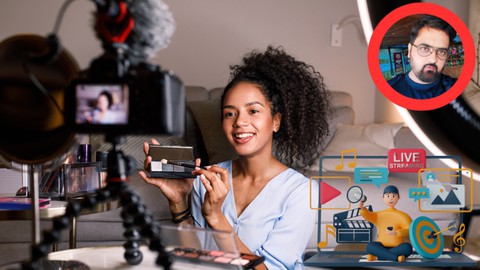
Video Production And Video Creation From Beginners To Expert (2026)
4.5 (120 Reviews)
 Provider: Udemy
 Time: 6.7h
$64.99
More Marketing courses

Go To Market Strategy; Practical Guide to Launch New Product (2026)
4.8 (585 Reviews)
- Provider: Udemy
- Time: 1.8h
$19.99

PRO Ads Academy: Ultimate Guide to Sell Anything with Ads (2025)
4.8 (183 Reviews)
- Provider: Udemy
- Time: 18.6h
$79.99
Learning to see how ideas spread: Five graphs (2024)
4.8 (179 Reviews)
- Provider: Udemy
- Time: 48 mins
$29.99

AI-Powered Affiliate Marketing: Build & Scale Your Program (2026)
4.8 (146 Reviews)
- Provider: Udemy
- Time: 4.3h
$19.99
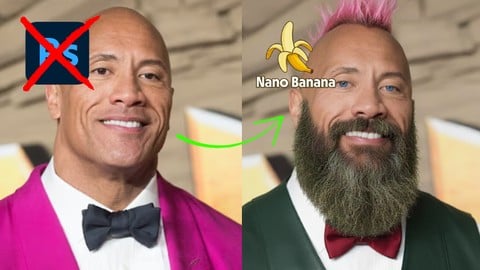
Google Nano Banana Viral Image FX: The Photoshop Killer (2026)
4.8 (107 Reviews)
- Provider: Udemy
- Time: 3.3h
$19.99
How Retargeting Works–The Complete Guide To Retargeting Ads! (2016)
4.7 (4,387 Reviews)
- Provider: Udemy
- Time: 8.4h
$12.99
 Reviews

By Edgar Eilertsen on 2/21/2025
I feel that these first chapters have been a bit hectic and a little bit confusing. The instructor uses a video clip of him self, with sound and at the same time talking about what he is doing.
By Eric Bailey on 12/21/2024
As a total beginner in video editing, I found the content itself very informative and relevant. Starting from zero, I’ve learned a lot and can now create projects I wouldn’t have known how to approach before. While I sometimes had to look up additional details elsewhere, the training gave me a solid foundation to build upon. That said, the delivery of the course was frustrating. The audio-visual quality is often poor, as other reviewers have noted. The instructor narrates over the demonstration videos. The audio quality and volume vary significantly, making it difficult to follow at times. The demonstrations themselves are ineffective, largely because the instructor’s computer struggles to handle the preview videos, resulting in severe lag. For example, transitions meant to look smooth were impossible to judge because of the stuttering playback. Ironically, the instructor even explained how to reduce preview quality to minimize lag—something that made me laugh given the situation. To be fair, if this were a course on learning a second language or mathematics, I might be more forgiving of these video quality issues. But this is a course on video editing. It’s reasonable to expect high-quality videos, as they’re a reflection of the very skills being taught. Unfortunately, that standard isn’t met here. Another example of poor execution was during the auto-caption demonstration, where the instructor’s webcam obscured the captions entirely. It’s baffling that the instructor doesn’t seem to apply their own teachings to the course videos, which gives the impression that the training was created with minimal effort for maximum profit. On a more positive note, the videos covering recent versions of Filmora show noticeable improvement in quality. However, they tend to overuse flashy effects, which I found distracting from the main goal: learning the software. In summary, while the content of this course is valuable for beginners, the technical execution leaves much to be desired. If you can overlook these flaws, you’ll likely learn a lot, but the experience may test your patience.
By Mayowa Oke on 11/28/2024
I love every bit of the lecture. The teacher is exceptionally good and teaches with every atom of clarity, in a non-ambiguous manner to practicalise and making every aspect simple.
By Hortense Moody on 9/22/2024
Thanks For This Awesome Course On Filmora Video Editing. I Learned A Lot Including AI Text Based Editing, Keyframe Animation, Video Effects, Sound Editing, And All Major Video Editing Skilled Required To Edit My YouTube Videos And Instagram Reels. I Highly Appreciate The Fact That You Have Included All Latest AI Features Of Filmora 13 In This Course.
By Analee Peñaflor on 6/21/2024
Its a good course as beginner as well as the trainor. What I dont like sometimes when he is talking and he played a video the voice will mix up and I cant hear what hes talking about.
By Zemen Tak on 5/31/2024
I learned many things from this tutorial, such as photo editing, video editing, an introduction to Wondershare Filmora, 3D animation, and many other things. I thank you a lot for giving me more knowledge, especially in editing.
By Eden Bunagan on 3/14/2024
The lesson is very useful. I have been planning to enroll a filmora course. I am very happy to find one here in Udemy. This is something we have to enjoy enrolling in. Free and great course. Thanks a lot!
By Alberto Lokee on 1/3/2024
the 1st 3 video ... are normal... after that .. special since class 4th and up .. the video y choppy ... only the audio is good. and but the display of what the guy is trying to explain ...IT DONT SHOW>>>. the video freeze and the audio keeps going
By Anne Shanice Conlu Laforteza on 8/26/2023
I recently had the pleasure of enrolling in the "Mastering Filmora: From Novice to Maestro" course, and I can confidently say that it has been an absolute game-changer for my video editing skills. This course is a must for anyone looking to dive into the world of video editing using Filmora. From the very beginning, it's evident that the creators of this course are passionate about both teaching and the art of video editing. The curriculum is expertly structured, taking you on a journey from the basics to advanced techniques, all while keeping the learning process engaging and enjoyable.
By Ciro on 6/22/2023
I had the privilege of taking this course on Wondershare Filmora and I must say it was a very amazing experience. Being passionate about video editing, I needed to acquire new skills to make my projects even more engaging and professional. Sayan Roy course turned out to be exactly what I needed,I highly recommend this course to any video editing enthusiast looking to broaden their skills and unlock their creative potential.
 Quality Score
No CourseDuck member has rated this course yet. Taken it? Give each part a thumbs up or down.
Overall Score : 82 / 100

- Video Duration:
 6.6h
6.6h - Price: $69.99
- Provider: Udemy
- Updated:
 May 2026
 - Level:
 All Levels
 - Language:
 English
 - Certificate:
 Yes
Yes
30-day money-back guarantee on most paid courses
Udemy Coupon Price Tracker
