
 Web Development
 Data Science
 Python
 SQL
SQL JavaScript
 Artificial Intelligence
 IT & Software
 IT Certifications
 Hacking
 AWS
AWS Arduino
 DevOps
 3D Modeling
 Graphic Design
 Photoshop
 Drawing
 Digital Painting
 UX Design
 Business
 Data Analysis
 Communication Skills
 Project Management
 Leadership & Management
 Human Resources
 Digital Marketing
 Social Media Marketing
 Marketing
 SEO
SEO Google Analytics
 Branding
 Excel
Excel Office Productivity
 SAP
SAP PowerPoint
 Microsoft Access
 SharePoint
 Finance & Accounting
 Trading & Investing
 Accounting
 Bitcoin
 Personal Finance
 Video Editing & Animation
 Photography
 Adobe Premier Pro
 Adobe Lightroom
 Personal Development
 Productivity
 Career Development
 Life Coaching
 Health & Fitness
 Meditation & Mindfulness
 Yoga
Yoga Music
Music Music Production
 Guitar
 Piano
Piano Singing
 Language Learning
 Teaching & Academics
 Engineering
 Math
Math Lifestyle
Flutter - How to Build an Ultimate Responsive App (Udemy.com)
Learn Responsive Design and How to Build a Responsive App in Flutter that runs on Android, iOS and Web
Created by: Naresh Idiga
Last updated October 2021
 What you will learn
- Responsive Design Guidelines and Patterns
- Implement Responsive Design in a Flutter App
- Build a Responsive Flutter App for Android, iOS and Web
- How to use Flutter Widgets to build Responsive Layouts
- Responsive Design based on Google's Material Design
How it compares
Against the other 73 rated Udemy courses in Flutter on CourseDuck:
- Rating4.4 out of 5higher than 45% of them
- Reviews162#52 of 74 by number of reviews
- Length3.5 hoursshorter than 75% of them
- Last updatedOctober 2021earlier than 63% of them
 Course Description
Hello and Welcome to this course on Building a Responsive App in Flutter.
By joining this course, you will learn responsive design guidelines and how to implement them in your next Flutter app. By the end of this course, you will be able to build a Responsive App in Flutter that works for Android, iOS and Web platforms.
Responsive design is an important building block of developing an app with great user experience .
If you are an app developer or want to become one, this is an important skill that you should master. This course will build your foundation on it.
This course will provide you not only theoretical foundation but also practical implementation of Responsive Design in a Flutter App. First, you will learn Responsive Design Guidelines and Patterns based on Google's Material Design. And then you will learn how to implement these guidelines and patterns in a Flutter App. A Complete Flutter responsive app is demonstrated that works on Android, iOS and Web. You will be able to download the source code of this app at the end of this course.
For a multi-platform Flutter app with a single code base, the app UI needs to adapt to any screen size and any device. In other words, it needs to be responsive.
Here are the challenges you will face when building a responsive app
How to handle your app UI for so many different screen sizes and devices on the market?
How many layouts would you implement for each app screen?
And what would change in each of these layouts?
Is it complicated and takes too long to build responsiveness?
In this course, we will address all these challenges. First, I will take you through the responsive design theory. Then I will show you how to implement these design guidelines and patterns in a Flutter app. Not only that I will provide a full code walkthrough of a responsive app called Places. You will be able to download the source code of this app at the end of this course.
By the end of this course, you will learn both design guidelines and implementation. And you will be able to build your next Flutter app that works responsively on any screen size, any device and any OS platform. I hope you enjoy this course and learn the fundamental building block of developing an awesome app. Enrol into this course now and build your next Flutter app responsively.

 Udemy Discount
The discount is applied through our link. Open the course from here and Udemy's current promotional price is applied at checkout on most courses, no code to type.
Some courses are excluded from Udemy's promotions. If the price does not drop, clear your browser cookies and use the button again.
Instructor Details

- 4.4 Rating
 162 Reviews
Naresh Idiga
Generative AI Architect & Lead Developer specialising in designing and building advanced generative AI applications and multi-agent systems that operate seamlessly across mobile, web, and cloud platforms
With over 16 years of experience — including 12+ years in mobile app development — I’ve worked with clients like Sky, Centrica, HTC, Samsung, and Motorola, delivering 23 projects for 17 clients, from startups to global enterprises.
My current focus is architecting AI-native and agentic systems that integrate with real-world tools, data, and workflows. I work across the entire LLM and agentic stack, including OpenAI, Gemini, Claude, Mistral, Meta Llama Models, and frameworks like LangChain, CrewAI, and AutoGen.
I design cross-platform experiences using Flutter, Kotlin Multiplatform, and React/Next.js, integrating Python-based AI services, RAG pipelines, and vector memory systems for personalization and contextual intelligence.
 More Flutter courses

The Complete Flutter Guide: Build Android, iOS and Web apps (2026)
4.8 (2,407 Reviews)
 Provider: Udemy
 Time: 25h
$64.99

The Complete Flutter Development Bootcamp with Dart (2025)
4.6 (58,993 Reviews)
- Provider: Udemy
- Time: 28.8h
$174.99
Flutter BLoC - From Zero to Hero Complete Course (2021)
4.6 (1,289 Reviews)
- Provider: Udemy
- Time: 3.2h
$54.99

![Flutter BLoC State Management & Firebase [2026] From Scratch](/programming/flutter/images/4751814_0be0_5.jpg?v=1789443544)
Flutter BLoC State Management & Firebase [2026] From Scratch
4.6 (530 Reviews)
- Provider: Udemy
- Time: 3.7h
$84.99
 Reviews

By Ben Waswa on 3/6/2024
Great course so far
By Future Student on 11/18/2023
Sehr gute und kompakte sehr logische Erklärung der Prinzipien, wie in Flutter Layout zu erstellen. Ein der beste Kursen über Layout in Flutter. Und noch dazu ein Bonus über Animationen. Danke schön. (ein kleiner Minus wegen der Aussprache, man muss sich erst gewöhnen, damit das Gesagte verstanden wird)
By Raman Kanabi on 3/24/2023
not good ! you don't talk about the code and practice , and you just tell us what's mediaquery ,layout builder or Oriented Builder i think all of flutter beginner know what are these widgets .
By Asheesh Mathur on 8/31/2021
Crisp Route to Responsive Application. An important aspect missing from majority of Flutter Course.
By Shuhib Siddiqi on 4/9/2021
best instructor! you must provide more flutter courses, its your duty!
By Joan A on 2/12/2021
Excellent style of explaining and showing examples of each widget.
By David ULRICH on 10/3/2020
Ce cours répondait parfaitement à mes attentes, j'ai passé un très bon moment dessus. Parfait !
By Apalak Dutta on 9/28/2020
It is help me for making a application using flutter .
By Rupak Bhattacharjee on 8/26/2020
Good course. It explains the details about how to create a responsive app.
By Alex Alderton on 8/20/2020
Good course. I feel like I can go and experiment with layouts in Flutter now and use the docs for help. I am new to web programming and found a lot of other courses overwhelming and with code errors but this one isn't.
 Quality Score
No CourseDuck member has rated this course yet. Taken it? Give each part a thumbs up or down.
Overall Score : 88 / 100
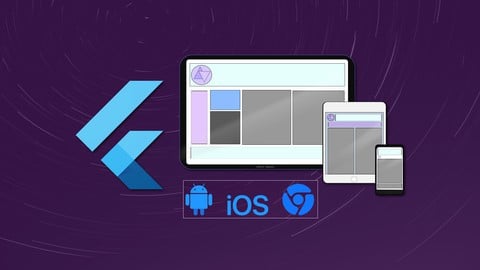
- Video Duration:
 3.5h
3.5h - Price: $54.99
- Provider: Udemy
- Updated:
 October 2021
 - Level:
 All Levels
 - Language:
 English
 - Certificate:
 Yes
Yes
30-day money-back guarantee on most paid courses
Udemy Coupon Price Tracker
