
 Web Development
 Data Science
 Python
 SQL
SQL JavaScript
 Artificial Intelligence
 IT & Software
 IT Certifications
 Hacking
 AWS
AWS Arduino
 DevOps
 3D Modeling
 Graphic Design
 Photoshop
 Drawing
 Digital Painting
 UX Design
 Business
 Data Analysis
 Communication Skills
 Project Management
 Leadership & Management
 Human Resources
 Digital Marketing
 Social Media Marketing
 Marketing
 SEO
SEO Google Analytics
 Branding
 Excel
Excel Office Productivity
 SAP
SAP PowerPoint
 Microsoft Access
 SharePoint
 Finance & Accounting
 Trading & Investing
 Accounting
 Bitcoin
 Personal Finance
 Video Editing & Animation
 Photography
 Adobe Premier Pro
 Adobe Lightroom
 Personal Development
 Productivity
 Career Development
 Life Coaching
 Health & Fitness
 Meditation & Mindfulness
 Yoga
Yoga Music
Music Music Production
 Guitar
 Piano
Piano Singing
 Language Learning
 Teaching & Academics
 Engineering
 Math
Math Lifestyle
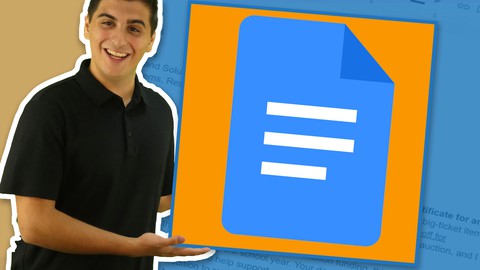
Google Docs Fundamentals (Udemy.com)
Become Productive with Google Docs
Created by: SkillSprints Inc.
Last updated November 2021
 What you will learn
- After this course participants will be able to competently navigate the Google Docs interface.
- After this course participants will also be able to create, edit and format documents .
- After this course participants will also be able to import and format assets such as: photos, tables, and graphics.
- After this course participants will also be able to convert Microsoft Word Documents to Google Workspace.
- After this course participants will also be able to set viewing permissions and share documents with collaborators.
How it compares
Against the other 459 rated Udemy courses in Office Productivity on CourseDuck:
- Rating4.6 out of 5higher than 67% of them
- Reviews62#433 of 460 by number of reviews
- Length1.1 hoursshorter than 89% of them
- Last updatedNovember 2021earlier than 79% of them
 Course Description
There are few tools more important than your word processor-- and understanding your word processor can make you more productive, efficient -- and even make you a better writer.
Google Docs is one of the most popular word processing programs available-- with all the writing and formatting tools you need and a great set of collaboration options. Google Docs is being adopted by more and more companies and organizations daily and a strong understanding of the tool will be invaluable in your work and career.
This course of for someone new to Google Docs-- whether you're coming from a more traditional word processing program, or you have no experience with word processors at all. At the end of this course, you'll have a strong understanding of Google Docs and be able to create great-looking, correctly formatted documents, as well as share those documents and collaborate with others.
Your instructor, Mitchell, will take you on a tour of the features available within Google Docs and ensure you know how to use each one. You'll not only watch Mitchell's videos but complete activities that will help you to completely understand Google Docs! In this course, you'll get plenty of practice so you can immediately apply what you're learning to your own work.

 Udemy Discount
The discount is applied through our link. Open the course from here and Udemy's current promotional price is applied at checkout on most courses, no code to type.
Some courses are excluded from Udemy's promotions. If the price does not drop, clear your browser cookies and use the button again.
Instructor Details
- 4.6 Rating
 62 Reviews
SkillSprints Inc.
Tech Your Way to the Top
Welcome to SkillSprints! We're thrilled you're here to explore the world of digital skills. You're stepping into a community dedicated to empowering your digital journey.
Who We Are
SkillSprints is more than a media company. We're your personal digital skills coach, guiding you through the evolving digital landscape. Our mission? Simple: Closing the Digital Skills Gap. Whether you're starting from scratch or looking to level up, we're here to light the way.
What We Do
Our approach is unique – think of us as your digital skills gym. With a library of engaging videos and interactive content, we make learning Microsoft Office, Google Docs, browser usage, and even desktop cybersecurity not just informative but also enjoyable. We believe that learning digital skills should be as captivating as scrolling through your favorite social media feed.
For the Beginners and the Curious
If you're among the one-third of workers diving into the digital world for the first time, breathe easy. We've got you covered with step-by-step guides that speak your language, minus the jargon. You'll go from novice to confident user, all at your own pace.
 More courses by SkillSprints Inc.

Become a Certified Web Developer: HTML, CSS and JavaScript (2023)
4.4 (4,085 Reviews)
 Provider: Udemy
 Time: 54.9h
$139.99



HTML5 Specialist: Comprehensive HTML5 Training (2018)
4.6 (1,412 Reviews)
- Provider: Udemy
- Time: 5h
$12.99
More Office Productivity courses

AI-Powered Social Media Management: From Beginner to Pro (2025)
5.0 (211 Reviews)
- Provider: Udemy
- Time: 1.1h
$19.99

Microsoft Excel + AI: Go From Data Analysis to Visualization (2026)
4.9 (276 Reviews)
- Provider: Udemy
- Time: 3.8h
$10.99


Complete Introduction to Google Sheets Pivot Tables (2026)
4.8 (3,570 Reviews)
- Provider: Udemy
- Time: 2.9h
$64.99


Microsoft Excel - Managing Personal Finances with Excel (2024)
4.8 (810 Reviews)
- Provider: Udemy
- Time: 3h
$19.99
 Reviews

By Vyacheslav Bachynsky on 11/22/2021
The course is not bad, but the key point is missed: the teacher explains using the example of a file that he forgot to attach to the course - Google Docs Fundamentals (example doc). Also, at the beginning, the instructor does not explain how to return to the home page of Google Docs or how to open the file. Since the course is designed for beginners, such points should be well developed. Also, the course may not be well received by those who know English but are not a native speaker.
By Mandy Reilly on 11/21/2021
Easy to follow course going over the basics of Google Docs. Although I have only completed the first three sections, the only slight issue I found was that the example document used by the instructor on screen differed from the document provided in the resource section of the course. This caused me a bit of confusion until I realised what had happened. Other than that, I would have no hesitation recommending this course to anyone looking to learn about Google Docs.
By Dave Ackroyd on 11/20/2021
Well explained short videos that are very detailed if quite basic. Suitable for students new to Google Docs. I like the exercises to re-enforce the earlier videos.
By Douglas Pittman on 11/19/2021
The instructor for the course is knowledgeable about the subject and seems comfortable delivering the information. This is a very good course for beginners to get up and running.
By Jeff Scott on 11/19/2021
This short course gave an excellent introduction to anyone getting into Google Docs. Helpful keys to transitioning into Google Docs from Microsoft Word were also given. I also appreciated the enthusiasm of Mitchell, the course presenter. Great job.
By Jose Alcantara on 11/19/2021
The content so far is very basic, because I knew this stuff. But the presentation is super. The instructor knows how to convey technical knowledge. Good pace, good voice projection and pitch, no loose ideas, incomplete statements, jumps or hoops. Definitely will complete this training later.
By Tom Spencer on 11/19/2021
Great for experienced office suite users to refresh their skills if they been away because from daily use. Short easy to follow example follow along exercises are great for new users or students. A great course for Google users new and old. I can't wait for an intermediate and advanced google docs course to be released.
By Lee Bush on 11/19/2021
In the beginning I was a little apprehensive about this course. "What could I possibly learn about Google Docs that required a course?" But I soon learned that Mitchell Brings the tool and add-ons to life in step-by-step referenceable short videos. Great job! Now I have a video reference guide to Google docs in my library.
By Andrew Sandrini Vaz on 11/19/2021
Personal review opinion, as asked. 1 - Initial chime is interesting in the first video, gets to be a bit annoying in the rest. 2 - Should have a "If you already have a Google Account, go here" option. 3 - Only in the "Adding and Formatting Photos" I discovered about the course materials. Should be more concise about this in the beginning. Don't get me wrong, your visual is ok, but you look like a kid teaching your grandparents. Other than the mentioned above, I thought the course was good.
By Wojciech Kostecki on 11/18/2021
And you have encouraged me... For some time now, I've been considering switching from MS Word to Google Docs, as the former is quite expensive, while the latter offers capabilities quite sufficient for my needs (they're not too great, anyway, for writing larger professional texts I mainly use another, specialized program). It also makes teamwork much easier. Well, this course definitely convinces me to do it. One, it shows that my opinion is right; two, it replaces all the 'help files' in an accessible and quick way :) Thanks!
 Quality Score
No CourseDuck member has rated this course yet. Taken it? Give each part a thumbs up or down.
Overall Score : 92 / 100
- Video Duration:
 1.1h
1.1h - Price: $34.99
- Provider: Udemy
- Updated:
 November 2021
 - Level:
 Beginner
 - Language:
 English
 - Certificate:
 Yes
Yes
30-day money-back guarantee on most paid courses
Udemy Coupon Price Tracker
