
 Web Development
 Data Science
 Python
 SQL
SQL JavaScript
 Artificial Intelligence
 IT & Software
 IT Certifications
 Hacking
 AWS
AWS Arduino
 DevOps
 3D Modeling
 Graphic Design
 Photoshop
 Drawing
 Digital Painting
 UX Design
 Business
 Data Analysis
 Communication Skills
 Project Management
 Leadership & Management
 Human Resources
 Digital Marketing
 Social Media Marketing
 Marketing
 SEO
SEO Google Analytics
 Branding
 Excel
Excel Office Productivity
 SAP
SAP PowerPoint
 Microsoft Access
 SharePoint
 Finance & Accounting
 Trading & Investing
 Accounting
 Bitcoin
 Personal Finance
 Video Editing & Animation
 Photography
 Adobe Premier Pro
 Adobe Lightroom
 Personal Development
 Productivity
 Career Development
 Life Coaching
 Health & Fitness
 Meditation & Mindfulness
 Yoga
Yoga Music
Music Music Production
 Guitar
 Piano
Piano Singing
 Language Learning
 Teaching & Academics
 Engineering
 Math
Math Lifestyle
How to Create Animated Videos with Powerpoint (Udemy.com)
Learn an easy way to create video animation with PowerPoint for business, marketing, online courses, YouTube and more
Created by: Paul Nekh.
Last updated February 2026
 What you will learn
- Master animated video creation with PowerPoint
- Understand the important principles of design
- Be able to use additional audio and video editing software
- Download 20+ PowerPoint video templates for Intros, Ads, YouTube and more
How it compares
Against the other 459 rated Udemy courses in Office Productivity on CourseDuck:
- Rating4.6 out of 5higher than 67% of them
- Reviews6,103#32 of 460 by number of reviews
- Length4.6 hourslonger than 55% of them
- Last updatedFebruary 2026more recently than 67% of them
 Course Description
Welcome to the bestseller Powerpoint Video Course! Start creating animated videos now.
Video creation skills are becoming more and more important these days. Video content is growing fast, people prefer this format, and marketers are jumping on this trend. And while there is a lot of complex video software out there, you can actually create pretty beautiful videos with PowerPoint only!
The quality of PowerPoint videos is good enough for all kinds of informative/educational videos. These can be marketing videos for businesses, videos for online courses, for a YouTube channel or even for TikTok and Reels - Yes, you can also easily create animated vertical videos in PowerPoint as well. There are a lot of YouTube channels with millions of views which create their videos with PowerPoint only.
So if you want to use video for business purposes, you don't need fancy/complex software and long training anymore - You can use PowerPoint. And with the right techniques that I will teach you in this course, you can make beautiful videos which will definitely look like "real videos" and not PowerPoint presentations.
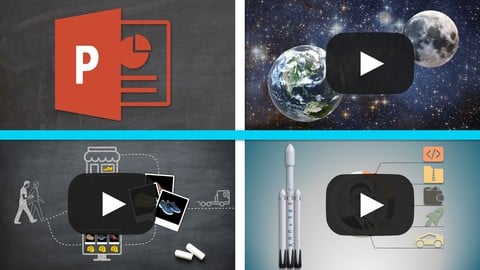
This course is full practice, full hands-on. We will create 3 videos together completely from scratch, and every single step will be clearly explained. By the end of it you will master PowerPoint video creation and will be able to make animated videos at will. And with more experience you will become more efficient. It's totally possible to create one video per day!
And, as a bonus, you will be able to download more than 20 ready-made PowerPoint video templates for your Video Introductions, Facebook/Instagram Ads, YouTube End Screens and more! I create these templates myself and occasionally upload new ones to the course completely for free.
Creating videos with PowerPoint is a great compromise between the quality of the video (in terms of "complexity") and the time it takes to do it. You can create hours and hours of video relatively fast compared to most specific software.
[Created by Business Disruptors]

 Udemy Discount
The discount is applied through our link. Open the course from here and Udemy's current promotional price is applied at checkout on most courses, no code to type.
Some courses are excluded from Udemy's promotions. If the price does not drop, clear your browser cookies and use the button again.
Instructor Details

- 4.6 Rating
 6,103 Reviews
Paul Nekh.
I'm an online instructor focused on delivering engaging Business and Innovation courses. I love to reverse-engineer successful business strategies and structure them into comprehensive and useful online courses. You can also follow me on my YouTube channel "Business Disruptors".
I built up my expertise thanks to years of experience with startups and investments, and I'm using the scientific method in business in order to find innovative approaches and doing a lot of research to uncover winning patterns among the most successful companies in the world.
 More courses by Paul Nekh.

Business Model Innovation: Differentiate & Grow Your Company (2026)
4.7 (34,854 Reviews)
 Provider: Udemy
 Time: 5.6h
$19.99

Discover, Validate & Launch New Business Ideas with ChatGPT (2026)
4.6 (3,948 Reviews)
- Provider: Udemy
- Time: 5.1h
$17.99

Airbnb Entrepreneur : Become the Best Listing in Town! (2026)
4.7 (1,809 Reviews)
- Provider: Udemy
- Time: 3.4h
$12.99

Formateur eLearning: Créer et Vendre des Cours en Ligne (2025)
4.7 (659 Reviews)
- Provider: Udemy
- Time: 4.5h
$14.99

Create Stunning Images and Videos with Midjourney & AI Tools (2026)
4.3 (591 Reviews)
- Provider: Udemy
- Time: 3.6h
$10.99

Hôte Airbnb: Devenez la Meilleure Annonce de Votre Ville! (2024)
4.7 (335 Reviews)
- Provider: Udemy
- Time: 3.2h
$12.99
More Office Productivity courses

AI-Powered Social Media Management: From Beginner to Pro (2025)
5.0 (211 Reviews)
- Provider: Udemy
- Time: 1.1h
$19.99

Microsoft Excel + AI: Go From Data Analysis to Visualization (2026)
4.9 (276 Reviews)
- Provider: Udemy
- Time: 3.8h
$10.99


Complete Introduction to Google Sheets Pivot Tables (2026)
4.8 (3,570 Reviews)
- Provider: Udemy
- Time: 2.9h
$64.99


Microsoft Excel - Managing Personal Finances with Excel (2024)
4.8 (810 Reviews)
- Provider: Udemy
- Time: 3h
$19.99
 Reviews

By Hesham Tharwat on 6/9/2026
Amazing Course, I loved the instructor's way, he explains anything in a professional and easy way. to the point. no pointless talking. I love his projects and his illustration on them. makes the technical stuff super easy.
By Ricardo Jose Rodriguez Barrera on 7/7/2025
The course is okay—some of the techniques taught in the course PowerPoint has them already available with Microsoft 365 (a paid subscription). Thus, there is no need to add extra steps to create certain effects (e.g., the planets orbiting in an endless loop without needing the morph transitions).
By N V Anil Kumar on 8/22/2023
So far so good. We did not know we could make such animated video using Powerpoint. Good use of time so far. I request the instructor to add one more advanced level of animation to take the count to 4. Really enjoyable course!!
By Jagadeesh krishna on 1/13/2021
I really enjoyed the course due to the way it was structured. The instructor did three different projects and explained all the tools necessary to complete the project. In this way, we were able to learn lot of things that are incidental to creating good presentation (and of course the ppt tool itself) . This is definitely one of the best course I have gone through on presentation. Thanks a lot for the course sir.
By Zareen Sharf on 11/15/2020
I loved all the Power point features that I was totally unaware of. It's a GREAT course.
By edna bardinas on 11/8/2020
Awesome tutorial ever
By Xiaoning Huang on 11/8/2020
easy to understand, I did enjoy the course.
By Jade on 11/8/2020
Learnt many features from this course, but the only thing I can criticize is that the instructor clicks very quickly when creating anything on Power Point and speaks very fast; I had to slow down the video.
By konga retailstorestaff@konga.com on 10/23/2020
SATISFACTORY. I ENJOYED THIS COURSE
By Victor Ukpong on 10/19/2020
great course. i am learning a lot
By Andrzej Kuciaba on 10/13/2020
This course is very useful and very well done. I learned a lot.
By Augustine on 10/8/2020
Amazing and great videos! Keep it Up!
 Quality Score
No CourseDuck member has rated this course yet. Taken it? Give each part a thumbs up or down.
Overall Score : 92 / 100
- Video Duration:
 4.6h
4.6h - Price: $16.99
- Provider: Udemy
- Updated:
 February 2026
 - Level:
 All Levels
 - Language:
 English
 - Certificate:
 Yes
Yes
30-day money-back guarantee on most paid courses
Udemy Coupon Price Tracker
