
 Web Development
 Data Science
 Python
 SQL
SQL JavaScript
 Artificial Intelligence
 IT & Software
 IT Certifications
 Hacking
 AWS
AWS Arduino
 DevOps
 3D Modeling
 Graphic Design
 Photoshop
 Drawing
 Digital Painting
 UX Design
 Business
 Data Analysis
 Communication Skills
 Project Management
 Leadership & Management
 Human Resources
 Digital Marketing
 Social Media Marketing
 Marketing
 SEO
SEO Google Analytics
 Branding
 Excel
Excel Office Productivity
 SAP
SAP PowerPoint
 Microsoft Access
 SharePoint
 Finance & Accounting
 Trading & Investing
 Accounting
 Bitcoin
 Personal Finance
 Video Editing & Animation
 Photography
 Adobe Premier Pro
 Adobe Lightroom
 Personal Development
 Productivity
 Career Development
 Life Coaching
 Health & Fitness
 Meditation & Mindfulness
 Yoga
Yoga Music
Music Music Production
 Guitar
 Piano
Piano Singing
 Language Learning
 Teaching & Academics
 Engineering
 Math
Math Lifestyle
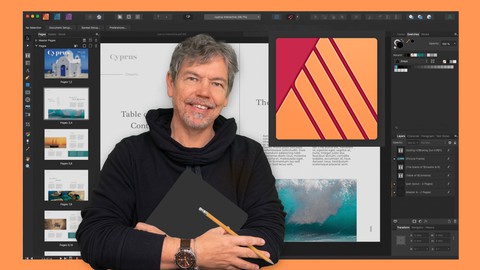
Intermediate - Advanced Course in Affinity Publisher V1 & V2 (Udemy.com)
Go Deeper into Affinity Publisher & Create Exciting Documents for Print & Screen Use - Including Version 2 Updates
Created by: Tim Wilson
Last updated November 2022
 What you will learn
- An in-depth look into the intermediate and advanced features of Affinity Publisher
- How to work with tables
- How to use data from Excel in your tables
- How to create a Table of Contents
- Work faster and smarter with Master Pages
- Speed up your work process using custom styles
- Learn advanced shape techniques as well as working with the pen tool
- Understand how to preflight your document
How it compares
Against the other 413 rated Udemy courses in Graphic Design on CourseDuck:
- Rating4.7 out of 5higher than 81% of them
- Reviews253#180 of 414 by number of reviews
- Length5.8 hourslonger than 58% of them
- Last updatedNovember 2022earlier than 71% of them
 Course Description
Welcome to my Intermediate to Advanced Course in Affinity Publisher V1 & V2
(Please note this was originally for Version 1 and there has now been a new release, V2 for which I have added updates. V2 is very similar and there are very few differences that you'll notice when doing the course. You will of course notice that the icons are now in color where they were previously in black and white. Functionally they are still the same).
You need a basic working knowledge of Affinity Publisher to take this course. Affinity Publisher is one of the best publishing pieces of software around and a strong (and more affordable) contender for Adobe InDesign.
It allows you to create beautiful books, magazines and marketing materials through to social media posts, website mockups and a variety of other projects. This modern publishing app gives you the power to combine beautiful type, exciting images and amazing graphics to create stunning layouts ready for publication.
It has an easy-to-use interface to help you work in a fast and intuitive way.
The course includes the following:
An in-depth look into the intermediate and advanced features
How to work with tables
How to use data from Excel in your tables
How to create a Table of Contents
Work faster and smarter with Master Pages
Speed up your process using custom styles
Learn advanced shape techniques as as working with the pen tool
Understand how to preflight your document
Exciting projects to help you remember and put into practice what you've learned
With powerful features like master pages, tables, text flow and professional print output and other awesome features, Affinity Publisher has everything you need to create the perfect layout – whether it's for commercial printing, home printing, web or social media projects.
Music by Bensound - License code: HUUXYQKVUNCN19II

 Udemy Discount
The discount is applied through our link. Open the course from here and Udemy's current promotional price is applied at checkout on most courses, no code to type.
Some courses are excluded from Udemy's promotions. If the price does not drop, clear your browser cookies and use the button again.
Instructor Details

- 4.7 Rating
 253 Reviews
Tim Wilson
Tim divides his time between training, and undertaking design and photography projects. He has trained a range of companies including BBC, Disney, Aardman, Sky, Nissan, Ford, British Airways, Virgin, Barclays, KPMG, NHS, the Times and Adobe amongst many others.
Tim spent many years as a lecturer for Graphic Design and Photography Honour Degree students at universities. He loves sharing his passion for design and this is reflected by the enthusiasm from his students who rebook his courses to continue their professional development.
 More courses by Tim Wilson

Adobe Illustrator - Beginner to Pro Level With New AI (2026)
4.8 (1,368 Reviews)
 Provider: Udemy
 Time: 13.7h
$89.99

Affinity: The Complete Design Course – Beginner to Pro (2026)
4.8 (466 Reviews)
- Provider: Udemy
- Time: 23.8h
$19.99
Affinity Publisher - The Essentials for Beginners V1 & V2 (2022)
4.5 (441 Reviews)
- Provider: Udemy
- Time: 5.3h
$69.99
Affinity Designer Desktop V2 - From Beginner to Pro Level (2023)
4.6 (434 Reviews)
- Provider: Udemy
- Time: 11.3h
$84.99

Beginner to Wow - Affinity Photo Version 2 (2022)
4.9 (420 Reviews)
- Provider: Udemy
- Time: 4.8h
$69.99
More Graphic Design courses

Adobe InDesign - From Basics to Professional Level Designs (2024)
4.9 (320 Reviews)
- Provider: Udemy
- Time: 11.4h
$84.99

Shop Drawing & Details-Autodesk Revit 2025- for BIM Modelers
4.9 (300 Reviews)
- Provider: Udemy
- Time: 30.9h
$10.99

The Adobe Illustrator CC Mastery Course: Basics to Pro + AI (2026)
4.9 (268 Reviews)
- Provider: Udemy
- Time: 30.8h
$19.99


Software Architecture & System Design Practical Case Studies (2026)
4.8 (2,584 Reviews)
- Provider: Udemy
- Time: 4h
$15.99

Graphic Design Masterclass: Design 40+ Projects in Photoshop (2025)
4.8 (668 Reviews)
- Provider: Udemy
- Time: 16.5h
$109.99
 Reviews

By Jordan Golding on 12/2/2025
The course was very comprehensive and gives me a good foundation in Publisher. The instructor very patiently and clearly explained each lesson and his process. Lesson assets were not included for the most part, which was a bit disconcerting at first, but I ended up appreciating this approach because rather than just lazily following along, I had to come up with my own assets and brochure themes. For the main brochure (the one where the instructor used Cyprus), I used my photos and experiences traveling in Iceland and I really enjoyed doing that in parallel. It increased my engagement so I learned more by having to plan it a bit. It gave me all kinds of ideas, as well. Well done!
By (Other) Defne Y. on 4/19/2025
This course offers valuable insights, but it would greatly benefit from including the resource files used in the lessons. As learners on Udemy, we often seek structured guidance and materials that help us follow along more effectively—something that sets Udemy apart from platforms like YouTube. Without these files, it can be difficult for the students to recreate the mockups and focus on understanding the concepts being taught. Additionally, a thorough introduction to the software interface at the beginning of the course would make the lessons more approachable for new users. For students who are unfamiliar with the publishing world or the software, having these resources and explanations would make a big difference. That being said, the effort and passion the instructor has put into teaching are appreciated. With a few adjustments, this course has the potential to be a truly helpful resource for everyone. Thank you for sharing your knowledge!
By J. Lincoln Barr on 11/16/2023
Excellent teacher. Very clear. There are two lectures.that would benefit for updating to version two of Publisher. lecture 79, Hyperlinks, in V2 you do not have to individually link each item in the TOC. Simply when you export to PDF select "Hyperlinks" and the software will automatically create the links. IN lecture 85, Changing the Spread. If you follow the steps in the lecture your work will lose the image and "The island of Dreams & Romance" text. I found it better to add two pages above pages 3 & 4, then attach the Masters and copy text and images from the existing page. Edit the section to include the new pages and start page numbering from 1. Then delete the original pages.
By Samuel on 8/19/2023
The course gets me into Affinity Publisher and leaves me with a better understanding of its uses and how to use it. However its only 'slight' downside is… if you are not using it daily or haven't done a certain thing for some time you'll obviously want to know where to find it within the course. Quite often you will quickly find what you are looking for but… more often than not, you won't! This then means that you'll have to search 'n search through each lesson to find that one thing that you need. A complete alphabetical list of all topics covered linked to what lesson(s) they're on would be fantastic in the long termed make the course a full and complete package.
By Christopher Wheeler on 12/9/2022
This course started off with some very basic skill building, and much of it was familiar to me already. That said, I wanted to develop and consolidate solid skills based on best practices. I followed along and completed all of the exercises. The instructor is methodical and logical in the way that he has structured the course with one skill leading to another, and lots of opportunity to practice. It wasn't long before I began to pick up some new, and very useful techniques. Moreover, the exercises were very well matched to the skills being taught. By the halfway mark, I can say that this is an excellent course which is already proving to be inspiring and useful. I am looking forward to the more advanced content, that I feel is sure to follow in the second half.
By Richard H on 8/5/2022
The instructor is extremely knowledgeable and a joy to learn from. When I first bought Affinity Publisher to make newsletters, I was completely lost and had never used the program before. I bought both the Beginner and the Intermediate to Advanced courses. It was money well spent. I now feel as if I can do anything that I want to in Publisher (although I may need to go back and review... at least I know something is possible to do). Top notch courses with a top notch instructor. Buy both courses now if you want to learn to master Affinity Publisher.
By Carsten Lund on 4/18/2022
Really good and informative course; however, I do feel there was a lot of "beginner's" content in this course for being an intermediate to advanced course. Especially when being a student on the Affinity Designer Beginner's course first. Being a photographer, I have a lot of basics down, coming from Affinity Photo and Photoshop, but I could still use som master skills on publisher, as I am doing graphics work now. I must say, I really love your way of teaching. You are very calm and your voice is great for lectures like this. You also have a perfect pace for following along! Great job!
By Bruce Hood on 2/18/2022
Nice expansion of the original course. Would have liked to have pix and text used in the Cyprus project just so I could be sure mine would come out as Tim was instructing. I would also appreciate having additional practice sessions where the parameters were outlined but instruction would be optional after trying to complete the project on our own. These new projects would need to use the same tools and concepts as the follow-along one. That would give a great opportunity to be able to pull information from our memory to ensure we got it in the first place. Would also like to see another course dealing with more technical aspects. For example, there are multiple places where it appears the same tools or concepts appear, but it would be nice to know how they differ. Things like that. Nice job, Tim.
By Peter Noble on 1/5/2022
Intermediate to Advanced Course in Affinity Publisher Tim Wilson I have used all the Affinity products on a PC and Affinity Publisher since it was in development. Your course was extremely useful in filling in many gaps for me. I enjoyed both your presentation style, the pace and amount in each lesson, and the way everything linked progressively. The best feature of these courses is that you can repeat or go back to check details. Thanks Tim.......I feel like I know you!
By John Sinclair on 11/26/2021
I have been a inDesign user ever since Adobe launched it for under £100 to break into the Quark monopoly.Within a few years they destroyed Quark's dominance in page publishing. Then Adobe got greedy and decided not to upgrade CS6, which I am still using, but to rent their products instead. Now CS6 won't work on macs beyond Maverick so upgrade your mac and and you need to find programs to replace Adobe. Thank God I found Affinity. I am at present awaiting delivery of the new iMac 24"Mi and have got to get to grips with the Affinity software as I edit and produce a regular magazine. Thanks to people like yourself who produce such informative tutorials I feel quite confident in dumping Adobe. I cannot help thinking that Adobe have shot themselves in the foot as Affinity must be making huge inroads into their market and they must now realise that Affinity is becoming a huge threat to their market share. I just hope that no one makes Affinity 'an offer they cannot refuse' in the future or we will all be up shit creek. Anyway keep up the good work and thanks again for all of your help. John Sinclair. Orkney, Scotland
 Quality Score
No CourseDuck member has rated this course yet. Taken it? Give each part a thumbs up or down.
Overall Score : 94 / 100
- Video Duration:
 5.8h
5.8h - Price: $69.99
- Provider: Udemy
- Updated:
 November 2022
 - Level:
 Intermediate
 - Language:
 English
 - Certificate:
 Yes
Yes
30-day money-back guarantee on most paid courses
Udemy Coupon Price Tracker
