
 Web Development
 Data Science
 Python
 SQL
SQL JavaScript
 Artificial Intelligence
 IT & Software
 IT Certifications
 Hacking
 AWS
AWS Arduino
 DevOps
 3D Modeling
 Graphic Design
 Photoshop
 Drawing
 Digital Painting
 UX Design
 Business
 Data Analysis
 Communication Skills
 Project Management
 Leadership & Management
 Human Resources
 Digital Marketing
 Social Media Marketing
 Marketing
 SEO
SEO Google Analytics
 Branding
 Excel
Excel Office Productivity
 SAP
SAP PowerPoint
 Microsoft Access
 SharePoint
 Finance & Accounting
 Trading & Investing
 Accounting
 Bitcoin
 Personal Finance
 Video Editing & Animation
 Photography
 Adobe Premier Pro
 Adobe Lightroom
 Personal Development
 Productivity
 Career Development
 Life Coaching
 Health & Fitness
 Meditation & Mindfulness
 Yoga
Yoga Music
Music Music Production
 Guitar
 Piano
Piano Singing
 Language Learning
 Teaching & Academics
 Engineering
 Math
Math Lifestyle
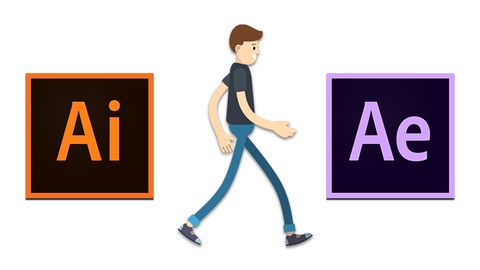
Learn Character Design, Rigging and Walk Cycle Animation (Udemy.com)
Learn how to design your own characters in Adobe Illustrator and create a walk cycle animation in Adobe After Effects
Created by: David Haimoff
Last updated April 2019
 What you will learn
- Character Design in Adobe Illustrator
- Rigging in Adobe After Effects
- Creating a 5-Phase Walk Cycle Animation
- Using Essential Tools In Adobe Illustrator
How it compares
Against the other 118 rated Udemy courses in Adobe After Effects on CourseDuck:
- Rating4.5 out of 5higher than 45% of them
- Reviews41#98 of 119 by number of reviews
- Length2.2 hoursshorter than 61% of them
- Last updatedApril 2019earlier than 77% of them
 Quality Score
Overall Score : 90 / 100
 Course Description
Do you want to learn how to design your own character and create a walk cycle animation?
This course is for either character designers or animators who want to learn the basics of these software to use the new set of skills on their projects.
In this course, I'm going to guide you all the way from designing your own custom character, to Animating it in After Effects.
I'm going to guide you through on how to set up your interface for character design.
We're going to learn how to use all of the necessary tools to create a character in Adobe Illustrator, And how to properly layer it for animation in after effects. We will learn how to import properly our Illustrator files to after effects.
In after effects, I'm going to teach you how to create a rig using Duik, Create a 5 phase walk cycle animation, And how to import Your character animation into different compositions.
This is a very practical course, That will give you the Practical knowledge of Designing and creating your own custom characters in adobe illustrator And creating a five phase walk cycle animation in adobe After Effects.
So what are you waiting for click on enroll now And let's get started!
Who this course is for:
- Beginner Character Designers
- Beginner Character Animators
- Beginner Illustrator Users
- Beginner After Effects Users
- Beginner Motion Graphics Designers

 Udemy Discount
The discount is applied through our link. Open the course from here and Udemy's current promotional price is applied at checkout on most courses, no code to type.
Some courses are excluded from Udemy's promotions. If the price does not drop, clear your browser cookies and use the button again.
Instructor Details

- 4.5 Rating
 41 Reviews
David Haimoff
I'm a motion designer, character designer and video editor.
I have been doing motion graphics for myself, my clients, and my YouTube subscribers for over two years now.
Recently I have decided to extend my knowledge to character animation, and found out that without design skills, I won't be able to get too far.
So here I am now sharing my knowledge with the world.
My approach is to take knowledge that I have acquired over the years, and share it with those who are passionate about the world of video graphics as much as I am.
My goal is to make all of students satisfied, and pleased with my lessons.
Cheers
David
 More Adobe After Effects courses

Motion Design & Animation Principles in Adobe After Effects (2025)
4.8 (1,594 Reviews)
 Provider: Udemy
 Time: 5.8h
$99.99


Futuristic HUD Motion Graphics in After Effects (2018)
4.7 (664 Reviews)
- Provider: Udemy
- Time: 1.5h
$69.99

Course Design - How to Create Impressive Text Animations (2017)
4.7 (207 Reviews)
- Provider: Udemy
- Time: 2.7h
$74.99

After Effects Masterclass: The Ultimate Guide for Beginners (2020)
4.7 (198 Reviews)
- Provider: Udemy
- Time: 9h
$74.99

 Reviews

By Christopher Xavier
For a beginner in 2D animation, I would highly recommend the course, because it gives you not just a light in 2D animation but gets you up an running, from character design to rigging to animation, wonderful course
By Lewis Evans
The course has been clear and straightforward, which is essential when teaching a topic such as Adobe After Effects.
By M Sadman Sakib
Good to pick things up fast
- Video Duration:
 2.2h
2.2h - Price: $39.99
- Provider: Udemy
- Updated:
 April 2019
 - Level:
 All Levels
 - Language:
 English
 - Certificate:
 Yes
Yes
30-day money-back guarantee on most paid courses
Udemy Coupon Price Tracker
