
 Web Development
 Data Science
 Python
 SQL
SQL JavaScript
 Artificial Intelligence
 IT & Software
 IT Certifications
 Hacking
 AWS
AWS Arduino
 DevOps
 3D Modeling
 Graphic Design
 Photoshop
 Drawing
 Digital Painting
 UX Design
 Business
 Data Analysis
 Communication Skills
 Project Management
 Leadership & Management
 Human Resources
 Digital Marketing
 Social Media Marketing
 Marketing
 SEO
SEO Google Analytics
 Branding
 Excel
Excel Office Productivity
 SAP
SAP PowerPoint
 Microsoft Access
 SharePoint
 Finance & Accounting
 Trading & Investing
 Accounting
 Bitcoin
 Personal Finance
 Video Editing & Animation
 Photography
 Adobe Premier Pro
 Adobe Lightroom
 Personal Development
 Productivity
 Career Development
 Life Coaching
 Health & Fitness
 Meditation & Mindfulness
 Yoga
Yoga Music
Music Music Production
 Guitar
 Piano
Piano Singing
 Language Learning
 Teaching & Academics
 Engineering
 Math
Math Lifestyle
Learn DSLR Filmmaking — Make Better Videos by Yourself (Udemy.com)
Start Making Better Videos Now
Created by: Caleb Wojcik
Last updated October 2016
 What you will learn
- Learn what camera, lens, lighting, microphones, and recorders are best for your needs
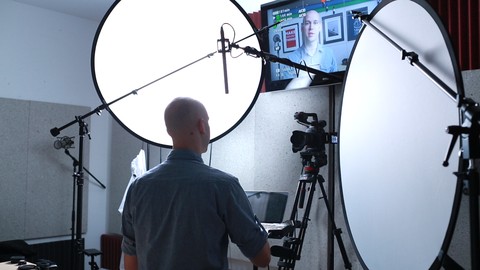
- Learn how to set-up 3-point lighting, white balance, and soften shadows
- Learn how to get clean audio from any kind of microphone with no echo or noise
- Learn what to do while shooting to save hours editing it later
- Learn how to plan your videos, script them out, and deliver them naturally
How it compares
Against the other 293 rated Udemy courses in Video Editing & Animation on CourseDuck:
- Rating4.3 out of 5higher than 26% of them
- Reviews112#186 of 294 by number of reviews
- Length2.6 hoursshorter than 65% of them
- Last updatedOctober 2016earlier than 92% of them
 Course Description
Does it take you too long to make videos?
Do they turn out how you imagined?
Making great videos by yourself in a timely manner takes the right combination of knowledge and experience.
Creating videos alone is difficult enough without having to worry about whether or not the lighting looks right, the mic sounds okay, and if you are actually in focus.
Whether you're too intimidated to make your first video or you're making them all the time, I'll share what I've learned the past few years making over a hundred videos for myself and clients like Pat Flynn, Fizzle.co, and Gumroad.
I believe that anyone can make great videos of themselves. It just takes patience, dedication, and the right amount of focused learning.
That's why I made this course.

 Udemy Discount
The discount is applied through our link. Open the course from here and Udemy's current promotional price is applied at checkout on most courses, no code to type.
Some courses are excluded from Udemy's promotions. If the price does not drop, clear your browser cookies and use the button again.
Instructor Details
- 4.3 Rating
 112 Reviews
Caleb Wojcik
Caleb Wojcik has been making videos off and on for nearly a decade. In that time he has filmed the NHL, MLB, NCAA basketball & football, weddings, commercials, book trailers, and plenty of training videos for the web. He teaches web video production and runs a video production studio in San Diego, CA.
 More courses by Caleb Wojcik
More Video Editing & Animation courses

Learn to Storyboard for Film or Animation (2024)
4.8 (2,727 Reviews)
 Provider: Udemy
 Time: 2.2h
$12.99


Fire Starter Sessions Video Workshop with Danielle LaPorte (2017)
4.8 (1,205 Reviews)
- Provider: Udemy
- Time: 3.7h
$11.99

The Ultimate Color Grading Bootcamp in DaVinci Resolve (2026)
4.8 (947 Reviews)
- Provider: Udemy
- Time: 8.7h
$19.99

The Complete Talking Head Video Production Masterclass (2026)
4.8 (319 Reviews)
- Provider: Udemy
- Time: 17.6h
$59.99

The Complete iMovie Course - from Beginner to Advanced 2026!
4.7 (2,021 Reviews)
- Provider: Udemy
- Time: 11.1h
$10.99
 Reviews

By Joy Wolfenbarger on 5/5/2020
I was disappointed in this. I have an introduction to videography with a DSLR already from a college course I took. I have a background in commercial photography, so I already know a lot of your basics with regards to choosing a camera, lenses (for photography) lighting, etc. So that stuff, I could just skip right over. I just feel there is WAY too much information in this in order to do a good job. Equipment for videography for DSLR is really very different than just shooting stills. Caleb never mentions that. Like purchasing a tripod for example. You don't want just a regular camera tripod. You really need a tripod with a head on it that is specific for video shooting and there is a big, expensive difference in comparison to photography. I was hoping for video on Cine lenses. I discovered those in my class at school and WISHED when I had gone to school for photography, my teachers had told me about cine lenses for my DSLR. I spent a lot of money already on lenses, but the cine lenses are a dream for shooting video. And, of course, they are super expenisve (seems videography wins this category over photography on every level.....videography is WAY more expensive than photography). I was hoping for an introduction of gear stabilization equipment you can use when walking and shooting. There is no review of these things. Caleb mentioned a digital audio recording piece of equipment that he purchased thinking he would use a lot more of, but that he doesn't "run n gun" (???) so he rarely uses it. Well, my goal is to "run n gun" (I think?? I plan to be moving a lot myself outside with what things I want to shoot), so I would have appreciated better explanation on that piece of equipment. Frustrating. There were some things discussed in his videos I was interested to learn, but they are more technical and he rushed right over them without showing - just talking. So far, I've seen about 1/2 the videos and there's no examples shot. It's just Caleb talking. Even some PDF's with further information would be helpful. These are nicely shot videos of Caleb talking and if you are a beginner it is an introduction to a lot of basics that you will need to go and research further on your own if you are completely new to understanding how a camera works. This is not my learning style. Watching someone talk doesn't really engage me. Showing me things where I need to pay attention and can connect with what you are saying to what you are doing would have been much more helpful for me.
By Vernon Chew on 4/16/2020
I was thinking of learning how to make a video for an online course and this course elucidates everything I would need in terms of tool, equipment and the videography techniques. It also makes me realise that I need a partner in crime to do the online course videography. Caleb is superb in his delivery: no frills, to the point, extremely informative and friendly in communicative approach. For once I didn't fall asleep watching his course in one sitting. Really love it. Awesome!!!
By Robert Bejarano on 4/6/2020
The course is aimed at someone setting up their own studio from scratch. I would like to see a few more video examples of what he talks through.
By Lando Murray on 5/1/2019
Overall, I loved the course, Caleb definitely knows his stuff and it shows by the quality of his videos . My only suggestion would be to add more text information to show important points . Great Job!
By Kim Foster on 11/20/2018
Excellent course. In-Depth examples that fill in many of the gaps that other similar courses are lacking. I recommend this course. No matter what level your expertise in film making, you will be able to find something in this course that you can use in your practice.
By Rafael Masoni on 8/31/2018
This is a solid course, taught by a friendly, down-to-earth instructor. It's very easy to follow and delivers valuable knowledge, but it's also a bit too short, and ends abruptly. All and all, I'd strongly recommend this course to other beginners and self-taught video makers.
By Al Kale on 6/20/2018
Grate information on ISO, Shutter speed and Aperture, along with excellent examples as to application. Another keeper to refer back to as I learn the trade. Highly recommended to anyone just getting started.
By Paul Kemppainen on 11/11/2017
Loved the course. Really helped me to take my knowledge (or at least what I thought I knew) and skills to a whole other level. Lot of respect for Caleb. Greatly appreciate him taking the time to make and share this course.
By Yurii Sytar on 8/14/2017
More than 50% of the course is a tech review of equipment used by the author. "Filmmaking" is a technique how to create a story, how to shoot the scene using that equipment. I wanted to see pro tips how to create a scene, how to move the camera in order to achieve some cinematic effects. 0 tips about the video editing and after effects. Just FYI, from Wikipedia: "Filmmaking is the process of making a film. Filmmaking involves a number of discrete stages including an initial story, idea, or commission, through screenwriting, casting, shooting, sound recording and reproduction, editing, and screening the finished product before an audience that may result in a film release and exhibition."
By Wendy Wilson on 1/7/2017
Awesome Tutorial! You really helped me understand what certain equipment is and how to use it right. Also you helped me decide what camera to purchase to get me started. Thanks for all the great information!
 Quality Score
No CourseDuck member has rated this course yet. Taken it? Give each part a thumbs up or down.
Overall Score : 86 / 100
- Video Duration:
 2.6h
2.6h - Price: $39.99
- Provider: Udemy
- Updated:
 October 2016
 - Level:
 Beginner
 - Language:
 English
 - Certificate:
 Yes
Yes
30-day money-back guarantee on most paid courses
Udemy Coupon Price Tracker
