
 Web Development
 Data Science
 Python
 SQL
SQL JavaScript
 Artificial Intelligence
 IT & Software
 IT Certifications
 Hacking
 AWS
AWS Arduino
 DevOps
 3D Modeling
 Graphic Design
 Photoshop
 Drawing
 Digital Painting
 UX Design
 Business
 Data Analysis
 Communication Skills
 Project Management
 Leadership & Management
 Human Resources
 Digital Marketing
 Social Media Marketing
 Marketing
 SEO
SEO Google Analytics
 Branding
 Excel
Excel Office Productivity
 SAP
SAP PowerPoint
 Microsoft Access
 SharePoint
 Finance & Accounting
 Trading & Investing
 Accounting
 Bitcoin
 Personal Finance
 Video Editing & Animation
 Photography
 Adobe Premier Pro
 Adobe Lightroom
 Personal Development
 Productivity
 Career Development
 Life Coaching
 Health & Fitness
 Meditation & Mindfulness
 Yoga
Yoga Music
Music Music Production
 Guitar
 Piano
Piano Singing
 Language Learning
 Teaching & Academics
 Engineering
 Math
Math Lifestyle
Learn Adobe Premiere Pro (Udemy.com)
Learn Adobe Premiere Pro & start editing videos faster
Created by: Caleb Wojcik
Last updated September 2016
 What you will learn
- Become comfortable with the software layout, workspaces & multiple monitors, and file management
- Be proficient importing files, syncing video & audio, and creating multi-cam sequences
- Edit a first draft quickly using text effects, warp stabilization, and shortcuts
- Be proficient using audio workspaces as well as mixing, creating transitions, effects, and layering volume levels
- Achieve a basic understanding of color correcting, grading, white balance changes, & green screen keying
How it compares
Against the other 78 rated Udemy courses in Adobe Premier Pro on CourseDuck:
- Rating4.4 out of 5higher than 30% of them
- Reviews74#61 of 79 by number of reviews
- Length4.7 hoursshorter than 50% of them
- Last updatedSeptember 2016earlier than 92% of them
 Course Description
A bad edit can ruin good looking footage, strong performances on screen, and tons of planning.
Whether you're too intimidated by Premiere Pro or you want to take what you already know to the next level, I'll share everything I know about it and have learned over the past few years making hundreds of videos for myself and companies like Smart Passive Income, Fizzle.co, and Gumroad.
Through five hours of video lessons this course covers:
- Software layout, workspaces & multiple monitors, and file management
- Importing files, syncing video & audio, and creating multi-cam sequences
- Editing a first draft quickly, text effects, warp stabilization, and shortcuts
- Audio workspaces, mixing, transitions, effects, and layering volume levels
- Color correcting, grading, white balance changes, & green screen keying
- Exporting using Media Encoder, dynamic linking to After Effects, Audition, Speed Grade, Photoshop, etc.
Video editing can be a huge time suck. Trying to figure out how to use Premiere Pro can seem nearly impossible because there is so much to learn.
Trust me, I've been there. I've spent countless hours watching endless tutorials to edit my videos faster and better. That is why I put this guide together.
There are plenty of excuses for not editing videos, but "know-how" should not be one of them.

 Udemy Discount
The discount is applied through our link. Open the course from here and Udemy's current promotional price is applied at checkout on most courses, no code to type.
Some courses are excluded from Udemy's promotions. If the price does not drop, clear your browser cookies and use the button again.
Instructor Details

- 4.4 Rating
 74 Reviews
Caleb Wojcik
Caleb Wojcik has been making videos off and on for nearly a decade. In that time he has filmed the NHL, MLB, NCAA basketball & football, weddings, commercials, book trailers, and plenty of training videos for the web. He teaches web video production and runs a video production studio in San Diego, CA.
 More courses by Caleb Wojcik
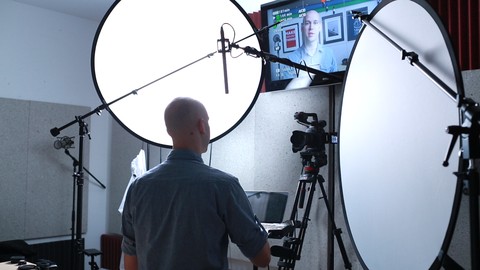
Learn DSLR Filmmaking — Make Better Videos by Yourself (2016)
4.3 (112 Reviews)
 Provider: Udemy
 Time: 2.6h
$39.99
More Adobe Premier Pro courses

The Complete Adobe Premiere Pro Video Editing Bootcamp (2025)
4.9 (7,316 Reviews)
- Provider: Udemy
- Time: 9.7h
$139.99

Video Editing complete course | Adobe Premiere Pro CC 2021
4.8 (529 Reviews)
- Provider: Udemy
- Time: 14.4h
$22.99

Adobe Premiere Pro CC – Essentials Training Course (2025)
4.7 (11,647 Reviews)
- Provider: Udemy
- Time: 15.8h
$129.99

Adobe Premiere Pro CC – Advanced Training Course (2025)
4.7 (1,922 Reviews)
- Provider: Udemy
- Time: 16.3h
$94.99

Adobe Premiere Pro Video Editing Course Beginner to Pro (2024)
4.7 (686 Reviews)
- Provider: Udemy
- Time: 9.1h
$54.99

Learn Video Editing with Premiere Pro CC for beginners (2015)
4.7 (476 Reviews)
- Provider: Udemy
- Time: 3.9h
$64.99
 Reviews

By Joao De Gois on 4/21/2025
Well explained to the point. The essential were covered the important parts of the editing screen.
By HR Dept on 6/2/2020
This course is very thorough and easy to follow. My prior hands-on learning of Premiere Pro has been consolidated and enhanced by Caleb's great course. I learned plenty of new tricks and ways to work more efficiently. I especially recommend this course to anyone who has prior experience with Premiere Pro.
By Tabitha Wheatley on 3/7/2019
I wish he would have shown how to upload one of our own videos first so we can follow along. I couldn’t because I have no videos saved so my screen was blank.
By Ted Brunt on 2/25/2019
Good job - would benefit from more just simple timeline work for beginners.
By Walt Baskerville on 11/12/2018
I thought Caleb was a fine instructor, I blame myself for underestimating how much I had learned in Premiere by trial, error, and youtube. This class is great for someone just starting off, and I wish I had taken it a few years ago. I did learn some things so it was worth it, but most of the material I was already pretty familiar with.
By Klaudius Nowak on 11/4/2017
Toller Moderator der ei den Basics sehr gut und gefühlt in der richtigen Reihenfolge an das Thema ran geht. Ich bingespannt auf die weiteren Folgen
By Eric Ventura on 9/16/2017
Muito bom, explicado corretamente o uso das ferramentas e com dicas para templates em after effects
By Samba Sidney NGWANA on 9/11/2017
The tutor has been absolutely great. I have already been able to apply it on my first project "Birthday Party"
By Jossue Rodriguez-Pena on 1/18/2017
There's no in depth explanation of each section and tools.
By Ernst at Udemy on 12/12/2016
great course with good explanations and Caleb answers super quick to questions.
 Quality Score
No CourseDuck member has rated this course yet. Taken it? Give each part a thumbs up or down.
Overall Score : 88 / 100
- Video Duration:
 4.7h
4.7h - Price: $44.99
- Provider: Udemy
- Updated:
 September 2016
 - Level:
 Intermediate
 - Language:
 English
 - Certificate:
 Yes
Yes
30-day money-back guarantee on most paid courses
Udemy Coupon Price Tracker
