
 Web Development
 Data Science
 Python
 SQL
SQL JavaScript
 Artificial Intelligence
 IT & Software
 IT Certifications
 Hacking
 AWS
AWS Arduino
 DevOps
 3D Modeling
 Graphic Design
 Photoshop
 Drawing
 Digital Painting
 UX Design
 Business
 Data Analysis
 Communication Skills
 Project Management
 Leadership & Management
 Human Resources
 Digital Marketing
 Social Media Marketing
 Marketing
 SEO
SEO Google Analytics
 Branding
 Excel
Excel Office Productivity
 SAP
SAP PowerPoint
 Microsoft Access
 SharePoint
 Finance & Accounting
 Trading & Investing
 Accounting
 Bitcoin
 Personal Finance
 Video Editing & Animation
 Photography
 Adobe Premier Pro
 Adobe Lightroom
 Personal Development
 Productivity
 Career Development
 Life Coaching
 Health & Fitness
 Meditation & Mindfulness
 Yoga
Yoga Music
Music Music Production
 Guitar
 Piano
Piano Singing
 Language Learning
 Teaching & Academics
 Engineering
 Math
Math Lifestyle
Learn the Vulkan API with C++ (Udemy.com)
Learn the fundamentals of the popular Vulkan API for modern graphics rendering using C++!
Created by: Ben Cook
Last updated April 2020
 What you will learn
- Create 3D graphical applications using C++ and the Vulkan API
- What the Vulkan API is
- Set up Vulkan to work on a GPU
- Create essential Vulkan elements such as the Swapchain, Pipeline, and Command Buffers
- Load in models from external files
- Descriptor Sets and Push Constants (including Dynamic Uniform Buffers)
- Implementing a Depth Buffer
- Using Textures
- Subpasses and Multiple Subpasses
How it compares
Against the other 86 rated Udemy courses in C++ on CourseDuck:
- Rating4.7 out of 5higher than 88% of them
- Reviews1,005#38 of 87 by number of reviews
- Length26.2 hourslonger than 83% of them
- Last updatedApril 2020earlier than 74% of them
 Course Description
Learn one of the hottest new Graphics APIs in the industry!
The Vulkan API was released in 2016 as the high-performance successor to OpenGL, and is already used in a wide range of modern graphical applications, including video games such as Doom Eternal, Red Dead Redemption 2, and Rainbow Six: Siege.
If you're looking for the most modern, high-quality graphics, then look no further than Vulkan!
The Vulkan API is very new when compared to most graphics APIs out there, and so there aren't yet that many in-depth tutorials to help you learn it. I hope to fix that with this course!
In this course, you will learn how to set up and use a Vulkan application, as well as implement several key features exclusive to Vulkan itself, such as Descriptor Sets, Push Constants, and Subpasses. Each aspect is explained in great amounts of detail, to ensure you really understand what all the parts mean, and how they all connect together.
I want to help you learn. If you still don't understand something after a lesson, then you just have to let me know! If something didn't make sense, or you just want clarification on a subject, I'll try my best to give you a more detailed insight into those intricacies, and ensure you have a proper understanding of Vulkan.
It is my goal, that when you finally finish the course, you will have enough knowledge of Vulkan to create your own Vulkan applications, and eventually gain enough experience to design the graphical applications you have only dreamed of!

 Udemy Discount
The discount is applied through our link. Open the course from here and Udemy's current promotional price is applied at checkout on most courses, no code to type.
Some courses are excluded from Udemy's promotions. If the price does not drop, clear your browser cookies and use the button again.
Instructor Details

- 4.7 Rating
 1,005 Reviews
Ben Cook
Hey, I'm Ben! I'm a freelance software and web developer with a passion for teaching. I have a particular adoration for graphical development, but my skills and experience extend to all fields of developing, and I want to help spread this knowledge to all of you! I have a Master's degree in Computing Science, two years of experience as a web developer and now work as a freelancer. My aim is to get you in to the developing profession!
 More courses by Ben Cook

Computer Graphics with Modern OpenGL and C++ (2020)
4.5 (3,684 Reviews)
 Provider: Udemy
 Time: 21.3h
$10.99
More C++ courses
Learn C++ Programming - Beginner to Advanced (2026)
4.8 (399 Reviews)
- Provider: Udemy
- Time: 13.2h
$49.99

Unreal Engine 5 C++ Game Development (Fully Updated in 5.6) (2026)
4.7 (75,108 Reviews)
- Provider: Udemy
- Time: 26.3h
$174.99
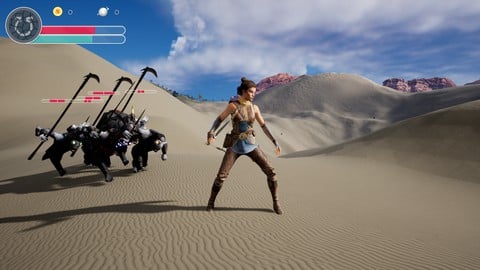
Unreal Engine 5 C++ The Ultimate Game Developer Course (2026)
4.7 (9,386 Reviews)
- Provider: Udemy
- Time: 53.1h
$124.99

C++ Data Structures & Algorithms + LEETCODE Exercises (2026)
4.7 (3,314 Reviews)
- Provider: Udemy
- Time: 10.4h
$109.99
 Reviews

By Entwicklung ATBAS on 5/13/2025
Instead if giving a bad rating for this course (which I like very much actually), I want to give a quick hint for all who watch this course in the future: If you are constantly receive warnings or errors from the vulkan validation layers about queues that are still in use of semaphores or fences that are signalling in wrong way, try to add the following line: (Pseudo code) vkQueueWaitIdle(graphicsQueue); between the calls "vkWaitForFences" and "vkResetFences". It seems that in the last few years, the Vulkan drivers got more strict in their validation of synchronization. What might look technically correct here because there are no errors, might be wrong now. Beside of that, this is a fantastic course!
By Jesse McConnell on 5/7/2025
It’s “easy to watch on mobile” for a course about code. This may not be the optimal way to view screen capture of computer code, but that isn’t the fault of the instructor. I would really like to see black backgrounds on the slides and a black Windows theme, the content feels a bit like staring into the sun to me but that’s purely subjective.
By Omari Thompson on 1/4/2025
Ben has done a fantastic job explaining how to set up the Vulkan API, explain its many components in a great, approachable, and easy to understand manner. This lays a great foundation for anyones path into 3D graphics to move forward from. Definitely recommend it to anyone, especially due to the limited resources on learning the api.
By Aaron Ruiz Mora on 9/7/2024
This is a fantastic course. I had a really good time following the lectures and learning all about Vulkan. I totally recommend it. Pros: - Hands on course with lectures diving into the code. - The instructor goes into great length explaining every parameter we have to fill in Vulkan structures. - The theory lessons are very good to learn in advance what you're going to do without having to worry about the code. Cons: - The Vulkan validation layer lesson video was replaced with a link to a website tutorial. In the comments the instructor says he'd create a new video 3 years ago, but it's not there yet. - Comments in Q&A are 3 years old and new questions (some posted 2 or 3 weeks ago) have not been not answered yet. - It would have been great if the course showed how to look at the official documentation to learn more about Vulkan on your own and find answers by yourself.
By Chris Simpson on 3/21/2023
Fantastic course. I'm pretty familiar (though relatively new) to DX12 so can't speak as a complete beginner, but it turned an extremely intimidating and verbose graphics platform into something I understand now! I'm a bit of a udemy noob so not sure if there's a better place for this, but Ben asked for suggestions for further lessons, and I think a big stumbling block I had with DX12 (and would have had with Vulkan had i not learnt a lot by trial and error) is the conceptual grouping of different concepts for practical engine design. Stuff like how to organize and store descriptors, shaders, pipelines, how to organize all these low level fundamentals into sensible higher level objects for a practical and flexible engine. For e.g. in DX12 it took me forever to get a handle on what components of the API should be combined into a 'materials', what is global and what is per instance, what's immutable and what's ever changable, and this is something that's not really covered when you're doing basic fundamentals as by design the tutorials are placing everything in one place and only creating what they need. and its sometimes very intimidating when new as to how to design your engine in a way that's not going to paint yourself into a corner, when everything's not going to be just placed in a renderer class like it is in tutorials. It's something I see very little of and I think would be a valuable course in itself.
By Gustavo Oliveira on 1/26/2023
This is the best course for Vulkan I have seen. Highly recommended. In the beginning I was a bit skeptical because it had very little flashy graphics. For many lessons it is just a flat colored triangle, then a quad with a texture and finally one simple model. But do not underestimate Vulkan, It is a very complex API and I think Mr. Cook did the perfect approach. Add the bare bone graphics features and focused on the API mostly. I will re-take this course again for the details. Vulkan is a true beast and focus on the API is very important! Thank you Mr. Cook.
By Michael Guyver on 6/26/2021
Ben's done a great course of breaking down Vulkan's steep, steep learning curve into a set of accessible code-along tutorials with theory thrown in here or there. Because it's Vulkan, there's not much time left over for anything quite so complicated as lighting, and just getting a model on-screen takes about 19 hours of work! His OpenGL course has much more time left over for such things (world lighting, phong reflection models etc). It's a reasonable parallel to the Vulkan tutorial, and for the price a great value way to access the topic.
By Ashutosh Morwal on 12/20/2020
it was, however, I'd like to know more about memory management as well :)
By Travis True on 12/20/2020
Thank you for making this course. I've been waiting for a video course like this ever since Vulkan came out in 2016, but I'm glad that we're getting it now that it's got a lot more solid driver support and dev tools.
The explanations are really well-done. Some of your explanations answered questions I had such as "Why doesn't the logical device claim all the queues in a queue family?" It turns out, it's because a physical device can have multiple logical devices, which was another question you answered.
This has been a great walkthrough of the Vulkan API so far!
By Stephane Escaich on 12/20/2020
Very clear and usefull explanation, useful and pragmatic as well.
It is pitty that the captions/subtitles are auto generated nonsense , it would NOT take a lot of energy correcting this.
Sometimes it goes to fast, as soon as a line of code is written, Ben swap to another window without letting the student an opportunity to read double check the syntax, fortunatelly I could often pause the video and slow it down.
By Esteban Enrique Maldonado Cabán on 11/27/2020
This was definitely a good course, an awesome introduction to Vulkan programming. I'd recommend knowing about 3D graphics programming fundamentals (OpenGL or DirectX) before buying it though. The only constructive feedback that I'd provide to the instructor is that the theory lessons could use much better illustrations(the only reason I did not give full 5 stars). But the amount of comments that you'll write on the code itself is incredibly helpful, and explain very well the structuring of the code. Additionally, the videos themselves are excellent in explaining the progress of the project and the instructor explains new additions very well too. I personally loved the constant pattern of adding cleanup code immediately after creating/allocating new objects.
By Mertkan Alacahan on 11/12/2020
A great introduction to Vulkan which still a very new thing and without many tutorials out there. Very clear explanations supported by the encouragement of adding comments into the code. One of my favorite instructors on Udemy, hope he continues delivering quality content on computer graphics.
 Quality Score
No CourseDuck member has rated this course yet. Taken it? Give each part a thumbs up or down.
Overall Score : 94 / 100

- Video Duration:
 26.2h
26.2h - Price: See price on Udemy
- Provider: Udemy
- Updated:
 April 2020
 - Level:
 Intermediate
 - Language:
 English
 - Certificate:
 Yes
Yes
30-day money-back guarantee on most paid courses
Udemy Coupon Price Tracker
