
 Web Development
 Data Science
 Python
 SQL
SQL JavaScript
 Artificial Intelligence
 IT & Software
 IT Certifications
 Hacking
 AWS
AWS Arduino
 DevOps
 3D Modeling
 Graphic Design
 Photoshop
 Drawing
 Digital Painting
 UX Design
 Business
 Data Analysis
 Communication Skills
 Project Management
 Leadership & Management
 Human Resources
 Digital Marketing
 Social Media Marketing
 Marketing
 SEO
SEO Google Analytics
 Branding
 Excel
Excel Office Productivity
 SAP
SAP PowerPoint
 Microsoft Access
 SharePoint
 Finance & Accounting
 Trading & Investing
 Accounting
 Bitcoin
 Personal Finance
 Video Editing & Animation
 Photography
 Adobe Premier Pro
 Adobe Lightroom
 Personal Development
 Productivity
 Career Development
 Life Coaching
 Health & Fitness
 Meditation & Mindfulness
 Yoga
Yoga Music
Music Music Production
 Guitar
 Piano
Piano Singing
 Language Learning
 Teaching & Academics
 Engineering
 Math
Math Lifestyle
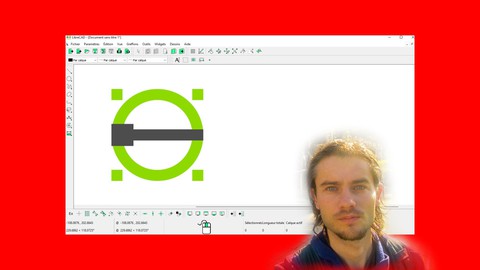
LibreCAD the complete course (Udemy.com)
Master CAD software LibreCAD for 2D drawings
Created by: Nicolas Forgue
Last updated June 2023
Our take
Based on the ratings of 76 students, a sample of their written reviews and the syllabus, as the course stood in June 2023. No course pays to be reviewed.
Nicolas Forgue's LibreCAD course is a tool-by-tool tour of the free 2D drafting program. It runs 7.5 hours over 68 lectures in 16 sections: navigation, selections, grid, drawing and editing tools, dimensions, text, hatches, layers, blocks and page layout. It closes with two practice builds, a set of parts and a floor plan. There are no quizzes. It's aimed at people with no CAD background who want a free alternative, and the only requirement is installing LibreCAD.
Most of the 76 ratings are positive, with 37 five-star and 22 four-star. Reviewers like the logical order and say it covers things online tutorials skip. One calls it enough to take a beginner to proficiency. The complaints are consistent. The instructor's French accent is hard to follow for some, and the machine captions only help so much. A few say he makes mistakes or seems unsure of the software, and one thinks the bevel video is the wrong upload. Two-star reviewers want a clearer plan and real-world reasons for each tool.
The course was last updated in June 2023, so the interface may differ a little from current LibreCAD releases, though no reviewer flagged that. With 372 students it is small. It suits someone who learns by watching menus and icons explained one at a time. If you already know another CAD package, or want design theory, free YouTube tutorials may serve just as well. For a first structured pass at LibreCAD, it's a sensible pick.
Pros
- Covers selections, grid, layers, blocks, dimensions, hatches and page layout in a logical order
- Ends with two practice builds: a set of parts and a floor plan
- Reviewers say it is clearer and more complete than free online tutorials
- Captions are available, and a reviewer with limited English still found it easy to follow
Cons
- The instructor's French accent is hard to follow for several reviewers, and captions are machine made
- Some lessons show tools without explaining why or how they fit together in real work
- Last updated June 2023, and one reviewer flagged a poorly done bevel video
It takes you through the basics of LibreCAD step by step. Everything is very clear and well explained.
Fits true beginners to CAD. The only requirement is installing LibreCAD, and reviewers new to CAD found it easy to follow.
 What you will learn
- Understand dashboard
- Master navigation
- Edit parameters
- Use grid
- Master selections
- Understand layers
- Create blocks
- Create lines
- Create rectangles
- Create polygons
- Create circles
- Create arcs
- Create curves
- Create transformations
- Add text
- Add dimensions
- Edit page
- Introduce drawing on page
Course content
16 sections · 68 lectures · 7.6 hours of video
- 1Introduction 1 free preview1 lecture · 2 min
- 2Start with LibreCAD 1 free preview4 lectures · 22 min
- 3Master selections2 lectures · 16 min
- 4Work with grid2 lectures · 18 min
- 5Create drawings 1 free preview16 lectures · 1.7 hours
- 6Edit drawings18 lectures · 1.6 hours
- 7Add measures1 lecture · 6 min
- 8Add dimensions2 lectures · 18 min
- 9Add text2 lectures · 11 min
- 10Add hatches1 lecture · 11 min
- 11Master layers2 lectures · 16 min
- 12Create blocks2 lectures · 17 min
- 13Import image1 lecture · 5 min
- 14Master pages4 lectures · 33 min
- 15Training create parts4 lectures · 42 min
- 16Training create floor plan6 lectures · 39 min
Who it is for
The instructor says it suits
- People who want to create 2D drawings
- Peope who want free CAD software
- People who want to create 2D plans
- People who want to introduce drawings
What you need before you start
- You need to download Librecad
How it compares
Against the other 413 rated Udemy courses in Graphic Design on CourseDuck:
- Rating4.2 out of 5higher than 13% of them
- Reviews76#336 of 414 by number of reviews
- Length7.5 hourslonger than 68% of them
- Last updatedJune 2023earlier than 68% of them
 Course Description
LibreCAD
LibreCAD is a CAD software. It is free. It allows you to create 2D drawings such as plans or technical drawings. Many features make it possible to work efficiently on 2D drawing. It is possible to create projects with cuts, dimensions, colors. Then, this work is introduced on a page template. It can also be printed. If you need a free tool to make technical drawings, then this software will be suitable. Working with layers, create blocks, master tools, add dimensions. You can let your ideas express themselves with LibreCAD. Create your 2D projects, then have an important step in the creation of a project. LibreCAD supports a wide range of file formats.
Why to use LibreCAD ?
- Free software
- Work on the creation part of a project
- Create technical drawings
- Create plans
- Many design tools
- Ergonomic features
- Work with layers
- Add dimensions
- Create blocks
- Introduce drawing on page
Training course
In this training, you will learn how to use LibreCAD to create your design projects. Getting started with the dashboard and navigation. You will see how to use the design tools with concrete examples. You will learn how to use the transformation features to be able to edit the drawings. You will see how to use layers and create blocks. Use the grid and the all the features . You will see how to present your drawings on pages. At the end of the training, projects will allow you to apply the functionalities seen in the course.

 Udemy Discount
The discount is applied through our link. Open the course from here and Udemy's current promotional price is applied at checkout on most courses, no code to type.
Some courses are excluded from Udemy's promotions. If the price does not drop, clear your browser cookies and use the button again.
Instructor Details

- 4.2 Rating
 76 Reviews
Nicolas Forgue
Bonjour à tous et bienvenue sur mon profil, je m'appelle Nicolas. Fort de mon expérience et de mes compétences, je propose des formations dans plusieurs domaines. Mes niches principales sont le graphisme design, la retouche photo, la modélisation 3D et l'animation 2D. Je partage donc ces compétences avec toutes les personnes désirant apprendre. Je m'efforce de proposer des cours structurés et adaptés aux besoins des participants. C'est un réel plaisir que de créer et de proposer ces formations, en espérant vous apporter une réelle valeur ajoutée. N'hésitez pas à participer à mes cours !
Hello everyone and welcome to my profile, my name is Nicolas. With my experience and skills, I offer training in several areas. My main niches are graphic design, photo editing, 3D modeling and 2D animation. So I share these skills with everyone who wants to learn. I strive to offer courses that are structured and adapted to the needs of participants. It is a real pleasure to create and offer these courses, hoping to bring you real added value. Feel free to participate in my classes !
 More courses by Nicolas Forgue


Affinity Photo version 2 le cours complet (2024)
4.2 (139 Reviews)
 Provider: Udemy
 Time: 14.4h
$39.99
More Graphic Design courses

Adobe InDesign - From Basics to Professional Level Designs (2024)
4.9 (320 Reviews)
- Provider: Udemy
- Time: 11.4h
$84.99

Shop Drawing & Details-Autodesk Revit 2025- for BIM Modelers
4.9 (300 Reviews)
- Provider: Udemy
- Time: 30.9h
$10.99

The Adobe Illustrator CC Mastery Course: Basics to Pro + AI (2026)
4.9 (268 Reviews)
- Provider: Udemy
- Time: 30.8h
$19.99


Software Architecture & System Design Practical Case Studies (2026)
4.8 (2,584 Reviews)
- Provider: Udemy
- Time: 4h
$15.99

Graphic Design Masterclass: Design 40+ Projects in Photoshop (2025)
4.8 (668 Reviews)
- Provider: Udemy
- Time: 16.5h
$109.99
 Reviews

By Lakshya Sharma on 6/27/2026
I WOULD APPRECIATE THE EFFORTS REQUIRED TO PULL THIS TUTORIAL INTO THE PICTURE IT CONTAIN COMPLETE INFORMATION ON BASIC TOOLS WITH EG ONE THING U SHOULD CONSIDER IS ITS TOO BASIC AS APPLICATION OF THOSE TOOLS R NT EXPLAINED CORRECTY , THANK YOU
By Don Stine on 6/16/2026
The delivery, though fast paced, was just the in-depth instructions that I needed. I have played with this cad program many times but did not understand what a lot of the icons represented. I always thought that this program had a lot to offer, and it seems that I was correct.
By Kenneth McCoy on 3/5/2026
I find the information very beneficial. And it is laid out in a good progressive format. However, the instructor often makes mistakes. It appears as though he is not as familiar with LibreCAD as he needs to be to produce a high-quality tutorial. This is still a worthwhile course to take.
By Douglass S Henry on 4/29/2025
So far I feel great with this course. It is moving along quickly, but not too quickly. I have completed the FreeCAD 3D course but find that many of my needs are for 2D sketches. I believe LibreCAD to be the answer for me. On line tutorials seem very incomplete compared with this course. I did encounter problems with the grid using my 4K monitor but solved situation by setting monitor at 1920 x 1200.
By Richard A.F. Nelson on 4/3/2025
Yes. I selected this course to enhance my learning curve from other third party video tutorials which I found to be lacking in linear course instruction; other that this instructor's OUTRAGEOUS French accent, this is enjoyable.
By Young Kwark on 2/17/2025
not yet, just adding dialogue to the visible menu options is not helpful as I am not hearing impaired
By Eleanor on 7/16/2024
This is an excellent course. It takes you through the basics of LibreCAD step by step. Everything is very clear and well explained. I am now equipped to create the plans I need with confidence. I highly recommend it to any other CAD beginners. Thank you so much!
By Larry Crutchfield on 5/30/2024
He is doing an excellent job of explaining each option/element without dragging it out. However, I would recommend that he re-do his bevel content. I think that he might have uploaded the wrong video. The one I watched was poorly done, which is not in keeping with the high standards he has created with the other videos. I will not lower the rating because it can be fixed easily, and I do not want to give him a permanent lowering because of an honest mistake.
By Allison D on 5/5/2024
Recommended. This is an excellent course on LibreCAD, with the correct level of detail and subject matter content to teach a beginner to be proficient. Everything I wanted to know how to do is covered in a logical, progressive order that leads the student to success without much confusion or frustration. The teacher knows his subject well. English is not the native language of the speaker, though, so I relied on the (machine generated) captions. Because they are machine generated, and because the speaker's accent is a bit difficult to follow even for the machine, the captions can be pretty funny. Sometimes having to puzzle through what the speaker actually meant helped me engage the lessons, I found, and once figured out, I remember those bits particularly well. I like how the course is divided into bite-sized pieces. They flow naturally and easily so that you can sit through an extended set of them at a time but they're also very convenient when you want to look up some explanation long after you first watched the video. I expect I'll be returning to this course from time to time when I run across the need for some esoteric capability that I just can't remember how to use and the list of lessons will help me re-visit a particular lesson easily. In the end, I'm happy with my purchase and consider the money, and the time, well spent.
By Richard Wermske on 8/3/2023
The course achieved the goal. It taught me enough to allow me to proceed with using the tool competently. Two comments: 1) I have a technical background, so much of the content was easily digestible. 2) I was raised in a household with a speech pathologist and I am comfortable with most non-native English-speaking accents and dialects. The instructor does have a thick accent. It gets easier to understand as you go through the lessons and you develop an ear for his pronunciations. I wish I could speak French, Italian, Spanish, or Portuguese as well as he speaks English. Others may feel differently, and I respect that. So why did I say it was above expectations? My expectations were pretty low going into the course. Achieving the training goal of getting comfortable with the tool exceeded my expectations. Teaching tech is challenging, and I respect anyone willing to teach tech in English when English is not their native language. There are not many learning opportunities for LibreCAD. He stepped up and filled a need and delivered above my expectations.
 Quality Score
No CourseDuck member has rated this course yet. Taken it? Give each part a thumbs up or down.
Overall Score : 84 / 100
- Video Duration:
 7.5h
7.5h - Price: $74.99
- Provider: Udemy
- Updated:
 June 2023
 - Level:
 All Levels
 - Language:
 English
 - Certificate:
 Yes
Yes - Lectures:68 in 16 sections
- Students:372
- Subtitles:1 language
30-day money-back guarantee on most paid courses
Udemy Coupon Price Tracker
