
 Web Development
 Python
 SQL
SQL Data Science
 JavaScript
 Artificial Intelligence
 IT & Software
 IT Certifications
 Hacking
 Arduino
 AWS
AWS DevOps
 3D Modeling
 Graphic Design
 Photoshop
 Drawing
 Digital Painting
 UX Design
 Business
 Data Analysis
 Communication Skills
 Leadership & Management
 Project Management
 Human Resources
 Digital Marketing
 Social Media Marketing
 Marketing
 SEO
SEO Google Analytics
 Branding
 Excel
Excel Office Productivity
 SAP
SAP PowerPoint
 Microsoft Access
 SharePoint
 Finance & Accounting
 Trading & Investing
 Accounting
 Bitcoin
 Personal Finance
 Video Editing & Animation
 Photography
 Adobe Premier Pro
 Adobe Lightroom
 Personal Development
 Productivity
 Career Development
 Life Coaching
 Health & Fitness
 Meditation & Mindfulness
 Yoga
Yoga Music
Music Music Production
 Guitar
 Piano
Piano Singing
 Language Learning
 Teaching & Academics
 Engineering
 Math
Math Lifestyle
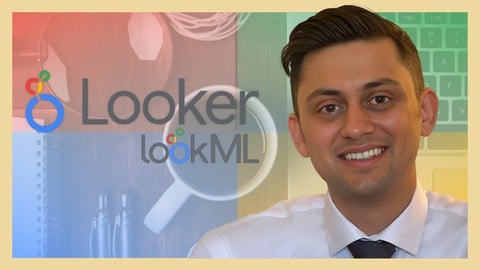
Looker - Complete Guide to Google Looker - LookML Developer (Udemy.com)
Master Looker and LookML to create views, dashboards, and databases with the beginner to expert Looker and LookML guide
Created by: Henry Habib
Last updated April 2025
 What you will learn
- Get certified in using Looker and LookML as Business Intelligence, Visualization, and Data Model tool
- Get familiar with Looker's platform, interface, and terminology
- Analyze data, create beautiful visualizations, and build sophisticated reports and dashboards
- Use LookML to connect to underlying raw data
- Use LookML to construct views, dimensions, and measures that are then used in Explores
- Use LookML to join several views together into one piece of analysis or Explore
- Use LookML to create actions and workflows associated with your data
- Use LookML to create sophisticated modular dashboards, right from a structured language
 Course Description
Learn from more than 7 hours of relevant instructional video content, with the only complete beginner to expert guide on Google Looker Developer (LookML). Master the concepts of LookML and apply them to real-life settings.
Explore, analyze, visualize, and access your data with Google Looker. Looker is used as a sophisticated business intelligence (BI) and visualization software similar to Power BI and Tableau. Companies deploy Looker to their employees so that they can make trusted decisions and actions based on their data.
More than 2,000 organizations use Looker. Looker is named as a Visionary in Gartner's Magic Quadrant.
Looker is officially part of Google Cloud Platform. Google bought Looker in 2020 for more than $2.6 billion. This demonstrates Google's investment that Looker will be the top tier BI and visualization software of choice for companies across the world.
This is the only complete guide to Google Looker and LookML for the Developer, from beginner to expert. This course is not only comprehensive (it covers everything you need to know right from the start / beginner level with LookML) but is also instructional in nature, meaning that as we learn new concepts, we are also integrating them in the application. Don't just learn concepts, learn how to actually apply them. This is especially important with LookML. That also means that whether you are a beginner or expert, there's something for you in this course.
This course is structured in a way that helps you learn all the concepts. For each concept, we first cover it in theory and then apply it using a real life example. We also progressively learn more and more advanced concepts, so that you never feel overwhelmed and can achieve your goals. By the end of this course, you will be writing LookML to create Explores, Looks, Reports, and Dashboards.
Note: this is the Developer series. In this course, we learn everything that a developer of Google Looker would need to know. In particular, we focus on writing LookML to create Explores that a consumer (User / Analyst) would use. We cover topics such as connecting data, defining dimensions and measures, developing views, joining two views together, coding dashboards, etc.
If you instead want to learn the consumer view of Looker (analyzing data, creating reports, creating Looks, creating dashboards, organizing and sharing reports, creating custom fields, etc.), then please take the User / Analyst course instead. Feel free to watch the free preview of the Course Overview, or message me, if you have any questions.
Again, this is the complete guide to Google Looker and LookML for the Developer - you won't ever need another course.
This course is the Developer series. If you have not already, I highly recommend taking the User / Analyst series course first to explain how a consumer would use Looker.
What is Looker?
Looker is a business intelligence software and big data analytics platform that organizations use to empower their employees to explore, analyze, and share real-time business analytics and insights. It is part of the Google Cloud Platform after Google acquired Looker for over $2.6 billion.
What makes Looker different?
Looker is regarded as more than an alternative to Power BI or Tableau. It operates 100% on the cloud and is browser-based, which means that no desktop software is required or needs to be managed. It contains a trusted data model, and a language called LookML that allows users to compile data and assign business logic across the organization. It also contains powerful APIs and third-party connectors that are used to create workflows and apps from your data.
What is LookML?
LookML is a structured language used as an alternative to your ETL layer. Simply put, LookML is code for creating views, dimensions, measures, aggregations, calculations, and data relationships to transform your raw data into an Explore. Specifically, the purpose of LookML is to translate structured language (that's easy for users to write and manage) into SQL queries (which are hard to write and manage). Additionally, it can be used as code to create sophisticated dashboards.
What is the Developer Series?
Looker is used by two groups of people:
User / Analyst - these are individuals who would use Looker to analyze data, build and consume reports / dashboards, create report workflows, and manage folders and boards. It is also for those people who are knew to Looker who want to understand how Looker works on the front-end before they start developing it. These are people like data analysts, business analysts, data scientists, product managers, department heads, and executives.
Developer - these are individuals who would be responsible for setting up Looker, and have it connect and access the underlying SQL data. These people are the ones responsible for creating the underlying data model in LookML that is used by Users and Analysts. These are people like software developers, IT administrators, and data engineers.
This course is the Developer series.
What are the main features of Looker?
LookML - structured model language that is used to construct SQL queries against a particular database; allows you to do complex operations such as joins, aggregations, and filters; and standardize business logic for common variables across your organization
Cloud-based - Looker is 100% on the cloud, which has massive benefits like not needing to manage a desktop software, ease of deployment, and streamlined standardized user experiences
Reports and dashboards - perform sophisticated analysis on your raw data and create related reports and dashboards to save and replay your work, with the ability to add custom filters
Curative and user-friendly - Looker is easy to use with its no-code features and helper tools
Data model - Looker lets you create a full data model in LookML that sits atop your raw data, which allows you to define relationships between all your data and standardize metrics

 Udemy Discount
The discount is applied through our link. Open the course from here and Udemy's current promotional price is applied at checkout on most courses, no code to type.
Some courses are excluded from Udemy's promotions. If the price does not drop, clear your browser cookies and use the button again.
Instructor Details

- 4.6 Rating
 608 Reviews
Henry Habib
I advise F500 companies on how to build intelligent AI-driven solutions, tools, and agents to create impact and improve their productivity, and how organizations can train and empower their employees on how to use AI.
I teach online courses on how to build AI agents and automations for work, how to use AI agentic systems and tools to be more efficient, as well as other Gen AI topics, and have taught more than 500K students while facilitating technical programs at businesses and governmental organizations.
I also run The Intelligent Worker, a platform for teaching working professionals how to be more productive with Gen AI, no-code, automation, and other technologies, with courses and a free newsletter. I'm a speaker on Gen AI to many large organizations, and have written 2 technical books on AI Agents. I believe that absolutely anyone can now create powerful and intelligent agentic systems to improve their productivity and get time back in the day.
I live in Toronto, Canada and I enjoy building random AI apps and playing tennis in my free time.
 More courses by Henry Habib

Power Automate - Complete Guide to Microsoft Power Automate (2025)
4.6 (24,158 Reviews)
 Provider: Udemy
 Time: 12.9h
$13.99

Power Apps - Complete Guide to Microsoft PowerApps (2025)
4.4 (21,270 Reviews)
- Provider: Udemy
- Time: 8.8h
$11.99

Microsoft Copilot Masterclass - Microsoft 365 Copilot Office (2025)
4.6 (15,422 Reviews)
- Provider: Udemy
- Time: 7h
$84.99

Microsoft Copilot Studio - The Copilot Studio Masterclass (2025)
4.6 (11,088 Reviews)
- Provider: Udemy
- Time: 11.9h
$10.99

SharePoint - Complete Guide to Microsoft SharePoint Online (2025)
4.5 (10,744 Reviews)
- Provider: Udemy
- Time: 15h
$84.99
Build Generative AI Apps and Solutions with No-Code Tools (2025)
4.5 (8,945 Reviews)
- Provider: Udemy
- Time: 5.6h
$10.99
More Office Productivity courses

AI-Powered Social Media Management: From Beginner to Pro (2025)
5.0 (211 Reviews)
- Provider: Udemy
- Time: 1.1h
$19.99

Microsoft Excel + AI: Go From Data Analysis to Visualization (2026)
4.9 (276 Reviews)
- Provider: Udemy
- Time: 3.8h
$10.99


Complete Introduction to Google Sheets Pivot Tables (2026)
4.8 (3,570 Reviews)
- Provider: Udemy
- Time: 2.9h
$64.99

Microsoft Excel - Managing Personal Finances with Excel (2024)
4.8 (810 Reviews)
- Provider: Udemy
- Time: 3h
$19.99
SQL for Excel Users: Beginner-Friendly Guide for Excel Users (2025)
4.8 (703 Reviews)
- Provider: Udemy
- Time: 2.1h
$19.99
 Reviews

By Olusesi Majekodunmi on 1/2/2025
The course modules were engaging and very informative. Henry is very knowledgeable and takes his time to explain the materials in detail. I enjoyed going through the course and thank you for taking the time to share your knowledge!
By Michał Piotrowicz on 11/8/2023
This course is very thorough, however not an easy one. I managed to complete it by using Looker instance at my work. While I managed to make previous course for Looker Analysts by using Qwiklabs environment only, I find it quite difficult to succeed when using the temporary limited access. Big thank you for your work, Henry. This is the best Look ML course that I managed to find out so far.
By Paul Gibson on 9/22/2023
Yes, I am moving into more platform administration which this tool is a part. I want to feel comfortable reading the LookML and understanding the reasons the developers set up the LookML the way they did. I would also like to be able to provide helpful suggestions and provide modifications as users needs change.
By Natalina Radosevic on 5/22/2023
Good course - all is very well explained. 1/2 Star less than total allowed just because of the speed -> to me, it was kind of too slow but I set the speed to 1,25/1,50 and it was fine. Anyhow - I can recommend this course.
By Gbenga Ogunwusi on 2/24/2023
Thank you Henry for doing this. I learnt a lot, and I feel very confident saying I have well above-average knowledge of LookML by simply taking this course. I particularly like how you showed and talked through fixing the errors that showed up along the way...it was helpful.
By Cris Thomas Seaton on 1/13/2023
Similar to other comments, the split between user/analyst and developer course seems like a cash grab more than anything else. I appreciate and gained valuable skills in the developer course, but the oft reference to the user/analyst course seemed pretty unnecessary. Might be more useful to merge in a package together
By Andrew Vuong on 12/27/2022
This course offered a great breakdown and explanation of what you can do in LookML. My only criticism would be to merge this course with the analyst course. I felt there was a lot of overlap between the two.
By Lukasz Grabarek on 11/1/2022
Overall very informative. Section 10 appears to be out of date in November 2022, as dashboards can be easily created in the console, so Section 10 should focus on what can be done with LookML that cannot be accomplished through the console.
By Laura Vargas on 8/9/2022
I learned a lot, good examples, good knoweledge from Henry, he gives clues to find solutions by ourselver. However, sometimes the explanations were too fast, so I had to repeat part of the lecture. But very good in general
By Bruno Pedemonte Vazquez on 5/27/2022
Excellent course, very complete. However, I have 3 recommendations (that's why I didn't give 5 stars) - Time lost in videos by the teacher fixing small errors in the code. - Missed some information such as File Browser > views or File Browser > z_test. - Too much time invested in Dashboards.
 Quality Score
No CourseDuck member has rated this course yet. Taken it? Give each part a thumbs up or down.
Overall Score : 92 / 100
- Video Duration:
 7h
7h - Price: $64.99
- Provider: Udemy
- Updated:
 April 2025
 - Level:
 All Levels
 - Language:
 English
 - Certificate:
 Yes
Yes
30-day money-back guarantee on most paid courses
Udemy Coupon Price Tracker
