
 Web Development
 Data Science
 Python
 SQL
SQL JavaScript
 Artificial Intelligence
 IT & Software
 IT Certifications
 Hacking
 AWS
AWS Arduino
 DevOps
 3D Modeling
 Graphic Design
 Photoshop
 Drawing
 Digital Painting
 UX Design
 Business
 Data Analysis
 Communication Skills
 Project Management
 Leadership & Management
 Human Resources
 Digital Marketing
 Social Media Marketing
 Marketing
 SEO
SEO Google Analytics
 Branding
 Excel
Excel Office Productivity
 SAP
SAP PowerPoint
 Microsoft Access
 SharePoint
 Finance & Accounting
 Trading & Investing
 Accounting
 Bitcoin
 Personal Finance
 Video Editing & Animation
 Photography
 Adobe Premier Pro
 Adobe Lightroom
 Personal Development
 Productivity
 Career Development
 Life Coaching
 Health & Fitness
 Meditation & Mindfulness
 Yoga
Yoga Music
Music Music Production
 Guitar
 Piano
Piano Singing
 Language Learning
 Teaching & Academics
 Engineering
 Math
Math Lifestyle
Mastering Photoshop Luminosity Masks (Udemy.com)
Improve your photography using Luminosity Masks and Adobe Photoshop
Created by: Robin Whalley
Last updated March 2018
 What you will learn
- You will learn to create a complete set of 15 Luminosity Masks for any photograph.
- You will record a set of actions that automate the process of Luminosity Masks creation which you can use with any image.
- Learn to apply adjustments to images using either the entire Luminosity Mask or a selected portion or a mask.
- Blend together multiple exposures for an image into a single photo.
How it compares
Against the other 275 rated Udemy courses in Photography on CourseDuck:
- Rating4.4 out of 5higher than 31% of them
- Reviews60#215 of 276 by number of reviews
- Length1.2 hoursshorter than 84% of them
- Last updatedMarch 2018earlier than 84% of them
 Course Description
Master one of the most valuable Photoshop skills with this course.
Quickly master one of the most powerful editing techniques in Adobe Photoshop; Luminosity Masking. Luminosity Masks allow you to precisely target the adjustments you apply to your images. In this easy to follow course you will learn how to create a complete set of 15 Luminosity Masks. Five masks to target the highlights, five for the shadows and five for the midtones. Using these Luminosity Masks, you will learn to selective adjust images to achieve impressive and natural looking results.
As well as learning how to create your Luminosity Masks, you will learn how to record the process as a set of Photoshop Actions. You will then be able to replay these actions against any image, creating Luminosity Masks in seconds.
After you master the mask creation process you will learn to use the masks with Photoshop Adjustment Layers. You will also learn how you can use Luminosity Masks in Exposure Blending to produce images with a High Dynamic Range, but which appear natural.
If you have heard great things about Luminosity Masks but are unsure where to start, this is the course to help you.

 Udemy Discount
The discount is applied through our link. Open the course from here and Udemy's current promotional price is applied at checkout on most courses, no code to type.
Some courses are excluded from Udemy's promotions. If the price does not drop, clear your browser cookies and use the button again.
Instructor Details
- 4.4 Rating
 60 Reviews
Robin Whalley
Robin Whalley is a Landscape Photographer based in the UK. His photographer and writing have been widely published and his books can be found on Amazon. He is an experienced trainer having delivered courses for different organisations over the past 20 years. Robin prides himself on his ability to take complex subjects and break these into understandable chunks for students. His objective is to help you achieve great results, fast and enjoy the journey of learning.
 More courses by Robin Whalley
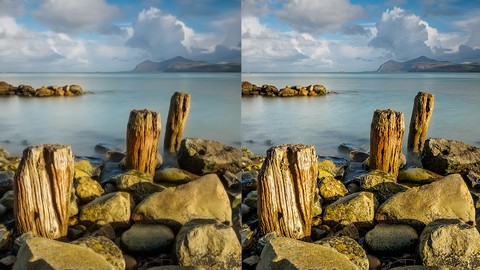
Master Photo Sharpening in Adobe Lightroom (2016)
4.4 (94 Reviews)
 Provider: Udemy
 Time: 1.4h
$54.99
More Photography courses

Masterclass In Photography PART 4: Composition And Light (2024)
4.9 (181 Reviews)
- Provider: Udemy
- Time: 2.8h
$24.99
Masterclass In Photography PART 3: Creative Lens & Colour (2024)
4.9 (132 Reviews)
- Provider: Udemy
- Time: 2.1h
$24.99
Portrait Photography: Classic & Modern Photo Style (2024)
4.9 (125 Reviews)
- Provider: Udemy
- Time: 2.5h
$19.99

Film using ANY Camera! Basics of Shooting Video Correctly (2019)
4.8 (2,632 Reviews)
- Provider: Udemy
- Time: 3.2h
$19.99

Drone Photography | Shoot Professional Photos With Any Drone (2019)
4.8 (2,569 Reviews)
- Provider: Udemy
- Time: 2.1h
$12.99
 Reviews

By Andy Morris on 12/20/2023
Fantastic course. Very informative and immensely useful. I will be practicing all these ideas from now on. Lightroom is a great tool to use but with photoshop you get so much more. I’m so pleased I persevered with this course. It took me a while to get into it properly but once I did, it was great. Over before I knew it! Robin is a great teacher who also takes time out to answer queries. Money well spent in my view. Thank you very, very much.
By Koby Stein on 10/26/2022
Very clear and simple. Easy to follow and understand.
By Tom DeVan on 4/6/2022
I rated 'avaerage' as up to this point the course has been 90% Photoshop 101 - the remaining 10% begins creating the luminosity masks and seems to hold more promising content.
By Keith Salway on 3/4/2021
A great course crammed with lots of useful stuff and completely waffle free! Stick with it and learn a lot! You'll even end up with a set of automated Luminosity mask making actions to resuse over and over.
By Randy Schmidt on 4/13/2020
Very good at explaining the basics of what you need to get started using luminosity masks. the explanations are very good. The image used to do most of the examples could have been better/more interesting
By Michael Holser on 4/2/2020
Yes, this course was just right to help me learn how to use luminosity masks. It introduced the concept then broke down step by step how to create a luminosity mask. It then presented a couple of practical uses for luminosity masking. This made it easy for me to follow along and create my own masks using my own images. I was able to create Photoshop Actions to automate the process. This makes it quick and easy to apply to any image I choose. Excellent course. Thanks, Michael
By Tibor Pas on 7/10/2019
Zeer goede cursus, zeer goed opgebouwd en uitleg is zeer duidelijk. Instructeur is heel beheers in uitleg. Een pluim
By Apu Sista on 4/8/2019
It started off well but then does not explain why you need 15 luminosity masks, in fact, the whole section on how to use the mask is very sketchy so I now know how to create 15 luminosity masks but I have absolutely no idea what to do with them... ?
By David George on 7/12/2018
I really enjoyed this course. Short, but thorough. Showed everything step-by-step. This is definitely a skill I needed to learn for landscape photo editing. I would have liked a few more examples of applying the luminosity masks to various images to really help me understand the selection of a specific mask for specific parts of an image although he did make the point that this is as much preference and trial and error as anything else. Excellent course and instructor!
By Roseanna Smith on 6/12/2018
Short, concise course with excellent pacing. Clear instructions. Plenty of exercises (although of course more would be welcome). Definitely lays a solid foundation so a student can experiment and learn further on their own with confidence.
 Quality Score
No CourseDuck member has rated this course yet. Taken it? Give each part a thumbs up or down.
Overall Score : 88 / 100
- Video Duration:
 1.2h
1.2h - Price: $44.99
- Provider: Udemy
- Updated:
 March 2018
 - Level:
 Beginner
 - Language:
 English
 - Certificate:
 Yes
Yes
30-day money-back guarantee on most paid courses
Udemy Coupon Price Tracker
