
 Web Development
 Python
 SQL
SQL JavaScript
 Data Science
 Artificial Intelligence
 IT & Software
 IT Certifications
 Hacking
 Arduino
 AWS
AWS 3D Modeling
 Graphic Design
 Photoshop
 Drawing
 Digital Painting
 UX Design
 Business
 Data Analysis
 Communication Skills
 Project Management
 Leadership & Management
 E-Commerce
 Digital Marketing
 Social Media Marketing
 Marketing
 SEO
SEO Google Analytics
 Branding
 Office Productivity
 Excel
Excel Finance & Accounting
 Bitcoin
 Video Editing & Animation
 Photography
 Adobe Premier Pro
 Adobe Lightroom
 Personal Development
 Health & Fitness
 Music
Music Guitar
 Teaching & Academics
 Language Learning
 Engineering
 Lifestyle
MaxForLive: Creating Your Own Audio Tools in Max For Live (Udemy.com)
Learning MaxForLive: From the basics to the advanced, with Ableton Certified Trainer J. Anthony Allen.
Created by: J. Anthony Allen
Last updated May 2026
 What you will learn
- Use MaxForLive to create custom devices in Ableton Live
- Speak the syntax of MaxForLive, and know how to find answers
- Design unique MaxForLive patches for sale, sharing, and using in your own music
 Course Description
100% Answer Rate! Every single question posted to this class is answered within 24 hours by the instructor.
For years I've been teaching Ableton Live and Max in the college classroom. As a University Professor, my classes are sought after, and, frankly, expensive. I believe Ableton Live can be learned by anyone, and cost shouldn't be a barrier. This class uses the same outline and syllabus I've used in my college classes for years, at a fraction of the cost.
MaxForLive is a powerful tool that lets users design their own instruments, effects, and devices. It isn't without its drawbacks: MaxForLive is notoriously difficult to learn. I've developed an approach for teaching MaxForLive that focuses on teaching it like a language: You will learn small blocks and patches, understanding the how and the why along the way. As we grow our vocabulary, we "learn how to learn" more and more.
Topics include:
The unique and quirky history and development of Max
What we can do with MaxForLive
Max vs. MaxForLive
The MaxForLive Devices
Finding and Sharing MaxForLive Devices
Getting Help: Help Windows in MaxForLive
Presentation Mode & Patching Modes
The Max Editor
Messages
Bangs & Buttons
Project 1: Building a MIDI Delay
Project 2: Building an Arpeggiator
Working with Audio Signals
Project 3: An Audio Delay
~ Objects (tilde objects)
Presentation Setup
Controlling Live
Abstractions
Controlling anything in Live
Project 4: A Beat-Quantized Randomized Filter
Finding the Beat from Live
Project 5: Artificial Intelligence (sort of)
... And much more!!!
Also included in this class are 6 of my own MaxForLive patches for you to download, dissect, use, and build on.
And of course, once you sign up for any part, you automatically get huge discounts on all my other Ableton classes. You will not have another opportunity to learn Ableton Live in a more comprehensive way than this online.
J. Anthony Allen is an Ableton Certified Trainer and a Ph.D. in Music Composition and master of Electronic Sounds. His music has been heard internationally in film, radio, video games, and industrial sound, as well as the concert hall and theater.
He currently is an adjunct professor of composition at the University of St. Thomas, Macphail Academy of Music, and the CEO of Slam Academy in Minneapolis.
Praise for other classes by J. Anthony Allen:
"I've had Live Lite for a while but never quite understood how to use it because of the different options in how to arrange audio. This course explains exactly how to do that and get the most out of Live."
"Great overview - I would start here for sure if you are just getting your feet wet with Live. clear and to the point. session walkthroughs are great. looking forward to more"
"I have never had any formal training in music at all. Trying to learn all the notes and how everything translated was a serious challenge. After going thru this class, Dr. J has totally brought down the barriers. The content was very useful and was easy to grasp for me."

 Udemy Discount
The discount is applied through our link. Open the course from here and Udemy's current promotional price is applied at checkout on most courses, no code to type.
Some courses are excluded from Udemy's promotions. If the price does not drop, clear your browser cookies and use the button again.
Instructor Details
- 4.2 Rating
 403 Reviews
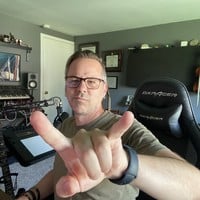
J. Anthony Allen
Dr. Allen is a 2026 Apple Distinguished Educator.
Dr. J. Anthony Allen is a distinguished composer, producer, educator, and innovator whose multifaceted career spans various musical disciplines. Born in Michigan and based in Minneapolis, Dr. Allen has composed orchestral works, produced acclaimed dance music, and, through his entrepreneurship projects, he has educated over a million students worldwide in music theory and electronic music production.
Dr. Allen's musical influence is global, with compositions performed across Europe, North America, and Asia. His versatility is evident in works ranging from Minnesota Orchestra performances to Netflix soundtracks. Beyond creation, Dr. Allen is committed to revolutionizing music education for the 21st century. In 2011, he founded Slam Academy, an electronic music school aimed at increasing accessibility to music production education. His innovative approach to academia was highlighted in 2024 when he received tenure and resigned from his university position on the same day.
As a composer, Dr. Allen is known for his unique synthesis of diverse musical influences, often blending acoustic music with electronic dance music elements. With a Ph.D. in Music Composition, multiple master's degrees, and numerous awards, Dr. Allen's academic and professional achievements are substantial.
 More courses by J. Anthony Allen
Music Theory Comprehensive Complete! (Parts 1, 2, & 3) (2025)
4.7 (23,763 Reviews)
 Provider: Udemy
 Time: 12.3h
$124.99
Music Theory for Electronic Music COMPLETE: Parts 1, 2, & 3 (2026)
4.7 (9,404 Reviews)
- Provider: Udemy
- Time: 12.6h
$149.99
Music Theory Comprehensive Complete: Part 4, 5, & 6 (2026)
4.8 (3,968 Reviews)
- Provider: Udemy
- Time: 10.2h
$19.99
Ultimate Ableton Live 10 COMPLETE: Parts 1, 2, and 3 (2023)
4.5 (3,508 Reviews)
- Provider: Udemy
- Time: 8.2h
$11.99
Ultimate Ableton Live 9 COMPLETE: Parts 1, 2, & 3 (2026)
4.7 (3,467 Reviews)
- Provider: Udemy
- Time: 8.5h
$12.99
More Music courses
Music Theory Comprehensive Complete: Parts 13, 14, & 15 (2026)
5.0 (315 Reviews)
- Provider: Udemy
- Time: 8.4h
$16.99

Electronic Music Production with Ableton Live (2025)
4.9 (2,479 Reviews)
- Provider: Udemy
- Time: 11.9h
$84.99
Jazz Piano - Ultimate Beginners Course for Piano & Keyboard (2025)
4.9 (2,224 Reviews)
- Provider: Udemy
- Time: 8.1h
$15.99

Music Composition with the Piano: Ultimate Keyboard Theory (2020)
4.9 (1,679 Reviews)
- Provider: Udemy
- Time: 7.8h
$16.99

Pianoforall - 'Classics By Ear' - Erik Satie (2018)
4.9 (1,303 Reviews)
- Provider: Udemy
- Time: 4.1h
$11.99
 Reviews

By Randall Carrier on 11/25/2025
This is a great introduction to using Max and getting some basic functions out of it. It's important to know that with Max, each new thing you try will involve a decent amount of research. It really is like programming, even though you don't have to know "how to code." The concepts are definitely there though, and even some of the terms (objects, arguments, etc). I'm looking forward to getting started building the things I have ideas for in Live using Max.
By Christopher Fryman on 7/10/2023
This a great course. I like that Mr. Allen takes his time. It feels like I am in the same room with him. He includes mistakes and repeats things, much like I imagine it would be in person. It is good to include things that don't work. Much can be learned from failure. I wonder if there are any further courses about Max for Live, that Mr. Allen has done.
By Dan Lesnick on 12/30/2022
Interesting info, but the presentation is very unprofessional. It's clear that Jason knows what he's doing, but it's equally clear that he didn't script the lessons. Also, as someone else mentioned, it is almost impossible to hear the music that the devices are creating as he uses them. Would be a much higher rating if the course we're given a little TLC and fine tuning. Honestly, could use an entire re-record.
By Joe Kaye on 6/16/2021
I'm finding this course somewhat useful, but i think it could be improved. Prepare to listen to the tutor think out loud a lot, and also talk about audio/notes played that you can't hear. It feels like these were recorded and uploaded without editing or even checking the content. But there is definitely content worth learning here, it could just do with a bit more effort
By Philip Butler on 3/23/2021
What I like about this course is the instructer really gives you a solid foundation on the core componets of m4l and the max enviornment. Compared to other tutorials Ive seen (notably the beginner ones on the cycling64 website) which are just a step by step guide to build a specific device without really giving you a good understanding of how to take the knowledge further. Has really helped me feel more comfortable programming in this environment and given me the confidence to go back to the max documentation to learn what I need to to build the devices I want to build
By Aidan Moffat on 1/14/2021
Jason does a phenomenal job in walking through the different parts of Max. As a computer science student in uni, I have a bit of a grasp on the software side. I have respect for the way Jason touched on the more complex workings of Max enough to spark interest in those who would want to learn, but not confuse those who are not looking to go that in-depth. I do wish he utilized the functionality to interact with Live a bit more (barebones stuff, not abstractions) but its understandable that he did not. All in all, great course for the price, Jason equips you with the tools to build on the foundations.
By Raettchen Kitzelig on 6/25/2018
I've been using Ableton Live for a while and interested in Max but never touched it because it looked too complicated and I didn't even know how to start it. There are some other online tutorials but they seem to teach you specific problem solving yet not quite comprehensive. Jason gives not only a great introduction to Max but also teaches how to learn Max so that I can continue learning it by myself. Note that examples here may not be particularly useful in actual projects but they are essential to lean how Max works. Jason teaches thoroughly in plain English that is greatly helpful for absolute beginners like me. I enjoy the course very much and it's more than worth the fee. I am now motivated to learn an create my own devices in Max. Thanks and good job Dr. Allen!
By Bryan Dumaguina on 1/2/2018
For someone who has used Live since version 7, and has been using Max for Live devices - almost 3/4 of the material included in this series you would know already. If you've always wanted to make your own M4L patch and you're looking to learn how to program Max for Live, or edit existing patches to your own liking - this may be insufficient for you depending on what you want to achieve and your level of experience. If you're looking forward to dive deep into the Live API and learn to control Live via Max, the examples in this series may not be enough to have a good grasp of the concept. That being said as an Ableton Live user trying to learn Max, there are a few take aways and hidden gems in the series that may benefit you. At the end of the series it will definitely teach you how to learn Max, but don't expect it to teach you Max in it's entirety. In this regard, this video series will benefit you.
By Stuart Poulin on 1/1/2018
There is too much to learn! So Jason takes the approach to show you how to learn, how to understand Max, and how to research things you'd like to do in Max. He starts with a solid foundation. The he reveals his own thought processes for Max, which lead you well on your way to exploring what can exist, and what yet hasn't been thought of by others. A very enjoyable class that has left me with a lot of motivation.
By Jeff Boehm on 12/26/2017
So, I am very impressed with the way things are explained and the pace at which they are explained. Although my knowledge base of Max was beyond the introductory materials, I learned much from the build tasks onwards. I especially appreciated that Jason was willing to make 'mistakes' or admit when he didn't know something. This made the course more engaging to me, and also reinforced how an obviously knowledgeable person still needs to explore and learn when using Max.
 Quality Score
No CourseDuck member has rated this course yet. Taken it? Give each part a thumbs up or down.
Overall Score : 84 / 100
- Video Duration:
 5h
5h - Price: $69.99
- Provider: Udemy
- Updated:
 May 2026
 - Level:
 All Levels
 - Language:
 English
 - Certificate:
 Yes
Yes
30-day money-back guarantee on most paid courses
Udemy Coupon Price Tracker
