
 Web Development
 Data Science
 Python
 SQL
 JavaScript
 Artificial Intelligence
 IT & Software
 IT Certifications
 Hacking
 Microsoft Azure
 AWS
 Arduino
 3D Modeling
 Graphic Design
 Photoshop
 Drawing
 Digital Painting
 UX Design
 Business
 Data Analysis
 Communication Skills
 Project Management
 Leadership & Management
 Human Resources
 Digital Marketing
 Social Media Marketing
 Marketing
 SEO
 Google Analytics
 Branding
 Excel
 Office Productivity
 SAP
 PowerPoint
 Microsoft Copilot
 Microsoft Access
 Finance & Accounting
 Trading & Investing
 Accounting
 Bitcoin
 Personal Finance
 Video Editing & Animation
 Photography
 Adobe Premier Pro
 Adobe Lightroom
 Personal Development
 Productivity
 Career Development
 Life Coaching
 Health & Fitness
 Yoga
 Meditation & Mindfulness
 Music
 Music Production
 Guitar
 Piano
 Singing
 Teaching & Academics
 Engineering
 Language Learning
 English Language
 Math
 Lifestyle
Microsoft 70-410: Installing and Configuring Windows Serv... (Udemy.com)
Microsoft 70-410: Installing and Configuring Windows Server 2012 R2
Created by: Stone River eLearning
Last updated September 2017
 What you will learn
- This course will prepare you to pass the exam Microsoft 70-410 Installing and Configuring Windows Server 2012 R2.
- Passing this exam validates a candidate’s ability to administer the tasks required to maintain a Windows Server 2012 infrastructure, such as user and group management, network access, and data security.
How it compares
Against the other 127 rated Udemy courses in Windows Server on CourseDuck:
- Rating4.0 out of 5higher than 3% of them
- Reviews111#116 of 128 by number of reviews
- Length13.7 hourslonger than 79% of them
- Last updatedSeptember 2017earlier than 87% of them
 Course Description
This course is specifically for participants to gain the knowledge and skills for making the appropriate job role decisions around installing and configuring Windows Server 2012 R2.
This course is designed for Information Technology (IT) professionals, who have Windows Server 2012 operating system knowledge and experience and want to validate the skills and knowledge necessary to implement the Windows Server 2012 core infrastructure services. This course is part one of a series of courses which validate the skills and knowledge necessary to implement a core Windows Server 2012 Infrastructure into an existing enterprise environment. This initial course will validate the initial implementation and configuration of the Windows Server 2012 core services, such as Active Directory and the networking services.
This training course on installing and configuring Windows Server 2012 prepares participants for the Microsoft Exam 70-410.
This course will provide all the skills and knowledge for the following areas:
Installing and configuring servers
Configuring local storage
Configuring file and share access
Configuring print and document services
Configuring servers for remote management
Creating and configuring virtual machine settings and storage
Creating and configuring virtual networks
Configuring IPv4 and IPv6 addressing
Deploying and configuring Dynamic Host Configuration Protocol (DHCP) service
Deploying and configuring DNS service
Installing domain controllers
Creating and managing Active Directory users and computers
Creating and managing Active Directory groups and organizational units (OUs)
Creating Group Policy objects (GPOs)
Configuring security policies
Configuring application restriction policies
Configuring Windows Firewall

 Udemy Discount
The discount is applied through our link. Open the course from here and Udemy's current promotional price is applied at checkout on most courses, no code to type.
Some courses are excluded from Udemy's promotions. If the price does not drop, clear your browser cookies and use the button again.
Instructor Details

- 4.0 Rating
 111 Reviews
Stone River eLearning
At Stone River eLearning, we teach IT, programming, development, business and soft skills - we have it all covered.
Check out our huge catalog of courses and join the over 4.2M students currently taking Stone River eLearning courses. We can provide all or part of this catalog to any business via API connection, or you can get Solara LMS completely free for up to 10 users.
 More courses by Stone River eLearning
HTML5 and CSS3 Fundamentals (2020)
4.6 (19,939 Reviews)
 Provider: Udemy
 Time: 4.9h
$13.99
Original price
Business Etiquette and Professionalism (2024)
4.5 (19,936 Reviews)
- Provider: Udemy
- Time: 1.8h
$13.99
Original price
Microsoft Office 365 Administration (2020)
4.5 (5,985 Reviews)
- Provider: Udemy
- Time: 1.9h
$13.99
Original price

Introduction to Human Resource Concepts (2018)
4.6 (5,039 Reviews)
- Provider: Udemy
- Time: 7.9h
$15.99
Original price
Strategic Planning Skills (2021)
4.4 (4,504 Reviews)
- Provider: Udemy
- Time: 2h
$11.99
Original price More Windows Server courses

Active Directory & Group Policy Lab (2024)
4.7 (15,089 Reviews)
- Provider: Udemy
- Time: 7.2h
$17.99
Original price
Windows Server 2019 Administration
4.7 (12,627 Reviews)
- Provider: Udemy
- Time: 21.3h
$16.99
Original price
Automate Active Directory with PowerShell (Hands-On) (2026)
4.7 (2,001 Reviews)
- Provider: Udemy
- Time: 4.1h
$10.99
Original price
Installing and Configuring Windows Server 2012 (70-410)
4.7 (804 Reviews)
- Provider: Udemy
- Time: 15.9h
$159.99
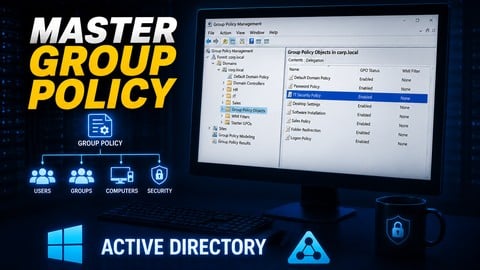
Build an Active Directory & Group Policy Production Lab (2026)
4.7 (706 Reviews)
- Provider: Udemy
- Time: 5.8h
$11.99
Original price
Microsoft Windows Server 2012 Certification - Exam 70-411
4.7 (617 Reviews)
- Provider: Udemy
- Time: 8.8h
$59.99
 Reviews

By Ron Love on 11/15/2018
Been working in the Telecom industry for 20+ years. Have taken over 20 instructed led MS courses. Been the domain admin on several Windows Domains for the company. Implemented security on the domains during SOX and PCI compliance. I never took the time to get certified, but our company is outsourcing all operations. I will need some certs to get a descent IT position.
By Dennis M on 5/26/2018
the instructer has much experience in the field/exams so its good to have lessons from him
By Todd Smith on 3/27/2018
It's clear and concise. Short segments keep me engaged. I've seen other courses where I had difficulty understanding, but this is, so far (after basic outlines), to the point and clear.
By Shane on 1/20/2018
Nice voice tempo, not too fast. The lectures could be more in depth on a specific topic. I would have liked to have a little more demo in the video. the Introduction was a bit long.
By Alexis Nangle on 11/25/2017
Good explanation but I need more time to understand it all.
By Luis on 7/13/2017
the structure of the course is weird, so far was not explain how to properly setup a 2012 server and all roles in details. professor use same videos in different chapter so you feel like deja vu. it is not engaging at all. he has everything setup hyper -v etc so like we miss a lot of interesting parts in the tutorial. it is supposed to prepare us for test 70-410 but i dont feel like he is following the points.
By James Suggs on 6/12/2017
The introduction information about the course and what it is about was explained very well.
By Steve on 4/13/2017
I feel he explains things well very good instructor
By Bryan Justin on 4/11/2017
Information is great but there is NO support, students and instructors are non existent for questions. If there's no support for a class then how can you learn? Students WILL have questions. Its like trying to go to school but not allowed to ask questions. That is all this course will offer.
By Lewis Roesberry on 1/11/2017
Very good. Screens seem too big, can't see very top line of text. I don't think my system is the problem. But it is not a rating changer. Very good instructor.
 Quality Score
No CourseDuck member has rated this course yet. Taken it? Give each part a thumbs up or down.
Overall Score : 80 / 100

- Video Duration:
 13.7h
- Price: $11.99
- Provider: Udemy
- Updated:
 September 2017
- Level:
 All Levels
- Language:
 English
- Certificate:
 Yes
30-day money-back guarantee on most paid courses
Udemy Coupon Price Tracker
