
 Web Development
 Data Science
 Python
 SQL
SQL JavaScript
 Artificial Intelligence
 IT & Software
 IT Certifications
 Hacking
 AWS
AWS Arduino
 DevOps
 3D Modeling
 Graphic Design
 Photoshop
 Drawing
 Digital Painting
 UX Design
 Business
 Data Analysis
 Communication Skills
 Project Management
 Leadership & Management
 Human Resources
 Digital Marketing
 Social Media Marketing
 Marketing
 SEO
SEO Google Analytics
 Branding
 Excel
Excel Office Productivity
 SAP
SAP PowerPoint
 Microsoft Access
 SharePoint
 Finance & Accounting
 Trading & Investing
 Accounting
 Bitcoin
 Personal Finance
 Video Editing & Animation
 Photography
 Adobe Premier Pro
 Adobe Lightroom
 Personal Development
 Productivity
 Career Development
 Life Coaching
 Health & Fitness
 Meditation & Mindfulness
 Yoga
Yoga Music
Music Music Production
 Guitar
 Piano
Piano Singing
 Language Learning
 Teaching & Academics
 Engineering
 Math
Math Lifestyle
Motion Design. Premium Logo Animation in Adobe After Effects (Udemy.com)
Create five different types of Logo Animations while exploring the best software for Motion Graphics-Adobe After Effects
Created by: Valeri Visuals
Last updated June 2024
Our take
Based on the ratings of 90 students, a sample of their written reviews and the syllabus, as the course stood in June 2024. No course pays to be reviewed.
Valeri Visuals teaches After Effects through five logo animations, one per section: a sportswear brand, a YouTube channel, a tech company, a war game and an animal shelter. It runs 6.4 hours over 39 lectures, and the projects get harder as it goes. The syllabus covers shape layers, text layers, 3D and cameras, and exporting for social media or a portfolio. It is aimed at people who have never opened the program, though designers and video editors are named too.
Reviewers keep praising the step by step teaching. One says Valeri makes understanding easy, another says they thought they were a good motion designer until this course. The practice tasks are described as difficult but doable, and the supplied project files get a mention. The one note of caution is patience: a reviewer calls the course incredibly detailed and says it takes some patience. Of 90 ratings, 67 are five stars and only six are below four.
The last update was June 2024, so check it against the After Effects version installed. You also need trials of After Effects and Illustrator, which the course shows how to get. It is narrow by design, since everything is logos. Within that, it is a solid pick for beginners who learn by making finished pieces. If you want broad motion design theory, look elsewhere.
Pros
- Five complete logo projects, each in its own section, rising in difficulty
- Step by step lessons that reviewers say make After Effects easy to follow
- A practice task after each lesson, described as hard but doable
- Project files are included, so students can practice on the same assets
Cons
- Last updated in June 2024, so check it against your installed version
- Logos only, so it will not cover wider motion design topics
- One reviewer calls it incredibly detailed and says it takes patience
The tasks were difficult but doable, and I believe that finishing them taught me a lot. Great course!
Listed for all levels, but really pitched at After Effects beginners. No experience is needed, just a trial or license.
 What you will learn
- Learn the fundementals, functions and concepts of After Effects in a simple way ever.
- Create five different types of premium Logo Animations.
- Learn all about working with Shape layers and Typography in After Effects.
- Learn all about working with Text layers and Typography in After Effects.
- Learn 3D Aniamtion and Cameras in After Effects.
- Learn how to handle changes and tweak text to fit whatever you or your client needs.
- Install some handy free tools that will speed up your workflow efficiency.
- Export your project to share on social media or your portfolio website.
- Learn Motion Graphics in the most fun and efficient way possible.
- You are going to learn the steps you have to take before animating a logo.
- How to get your logo ready for animation.
- How to add new graphics to your logo.
- Make your logo work with your videos and pics.
- After each lesson, you will get a fun task to practice what you've learned.
- You'll get a clear notification on when to work with me and when to listen without touching the computer.
- You'll also get mid-lesson questions to help you memorize the lessons better.
- This course is voiced by a professional voice-over in super simple English.
Course content
5 sections · 39 lectures · 6.4 hours of video
- 1Logo #1 - Animating a logo for a sportswear brand 4 free previews11 lectures · 1.8 hours
- 2Logo #2 - Animating a logo for a YouTube channel 1 free preview8 lectures · 1.7 hours
- 3Logo #3 - Animating a logo for a tech company 1 free preview7 lectures · 1.2 hours
- 4Logo #4 - Animating a logo for a video war game 1 free preview7 lectures · 1 hour
- 5Logo #5 - Animating a logo for an animal shelter 1 free preview6 lectures · 44 min
Who it is for
The instructor says it suits
- Graphic designers
- Illustrators
- Beginners Motion designers
- Video Editors
- Videographers
- Anyone who wants to start an animation career
What you need before you start
- If you're new to After Effects, this course is perfect for you. It's designed for beginners with no previous experience in the program, so no prior knowledge is necessary to enroll.
- Free After Effects Software trial - Learn how to get it inside the course
- Free Illustrator trial - Learn how to get it inside the course
- You will need a Desktop or Laptop computer.
How it compares
Against the other 545 rated Udemy courses in 3D Modeling on CourseDuck:
- Rating4.7 out of 5higher than 75% of them
- Reviews90#460 of 546 by number of reviews
- Length6.4 hourslonger than 51% of them
- Last updatedJune 2024more recently than 68% of them
 Course Description
Get ready to take your creative career to the next level with logo animation! Hi, I'm Valeri, I’m a professional Motion Designer, and instructor in the best software for motion graphics, Adobe After Effects. After sharing some valuable content on social media for years and dropping three successful courses, I'm super excited to introduce my biggest course yet!
In this course, you will create five different types of premium logo animations, and learn Motion Graphics in the most fun and efficient way possible, all while exploring Adobe After Effects. You are going to learn the steps you have to take before animating a logo, how to get your logo ready for animation, add new graphics to it, make it work with your videos and pics, and so much more!
You'll start with easy animations and then move on to more challenging ones. And after each lesson, you will get a fun task to practice what you've learned. So, by the end of this course, you'll have the confidence to create different types of logo animations. Don't worry if you're a newbie or just starting with After Effects. I'll explain all the important functions and concepts of After Effects in a simple way ever. And if you want to go in-depth and learn more, I have a free beginner's guide where you can find detailed explanations about the most important topics in After Effects.
On top of all, to give you the best learning experience, you'll get a clear notification on when to work with me and when to listen without touching the computer. You'll also get mid-lesson questions to help you memorize the lessons better, and I'll even tell you when to take a 10-minute break. And the cherry on top is that this course is voiced by a professional voice-over in super simple English, so even if English is not your native language, like mine, you'll easily understand the lessons! So, get ready for a fun, engaging, and rich learning experience with logo animation!

 Udemy Discount
The discount is applied through our link. Open the course from here and Udemy's current promotional price is applied at checkout on most courses, no code to type.
Some courses are excluded from Udemy's promotions. If the price does not drop, clear your browser cookies and use the button again.
Instructor Details

- 4.7 Rating
 90 Reviews
Valeri Visuals
My name is Valeri. I’m a freelance motion designer, and I also teach After Effects, which is the best software for motion graphics design.
Over the past few years, my content has inspired many creators worldwide, and some have learned something new. Some even achieved their dream job by advancing their skills.
I really want to help creative people get better at what they do. That's why I'm creating some professional content to help them boost their creative confidence and work like pros!
 More courses by Valeri Visuals
After Effects For Beginners 1. Interface Introduction (2023)
4.7 (491 Reviews)
 Provider: Udemy
 Time: 1.9h
Free
Motion Design. Master Text Animation in After Effects (2024)
4.6 (127 Reviews)
- Provider: Udemy
- Time: 5.6h
$84.99
Motion Graphics For Apps and Websites in Adobe After Effects (2023)
4.5 (118 Reviews)
- Provider: Udemy
- Time: 3.5h
$59.99
Create a Full SaaS Explainer Video in Adobe After Effects (2026)
4.6 (106 Reviews)
- Provider: Udemy
- Time: 12.1h
$19.99
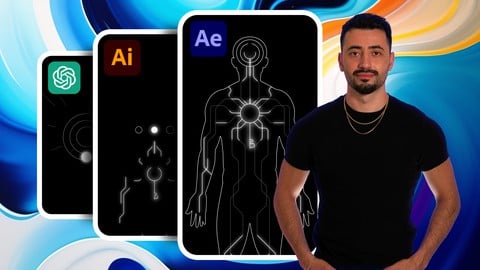
Motion Graphics for Social Media in Adobe After Effects (2024)
4.6 (76 Reviews)
- Provider: Udemy
- Time: 2.9h
$69.99

More 3D Modeling courses

3D Printing with " Ultimaker CURA Slicer- Start to finish" (2025)
4.9 (192 Reviews)
- Provider: Udemy
- Time: 1h
$34.99

Girl and the Dog Creation in Zbrush for Intermediate Level (2020)
4.9 (173 Reviews)
- Provider: Udemy
- Time: 48.8h
$59.99



Blender Character Creator for Video Games (2026)
4.8 (9,160 Reviews)
- Provider: Udemy
- Time: 34.3h
$159.99

Master SOLIDWORKS 3D CAD using real-world examples (2022)
4.8 (2,451 Reviews)
- Provider: Udemy
- Time: 18.9h
$69.99
 Reviews

By Buhkary on 1/2/2025
well i was a good motion designer before but now i know i knew nothing 10 out 10
By Kerry Sherman on 6/7/2024
Top-notch logo animation course! Takes your After Effects skills to the next level.
By Upasana Din on 6/7/2024
This course fulfilled my search well. It gave me all the knowledge I needed to produce motion graphics that looked professional.
By Rodney Rogers on 6/4/2024
Amazing course for After Effects logo animation! Learned tons of techniques, perfect for beginners and pros alike.
By Lavith dashvin on 6/3/2024
The Motion Design team delivered an exceptional premium logo animation using Adobe After Effects.
By Tara Erin on 6/3/2024
The tasks were difficult but doable, and I believe that finishing them taught me a lot. Great course!
By Olga Sims on 6/3/2024
excellent job at outlining the fundamentals before delving into more intricate subjects. I could hone my abilities using the many useful project files that were given in the training.
By Kevin Oduor Morice on 5/4/2024
Easy to understand
By Shayan Ahmad on 3/31/2024
The best aftereffect logo course ever
By WILLIAM STANLEY on 6/8/2024
 Quality Score
No CourseDuck member has rated this course yet. Taken it? Give each part a thumbs up or down.
Overall Score : 94 / 100
- Video Duration:
 6.4h
6.4h - Price: $74.99
- Provider: Udemy
- Updated:
 June 2024
 - Level:
 All Levels
 - Language:
 English
 - Certificate:
 Yes
Yes - Lectures:39 in 5 sections
- Students:2,476
- Subtitles:1 language
30-day money-back guarantee on most paid courses
Udemy Coupon Price Tracker
