
 Web Development
 Data Science
 Python
 SQL
SQL JavaScript
 Artificial Intelligence
 IT & Software
 IT Certifications
 Hacking
 AWS
AWS Arduino
 DevOps
 3D Modeling
 Graphic Design
 Photoshop
 Drawing
 Digital Painting
 UX Design
 Business
 Data Analysis
 Communication Skills
 Project Management
 Leadership & Management
 Human Resources
 Digital Marketing
 Social Media Marketing
 Marketing
 SEO
SEO Google Analytics
 Branding
 Excel
Excel Office Productivity
 SAP
SAP PowerPoint
 Microsoft Access
 SharePoint
 Finance & Accounting
 Trading & Investing
 Accounting
 Bitcoin
 Personal Finance
 Video Editing & Animation
 Photography
 Adobe Premier Pro
 Adobe Lightroom
 Personal Development
 Productivity
 Career Development
 Life Coaching
 Health & Fitness
 Meditation & Mindfulness
 Yoga
Yoga Music
Music Music Production
 Guitar
 Piano
Piano Singing
 Language Learning
 Teaching & Academics
 Engineering
 Math
Math Lifestyle
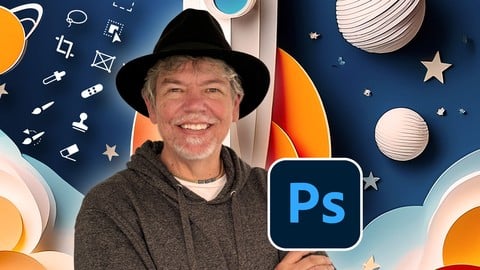
Non-Scary Beginner-Intermediate Adobe Photoshop inc New AI (Udemy.com)
Learn from Scratch, and Includes the Powerful New Neural and Generative AI Features
Created by: Tim Wilson
Last updated February 2026
 What you will learn
- How to make your images look their best using Exposure, Color Balance and other tone & color controls
- How to retouch images to enhance them such improving skin, and cleaning up tears, dirt and imperfections in photos.
- Create multi-image collages using cut-outs including how to cut out hair / fur.
- Understand non-destructive editing techniques using layers and masks
- Gain an excellent understanding of all the main editing tools
How it compares
Against the other 413 rated Udemy courses in Graphic Design on CourseDuck:
- Rating4.7 out of 5higher than 81% of them
- Reviews51#366 of 414 by number of reviews
- Length10.1 hourslonger than 75% of them
- Last updatedFebruary 2026more recently than 63% of them
 Course Description
Welcome to my Non-Scary Adobe Photoshop for Beginners through to Intermediate!
Photoshop is the industry standard for image editing and creation—and now it’s even better with powerful AI features.
You’ll learn Photoshop basics and apply them by creating multi-image compositions, retouching photos, color correcting, using adjustment layers and selections, exploring AI-powered neural filters, and leveraging AI tools for generating and editing images quickly and accurately.
This course is packed with beginner-friendly tutorials and step-by-step projects to help you get started confidently. No prior Photoshop or photography experience is needed.
Hi, I'm Tim!
I’m an Adobe Certified Instructor and Expert, as well as a designer based in London.
We’ll explore essential tools and techniques together, and you’ll complete guided projects to reinforce your learning. All content is adaptable for both print and web.
In this course, you’ll learn how to:
Color correct images for stunning results
Create multi-image compositions
Cut out people and hair with precision
Convert color images to toned or black & white
Design posters, brochures, and ads with text and logos
Make social media graphics
Understand layers and selections
Use various selection tools effectively
Add effects like shadows, reflections, and liquid text
Design your own text and graphics
Create interactive type
Adjust facial features
Explore and recreate current design trends
Use filters, including powerful AI neural filters
And much more!
All lessons are delivered in short, clear videos with hands-on projects.
Resource files are included so you can follow along and learn by doing. Finished files are also provided for deeper understanding.
By the end of the course, you’ll have a solid grasp of Photoshop basics and be able to create eye-catching, creative images.
Don’t forget to share your work—I love seeing what you create!

 Udemy Discount
The discount is applied through our link. Open the course from here and Udemy's current promotional price is applied at checkout on most courses, no code to type.
Some courses are excluded from Udemy's promotions. If the price does not drop, clear your browser cookies and use the button again.
Instructor Details

- 4.7 Rating
 51 Reviews
Tim Wilson
Tim divides his time between training, and undertaking design and photography projects. He has trained a range of companies including BBC, Disney, Aardman, Sky, Nissan, Ford, British Airways, Virgin, Barclays, KPMG, NHS, the Times and Adobe amongst many others.
Tim spent many years as a lecturer for Graphic Design and Photography Honour Degree students at universities. He loves sharing his passion for design and this is reflected by the enthusiasm from his students who rebook his courses to continue their professional development.
 More courses by Tim Wilson

Adobe Illustrator - Beginner to Pro Level With New AI (2026)
4.8 (1,368 Reviews)
 Provider: Udemy
 Time: 13.7h
$89.99
Affinity: The Complete Design Course – Beginner to Pro (2026)
4.8 (466 Reviews)
- Provider: Udemy
- Time: 23.8h
$19.99
Affinity Publisher - The Essentials for Beginners V1 & V2 (2022)
4.5 (441 Reviews)
- Provider: Udemy
- Time: 5.3h
$69.99
Affinity Designer Desktop V2 - From Beginner to Pro Level (2023)
4.6 (434 Reviews)
- Provider: Udemy
- Time: 11.3h
$84.99

Beginner to Wow - Affinity Photo Version 2 (2022)
4.9 (420 Reviews)
- Provider: Udemy
- Time: 4.8h
$69.99
More Graphic Design courses

Adobe InDesign - From Basics to Professional Level Designs (2024)
4.9 (320 Reviews)
- Provider: Udemy
- Time: 11.4h
$84.99

Shop Drawing & Details-Autodesk Revit 2025- for BIM Modelers
4.9 (300 Reviews)
- Provider: Udemy
- Time: 30.9h
$10.99

The Adobe Illustrator CC Mastery Course: Basics to Pro + AI (2026)
4.9 (268 Reviews)
- Provider: Udemy
- Time: 30.8h
$19.99


Software Architecture & System Design Practical Case Studies (2026)
4.8 (2,584 Reviews)
- Provider: Udemy
- Time: 4h
$15.99

Graphic Design Masterclass: Design 40+ Projects in Photoshop (2025)
4.8 (668 Reviews)
- Provider: Udemy
- Time: 16.5h
$109.99
 Reviews

By Harry Childs on 4/17/2026
So far, this course is working out great for me. Informative with good examples.
By Regan Forrester on 3/21/2026
Very user friendly and helpful instruction so far
By Amrita Chattopadhyay on 2/25/2026
Informative and engaging. Tim is an excellent teacher who clearly walks you through concepts, addresses doubts, and focuses on subtle refinements that make a real difference. Overall, this is one of the most insightful and detailed courses I’ve taken, and I’ve learned a lot from it.
By Randa Carr on 1/28/2026
Understand very well
By Philip Gbemu on 1/9/2026
Coursse is really engaging. Thumbs up Tim!
By Achmad Pamoedjo on 11/24/2025
Yes, it was good match for me......
By Keith Russell on 8/22/2025
Really good course. One of the best for learning courses for photoshop, easy to follow. all instructions easy to follow with great results.
By Kent Pendleton on 5/22/2025
Pleased so far; good review...I had used PS in the past but there are many new features
By Vijayan AK on 6/10/2026
By Ken on 6/6/2026
 Quality Score
No CourseDuck member has rated this course yet. Taken it? Give each part a thumbs up or down.
Overall Score : 94 / 100
- Video Duration:
 10.1h
10.1h - Price: $19.99
- Provider: Udemy
- Updated:
 February 2026
 - Level:
 Beginner
 - Language:
 English
 - Certificate:
 Yes
Yes
30-day money-back guarantee on most paid courses
Udemy Coupon Price Tracker
