
 Web Development
 Data Science
 Python
 SQL
SQL JavaScript
 Artificial Intelligence
 IT & Software
 IT Certifications
 Hacking
 AWS
AWS Arduino
 DevOps
 3D Modeling
 Graphic Design
 Photoshop
 Drawing
 Digital Painting
 UX Design
 Business
 Data Analysis
 Communication Skills
 Project Management
 Leadership & Management
 Human Resources
 Digital Marketing
 Social Media Marketing
 Marketing
 SEO
SEO Google Analytics
 Branding
 Excel
Excel Office Productivity
 SAP
SAP PowerPoint
 Microsoft Access
 SharePoint
 Finance & Accounting
 Trading & Investing
 Accounting
 Bitcoin
 Personal Finance
 Video Editing & Animation
 Photography
 Adobe Premier Pro
 Adobe Lightroom
 Personal Development
 Productivity
 Career Development
 Life Coaching
 Health & Fitness
 Meditation & Mindfulness
 Yoga
Yoga Music
Music Music Production
 Guitar
 Piano
Piano Singing
 Language Learning
 Teaching & Academics
 Engineering
 Math
Math Lifestyle
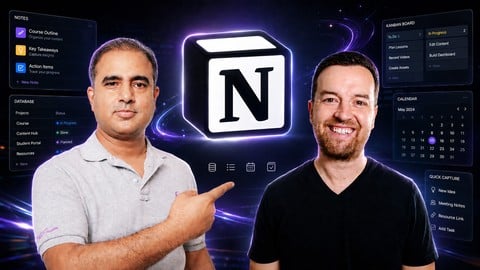
Notion 2026: The All-in-One AI-Powered Productivity System (Udemy.com)
Quickly Master Notion: Organize your work and life in Notion. Beginner to advanced guide with AI tools for productivity.
Created by: Video School
Last updated September 2026
 What you will learn
- Quickly learn how to use Notion for work or personal life
- Build a complete Notion workspace to organize tasks, notes, and projects in one simple system
- Create and manage databases to track work, connect information, and stay organized
- Use Notion AI to generate ideas, summarize content, and automate parts of your workflow
- Design a daily planner and productivity system you can use every day for work and life
- Integrate your most-used apps and tools right in Notion - no more switching apps and tools
How it compares
Against the other 459 rated Udemy courses in Office Productivity on CourseDuck:
- Rating4.5 out of 5higher than 45% of them
- Reviews141#380 of 460 by number of reviews
- Length4.5 hourslonger than 54% of them
- Last updatedSeptember 2026more recently than 91% of them
 Course Description
Do your notes, tasks, and projects feel scattered across apps and tabs?
You try to stay organized, but things slip through the cracks. Ideas get lost. Your to-do list lives in multiple places. And every new system just adds more complexity.
What if you had one simple system to manage everything in one place?
That is exactly what Notion can do. And in this course, you will learn how to make it actually work for you.
THE PROBLEM WITH MOST NOTION COURSES
Most Notion tutorials focus on features or pre-built templates. They show you what is possible, but not how to build something that fits your life.
So you end up with a workspace that looks good but does not help you stay organized.
This course is different.
THE SOLUTION: BUILD A REAL NOTION SYSTEM
This course is designed to take you from overwhelmed to organized with a system you will actually use every day.
You will not just learn Notion. You will build your own workspace step by step.
By the end of the course, you will have a complete system for managing your work and life.
WHAT YOU WILL LEARN
Set up Notion the right way from the beginning
Understand pages, blocks, and how everything connects
Build a daily planner you can actually use
Create databases to track tasks and projects
Connect information using relations and rollups
Customize your workspace to fit your workflow
Integrate tools like Google Drive, Gmail, Google Maps and more
Use Notion AI to generate ideas and automate your workflow
LEARN FROM A NOTION EXPERT + TOP INSTRUCTOR
Kashif is your lead instructor and a Notion expert who has helped students and professionals build better systems.
Phil Ebiner is a top Udemy instructor with millions of students worldwide, known for practical and easy-to-follow courses.
Together, this course is designed to be simple, actionable, and immediately useful.
HOW THIS COURSE IS STRUCTURED
Start with a quick crash course to understand how Notion works
Learn key AI features you can apply right away
Build your first real project, a daily planner
Dive into databases to organize and connect your workflow
Learn how to scale your system as your needs grow
THIS IS A HANDS-ON COURSE
This is not a passive course.
You will build your own Notion workspace as you go. You can follow along, pause, and apply everything in real time.
By the end, you will have something real. A system you actually use.
WHO THIS COURSE IS FOR?
Beginners who want to learn Notion the right way
Anyone who feels disorganized or overwhelmed by scattered tools
Students, professionals, and creators managing tasks and projects
Entrepreneurs who want a simple system to run their business
Anyone curious about using Notion AI to work faster
WHY THIS COURSE MATTERS NOW
Work is more complex than ever. More tools, more information, more distractions.
People who can stay organized and build systems that work have a clear advantage.
Notion is not just another app. It can replace many of the tools you already use if you know how to use it properly.
That is what this course will help you do.
BY THE END OF THIS COURSE, YOU CAN:
Organize your workflow in one place
Track tasks, projects, and ideas with clarity
Build systems that actually stick
Use Notion AI to save time and reduce busywork
Customize your workspace to fit your exact needs
Feel more in control of your productivity
READY TO GET ORGANIZED?
If you are tired of scattered notes, messy to-do lists, and jumping between tools, this course will show you how to build a system that works.
Start building your Notion system today.

 Udemy Discount
The discount is applied through our link. Open the course from here and Udemy's current promotional price is applied at checkout on most courses, no code to type.
Some courses are excluded from Udemy's promotions. If the price does not drop, clear your browser cookies and use the button again.
Instructor Details

- 4.5 Rating
 141 Reviews
Video School
Learn creative skills, from absolute beginner to advanced mastery.
Video School exists to help you succeed in life. Each course has been hand-tailored to teach a specific skill from photography and video to art, design and business.
Whether you’re trying to learn a new skill from scratch, or want to refresh your memory on something you’ve learned in the past, you’ve come to the right place.
Education makes the world a better place. Make your world better with new skills!
Our courses can be watched 24/7 wherever you are. Most are fully downloadable so you can take them with you. You can also view them on mobile devices with the Udemy mobile app.
All courses have a 30-day money-back guarantee so that you can check it out, make sure it’s the right course for you, and get a refund if it’s not!
 More courses by Video School

Adobe Illustrator CC - Essentials Training Course (2025)
4.8 (33,107 Reviews)
 Provider: Udemy
 Time: 12.1h
$124.99

Maya for Beginners: Complete Guide to 3D Animation in Maya (2026)
4.6 (8,648 Reviews)
- Provider: Udemy
- Time: 29.9h
$159.99

Procreate: Digital Art, Illustration, Animation on Your iPad (2024)
4.6 (4,323 Reviews)
- Provider: Udemy
- Time: 16.3h
$16.99

AI-900: Microsoft Azure AI Fundamentals AI-900 Practice Test (2025)
4.5 (3,428 Reviews)
- Provider: Udemy
$19.99
Adobe Audition CC: The Beginner's Guide to Adobe Audition (2024)
4.5 (1,969 Reviews)
- Provider: Udemy
- Time: 2.3h
$10.99
More Office Productivity courses

AI-Powered Social Media Management: From Beginner to Pro (2025)
5.0 (211 Reviews)
- Provider: Udemy
- Time: 1.1h
$19.99

Microsoft Excel + AI: Go From Data Analysis to Visualization (2026)
4.9 (276 Reviews)
- Provider: Udemy
- Time: 3.8h
$10.99


Complete Introduction to Google Sheets Pivot Tables (2026)
4.8 (3,570 Reviews)
- Provider: Udemy
- Time: 2.9h
$64.99


Microsoft Excel - Managing Personal Finances with Excel (2024)
4.8 (810 Reviews)
- Provider: Udemy
- Time: 3h
$19.99
 Reviews

By Leah Anne Whitson on 8/29/2026
Yes! Kashi explained the features of Notion very clearly. He demonstrated why it is such a powerful tool.
By Shyana on 6/20/2026
loved this course. Great topics covered, and very easy to implement.
By Farri H on 6/16/2026
Yes, the course was a good match for me. I mostly struggle with keeping my projects and notes organized and notion looks like very effective for that.
By Dig nomad on 6/13/2026
learned more than i initially expected from this course. the insights on using notion effectively will have big impacf on how i organize my work and life
By Guy Edwards on 6/12/2026
I am new to Notion. Your course provided me with everything that i needed to start my journey with Notion and AI in it. Great course.
By Naeem Bukhari on 6/10/2026
All explained very clearly. Little bit of accent, but i like the content and the way of teaching with relevant examples, great until now.
By Jan Verlinden on 6/7/2026
Erg professioneel en gedetailleerd!
By Susan K on 6/7/2026
Udemy player is giving errors, but need to watch more of the course, looks interesting n useful ... UPDATE. Having watched most of the course now, i want to add that the course is GREAT for beginner and intermediate users of Notion (not so much for advanced users though). AI applications discussed are impressive and i can already see real value organizing my projects and workflows in notion. Highly recommended to new and intermediate users
By Todd Daniel on 5/29/2026
I bought this course solely on the strength of Phil Ebiner's amazing “ChatGPT Masters” AI course (still highly recommended for its clarity, breadth, and depth). Just note that this “Notion 2026” is not a Phil Ebiner course. Phil does a two-minute introduction and then the rest of the course is taught by someone else entirely. I found it to be not great – not bad – certainly nothing I would have purchased if not for Phil’s picture on the thumbnail. Lesson learned: watch the free videos and make sure that this is the course that you want.
By V M on 5/29/2026
Very basic course, great for someone who never heard of Notion. But did not even cover all views of database. Not enough covered on more advanced use cases of AI or integrations or even publishing Notion. It leaves me as a student with many questions. The lecturer delivered the course in clear tone that was easy to follow. Hopefully the course will be expanded in the future. But for now have to search for more info on YouTube or Udemy other Notion courses to catchup with things that were missing. Once again, it is great, but only for someone who never heard of Notion or similar apps at all.
 Quality Score
No CourseDuck member has rated this course yet. Taken it? Give each part a thumbs up or down.
Overall Score : 90 / 100
- Video Duration:
 4.5h
4.5h - Price: $44.99
- Provider: Udemy
- Updated:
 September 2026
 - Level:
 Beginner
 - Language:
 English
 - Certificate:
 Yes
Yes
30-day money-back guarantee on most paid courses
Udemy Coupon Price Tracker
