
 Web Development
 Data Science
 Python
 SQL
SQL JavaScript
 Artificial Intelligence
 IT & Software
 IT Certifications
 Hacking
 AWS
AWS Arduino
 DevOps
 3D Modeling
 Graphic Design
 Photoshop
 Drawing
 Digital Painting
 UX Design
 Business
 Data Analysis
 Communication Skills
 Project Management
 Leadership & Management
 Human Resources
 Digital Marketing
 Social Media Marketing
 Marketing
 SEO
SEO Google Analytics
 Branding
 Excel
Excel Office Productivity
 SAP
SAP PowerPoint
 Microsoft Access
 SharePoint
 Finance & Accounting
 Trading & Investing
 Accounting
 Bitcoin
 Personal Finance
 Video Editing & Animation
 Photography
 Adobe Premier Pro
 Adobe Lightroom
 Personal Development
 Productivity
 Career Development
 Life Coaching
 Health & Fitness
 Meditation & Mindfulness
 Yoga
Yoga Music
Music Music Production
 Guitar
 Piano
Piano Singing
 Language Learning
 Teaching & Academics
 Engineering
 Math
Math Lifestyle
PowerPoint for Complete Beginners (PowerPoint 2016) (Udemy.com)
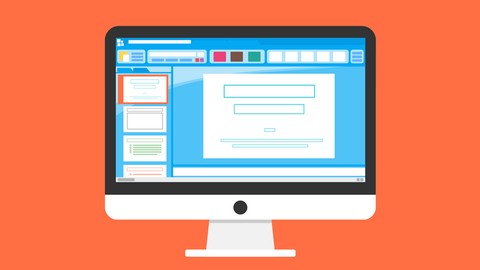
Master PowerPoint 2016 (Inserting, Animations, Transition, Effects ...) Be able to create HD video using PowerPoint 2016
Created by: Luke's Programming School
Last updated July 2019
 What you will learn
- Create Presentations
- Add Animations and Transitions to Presentation
- Import images, audio, tables, icons ...
- Create HD video using PowerPoint 2016 (like the promo video to this course)
How it compares
Against the other 52 rated Udemy courses in PowerPoint on CourseDuck:
- Rating4.0 out of 5among the lower-rated ones
- Reviews261#37 of 53 by number of reviews
- Length1.8 hoursshorter than 71% of them
- Last updatedJuly 2019earlier than 75% of them
 Course Description
So, do you want to learn PowerPoint 2016?
Well, you have come to the right place. My name is Luke and I will be your instructor in the "PowerPoint for Complete Beginners (PowerPoint 2016)" course. Sometimes can happen that PowerPoint is confusing especially for complete beginners. You don't know how to add a slide, You don't know how to add an Animation and so on. This course is designed to help you master PowerPoint 2016.
What Will I Learn?
I start off easy. First, we learn how to save, open and create new presentations. Then I show you how you can work with slides. How to add a slide, duplicate a slide, delete a slide and change the order of slides in your presentation.
Once you master those things we move on to Text and Shapes, I show you how to create a new text element in your presentation and how to style your text. Then I explain how to add shapes to your presentation, and all kinds of cool things you can do with shapes.
Afterward, I show you how you can insert all the things you need in order for your presentation to look good. ( Images, Audio, Icons, Tables...)
Then I show you how to change the design of your presentation, in PowerPoint, there are several templates you can use in order for your presentation to look really good and all you need to do is one click with your mouse.
Once you master all of these things we move on to Advanced PowerPoint Tools, in this section I will teach you how to use transitions and animation. How to use equations, How to cut Audio, Image effects, Advanced animations, How to set the timing of your animations, and finally how to create HD videos.
Why this course?
I know there are many courses and books on PowerPoint out there. But my course is teaching you using examples, there is no point in learning PowerPoint from a book and memorizing all the functions that every button have. In this course, I show you how to create PowerPoint 2016 presentations like a pro!

 Udemy Discount
The discount is applied through our link. Open the course from here and Udemy's current promotional price is applied at checkout on most courses, no code to type.
Some courses are excluded from Udemy's promotions. If the price does not drop, clear your browser cookies and use the button again.
Instructor Details

- 4.0 Rating
 261 Reviews
Luke's Programming School
Hi, my name is Luke, I am the founder of "Luke's Programming School". Currently, we are teaching over 100 000 Students in over 160 countries. Our goal is to have over 150 000 students by the end of this year. We offer courses in Development, E-commerce, and Design.
OUR COURSES: We are focused on making great courses, our goal is to make every course as engaging as possible. That is why most of our courses are short and straight to the point. We focus only on the important things.
UP-TO-DATE: We make sure that all of our courses are up to date, and cover's everything you need.
STUDENT IS THE BOSS: We are doing our best to make you happy and provide a great learning experience. That is why we respond to questions within a day.
EVERYTHING YOU NEED: If the student is missing some lecture in our course, he can easily ask for them, all you need to do is write us what lectures would you like for us to add and we will add them!
Here is what our students say:
Gustav Gimlich : "Good course, Instructor is explaining well. I also like that there is a lot of exercises. Money good spend."
Nouf : "the course deserve million stars,thankyouuu"
 More courses by Luke's Programming School
C#: Start programming with C# (for complete beginners) (2020)
4.6 (1,513 Reviews)
 Provider: Udemy
 Time: 3.3h
Free

Java for Complete Beginners: Become Junior Java Developer (2019)
4.2 (889 Reviews)
- Provider: Udemy
- Time: 1.8h
$12.99
WPF & XAML: Build 10 WPF applications (C#) in 2020
4.0 (420 Reviews)
- Provider: Udemy
- Time: 5.8h
$69.99

Cryptography from Scratch| Master Cryptography in Java (2019)
3.9 (236 Reviews)
- Provider: Udemy
- Time: 2h
$19.99

More PowerPoint courses

PowerPoint Masterclass - Presentation Design & Animation (2026)
4.7 (7,539 Reviews)
- Provider: Udemy
- Time: 10.3h
$14.99

PowerPoint Slide Design - Casual Slides Presentation (2025)
4.7 (6,207 Reviews)
- Provider: Udemy
- Time: 42 mins
Free

Microsoft PowerPoint for 2026 - 3 Hour Crash Course!
4.7 (4,018 Reviews)
- Provider: Udemy
- Time: 2.9h
$11.99

Create Animated Explainer Videos with PowerPoint (2025)
4.7 (1,413 Reviews)
- Provider: Udemy
- Time: 4.8h
$11.99

Microsoft PowerPoint for Mac - Office 365 on Mac OS (2020)
4.7 (418 Reviews)
- Provider: Udemy
- Time: 2.5h
$64.99

PowerPoint 2013 2016 2019 - Video Animation in Powerpoint
4.7 (316 Reviews)
- Provider: Udemy
- Time: 1.7h
$11.99
 Reviews

By Edwin Asare on 3/15/2022
Great course. This course was just what I needed to kit start PowerPoint. The course is very detailed to help even a beginner to get the whole concept and use it in PowerPoint presentation.
By Gail Lerch-Kiss on 2/4/2020
Wanted to brush up and learn new skills sets for future employment positions. Like the course and even thought repetative at times which was good. Luc good at teaching his accent is not a barrier although did have to review on a few words. Will be taking more courses. Thanks Luc!
By Yasmine Beghdadi on 6/26/2019
les choses basics je les ai bien appris c'étais facile mais les choses avancées y'a pas grands choses c'est pour sa que j'ai attribué 4/5 mais en total sa reste mieux que les tutos youtube merci
By Jamal Blades on 6/14/2019
Ok if you are a complete beginner at PowerPoint. Large parts of it not relevant for a professional workplace environment where you would not need to add as much detail to a work presentation.
By Ayesha Fatima on 6/11/2019
The approach is very casual. It would have been better if some good example was used while creating presentation to show features properly.
By Gerry Hughes on 5/19/2019
A great introduction. I know bits and pieces of Power Point, but never focused on it. This course focused my knowledge and upgraded my skills with Power Point. Thank you!
By Geert Welfing on 2/5/2019
Niet geheel. Duidelijk uitgelegd door instructeur echter had ik meer interactie verwacht dan enkel een video afspelen. Ook ontbrak bij mij een examen deel. Als ik hier geld voor moest betalen had ik mij niet goed gevoeld.
By Benita Abucejo on 1/10/2019
I really like the course. This will help me a lot in my online freelancing and I loved how each topic was explained.
By Mahmoud Emara on 12/10/2018
Hello, Mahmoud Karam from Egypt, I were having some skills to deal with power point in general, After taking this this course i have learned a lot, not only skills in this course, but also a lot of other skills, because I were practice with videos and try other things, Thanks for that great effort.
By Abdelrahman on 7/9/2018
Till now I haven't learned so much, so I'm looking forward to the next videos
 Quality Score
No CourseDuck member has rated this course yet. Taken it? Give each part a thumbs up or down.
Overall Score : 80 / 100
- Video Duration:
 1.8h
1.8h - Price: $39.99
- Provider: Udemy
- Updated:
 July 2019
 - Level:
 Beginner
 - Language:
 English
 - Certificate:
 Yes
Yes
30-day money-back guarantee on most paid courses
Udemy Coupon Price Tracker
