
 Web Development
 Data Science
 Python
 SQL
 JavaScript
 Artificial Intelligence
 IT & Software
 IT Certifications
 Hacking
 Microsoft Azure
 AWS
 Arduino
 3D Modeling
 Graphic Design
 Photoshop
 Drawing
 Digital Painting
 UX Design
 Business
 Data Analysis
 Communication Skills
 Project Management
 Leadership & Management
 Human Resources
 Digital Marketing
 Social Media Marketing
 Marketing
 SEO
 Google Analytics
 Branding
 Excel
 Office Productivity
 SAP
 PowerPoint
 Microsoft Copilot
 Microsoft Access
 Finance & Accounting
 Trading & Investing
 Accounting
 Bitcoin
 Personal Finance
 Video Editing & Animation
 Photography
 Adobe Premier Pro
 Adobe Lightroom
 Personal Development
 Productivity
 Career Development
 Life Coaching
 Health & Fitness
 Yoga
 Meditation & Mindfulness
 Music
 Music Production
 Guitar
 Piano
 Singing
 Teaching & Academics
 Engineering
 Language Learning
 English Language
 Math
 Lifestyle
Pro Tools Mixing & Music Production Fundamentals (Udemy.com)
Learn Pro Tools fundamentals and efficient workflows used by modern producers
Created by: Alex Solano
Last updated January 2026
Our take
Based on the ratings of 164 students, a sample of their written reviews and the syllabus, as the course stood in January 2026. No course pays to be reviewed.
Alex Solano's course is a quick orientation to Pro Tools: 19 lectures, about 1.8 hours, split across sessions, recording audio, MIDI instruments, editing tools, arranging, mixing and a few utilities. The mixing section is the longest at 28 minutes, so expect gain staging and routing basics, not studio secrets. It suits newcomers and self-taught users who have been clicking around without a plan. One longtime Logic Pro user took it as a crash course for an internship.
Reviewers keep coming back to Solano's delivery. They call his voice relaxing and steady, his pace good, and the steps easy to follow without getting too technical. A self-taught user of several years called the first section, with its keyboard commands, extremely useful. The complaints are about scope and age. One student wanted less focus on drums and more on acoustic instruments, another wanted more on groups. A 2024 reviewer said the course uses old Pro Tools HD screens and that a lot of the interface has changed since then.
The listing shows a January 2026 update, but the course first came out in 2015 and still lists Pro Tools 8 or higher as a requirement, so some screens may not match a current install. It holds a 4.5 rating from 164 reviews, and 146 of those are four or five stars. As a short refresher or a first look at the software it does the job. If you want depth, look for a longer course built on current Pro Tools Studio.
Pros
- Students say the delivery is clear, steady and calm, so short lessons are easy to stick with
- Covers recording, MIDI, editing, arranging and mixing in about 1.8 hours
- A self-taught user found the keyboard command section extremely useful right away
- 4.5 stars from 164 reviews, and 146 of them are four or five stars
Cons
- First made in 2015 and one reviewer says the interface shown is old Pro Tools HD, not current Studio
- Light on depth, mixing gets 28 minutes and students wanted more on groups and techniques
- Examples lean on drums, with little for acoustic instruments like violin, piano or oboe
This course however, was very informative without getting extremely technical and losing the audience interest . I learned a lot and I commend you on a job well done.
Marked All Levels, but it really fits beginners and self-taught users with a Pro Tools license and basic computer skills.
 What you will learn
- Understand the Pro Tools workflow and terminology
- Fluently use the Editing Tools for Audio and MIDI
- Be able to troubleshoot your Pro Tools system to avoid crashes and project errors
Course content
7 sections · 19 lectures · 1.8 hours of video 2 quizzes
- 1Getting Started 1 free preview2 lectures · 8 min
- 2Recording Audio 2 free previews4 lectures · 14 min
- 3Recording Virtual Instruments (MIDI) 1 free preview3 lectures · 19 min
- 4Editing Tools 1 free preview2 lectures · 14 min
- 5Arranging3 lectures · 14 min
- 6Mixing3 lectures · 28 min
- 7Utilities2 lectures · 9 min
Who it is for
The instructor says it suits
- Aspiring Musicians who want to learn how to record
- Producers working with multiple Pro Tools Sessions from clients
- Self-taught Pro Tools users who need a more comprehensive step-by-step learning path
What you need before you start
- Computer literacy skills on Apple or Windows computer
- Access to a version of Pro Tools 8 or higher is ideal
- Have an ilok account to access a Pro Tools license
How it compares
Against the other 249 rated Udemy courses in Music Production on CourseDuck:
- Rating4.5 out of 5higher than 42% of them
- Reviews164#143 of 250 by number of reviews
- Length1.8 hoursshorter than 79% of them
- Last updatedJanuary 2026more recently than 66% of them
 Course Description
Learn Pro Tools from the ground up and build real-world music production and mixing skills with this beginner-friendly Pro Tools course.
This comprehensive Pro Tools tutorial is designed for aspiring music producers, beatmakers, and audio engineers who want to confidently navigate Pro Tools and use it for professional music production and mixing. Pro Tools is the industry-standard DAW used in commercial studios worldwide, and this course gives you the practical skills needed to work efficiently and creatively inside it.
You’ll start with the fundamentals of Pro Tools, learning how to create, organize, and navigate sessions so your workflow stays clean and professional from day one. From there, you’ll explore essential recording techniques to capture high-quality audio, whether you’re recording vocals, instruments, or external hardware.
The course also covers MIDI composition and arrangement, showing you how to program, edit, and route MIDI efficiently for modern music production. You’ll learn how to optimize MIDI workflows to reduce CPU usage and keep sessions running smoothly.
To help you work faster, you’ll master essential Pro Tools keyboard shortcuts and workflow techniques used by professional producers and engineers. These shortcuts alone can dramatically speed up your production and mixing process.
You’ll also gain a solid foundation in mixing and mastering fundamentals inside Pro Tools, including gain staging, basic EQ, compression concepts, and session routing. These skills are critical for creating clean, balanced, and professional-sounding mixes.
This course focuses on real-world applications, not just theory. You’ll work through practical examples, workflow exercises, and downloadable cheat sheets designed to help you apply what you learn immediately in your own projects.
By the end of this course, you’ll be able to confidently use Pro Tools for complete music production and mixing projects, with a strong understanding of professional workflows that translate to any studio environment.

 Udemy Discount
The discount is applied through our link. Open the course from here and Udemy's current promotional price is applied at checkout on most courses, no code to type.
Some courses are excluded from Udemy's promotions. If the price does not drop, clear your browser cookies and use the button again.
Instructor Details

- 4.5 Rating
 164 Reviews
Alex Solano
Hi, I’m Alex Solano — mix engineer, music producer, and educator. I’m here to share the insights I’ve gained throughout my journey in music production, mixing, and mastering, so you can accelerate your own path to success.
Take a look at my courses here on Udemy or dive into my latest tutorials over on my YouTube channel. If you have any questions or just want to say hello, feel free to drop me a message. I hope you enjoy the learning experience!
 More courses by Alex Solano
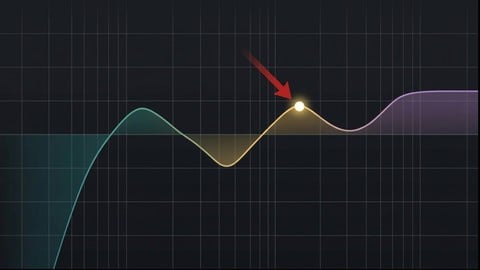
EQ for Music Production: Master EQ for Better Mixes (2026)
4.4 (198 Reviews)
 Provider: Udemy
 Time: 1.6h
$64.99
Mastering Dolby Atmos in Logic Pro X: Immersive Audio Mixing (2026)
4.6 (52 Reviews)
- Provider: Udemy
- Time: 48 mins
$10.99
Original price More Music Production courses
Electronic Music Production with Ableton Live (2025)
4.9 (2,479 Reviews)
- Provider: Udemy
- Time: 11.9h
$13.99
Original price
Garageband IOS (iPhone/iPad): The Complete Beginners Guide (2021)
4.9 (535 Reviews)
- Provider: Udemy
- Time: 3.5h
$10.99
Original price
How to Become a DJ - Learn How to Start DJing Online Today (2021)
4.8 (5,221 Reviews)
- Provider: Udemy
- Time: 10.8h
$17.99
Original price
Domine Todos os Recursos do Pro Tools (2023)
4.8 (548 Reviews)
- Provider: Udemy
- Time: 17.5h
$11.99
Original price
Ultimate Ableton Live 9 Complete: Parts 4, 5, & 6 (2026)
4.8 (512 Reviews)
- Provider: Udemy
- Time: 11.8h
$15.99
Original price
Music Production + Composition in FL Studio - Complete Guide (2023)
4.8 (466 Reviews)
- Provider: Udemy
- Time: 21.6h
$10.99
Original price  Reviews

By Mark Day on 11/7/2024
Like many courses on software applications, the version used in the course is old. I am running ProTools Studio version 2024.10.0. The course references ProTools HD which reached end of life in December 2022. A lot of the UI has changed since then. It's not to say there is no usable information here, but if you want old tutorials on EOL software, you can get that for free in spades on Youtube.
By Jennifer O'Bannan on 6/28/2023
Pretty good. A bit too much focus on drums. I only plan to record acoustic instruments, such as violin, viola, piano, oboe, etc, so more attention to helping the tone quality of this type of instrument would be helpful. But, it was well organized and the speaking was clear and pleasant so easy to stay with it. Thank you.
By David Rodriguez on 5/31/2022
I've paid for a separate course on PT and to tell you the truth, I never finished it. It was too technical to where I felt the that some of it was overkill or maybe it was just my short attention span, lol. This course however, was very informative without getting extremely technical and losing the audience interest . I learned a lot and I commend you on a job well done. Looking forward to your next one. Perhaps a more in depth one on your mixing techniques . Thanks man!
By Loren Jones on 5/9/2020
Self taught. Been using Pro Tools for years but was still a novice. The first section was extremely useful in learning keyboard commands and other details. A slight challenge is transferring the knowledge to Pro Tools 12.8.1 which hasn't been too hard so far.
By Kirkland Cole on 2/6/2020
I went through the entire course and picked up on things I was shaky with. For me, it was a good refresher course. I can just go back through the videos over and over.
By Ally McDowell on 8/3/2018
I love the way this instructor teaches. He goes at a really good pace, and breaks down what he is teaching you. Highly recommend if you are just diving into pro tools.
By Todd on 6/9/2016
Exceptional Teacher, Clear and Easy to Understand Instruction with a detailed (Non-rushed) approach to explaining the DAW interface. Im learning a lot of critical info quickly.
By Lisa Kirchner on 8/7/2015
This is an excellent course. The presentation is clear and it covers a lot of territory quickly with information delivered in a very concise way. One can acquire skill after skill, step by step and it is a course one can replay while on Pro Tools in a practice session using the course as a step by step guide through an array of the most important basic features. I t is very well organized and keenly focused and delivered in a nice tone. The audio and visuals are well done and thus the over all clarity of the course is very appealing.
By Steve Hannen on 5/8/2015
I purchased Pro Tools 7 approximately 5 years ago, and also bought the Digidesign Pro Tools 101 book to accompany it..1 day later, I'd given up and it was all packed away. I have tried other DVD's since but still didn't get a feel for the software. Jump forward to now, I can't wait to get to my computer and apply the knowledge that Alex has given me! It all seems so simple, and I believe it is the way Alex teaches that is the key. It's also great to be able to connect with him on Facebook, Youtube, etc. I have full confidence that I can achieve anything in Pro Tools now, to the point where I'm embarking on mixing and mastering my first track using the techniques taught in this course. The videos are produced well, and the instructor is very clear, and it's great to be able to recap at will. All in all, it's an absolute bargain, as Avid would charge around £300 for a day course to learn this stuff! Like the last reviewer, I also wish this was around years ago!
By Jeff Johnson on 2/26/2015
Even though I have been using Pro Tools for two years, Alex was able to show me features that I did not know existed and how to use certain features that I couldn't figure out how to use. I gained a lot of knowledge to "rebuild" by Pro Tools foundation. I wish I had this resource when I was starting out with Pro Tools.
 Quality Score
No CourseDuck member has rated this course yet. Taken it? Give each part a thumbs up or down.
Overall Score : 90 / 100
- Video Duration:
 1.8h
- Price: $44.99
- Provider: Udemy
- Updated:
 January 2026
- Level:
 All Levels
- Language:
 English
- Certificate:
 Yes
- Lectures:19 in 7 sections
- Practice:2 quizzes
- Students:748
- Subtitles:1 language
30-day money-back guarantee on most paid courses
Udemy Coupon Price Tracker
