
 Web Development
 Data Science
 Python
 SQL
SQL JavaScript
 Artificial Intelligence
 IT & Software
 IT Certifications
 Hacking
 AWS
AWS Arduino
 DevOps
 3D Modeling
 Graphic Design
 Photoshop
 Drawing
 Digital Painting
 UX Design
 Business
 Data Analysis
 Communication Skills
 Project Management
 Leadership & Management
 Human Resources
 Digital Marketing
 Social Media Marketing
 Marketing
 SEO
SEO Google Analytics
 Branding
 Excel
Excel Office Productivity
 SAP
SAP PowerPoint
 Microsoft Access
 SharePoint
 Finance & Accounting
 Trading & Investing
 Accounting
 Bitcoin
 Personal Finance
 Video Editing & Animation
 Photography
 Adobe Premier Pro
 Adobe Lightroom
 Personal Development
 Productivity
 Career Development
 Life Coaching
 Health & Fitness
 Meditation & Mindfulness
 Yoga
Yoga Music
Music Music Production
 Guitar
 Piano
Piano Singing
 Language Learning
 Teaching & Academics
 Engineering
 Math
Math Lifestyle
Procreate: Getting Started With Procreate on the iPad (Udemy.com)
How to Use Procreate Step by Step Guide- Digital Drawing & Painting on the iPad (Pro) in 3+1 Hands-on Style Art Projects
Created by: Tamas Benko
Last updated March 2023
 What you will learn
- how to use Procreate 5X on the iPad with the Apple Pencil
- how to use gestures in Procreate to speed up your workflow
- tips & tricks for digital drawing/painting on the iPad
- how to create animations in Procreate
- learn by doing
How it compares
Against the other 175 rated Udemy courses in Digital Painting on CourseDuck:
- Rating4.5 out of 5higher than 40% of them
- Reviews296#65 of 176 by number of reviews
- Length3.2 hoursshorter than 58% of them
- Last updatedMarch 2023more recently than 67% of them
 Course Description
I believe in the Learning by Doing principle. In this course you will complete four art projects. You'll get to know many Procreate 5 tools and features. You're going to draw, paint, create digital illustration, and animation. The projects in the course contain easy to follow steps. No previous drawing knowledge is necessary. We're going to use digital pencil, ink, and brushes with colors to draw and paint. You will learn many tips & tricks in Procreate 5X. Procreate is one of the best drawing apps on the iPad. If you just start to learn drawing and you don't know where to start, the iPad + Procreate + Apple Pencil pairing is a perfect choice. If you'd like to learn sketching, drawing, painting digitally, or you plan to be an illustrator to create illustrations and design materials, Procreate is for you.
By the end of this course you're going to feel confidence and strong foundation in working with the app.
This course is perfect for beginners. It's also a kind of introduction to digital art.
Catch on quickly with Procreate. The last section contains a bonus project introducing all the new features of Procreate 5X update came out in Sep, 2021.
Who this course is for:
Students who have an iPad and want to draw and paint digitalIllustrators who are looking for a digital drawing tool to sketch, draw, and paintBeginner artists who are unfamiliar with the iPad and the Procreate app

 Udemy Discount
The discount is applied through our link. Open the course from here and Udemy's current promotional price is applied at checkout on most courses, no code to type.
Some courses are excluded from Udemy's promotions. If the price does not drop, clear your browser cookies and use the button again.
Instructor Details

- 4.5 Rating
 296 Reviews
Tamas Benko
I liked to draw when I was a kid, but unfortunately there was no good art teacher around me at that time, so my life took another direction - I graduated as an IT engineer. But in my 30s my attention turned to art again. Science is a great thing to get to know the world, but art is another wonderful aspect of life. So I started to learn drawing on my own finding the best teachers and resources. Through creation you can make connection to something greater than us as I realized later in the learning process. I've decided to share this knowledge with other people. I encourage you to believe that you don't need to be born for creating great artworks. Learn to draw with me , have some fun and become a more creative person.
 More courses by Tamas Benko
Microsoft Excel - Ms Excel from Beginner to Advanced Course (2023)
4.4 (3,272 Reviews)
 Provider: Udemy
 Time: 5.6h
$74.99
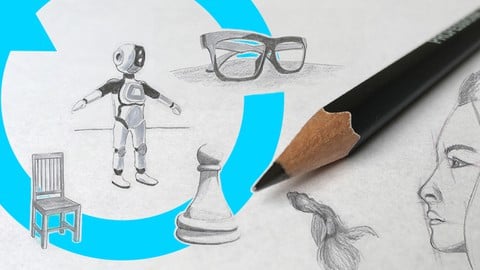
How to Draw Ep.1 - BASIC DRAWING SKILLS & Sketching Course (2023)
4.7 (1,142 Reviews)
- Provider: Udemy
- Time: 3.5h
$59.99

Portrait Drawing 101 - Pencil Drawing Course for Beginners (2023)
4.3 (668 Reviews)
- Provider: Udemy
- Time: 5.4h
$74.99
More Digital Painting courses

Character Art School: Complete Coloring & Painting (2026)
4.8 (6,042 Reviews)
- Provider: Udemy
- Time: 19.5h
$34.99



Procreate Masterclass: Digital Drawing on the iPad (2023)
4.8 (1,744 Reviews)
- Provider: Udemy
- Time: 18.2h
$94.99


Digital painting with Krita 5.0 intermediate level (2022)
4.8 (271 Reviews)
- Provider: Udemy
- Time: 6.8h
$79.99
 Reviews

By James Keigher on 12/20/2020
This instructor is as good as they get. Absolutely useful. The best Ive seen on how to use Procreate. Clear, pertinent And applicable ....Brilliant
By Chad Kusuno on 11/24/2020
The quality of the course is excellent.. The birds image file was in the wrong section of the resources.
By PAUL WILSON on 11/23/2020
I found the instructor a little fast. Fortunately, I was able to slow down the speed.
By Chandler Davis on 9/21/2020
He is not going too fast and I like that a lot.
By Patricia Minger on 9/16/2020
too fast. but I just kept pausing and rewinding.
By Irene Cheung on 9/15/2020
Good and clear instructions.
By Eugene Elyashev on 8/9/2020
I liked that the teacher explained everything clearly. but what i think he should change is that some people like me dont have an apple pencil. that changes the fact that I cant control the sensitivity.
By Hamid Kaivan on 7/21/2020
Best Procreate's course, you can not find anywhere else. I love this course.
By Nicolas martin on 7/17/2020
I
By Andr Lus de Alvarenga on 7/17/2020
Probably one of the best procreate course for newbies.
By Juan Carlos Chavez on 7/17/2020
This course is not how to draw, this course is how to use Procreate and its Perfect!!!
By Anwar on 6/7/2020
bad
 Quality Score
No CourseDuck member has rated this course yet. Taken it? Give each part a thumbs up or down.
Overall Score : 90 / 100

- Video Duration:
 3.2h
3.2h - Price: $44.99
- Provider: Udemy
- Updated:
 March 2023
 - Level:
 Beginner
 - Language:
 English
 - Certificate:
 Yes
Yes
30-day money-back guarantee on most paid courses
Udemy Coupon Price Tracker
