
 Web Development
 Data Science
 Python
 SQL
SQL JavaScript
 Artificial Intelligence
 IT & Software
 IT Certifications
 Hacking
 AWS
AWS Arduino
 DevOps
 3D Modeling
 Graphic Design
 Photoshop
 Drawing
 Digital Painting
 UX Design
 Business
 Data Analysis
 Communication Skills
 Project Management
 Leadership & Management
 Human Resources
 Digital Marketing
 Social Media Marketing
 Marketing
 SEO
SEO Google Analytics
 Branding
 Excel
Excel Office Productivity
 SAP
SAP PowerPoint
 Microsoft Access
 SharePoint
 Finance & Accounting
 Trading & Investing
 Accounting
 Bitcoin
 Personal Finance
 Video Editing & Animation
 Photography
 Adobe Premier Pro
 Adobe Lightroom
 Personal Development
 Productivity
 Career Development
 Life Coaching
 Health & Fitness
 Meditation & Mindfulness
 Yoga
Yoga Music
Music Music Production
 Guitar
 Piano
Piano Singing
 Language Learning
 Teaching & Academics
 Engineering
 Math
Math Lifestyle
Project-Based SwiftUI Course: Develop 12 Apps for iOS (Udemy.com)
Build 12 iOS Apps from scratch & learn the basics of Swift, iOS Development in Xcode, and SwiftUI
Created by: Swift Starter Kit
Last updated August 2021
 What you will learn
- Swift 5 Programming
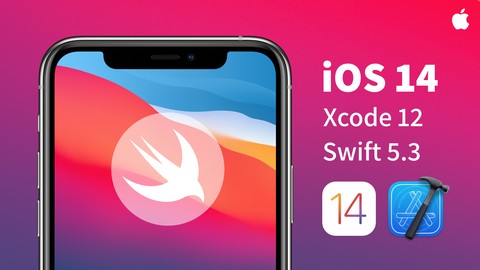
- iOS 14 App Development
- SwiftUI 2.0 Framework
- Xcode 12 IDE
- Constants and Variables
- Functions
- Structs and Classes
- If-Else Statements
- Timers
- Closures
- Switch-Case Statements
- Enumerators
- If-Let & Guard-Let
- Do, Try & Catch Blocks
- @StateObject
- @EnvironmentObject
- @State
- @Binding
How it compares
Against the other 160 rated Udemy courses in iOS Swift on CourseDuck:
- Rating4.7 out of 5higher than 87% of them
- Reviews125#135 of 161 by number of reviews
- Length6.8 hoursshorter than 70% of them
- Last updatedAugust 2021more recently than 63% of them
 Course Description
Learning iOS development and creating compelling apps can become a comfortable and enjoyable endeavour with the right course. iOS 14, Swift 5 & SwiftUI - The iOS Development Starter Kit is dedicated to creating the best possible learning experience with that in mind.
My name is Pao, the founder of Swift Starter Kit and your lead instructor for this course. You will learn how to build and deploy basic iOS apps from scratch using the latest and greatest in the Swift Programming language and the SwiftUI framework.
This course is for beginner-level developers who want to develop their own apps for the Apple ecosystem, primarily iOS and iPadOS. However, the skills you will gain from this course can also be used to create apps for macOS, tvOS, and watchOS. This course will focus primarily on development for iOS. You will learn everything about Apple app development and the Swift programming language from the ground up. No previous programming experience is necessary.
So what is the course all about? It’s about achieving three key things:
1. Learn the foundations of Programming with Swift, no experience needed
The first thing that you will learn is the foundations of programming using Swift. You will not need to know any programming concepts beforehand, but it will certainly help. I will be taking you from the installation of the Xcode IDE up until getting your apps running on a real device, and everything in between.
2. Learn SwiftUI, Apple’s native UI development framework
The second thing that you will achieve is learning how to use the SwiftUI framework. We will discuss this in more detail in the next lesson. Still, you should know that this course mainly focuses on SwiftUI, a new declarative framework for creating user interfaces built on top of the Swift programming language.
3. Build and Deploy iOS Apps from Scratch, specially tailored for beginner developers
The third thing you will achieve is creating 12 beginner-friendly apps that will teach you all the essentials of swift programming and Xcode app development. By the end of this course, you will have had seven apps that you can open and use on your iOS device. You can use these apps as a foundation of knowledge for building even more complex and robust apps.
So, why take this particular course?
1. A Project-Based Approach
This course tackles learning programming concepts through a project-based approach. This means you learn everything you need to know by creating projects in the form of apps. These projects are neatly organized to provide you with the best sequence to learn programming and app development.
2. Contextual Learning
This course also relies heavily on contextual learning, which means concepts are introduced when we need to use them. The power of contextual learning is in introducing the “why” of each idea, allowing you to better understand the reasons behind the lines of code and why we are using them. This reduces the need for long lectures and makes programming concepts much easier to understand and remember.
3. Hands-On Coding
Finally, this course is not just going to be pure theory, but instead will focus on getting your hands dirty in a very hands-on approach. You will learn programming and app development by creating and coding things with your own hands and developing your skills at an accelerated rate in the process.

 Udemy Discount
The discount is applied through our link. Open the course from here and Udemy's current promotional price is applied at checkout on most courses, no code to type.
Some courses are excluded from Udemy's promotions. If the price does not drop, clear your browser cookies and use the button again.
Instructor Details
- 4.7 Rating
 125 Reviews
Swift Starter Kit
Swift Starter Kit is here to help you learn what you need to succeed in iOS app design and software development. As people who learned how to code through self-learning and the completion of our own personal passion projects, we greatly believe in the power of project-based learning where students learn by creating things and getting their hands dirty with code.
Moreover, we greatly believe in contextual learning, which means introducing concepts and knowledge within the context of their creation. This reduces the need for long lectures and allows students to immediately apply and absorb information by understanding the why and how of code through a hands-on, contextual approach.
 More iOS Swift courses

iOS 12 Swift 4.2 - The Complete iOS App Development Bootcamp (2021)
4.9 (562 Reviews)
 Provider: Udemy
 Time: 55.4h
$109.99

Noob to App Store - iPhone Apps with Swift, SwiftUI & iOS 15 (2021)
4.9 (342 Reviews)
- Provider: Udemy
- Time: 7.8h
$69.99

Deep Dive iOS 27 & SwiftUI 6: 90-Hour Project-Based Course (2026)
4.8 (983 Reviews)
- Provider: Udemy
- Time: 88.7h
$79.99

The Swift Arcade Data Structures and Algorithms Bootcamp (2022)
4.8 (839 Reviews)
- Provider: Udemy
- Time: 7.2h
$84.99

How To Make An App For Beginners (iOS/Swift - 2019)
4.8 (658 Reviews)
- Provider: Udemy
- Time: 4.3h
Free

SwiftUI iOS13 Coffee Shop Application, Order Products Online (2020)
4.8 (158 Reviews)
- Provider: Udemy
- Time: 8.2h
$109.99
 Reviews

By Tobias Fried on 9/24/2022
This was a nice intro, but I wish the course was longer and covered basics of a functioning real-world app, like navigation, toolbars, menus, data fetching and display, lists, etc.
By Herie Marie A. Estaño on 7/18/2021
If you're a complete beginner in programming and you want to build iOS apps, this course is the BEST. I'm halfway through it and the instructor has absolutely no gaps in his explanation so far - no alien unexplained codes whatsoever. Thumbs up!
By Juan Bustillo on 6/7/2021
This course is perfect for Swift beginners and in my opinion covers everything perfectly for some one who's just starting to get into the mobile programming world. Excelent course!
By Bernino Lind on 5/30/2021
I'm already proficient in Go, Python and other things so its a bit frustrating to not get straight to e.g. looping over directories etc.
By Jonathon Chadwick on 4/18/2021
Was able to learn easily and follow with all the different apps.
By Ravi Kunaparaju on 2/2/2021
I enjoyed very much learning SwiftUI by developing simple apps. Concepts explained in very clear manner. Quiz is fun and quick way to recollect concepts. Thanks a lot for this course . I recommend for all beginners :D
By Omar Pasha on 12/21/2020
Very good! I make some mistake in the focus App, and I could not get it to work. I decided to go to the Waltz App to repair my confidence. And, I'm doing very well again. I'll redo focus at a later date. But, I got my confidence back!
By Bruno Miguel Lopes Teles Ribeiro on 12/7/2020
The instructor explains things in a very understandable and clear way. The classes are also short (most are under 10 minutes), which is really nice.
By Max Schwehr on 11/27/2020
This is great and they explain things in very understandable ways. It took me a bit to get into it, but now I'm so glad I'm taking this course.
By Damiani Rubio on 11/2/2020
I have no coding experience and I have to say I count believe I've made it halfway so far. The instructions and examples are great enough to where im actually grasping the language instead of just copying code.
 Quality Score
No CourseDuck member has rated this course yet. Taken it? Give each part a thumbs up or down.
Overall Score : 94 / 100
- Video Duration:
 6.8h
6.8h - Price: $79.99
- Provider: Udemy
- Updated:
 August 2021
 - Level:
 Beginner
 - Language:
 English
 - Certificate:
 Yes
Yes
30-day money-back guarantee on most paid courses
Udemy Coupon Price Tracker
