
 Web Development
 Data Science
 Python
 SQL
SQL JavaScript
 Artificial Intelligence
 IT & Software
 IT Certifications
 Hacking
 AWS
AWS Arduino
 DevOps
 3D Modeling
 Graphic Design
 Photoshop
 Drawing
 Digital Painting
 UX Design
 Business
 Data Analysis
 Communication Skills
 Project Management
 Leadership & Management
 Human Resources
 Digital Marketing
 Social Media Marketing
 Marketing
 SEO
SEO Google Analytics
 Branding
 Excel
Excel Office Productivity
 SAP
SAP PowerPoint
 Microsoft Access
 SharePoint
 Finance & Accounting
 Trading & Investing
 Accounting
 Bitcoin
 Personal Finance
 Video Editing & Animation
 Photography
 Adobe Premier Pro
 Adobe Lightroom
 Personal Development
 Productivity
 Career Development
 Life Coaching
 Health & Fitness
 Meditation & Mindfulness
 Yoga
Yoga Music
Music Music Production
 Guitar
 Piano
Piano Singing
 Language Learning
 Teaching & Academics
 Engineering
 Math
Math Lifestyle
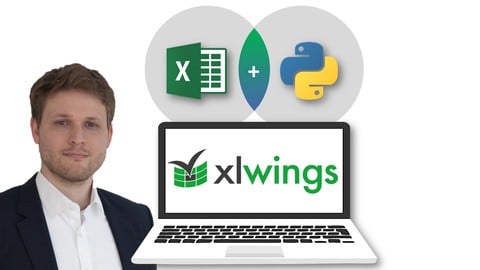
Python for Excel: Use xlwings for Data Science and Finance (Udemy.com)
Integrate Excel and Python and get the best of two Worlds! Python Beginners welcome. Use Pandas, Seaborn & co. in Excel
Created by: Alexander Hagmann
Last updated December 2025
 What you will learn
- Automate Excel with clean and powerful Python Code
- Learn and master the xlwings library from 0 to 100
- Use Excel as Graphical User Interface (GUI) and run your Python code with Excel
- Create powerful Dashboard Apps with Excel (frontend) and Python (backend)
- Use powerful Data Visualization Tools (Matplotlib, Seaborn) in Excel
- Learn Python from scratch with a taylor-made Crash Course (For Python beginners)
- Write UDFs (user defined functions) and use Numpy, Pandas and Machine Learning Libraries directly in Excel
- Write Excel tools with Python instead of VBA and call your code directly from within Excel
- Use xlwings to automate Excel reports with Python
- Prototype Web apps
- Write and use Dynamic Arrays with xlwings
- Run your financial model 10,000 times & more with a Python Monte Carlo Simulation
- Load (financial) data from Web APIs directly into Excel
How it compares
Against the other 355 rated Udemy courses in Excel on CourseDuck:
- Rating4.7 out of 5higher than 81% of them
- Reviews1,202#156 of 356 by number of reviews
- Length17.2 hourslonger than 87% of them
- Last updatedDecember 2025more recently than 72% of them
 Course Description
Excel vs. Python - what is the best tool for Data Science, Business, and Finance?
The answer is: Use Excel and Python together and integrate both tools with xlwings. Get the best of two worlds!
With xlwings, you can use Python Data Science libraries like Numpy, Pandas, Scipy, Matplotlib, Seaborn, and Scikit-learn directly in Excel! You can run Python code in Excel and boost your Excel projects! More and more Professionals and Developers use
Excel as Frontend
Python as analytical Backend.
This course is the perfect choice for
Experienced Python Coders: Use Excel as Graphical User Interphase (GUI) | Run your Python scripts with Excel | Present your results with Excel Dashboards
Excel Users and complete Python Beginners: Boost your Excel projects with clean and powerful Python code!
Mixed Groups: Non-Coders can run and use Python code simply by clicking on buttons in Excel.
Why take this course?
You will learn and master the xlwings library from scratch
For Excel Users and complete Python Beginners: This course includes a Python Crash Course that is tailor-made for you!
It´s the most comprehensive and practical (hands-on) xlwings course on the web
It covers three comprehensive real-world projects.
Project 1: You will learn how to boost your financial model in Excel by adding a Python Monte Carlo Simulation - Run your Excel calculation 10,000 times with different sets of inputs and analyze the results!
Project 2: You will learn to create Bloomberg-like Stock Dashboard Apps with Excel (Graphical User Interface) and Python (analytical Backend).
Project 3: You will learn how to use Pandas methods and functions on your datasets directly in Excel.
Why use Excel?
There is no better Graphical User Interface (GUI) and Reporting tool than Excel. Excel is
widely spread (750 million users)
standardized
intuitive to use
most users are well-trained
it requires low/zero setup
it requires low/zero maintenance
and it´s still the best choice for financial models & spreadsheet calculations
Why use Python?
With hundreds of powerful Libraries, Python is the first choice for Data Science, Machine Learning, and advanced analytics in Business and Finance. The Python Ecosystem is way more powerful and versatile than VBA. And it´s cleaner and easier to learn and apply!
Why learn and master xlwings?
xlwings is the perfect tool to integrate Excel and Python! xlwings allows you to
Automate Excel from Python e.g. to produce reports or to interact with Jupyter Notebooks.
Write macros in Python that you can run from buttons in Excel, e.g. to load data from a database or an external API.
Write UDFs (user-defined functions) and leverage the power from NumPy, Pandas, and machine learning libraries.
Leverage Python's scientific stack for interactive data analysis using Jupyter Notebooks, NumPy, Pandas, scikit-learn, etc.
Use xlwings to automate Excel reports with Python.
Write Excel tools with Python instead of VBA and call your code directly from within Excel, e.g. via a button on the sheet.
This also works great for prototyping web apps.
Write (array) UDFs in a breeze by taking advantage of all the functionality already available in libraries like NumPy and Pandas.
Dynamic array formulas are supported.
As always, there is no risk for you as I offer a 30-day money-back guarantee. I am looking forward to seeing you in the course!
(Mac users are welcome! However, please note that 10%-15% of the course content (UDFs) is currently unavailable on Mac!)

 Udemy Discount
The discount is applied through our link. Open the course from here and Udemy's current promotional price is applied at checkout on most courses, no code to type.
Some courses are excluded from Udemy's promotions. If the price does not drop, clear your browser cookies and use the button again.
Instructor Details

- 4.7 Rating
 1,202 Reviews
Alexander Hagmann
Alexander is a Data Scientist and Finance Professional with more than 10 years of experience in the Finance and Investment Industry.
He is a Bestselling Udemy Instructor for
- Algorithmic Trading
- Data Analysis/Manipulation with Pandas
- (Financial) Data Science
- Python for Business and Finance
- ChatGPT and other AI tools
Alexander started his career in the traditional Finance sector and moved step-by-step into Data-driven and Artificial Intelligence-driven Finance roles. He is currently working on cutting-edge Fintech projects and creates solutions for Algorithmic Trading and Robo Investing. And Alexander is excited to share his knowledge with others here on Udemy. Students who completed his courses work in the largest and most popular tech and finance companies all over the world.
Alexander´s courses have one thing in common: Content and concepts are practical and real-world proven. The clear focus is on acquiring skills and understanding concepts rather than memorizing things.
Alexander holds a Master´s degree in Finance and passed all three CFA Exams (he is currently no active member of the CFA Institute).
 More courses by Alexander Hagmann
Algorithmic Trading A-Z with Python, Machine Learning & AWS (2025)
4.4 (4,371 Reviews)
 Provider: Udemy
 Time: 44.8h
$124.99
The Complete Pandas Bootcamp 2025: Data Science with Python
4.8 (3,892 Reviews)
- Provider: Udemy
- Time: 37.1h
$109.99

Cryptocurrency Algorithmic Trading with Python and Binance (2025)
4.6 (2,360 Reviews)
- Provider: Udemy
- Time: 38.2h
$119.99

Complete 2-in-1 Python for Business and Finance Bootcamp (2025)
4.6 (1,272 Reviews)
- Provider: Udemy
- Time: 37.8h
$13.99
Manage Finance Data with Python & Pandas: Unique Masterclass (2025)
4.3 (1,166 Reviews)
- Provider: Udemy
- Time: 29.9h
$15.99
Python Data Science with Pandas: Master 12 Advanced Projects (2025)
4.6 (1,065 Reviews)
- Provider: Udemy
- Time: 17.6h
$109.99
More Excel courses

Microsoft Excel Data Analysis - Learn How The Experts Use It (2026)
5.0 (5,696 Reviews)
- Provider: Udemy
- Time: 3h
$39.99


Microsoft Excel: Advanced Dashboard Design (Project-Based!) (2026)
4.9 (4,868 Reviews)
- Provider: Udemy
- Time: 6.4h
$99.99


Master NEW Excel Functions in Office 365 & Office 2021+
4.8 (5,262 Reviews)
- Provider: Udemy
- Time: 7.1h
$15.99

Microsoft Excel Certification Exam Prep: MO-201 Excel Expert (2026)
4.8 (3,239 Reviews)
- Provider: Udemy
- Time: 8.6h
$119.99
 Reviews

By Ida on 6/3/2026
Good part: Installation of Anaconda and Jupyter Notebook has been helpful because this is what I was looking for. Maybe bad point: I have learned pandas first, and I do not want to confuse myself by learning xlwings steps which could also be done by pandas.
By Frederick Shue on 1/1/2024
The instructor is a very good English lecturer (though English does not seem to be his first language). He speaks at a measured pace and very understandable. He includes a crash course on Python in case you haven't used it in a while (like myself... very helpful to jog up the memory). Is this Udemy course going to teach you everything about xlwings? Of course not... It will give you an "advanced introduction" and then you will have to dig deep into what you want out of xlwings.
By Benoit Kowalski on 4/28/2023
Overall, I am happy with the course content and especially liked the crash courses. I just finished a UDEMY course on Python from Jose but I really liked the crash courses. From there, I enjoyed the first few lessons but ran through some issues with the course using reference to libraries deprecated and not used anymore... Also, one little issue I experience is related to courses going backward and forward in the same notebook. I think it would be more pedagogic to show one aspect of the issue with a note and then, duplicating the codes in another notebook entry with the improved feature to clearly show what changing the codes will yield. Otherwise, it is really difficult to follow and in few months time, I would have completely forgotten the point being made... Finally, I must admit that the UDF section is very complex to follow: all the codes are given and I suspect you need to be an expert in Pandas to understand what the code does. Applying the functions worked as expected but replicating the codes would be virtually impossible for me. For instance, the correlation function is super powerful but I could only use the codes as a basic user and writing those lines would be impossible for me. I hope this feedback will be helpful and not too depressing! I enjoyed the course...
By Rafał Styczyński on 10/16/2022
A very good piece on how to make Excel and Python talk to each other. Really useful for anyone who works with Excel, but wants to enhance their productivity with Python, as well as for those whose workload is mainly in Python, but for any reason need to use Excel as a front-end. Thanks for the lecture on how to implement Monte Carlo simulation!
By Max-Edouard Mondesir on 9/1/2022
The instructor is excellent. He knows how to teach. He teaches both by showing how to properly handle certain things in Python, and why other ways would not work and would lead to pitfalls. He knows how to break the material in little manageable pieces, how to move from one topic to the other and how to beautifully arrange the materials and examples so that one builds on the previous one. Well done!
By Mark Lutton on 7/26/2022
This is an exceptionally valuable course. It was my introduction to Anaconda which is an excellent development environment. That was valuable in itself even though it is just a small part of the course. The XLWings coverage is very thorough, and the Numpy and Pandas sections are also valuable.
By Ahmed.Helal on 11/5/2021
Actually course content is very good , for me i am accountant and studying machine learning found that best things i got from this course till now is : - Macros "Run Python" it automated my work too much and lindked it with pandas and data visualization tools , and it is very important tool for me . - But projects of simulations and yahoo finance it is not usesful for me , i think projects like daily report automations and something like that would be useful for me , but it's great .
By Abhishek Bhandari on 6/16/2021
Alex have detailed knowledge on all the courses he made. He explained every concept very well and also answers to our questions within a day. If someone wants to learn Pandas, xlwings and trading setup then his courses are must to enroll. He starts from very basic and take us to advance level. He even include appendix so that if something is needed in the course we don't need to look anywhere else. Thanks Alex for so many awesome courses.
By Jeserio Lonon on 8/23/2020
I'm an accountant and been wanting to learn python for financial data analysis... as a newbie to coding, everything that is discussed in this course excites me!... there are items discussed that confused me but after replaying the video, a few reading, and re-examination of the codes , im starting to get the hang of this python programming... i'm very excited to actually apply this to real world problems! I hope choosing python as my first programming language would be the right choice! Great Course so far!
By Paul Byrnes on 8/11/2020
I enjoyed this course. Before this course I had previously tried to use xlwings and pandas-reader and had run into problems. Following the lectures made it easy to get these to work and get results. The practical examples of loading stock data was useful to demonstrate the process and getting the settings right. Accessing stock data outside USA was really good. Excel is useful front-end for many people and the python-excel combination is a good option in some cases. I did not complete the python background as I had this knowledge before the course.
 Quality Score
No CourseDuck member has rated this course yet. Taken it? Give each part a thumbs up or down.
Overall Score : 94 / 100
- Video Duration:
 17.2h
17.2h - Price: $89.99
- Provider: Udemy
- Updated:
 December 2025
 - Level:
 All Levels
 - Language:
 English
 - Certificate:
 Yes
Yes
30-day money-back guarantee on most paid courses
Udemy Coupon Price Tracker
