
 Web Development
 Data Science
 Python
 SQL
SQL JavaScript
 Artificial Intelligence
 IT & Software
 IT Certifications
 Hacking
 AWS
AWS Arduino
 DevOps
 3D Modeling
 Graphic Design
 Photoshop
 Drawing
 Digital Painting
 UX Design
 Business
 Data Analysis
 Communication Skills
 Project Management
 Leadership & Management
 Human Resources
 Digital Marketing
 Social Media Marketing
 Marketing
 SEO
SEO Google Analytics
 Branding
 Excel
Excel Office Productivity
 SAP
SAP PowerPoint
 Microsoft Access
 SharePoint
 Finance & Accounting
 Trading & Investing
 Accounting
 Bitcoin
 Personal Finance
 Video Editing & Animation
 Photography
 Adobe Premier Pro
 Adobe Lightroom
 Personal Development
 Productivity
 Career Development
 Life Coaching
 Health & Fitness
 Meditation & Mindfulness
 Yoga
Yoga Music
Music Music Production
 Guitar
 Piano
Piano Singing
 Language Learning
 Teaching & Academics
 Engineering
 Math
Math Lifestyle
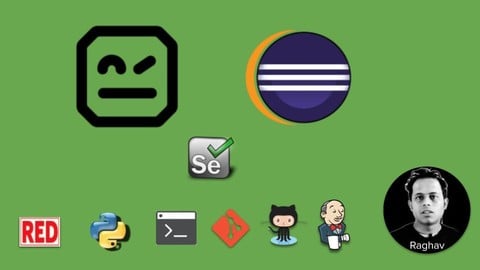
Robot Framework | Step-by-Step for Beginners (Udemy.com)
Learn Robot Framework from scratch
Created by: Raghav Pal
Last updated October 2025
 What you will learn
- How to use Robot Framework for browser automation
- How to setup Robot Framework
- How to use Robot framework with Selenium
How it compares
Against the other 281 rated Udemy courses in Software Testing on CourseDuck:
- Rating4.5 out of 5higher than 51% of them
- Reviews1,199#117 of 282 by number of reviews
- Length2.7 hoursshorter than 81% of them
- Last updatedOctober 2025more recently than 54% of them
 Course Description
This course is created for complete beginners.
Robot Framework with Eclipse | Step-by-Step for Beginners
If you want to learn Robot Framework from scratch, this course is for you. Very basic step by step video guides to take you from knowing nothing on Robot Framework to developing a project for Test Automation.
In this course we will learn:
What is Robot Framework
How to install and setup Robot Framework
How to install Python (Mac & Windows)
Eclipse IDE for Robot Framework
Setup RED robot editor - plugin on eclipse
Create your first Robot Framework project
Create your first Robot Framework test
First Selenium test in Robot Framework
Learn Variables
Keywords
Tags
Setup & Teardown
Reports and logs
How to run from command line
How to use Jenkins for Continuous Integration
And much more...
Do not worry if you have never used Robot Framework earlier. I will guide you from scratch.
Let's Get Started...

 Udemy Discount
The discount is applied through our link. Open the course from here and Udemy's current promotional price is applied at checkout on most courses, no code to type.
Some courses are excluded from Udemy's promotions. If the price does not drop, clear your browser cookies and use the button again.
Instructor Details

- 4.5 Rating
 1,199 Reviews
Raghav Pal
We often need someone to hold our hand and help us take the first few steps before we learn to walk and run.
This is the vision behind Automation Step by Step
1. Start from scratch
2. Break down the topic
3. Simplify things
4. Go step by step
Automation Step by Step was created by Raghav
Teaching is his passion and he creates every course so you can start from scratch, knowing nothing about a topic and become an expert after the course and can work on enterprise projects.
Raghav has been in this field since 15 years. He was an Automation Test Architect for 10 years. He experienced that often many topics were made complex than they really are.
That is when he decided to teach to simplify and break down topics to the most basic level so that anyone can understand and learn without having any prior knowledge on the subject.
So do not worry if you do not have any existing knowledge on the subject. We will go very basic, step by step.
Let's Get Started...
Raghav Pal
 More courses by Raghav Pal

POSTMAN API Testing - Step by Step for Beginners (2025)
4.6 (12,000 Reviews)
 Provider: Udemy
 Time: 5.7h
$11.99

Katalon Studio Beginners - Hands-on Training (2025)
4.4 (2,525 Reviews)
- Provider: Udemy
- Time: 18.1h
$84.99
Selenium Python - Step by Step for Beginners with Framework (2025)
4.6 (1,591 Reviews)
- Provider: Udemy
- Time: 10h
$11.99
Robot Framework|RIDE & Selenium - Step by Step for Beginners (2025)
4.5 (855 Reviews)
- Provider: Udemy
- Time: 2.6h
Free
More Software Testing courses

ZeroToHero TestNG Framework - From Basics to Advanced (2026)
4.9 (828 Reviews)
- Provider: Udemy
- Time: 6.2h
$59.99
Selenium WebDriver with Java- Basics to Advanced + Framework (2026)
4.9 (620 Reviews)
- Provider: Udemy
- Time: 35.5h
$84.99
Karate DSL: API Automation and Performance from Zero to Hero (2026)
4.8 (4,652 Reviews)
- Provider: Udemy
- Time: 7.2h
$10.99

API Testing in detail using Postman - Test Automation (2026)
4.8 (423 Reviews)
- Provider: Udemy
- Time: 7.8h
$10.99
Quick Introduction to Postman and API Testing for Beginners (2025)
4.7 (23,113 Reviews)
- Provider: Udemy
- Time: 3.2h
$13.99

Software Testing Masterclass (2026) - From Novice to Expert
4.7 (12,622 Reviews)
- Provider: Udemy
- Time: 9.9h
$149.99
 Reviews

By Chong Yee Mung on 8/3/2023
Thank you very much for creating the a simple and easily understand step by step instruction so that everyone can startup and understand the Robot framework quickly.
By Rebecca Särkkä on 10/11/2022
Explanation and content was good but unfortunately I could not finish the tutorial it because RED Robot Editor did not work with current Robot Framework version 5. So I would have to learn about this more from someplace else and then come and finish it which defeats the purpose. Too bad because other tutorials have not been so step-by-step as this one so they're a bit hard to follow as I am just getting started. Edit: I was able to configure my testing environment using a different text editor (vs code) and resumed the tutorial from section 6. I found this tutorial very helpful and clearly explained! Just the setting up bit doesn't work anymore as it is now.
By Naveen kumar M on 4/27/2022
Thanks Raghav. I've one question - How to Execute Keywords in parallel on robot framework ? (Not Testcases) Basically need to apply the configurations in multiple devices parallelly. How can I achieve it ?
By Puspender Aggarwal on 6/18/2021
Being a first timer in UI Automation was looking for some course which covers detail introduction of Robo Framework with Selenium and it enabled me to directly jump on automating the product. Great efforts and thanks Ragahav for such a detailed explanation.
By Mustafa Wahab on 7/27/2020
A very detailed description of RobotFramework and how best to use it as a beginner. Unbelievable, but it was really fun to attend this online course. You learn a lot.
By Rakesh Ranjan on 5/18/2020
Although I knew the robot framework but still I watched it so that I could get something new out of it and yes, I learnt something new. Watch it guys, you will get something new to learn. Explanation is pretty easy to understand and extremely easy to work. Short and crisp.
By Tomasz on 3/29/2020
I write automated test in my work for some time. Nevertheless I get know some basic , but very useful things. For example: "Open perspective" in Eclipse, types of variables, setup and teardown for test cases. Thanks a lot :)
By Dirk R on 2/25/2020
The information given was very helpfull, also easy to follow. If i have one tip is that one single resource file would be better that contains all information instead of 13 files that are almost the same.
By Sviatoslav Bordovski on 9/28/2019
In general course is good. There are some issues that I had during learning from Raghav tutorials. However, I have managed to Google them because I was configuring everything on PyCharm CE with Ubuntu 18.04.3 LTS. I recommend the course for the beginners, it will give a lot of tricks and tips for the newbies. Thank you, Raghav!
By Tamika Burgess-Rose on 4/29/2019
The delivery was clear, I was able to follow each video clearly. The notes are also very good tips I can keep and refer to as I practice and improve my skills.
 Quality Score
No CourseDuck member has rated this course yet. Taken it? Give each part a thumbs up or down.
Overall Score : 90 / 100
- Video Duration:
 2.7h
2.7h - Price: Free
- Provider: Udemy
- Updated:
 October 2025
 - Level:
 All Levels
 - Language:
 English
 - Certificate:
 No
No
Udemy Coupon Price Tracker
