
 Web Development
 Data Science
 Python
 SQL
SQL JavaScript
 Artificial Intelligence
 IT & Software
 IT Certifications
 Hacking
 AWS
AWS Arduino
 DevOps
 3D Modeling
 Graphic Design
 Photoshop
 Drawing
 Digital Painting
 UX Design
 Business
 Data Analysis
 Communication Skills
 Project Management
 Leadership & Management
 Human Resources
 Digital Marketing
 Social Media Marketing
 Marketing
 SEO
SEO Google Analytics
 Branding
 Excel
Excel Office Productivity
 SAP
SAP PowerPoint
 Microsoft Access
 SharePoint
 Finance & Accounting
 Trading & Investing
 Accounting
 Bitcoin
 Personal Finance
 Video Editing & Animation
 Photography
 Adobe Premier Pro
 Adobe Lightroom
 Personal Development
 Productivity
 Career Development
 Life Coaching
 Health & Fitness
 Meditation & Mindfulness
 Yoga
Yoga Music
Music Music Production
 Guitar
 Piano
Piano Singing
 Language Learning
 Teaching & Academics
 Engineering
 Math
Math Lifestyle
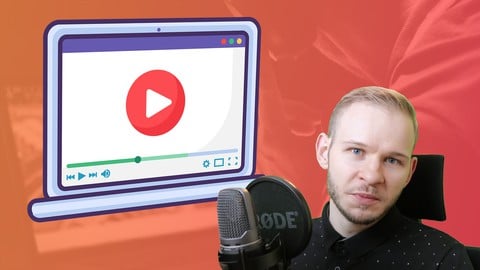
Screen Recording - How to Record & Create Tutorial Videos (Udemy.com)
Screen recording, webcam recording & video editing! How to make videos, video tutorials, promo videos or online courses!
Created by: Andrew Pach
Last updated November 2025
 What you will learn
- From A to Z a workflow on how to create video tutotrials
- How to efficiently record your screen and what software to use for it
- Basic video editing with Free and Paid programs (Camtasia, DaVinci Resolve, OpenShot)
- How to sound great with any microphone
- Building a professional home studio with any budget - low or high
- Edit images to prepare engaging thumbnails and promotional material
How it compares
Against the other 503 rated Udemy courses in Teaching & Academics on CourseDuck:
- Rating4.3 out of 5higher than 16% of them
- Reviews568#221 of 504 by number of reviews
- Length2.4 hoursshorter than 64% of them
- Last updatedNovember 2025more recently than 77% of them
 Course Description
Do you find it difficult to record your screen, add a webcam, and edit everything?
Are you getting lost in the number of programs, devices, and possibilities on the market?
This course will be the only one you need to learn screen recording and tutorial creation!
I will teach you a consistent and streamlined workflow for producing tutorial videos quickly and effectively!
You will learn basic video editing which will be easily enough to produce your first 100 videos
THE GOAL OF THIS COURSE:
I am focusing 100% on teaching you How to Record Your Screen & Edit Your Own Videos so you can start creating content right after this course. Period.
I teach about the best free & paid programs so you can get up and running no matter the budget.
Please read through the curriculum and lectures to "see" what's covered.
WHY IS THIS COURSE DIFFERENT THAN OTHER COURSES:
Other courses Teach only Camtasia, or only screen recording, or only video editing and are far too in-depth in those specific topics and you would need to buy 3-4 courses and spend literally 2 months just learning to get something out of it
Other courses are often prolonged, You could forget half of the things you have learned while taking them
This course Will teach you everything you need to know about screen recording in one place (tools, preparation, technical details)
This course has easily digestible, 2-4 minute tutorials so you stay focused
This course gives you a practical blueprint to create online tutorials
This course showcases the most popular and used programs to create any type of online video
This course teaches about all-important technical details and necessary equipment such as a microphone, camera, lighting etc.
I AM COVERING TOPICS LIKE:
Free tools for screen recording
How to select and use a webcam (or camera) and a green screen
Basic video editing with free and paid programs
How to sound well with any microphone
How to prepare and set up your recording studio
Acoustics and soundproofing your office and recording space
How to set up an office with any budget - low or high
How to design thumbnails for your videos
PROGRAMS WE USE AND LEARN:
Screen recording with Streamlabs OBS
Screen recording with Camtasia
Screen recording with Bandicam
Video Editing with DaVinci Resolve
Video Editing with OpenShot
Video Editing with Camtasia
...and many more!
WHY IS THIS COURSE USEFUL:
Video creation & editing skills are now more in demand than ever (partly due to the pandemic).
Modern age lifestyle requires us to use tools like a webcam, ZOOM meetings, and videos on a daily basis.
Learning how to record, edit, and publish video material makes you more confident in your own value.
I would be honored to have you onboard if this is of interest to you. There is a 100% 30-day money-back guarantee so you take absolutely no risk.
If you aren't sure just watch a few of the free preview lectures.
If you are ready to work and want to start then ...ENROLL NOW!

 Udemy Discount
The discount is applied through our link. Open the course from here and Udemy's current promotional price is applied at checkout on most courses, no code to type.
Some courses are excluded from Udemy's promotions. If the price does not drop, clear your browser cookies and use the button again.
Instructor Details

- 4.3 Rating
 568 Reviews
Andrew Pach
Hi! My name is Andrzej Pach (but Andrew is easier to say ^^) and I spend my daily time with graphic design, presentations, motion & animation, typography, video editing, and online teaching. Most of my work is done in Adobe After Effects & Microsoft PowerPoint 2019 / 2021 / 365 and Camtasia so naturally, this is the software I want to teach about and share my experience with. I have completed more than 5000 graphic projects for clients, mostly including video animations like intros, outros, and transitions for various YouTube channels & marketers. On Fiverr alone (a freelancing website), I have more than 3500 reviews and 4k+ finished jobs. I would like to share with you the knowledge that I was able to "stack up" during the process. I am always willing to help people out by enhancing their brands and projects.
Who am I?
I'm born in 1989, live in a small village in Poland, and graduated from my University in July 2014. A few years back, when I tried to find my "place" after getting hired to prepare a website, flyer, and business card for a local business in my area, I finally "felt it". Since then (2011) I have expanded my skills in this area by completing various graphic, website, and design-related projects. Places like the Warrior Forum, freelancing websites, and graphic contests across the web caught my interest and never let me go. I run my own company since April 2015.
 More courses by Andrew Pach

Powerpoint 2019 2021 365 - Master powerpoint presentation
4.6 (24,935 Reviews)
 Provider: Udemy
 Time: 10.3h
$15.99

PowerPoint for Beginners - Program & Animation Basics FREE (2025)
4.5 (10,988 Reviews)
- Provider: Udemy
- Time: 1.3h
Free

PowerPoint Masterclass - Presentation Design & Animation (2026)
4.7 (7,539 Reviews)
- Provider: Udemy
- Time: 10.3h
$14.99

PowerPoint Slide Design - Casual Slides Presentation (2025)
4.7 (6,207 Reviews)
- Provider: Udemy
- Time: 42 mins
Free

Powerpoint Presentation - design powerpoint slides (2025)
4.4 (5,349 Reviews)
- Provider: Udemy
- Time: 48 mins
Free

Microsoft PowerPoint for 2026 - 3 Hour Crash Course!
4.7 (4,018 Reviews)
- Provider: Udemy
- Time: 2.9h
$11.99
More Teaching & Academics courses
GMAT Focus | Quantitative| Master Math Course | 2026 Updated
5.0 (854 Reviews)
- Provider: Udemy
- Time: 55.3h
$11.99

Speed Reading MACHINE 5.1: How To Read 307 Books In 2026
4.9 (1,386 Reviews)
- Provider: Udemy
- Time: 7.2h
$12.99
GRE Quantitative Prep | Master Math Course | 2026 Updated
4.9 (980 Reviews)
- Provider: Udemy
- Time: 59h
$10.99
IELTS Pro: Reading | Writing | Listening | Speaking (2026)
4.9 (799 Reviews)
- Provider: Udemy
- Time: 30.4h
$10.99
 Reviews

By Joseph Campbell on 5/14/2026
It is a bit of a rehash for me, as I spent 3 years in the mid 1970's working as a camera tech for a college TV station. A few years later I did the same job recording oral history's at another college. I never learned to edit, which is why I am here now. I am back to the oral history work for a local museum.
By Juan Alberto Martín Díaz on 1/5/2026
This guy has always been into the Camtasia world, and engaged in several courses along the way. His involvement and way of explaining is superb, and his explanations have always been concise but clear at the same time. I've already purchased his 3 courses on Camtasia.
By Jose M. Pantaleon on 2/7/2025
I am very mixed on this course. First let me start by saying that the instructor is very knowledgeable and I like his style. He presented some very good content as well. That said I felt like it was a little bit like an infomercial on products and tools. It wasn't until section 8 that really being taught the concepts of "How to Record & Create Videos". Again I am mixed on this course, I did get some good take aways, but felt let down by the way that the products and tools were presented.
By Holly Perini on 8/15/2024
Really good course. Really appreciate that there were a variety of video recording and editing tools recommended and demonstrated - free, semi-free, and paid. At times things did go a little fast, but it's great the videos can be paused and re-started. I feel it would also be helpful to advise at the start of the course what software's might be required so they can be installed first. Both the video recorder and editor took a while to install on my computer so it meant I couldn't get on with the course. But other than that I feel this course has really helped me get a basic knowledge on video editing which I can now use in my job.
By MOUBARIK Hassan on 8/17/2023
it's very fast , as a beginner I find it hard to keep up with this pace.I wished he could have been a bit slow .He moves quickly from one item to another .To be honest, I found free tutorials in youtube much better. I had to watch other videos on tube to understand item by item of my paid course, which is not normal.We need someone to put himself in the shoes of a beginner.More practical exercises are highly helpful in this skill learning process .
By GIRISH KANDALGAONKAR on 3/25/2023
The DaVinci Resolve 18 free editing tool crashes every time I load it on windows and try to complete the tutorials. Please guide on how to work with DaVinci Resolve 18 free editing tool else suggest another free editing tool for the session. Thanks
By Michiel Adriaansens on 8/30/2022
very helpfull tutorial for beginners. It gives a good general impression of all the steps and requirements for making screenrecorded video content. At the end of the day practice makes perfect but by following these steps you'll be well on your way in doing so.
By Gudrun Reitz on 3/7/2021
Thank you for the very good presentation of different cameras, microphones and programs for making tutorial videos. It saves a lot of time at choosing the equipment and software for starting. This course is very good when someone wants to start or improve video tutorials.
By Tom Jansen on 1/14/2021
Excellent content and well presented! This course focuses on the techniques and processes of planning, recording, editing, and publishing high-quality screen cast videos while not being dependent on any specific tool or software. Andrew also does a nice job of showing how different tools (free, low-cost, and premium) might be used to achieve similar results. Highly recommended.
By Rafael Beini on 11/17/2020
I wasn't 100% sure what to expect, but it blows my mind how simple screen recording can be, we can actually use free or almost free programs. This isn't a course about online course creation specifically, but HOW to learn screen recording and tutorial creation. Andrew is always on point and his humour shines through the lectures. I took his other courses, always overdelivers.
 Quality Score
No CourseDuck member has rated this course yet. Taken it? Give each part a thumbs up or down.
Overall Score : 86 / 100
- Video Duration:
 2.4h
2.4h - Price: $99.99
- Provider: Udemy
- Updated:
 November 2025
 - Level:
 All Levels
 - Language:
 English
 - Certificate:
 Yes
Yes
30-day money-back guarantee on most paid courses
Udemy Coupon Price Tracker
