
 Web Development
 Data Science
 Python
 SQL
SQL JavaScript
 Artificial Intelligence
 IT & Software
 IT Certifications
 Hacking
 AWS
AWS Arduino
 DevOps
 3D Modeling
 Graphic Design
 Photoshop
 Drawing
 Digital Painting
 UX Design
 Business
 Data Analysis
 Communication Skills
 Project Management
 Leadership & Management
 Human Resources
 Digital Marketing
 Social Media Marketing
 Marketing
 SEO
SEO Google Analytics
 Branding
 Excel
Excel Office Productivity
 SAP
SAP PowerPoint
 Microsoft Access
 SharePoint
 Finance & Accounting
 Trading & Investing
 Accounting
 Bitcoin
 Personal Finance
 Video Editing & Animation
 Photography
 Adobe Premier Pro
 Adobe Lightroom
 Personal Development
 Productivity
 Career Development
 Life Coaching
 Health & Fitness
 Meditation & Mindfulness
 Yoga
Yoga Music
Music Music Production
 Guitar
 Piano
Piano Singing
 Language Learning
 Teaching & Academics
 Engineering
 Math
Math Lifestyle
Shopify Development - Learn Shopify Liquid Programming (Udemy.com)
Understand how Liquid template programming works and start customizing your Shopify themes
Created by: Bernard Polidario
Last updated June 2024
 What you will learn
- Shopify Liquid Programming - Learn how to write Liquid codes (Objects, Tags, and Filters).
- Understand and learn different Liquid objects that you can use to display in the Shopify storefront
- Have a deep understanding of Liquid tags to control the flow of your Shopify store. Learn how to use Liquid tags to create conditions and loops
- Learn how to use Filters to modify an object or an output
- Learn how to use handles in Liquid to get a very-specific data from a Shopify store
How it compares
Against the other 84 rated Udemy courses in Shopify on CourseDuck:
- Rating4.3 out of 5higher than 28% of them
- Reviews913#17 of 85 by number of reviews
- Length4 hoursshorter than 57% of them
- Last updatedJune 2024more recently than 66% of them
 Course Description
Do you want to learn Liquid programming so that you can customize or understand the codes of your Shopify theme? If yes, then you have come to the right place!
Welcome to the Shopify Liquid Programming course! In this course, my goal is to help you understand what is Liquid like what it does, and how to use it.
We’re going to cover the following features of Liquid:
Objects - Getting values from Shopify, and making our own
Tags - Making loops, conditional statements and getting templates/sections
Filters - Changing returned values
If you are a Shopify store owner and want to understand how a Shopify store is running, then learning Liquid can be extremely helpful.
Why Take This Course?
One of the biggest mistakes that people make is that they customize their Shopify theme aimlessly. What they usually do is Google the features that they’re looking for, then they will copy a code from someone else and apply it to their Shopify store without understanding the code that they copied and pasted. This can be a BIG issue since Shopify themes are vulnerable to code injections.
That’s why I’m here to help you avoid making that mistake!
Before Taking This Course
Now, what are the things that you need to know before taking this course? To get the best experience out of this course, it’s highly recommended that you know how to use Shopify. Meaning, you should know your way around Shopify from admin, to the settings, and to the storefront.
Next, you must know at least the basics of programming (Like the operators, or data types). Though I will do my best to explain what is going on in each lesson so that even if you have less programming knowledge, you’ll be able to understand the code. In addition, for each lesson, I will provide resources related to the lessons (e.g. PDFs or articles) so that you can use those resources to learn more about Liquid.
Another thing that you can do is post questions in the QnA section. So if you have questions, you can post them in the QnA. I will also include in this course, quizzes or questionnaires so that you can test yourself if you can finally use Liquid.
So are you ready to learn Liquid? If yes, join me and I will see you on the other side.

 Udemy Discount
The discount is applied through our link. Open the course from here and Udemy's current promotional price is applied at checkout on most courses, no code to type.
Some courses are excluded from Udemy's promotions. If the price does not drop, clear your browser cookies and use the button again.
Instructor Details

- 4.3 Rating
 913 Reviews
Bernard Polidario
Hello! I'm Bernard.
I am a Shopify Developer at WeeklyHow with a stack-overflowing passion for teaching and making content online. I started learning how to code when I was 12 years old. The very first programming language that I learned is ActionScript 2, if you know Adobe Flash, that's the first thing I learned. Then, PHP, MySQL, JavaScript, Unity, and the list goes on and on.
I've made so many projects before but most of them were deleted due to me neglecting the web server that I had years ago.
Then, I started making YouTube videos reacting to funny things online, and making songs, and had more than 12,000 subscribers. Unfortunately, I had to move on from that channel because I realized that my true passion is coding and teaching.
Anyway, I decided to start teaching here on Udemy as well and so if you're reading this right now, I hope you'll find your way into one of my courses, and hopefully, you find them helpful.
 More courses by Bernard Polidario
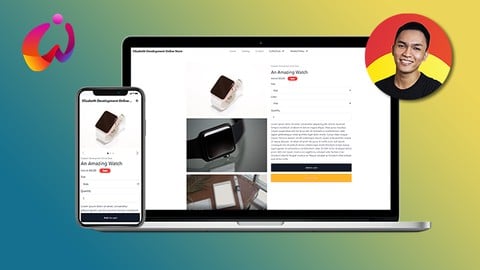
Shopify Theme Development: Online Store 3.0 + TailwindCSS (2026)
4.1 (1,675 Reviews)
 Provider: Udemy
 Time: 16h
$84.99
![Shopify Theme Development: Create Shopify Themes [2023]](/programming/shopify/images/3873888_16dc_2.jpg?v=1789443961)
Shopify Theme Development: Create Shopify Themes [2023]
4.4 (716 Reviews)
- Provider: Udemy
- Time: 12h
$74.99
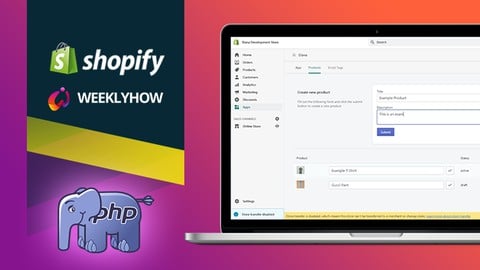
Shopify App Development - Vanilla PHP, GraphQL, & REST API (2024)
4.2 (337 Reviews)
- Provider: Udemy
- Time: 7.9h
$69.99
More Shopify courses

Shopify for Beginners - The Complete Shopify Course (2025)
4.8 (513 Reviews)
- Provider: Udemy
- Time: 9.7h
$84.99

The Complete AI Shopify Dropshipping Course (2026)
4.7 (30,775 Reviews)
- Provider: Udemy
- Time: 7h
$129.99

The Complete Shopify Dropshipping Masterclass 2026
4.7 (8,116 Reviews)
- Provider: Udemy
- Time: 9.1h
$139.99

The Complete Shopify Dropshipping Course 2026 *REAL RESULTS*
4.7 (5,923 Reviews)
- Provider: Udemy
- Time: 10.2h
$109.99

Shopify Dropshipping Course 2026: Start Selling Online Today
4.7 (224 Reviews)
- Provider: Udemy
- Time: 8.6h
$19.99

 Reviews

By Brian Leone on 3/7/2026
Some of the course material was dated and not the way Shopify recommends doing things anymore. This kind of material and the audience you're making it for would be better served following a flow like what developers will see in the real world. Instead of "here's how you do this" with somewhat random subjects, following a "here's the requirement statement" - like from a PM or business manager writing the requirement statement in plain user terms. Then translate that into what the development steps would be so people can see how things map - it would often answer the question "Why would I use this vs. use this" as part of the solution. Then you can implement the solution explaining not only how, but why it maps back to the requirement. Show a simple test at the end and that material/section is done.
By Ethan on 3/14/2025
Good info but it really feels like it should just be a part of the "Creating themes in Shopify" course. Also the Section 2-8 no longer works as listed, they talk about why afterwards but by the time I realized that I had already spent a lot of time smacking my head into the wall trying to figure out why it wasn't working.
By Toni Gugić on 2/27/2025
This course is a perfect starting point for beginners looking to get their first hands-on experience with the Liquid language. The lessons are well-structured, with simple and clear examples that make it easy to understand the fundamentals. However, it's important to note that some prior programming experience is necessary—complete beginners to coding might find certain concepts challenging at first. One area for improvement is that the code editor isn't always zoomed in when the instructor is typing, which can make it harder to follow along. Aside from that, this is a top course for anyone looking to get started with Liquid!
By Daniel Torres on 8/11/2024
He does teach what he advertises on the course description. If you're an absolute beginner to Shopify Liquid, this is for you! Although it is not a comprehensive course, I feel like it has put me on the right track to master Shopify Liquid. I love the animations, video effects and transitions. He is not just pointing to a boring screen.
By Yuvern Taongan II on 2/3/2024
Great teacher! A little bit fast but its understandable because it is for Intermediate Level people. You should have basic understanding of computer programming syntax to be able to follow this course. Everything is well-explained and I highly recommend it.
By Jerome Young on 11/29/2023
This course was absolutely amazing!! I learned so much from you Bernard, thank you, so much for making this beginner-friendly for the folks that are just learning about Shopify. I just bought your Shopify theme course to continue my learning so look forward to seeing you there! :)
By Alex Mifflin on 7/19/2023
This is a great introduction to liquid if you're a visual learner and the Shopify documentation is a bit daunting. The course is clear and well structured and I got the information I needed from it to be able to dig deeper into the Shopify dev documentation. Thanks Bernard for putting this course together its been a huge help.
By Mike Ramirez on 7/6/2023
This is an okay introduction to Shopify themes. It covers the absolute basics. If you have any experience working with themes already, most of this information will be a review. I was hoping there'd be a bit more depth explored, but each of the sections of this course only explores the surface.
By Judy Perry on 5/4/2023
I thought this was a really good introductory course. Very easy to follow and good examples that show the progress of what you're building. I like when it showed examples of what not to do as well. Only thing I wish was included was more on images and how to add sections and format various images on the screen.
By Michael Guthrie on 4/15/2023
Always Enjoy Bernard's courses. This with the storefront 2.0 course is great for understanding shopify theme construction. It would be great if there were another course that had more real world examples of taking a complex figma file and converting it to a custom theme using the tools of this and the other course
 Quality Score
No CourseDuck member has rated this course yet. Taken it? Give each part a thumbs up or down.
Overall Score : 86 / 100
- Video Duration:
 4h
4h - Price: $64.99
- Provider: Udemy
- Updated:
 June 2024
 - Level:
 Intermediate
 - Language:
 English
 - Certificate:
 Yes
Yes
30-day money-back guarantee on most paid courses
Udemy Coupon Price Tracker
