
 Web Development
 Data Science
 Python
 SQL
SQL JavaScript
 Artificial Intelligence
 IT & Software
 IT Certifications
 Hacking
 AWS
AWS Arduino
 DevOps
 3D Modeling
 Graphic Design
 Photoshop
 Drawing
 Digital Painting
 UX Design
 Business
 Data Analysis
 Communication Skills
 Project Management
 Leadership & Management
 Human Resources
 Digital Marketing
 Social Media Marketing
 Marketing
 SEO
SEO Google Analytics
 Branding
 Excel
Excel Office Productivity
 SAP
SAP PowerPoint
 Microsoft Access
 SharePoint
 Finance & Accounting
 Trading & Investing
 Accounting
 Bitcoin
 Personal Finance
 Video Editing & Animation
 Photography
 Adobe Premier Pro
 Adobe Lightroom
 Personal Development
 Productivity
 Career Development
 Life Coaching
 Health & Fitness
 Meditation & Mindfulness
 Yoga
Yoga Music
Music Music Production
 Guitar
 Piano
Piano Singing
 Language Learning
 Teaching & Academics
 Engineering
 Math
Math Lifestyle
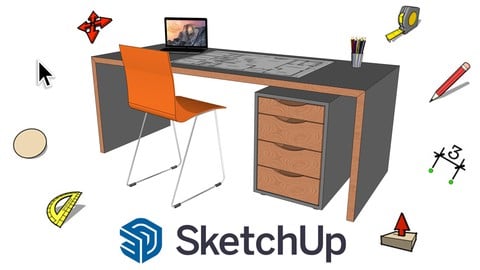
SketchUp - All you need to know! (Udemy.com)
Learn the essential tools and techniques to design your own projects in 3D
Created by: WerkStrich
Last updated June 2025
 What you will learn
- You'll discover how intuitive SketchUp is and how much fun it can be to work with the program.
- You will learn the most important tools and functions to start your own projects in SketchUp.
- You will learn the difference between groups and components and how to build professional models.
- Learn how to save time and find great models and textures using the 3D model library.
- Usefuls SketchUp-Hacks and Tricks that save you time and enable you to create special shapes and geometries.
- Import models, edit them and present them in an appealing way for customers or friends and family.
How it compares
Against the other 545 rated Udemy courses in 3D Modeling on CourseDuck:
- Rating4.6 out of 5higher than 56% of them
- Reviews733#105 of 546 by number of reviews
- Length4.4 hoursshorter than 62% of them
- Last updatedJune 2025more recently than 79% of them
 Course Description
Do you want to design your own furniture on the PC in an effective way? Do you want to plan your new kitchen or redesign your apartment and visualize it immediately in 3D? Or just creatively express yourself in 3D?
Then SketchUp is exactly the right program for you. SketchUp is an intuitive, powerful 3D modeling software built for professionals and creatives of all kinds. With no other software can you build impressive 3D models so quickly, which immediately convey a spatial effect of your project. The advantages of SketchUp:
there is a free, web-based version
it's probably the easiest of all CAD programs to use
you are instantly in 3D
you can do very quick rough sketching or professional, accurate, detail rich objects
there is a huge library of pre-built 3D-models
from tiny details, to your own garden to the whole building - there is nothing you can't visualise
How is this course structured?
In this 4-hour course you will learn how SketchUp works and how to use the most important tools. Using real examples, you will become confident step by step in using line, rectangle, circle and the push/pull tool. We will learn how to work with groups and components, we will take a look at the practical model library, use various special tools and learn how to present and visualize our projects in an appealing way. Ultimately, the course should get you ready to implement your own ideas in SketchUp and bring them to life.
To make sure you don't get bored and see results right away, everything is based on learning by doing - so we won't spend a lot of time on theory, but will always draw real objects directly. This is project-based learning, starting from a simple box, to a desk, staircase, a complete interior situation and more. This way you learn to approach the sketching process in a wholistic way and always apply new knowledge directly to enhance your learning experience.
What do you need?
Not much! With the following tools you can start 3D modeling right away:
a PC or Mac
a computer mouse with clickable mouse wheel (you can also use the trackpad but with the mouse it will be faster)
nice to have: a large screen

 Udemy Discount
The discount is applied through our link. Open the course from here and Udemy's current promotional price is applied at checkout on most courses, no code to type.
Some courses are excluded from Udemy's promotions. If the price does not drop, clear your browser cookies and use the button again.
Instructor Details

- 4.6 Rating
 733 Reviews
WerkStrich
Master your craft.
WerkStrich teaches you practical knowledge in the fields of design, architecture and furniture design. We'll help you learn how to use paper and pencil, as well as modern CAD programs, so you can draw and realize your own craft projects like a pro.
Our focus is on drawing and designing furniture and interiors. If you want to further your education in this area, this is the right place for you!
--------------
Meistere dein Handwerk.
WerkStrich vermittelt dir praxisnahes Wissen in den Bereichen Gestaltung, Architektur und Möbeldesign. Wir verhelfen dir zum richtigen Umgang mit Papier und Zeichenstift, aber auch mit zeitgemäßen CAD-Programmen, sodass du deine eigenen Handwerksprojekte wie ein Profi zeichnen und realisieren kannst.
Unser Schwerpunkt ist das Zeichnen und Konstruieren von Möbeln und Innenräumen. Wenn du dich in diesem Bereich weiterbilden willst, bist du hier genau richtig!
 More 3D Modeling courses

3D Printing with " Ultimaker CURA Slicer- Start to finish" (2025)
4.9 (192 Reviews)
 Provider: Udemy
 Time: 1h
$34.99

Girl and the Dog Creation in Zbrush for Intermediate Level (2020)
4.9 (173 Reviews)
- Provider: Udemy
- Time: 48.8h
$59.99



Blender Character Creator for Video Games (2026)
4.8 (9,160 Reviews)
- Provider: Udemy
- Time: 34.3h
$159.99

Master SOLIDWORKS 3D CAD using real-world examples (2022)
4.8 (2,451 Reviews)
- Provider: Udemy
- Time: 18.9h
$69.99
 Reviews

By David Laing on 9/19/2026
Good intro on basic navigation. I've started 4 (?) other Sketchup for beginners courses, 2 paid (Fine Woodworking, Domestika) / 2 YT channels (TheSketchup Essentials, UpSketch), and have always been frustrated with navigation. Here, the easiest navigation instruction I've received to get me relatively comfortable with moving around the screen. Some problems with Sketchup Free apparently now not offering materials/styles covered in this course?
By Elena Hamanova on 5/7/2025
This course was a great refresher as I haven't used sketchup in about 10 years. It goes over all of the basics, very useful. One thing that is different now on sketchup than from the lessons is the multiplying and dividing functions - instead of typing *10 for multiplying it is now 10X and and instead of /10 for dividing it is 10/.
By Alan Griffin on 8/27/2024
I found this course very useful. I had tried using Sketchup a few times but gave up as I didn't find it very intuitive. This course got me up and running, confident in using the main design components. I wanted to learn the basics and had a particular interest in building plans and designing carpentry projects. The course met my expectations in this regard and I found the pace and dictation perfect.
By Maria Abastillas on 7/9/2024
This course is a very good introduction to Sketchup on the Web. I was able to follow along even with just my Sketchup Web free version. I would have wanted more basic projects on making 3D models of items of furniture and decor, like a bookcase or a flower vase, and how to edit pre-built 3D models from the 3D Warehouse. Regardless, it was a very good course for beginners like me.
By Frank Merritt Sr on 2/6/2024
The instructor gives you a lot of information while he moves his mouse without really explaining where he is going or what he is trying to do until after the action is completed. While he is very familiar with schekup, I am not and am a beginner. This course so far is NOT for beginners. I would have prefered a more step by step "hold your hand" approach starting out. The instrucer also speaks VERY FAST and as I am hard of hearing I find my self replaying the easiest of lessons over and over to try and catch what the instructor is saying. Still not giving up and hope that it gets better. I was impressed with the sample video and have purchased all my courses on Udemy that way and so far I have only been totally disappointed once. And NO it was NOT this course. We shall see. As the course progressed the instructor seems to slow down and explain a lot more. I would highly recommend this course to a beginner now. Bravo! Great course!
By Danny Knight on 1/30/2024
I loved this course!! I've been using Sketchup Web for a year or so off and on, and have been learning through trial and error and using YouTube videos. The layout of this course made learning very easy and provided solid foundational blocks to build on, and the lessons were structured in an easy to follow format.
By Richard Lyall on 6/16/2023
I knew nothing about Sketchup and found it overwhelming in the past when I tried to use it. However, after following this course, within a week I gained a lot of skills and knowledge within the software. It's a great course for a beginner, and now I feel very happy to have put some time in going through this course. It's a fun course too!
By Anderson Severo on 5/15/2023
This is a really good course. I was looking for a comprehensive Sketchup basic trainning to decide if I should invest more time on it or move to another tool. This course helped me understand Sketchup free offers pretty much what I needed for my personal project. Also, the examples are quite good and straightforward. I strongly recommend for those who want to understand all important conectps on Sketchup and get started in a very short time.
By Despoina Nika on 3/10/2023
Well organized course to learn Sketch up step by step (even from scratch with no previous knowledge), helpful examples, focus on tools just as much to learn the basics and then various tips to get that extra something! All in all, a really great course and instructor! Definitely recommend it and I will keep in mind to choose more classes by the same instructor!
By Hossein Massoumi on 7/31/2022
Pretty decent course. I think that some of the shortcuts should be taught earlier in the course. For example the most used 5 shortcuts by lesson 3 and the next most used 5 by lesson 6. These could simply be in the form of pdfs with brief descriptions as well as combination keys (command or shift) for a bit more detail. Section 6 could then focus on more advanced shortcuts. Mac centric keys should also get equal treatment as Windows ones. Overall, pretty good.
 Quality Score
No CourseDuck member has rated this course yet. Taken it? Give each part a thumbs up or down.
Overall Score : 92 / 100
- Video Duration:
 4.4h
4.4h - Price: $10.99
- Provider: Udemy
- Updated:
 June 2025
 - Level:
 All Levels
 - Language:
 English
 - Certificate:
 Yes
Yes
30-day money-back guarantee on most paid courses
Udemy Coupon Price Tracker
