
 Web Development
 Data Science
 Python
 SQL
SQL JavaScript
 Artificial Intelligence
 IT & Software
 IT Certifications
 Hacking
 AWS
AWS Arduino
 DevOps
 3D Modeling
 Graphic Design
 Photoshop
 Drawing
 Digital Painting
 UX Design
 Business
 Data Analysis
 Communication Skills
 Project Management
 Leadership & Management
 Human Resources
 Digital Marketing
 Social Media Marketing
 Marketing
 SEO
SEO Google Analytics
 Branding
 Excel
Excel Office Productivity
 SAP
SAP PowerPoint
 Microsoft Access
 SharePoint
 Finance & Accounting
 Trading & Investing
 Accounting
 Bitcoin
 Personal Finance
 Video Editing & Animation
 Photography
 Adobe Premier Pro
 Adobe Lightroom
 Personal Development
 Productivity
 Career Development
 Life Coaching
 Health & Fitness
 Meditation & Mindfulness
 Yoga
Yoga Music
Music Music Production
 Guitar
 Piano
Piano Singing
 Language Learning
 Teaching & Academics
 Engineering
 Math
Math Lifestyle
SketchUp BootCamp: Creating Interiors with SketchUp (Udemy.com)
Learn SketchUp with this Comprehensive, Easy-to-follow, and Fun Guide to Designing and Presenting Interior Spaces.
Created by: Diane Dieterich
Last updated September 2020
 What you will learn
- Understand how to communicate with SketchUp to create any 3D model.
- Utilize SketchUp to efficiently model interiors for design planning and presentation
How it compares
Against the other 545 rated Udemy courses in 3D Modeling on CourseDuck:
- Rating4.1 out of 5higher than 5% of them
- Reviews212#302 of 546 by number of reviews
- Length5 hoursshorter than 58% of them
- Last updatedSeptember 2020earlier than 70% of them
 Course Description
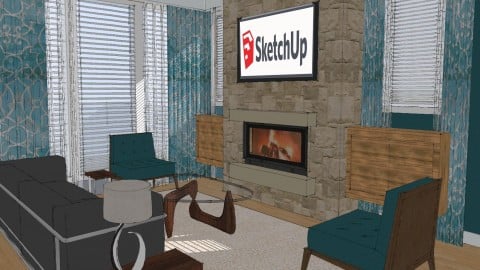
Do you need to add some digital modeling skills to your toolbag of design tools but are concerned about the time and expense of mastering a program? SketchUp has a low learning curve but produces incredible results. It's easy enough that they teach it in elementary schools, but powerful enough to be utilized by most architecture and design firms. I focus on teaching the most efficient way to use SketchUp and the most important tools for you to quickly add SketchUp to your workflow for designing and presenting interiors to your clients…or for your own home.
Quickly Learn the Best SketchUp Tools for Modeling Your Home
Part 1 covers the basics of SketchUp and best use practices for all its tools
Step-by-step projects include:
A seris of mini-projects to learn all the basic tools
Building a simple cabin from a hand-drawn floorplan
Importing and placing components from the 3D Warehouse
Learning the basics of applying materials
After this initial section, you'll have a solid grounding in SketchUp to begin creating some simple models.
Part 2 refines your skills by working on a condo model.
You'll learn:
Creating a building from a floorplan
Working with groups, layers, and scenes as your model becomes more complex
Other resources for finding and creating custom materials
Working with dynamic components
Using shadows and styles to improve how SketchUp displays
Utilizing the FollowMe Tool to create complex geometry such as crown moldings
Creating Sections, Elevations, and simple dimensioned drawings
Exporting Images
By the end of the series, you'll be comfortable creating detailed interiors in SketchUp and you'll have learned to enjoy drawing with SketchUp!
SketchUp is an Easy-to-learn yet Powerful Tool that still is Incredibly Fun to Use.
This course has 35 lessons and 5.5 hours of content. It includes an 85 page manual that we follow step-by-step throughout the course that you can refer to later. You can watch the lessons over and over until you master each.
By the end, you will confidently be able to create whatever you like with SketchUp. This class provides a great overview of how to use SketchUp efficiently and provides extra specific information relevant to interiors, such as importing real materials, kitchen design, and creating final images for clients. I teach SketchUp is a series of small projects adding skills in each one. I start with a general overview using the basic skills, move on to a small cabin, and then create a condo from a floorplan. Since I've taught this class to hundreds of students, I know the questions that will arise and the problems you might have, and I've tried to proactively answer them in the course.
SketchUp is a design language that you and your customers can understand. With HGTV a permanent fixture in the mind and expectations of clients, you need to master a program that will help communicate and convince your clients of your design solutions. If you're searching for a job in the design field, you'll find many positions that require you to have a familiarity with SketchUp. SketchUp is an easy-to-learn and affordable software that still is a powerful design tool to utilize in investigating possible solutions to a design problem.

 Udemy Discount
The discount is applied through our link. Open the course from here and Udemy's current promotional price is applied at checkout on most courses, no code to type.
Some courses are excluded from Udemy's promotions. If the price does not drop, clear your browser cookies and use the button again.
Instructor Details

- 4.1 Rating
 212 Reviews
Diane Dieterich
I want to make SketchUp accessible to everyone. Whether you love technology or have spent your career hand-drawing, my goal is to teach you in a way that simplifies SketchUp's powerful tools and lets you quickly add SketchUp to your workflow.
I was a presenter at the last National SketchUp conference. My SketchUp Classes are nationally certified by the NKBA and ASID for CEU credits. I have taught hundreds of students in my live classes so I know the questions and problems that are likely to come up and have included them in this course. I hope this eliminates many of the frustrations that come with an online class.
In addition, my business, See3D utilizes SketchUp daily to create architectural models and renderings for architects, design firms, real estate agencies, as well as creating plans for homeowners.
 More 3D Modeling courses

3D Printing with " Ultimaker CURA Slicer- Start to finish" (2025)
4.9 (192 Reviews)
 Provider: Udemy
 Time: 1h
$34.99

Girl and the Dog Creation in Zbrush for Intermediate Level (2020)
4.9 (173 Reviews)
- Provider: Udemy
- Time: 48.8h
$59.99



Blender Character Creator for Video Games (2026)
4.8 (9,160 Reviews)
- Provider: Udemy
- Time: 34.3h
$159.99

Master SOLIDWORKS 3D CAD using real-world examples (2022)
4.8 (2,451 Reviews)
- Provider: Udemy
- Time: 18.9h
$69.99
 Reviews

By Mandy Matthews on 2/16/2023
The content is great however the apps ability to rewind is clunky and slow
By Andy Turner on 5/13/2020
Good coverage of tools and overview of SketchUp. Issue with section 33 - Making dimensioned plans parts 1 and 3 are the same. It is quite confusing watching part one as this shouldn't be there. Tutor was pretty good, although at times sounded bored! Also incorrectly creating baseboard with push/pull created an issue later on. If you are creating an online course for £75 I would have expected best practice teaching. Also course hasn't been updated since 2015, and is therefore a little outdated (layers are now called tags for example). Overall a good overview, but I wonder if some of the cheaper courses would be just as good.
By Marina Bevilacqua on 4/30/2020
This course was fantastic - totally worth the money. She goes into so much detail and explains everything. The only part I had issues with was the Dimension Planning - one of the video is repeated and it seems like an initial video of how to create the floorplan is missing. I had trouble with the Section Plane too because of this but other than that the course is truly fantastic.
By Carrie McElhaney on 4/10/2020
I learned a lot from this course, however it is somewhat outdated, and I had do some research to figure out how to perform the tasks with an updated version of the software. Sometimes, the instructor moves a little fast and I had to go back to previous sections to understand how to move or rotate things. In section 33 part 2:15c, this appears to be a duplicate of part 2:15a.
By Midori Owaki on 3/29/2020
I was not proficient in manipulating some tools and lack in certain technical knowledge] while I had introductory knowledge of SketchUp prior to taking this course. I liked that the instructor showed all the things I wanted to know in the simple way for anyone can understand and follow. I feel a lot confident in bringing my vision using SketchUp and make it look professional to present it to my clients. Thank you!
By Amara Naqvi on 9/20/2019
yes finally! I am so obliged that the instructor was so clear, to the point, didn't leave any detail out and was thorough with every single thing that needed to be touched on, she elaborated where it was necessary and never bored us with extra words. I am very very very impressed by her skills. she is so awesome for doing this where as a new student to this program, I felt confident in what she was teaching and my ability to pick it up. Thank you!
By Natalie Gould on 9/25/2017
Though the content is good, many of the websites have been updated, changing the navigation, content and searches required for the class. I had to pause the video many times in order to log in to the sites requested. One site requires payment in order to download an image. Think it needs to be clearer what the expectations are for the assignment.
By Renee Weertman on 11/13/2016
I have been using Sketchup for over a year and have recreated my entire 2 story home by teaching myself. So far, in just the first 10 minutes of this course I have learned invaluable shortcuts that I didn't know before and it's making me laugh because they would have made creating my model so much easier!
By Tim Holton on 5/16/2016
Fascinating program I can see this working well with kitchens and baths. Wish I had more time to get into it and another 30 days would be great! My work schedule did not allow enough time to completely digest the course curriculum.
By Denise Reiten on 8/4/2015
I thoroughly enjoyed this class. Instructor was thorough, funny, supportive, and explained all the material well. She answered my questions before I even asked them. Feel like I can really use the program now in my practice. My clients are going to love it!
 Quality Score
No CourseDuck member has rated this course yet. Taken it? Give each part a thumbs up or down.
Overall Score : 82 / 100
- Video Duration:
 5h
5h - Price: $64.99
- Provider: Udemy
- Updated:
 September 2020
 - Level:
 Beginner
 - Language:
 English
 - Certificate:
 Yes
Yes
30-day money-back guarantee on most paid courses
Udemy Coupon Price Tracker
