
 Web Development
 Data Science
 Python
 SQL
SQL JavaScript
 Artificial Intelligence
 IT & Software
 IT Certifications
 Hacking
 AWS
AWS Arduino
 DevOps
 3D Modeling
 Graphic Design
 Photoshop
 Drawing
 Digital Painting
 UX Design
 Business
 Data Analysis
 Communication Skills
 Project Management
 Leadership & Management
 Human Resources
 Digital Marketing
 Social Media Marketing
 Marketing
 SEO
SEO Google Analytics
 Branding
 Excel
Excel Office Productivity
 SAP
SAP PowerPoint
 Microsoft Access
 SharePoint
 Finance & Accounting
 Trading & Investing
 Accounting
 Bitcoin
 Personal Finance
 Video Editing & Animation
 Photography
 Adobe Premier Pro
 Adobe Lightroom
 Personal Development
 Productivity
 Career Development
 Life Coaching
 Health & Fitness
 Meditation & Mindfulness
 Yoga
Yoga Music
Music Music Production
 Guitar
 Piano
Piano Singing
 Language Learning
 Teaching & Academics
 Engineering
 Math
Math Lifestyle
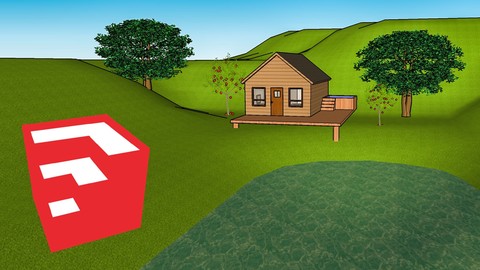
SketchUp Make - From beginner to advanced (Udemy.com)
Design anything with the 3D modeling software, SketchUp.
Created by: Konrad Vilhjalmsson
Last updated July 2019
 What you will learn
- You will know how to customize your toolbar
- You will know how to navigate with a mouse and a trackpad
- You will know how to draw lines parallel to the axes
- You will know how to use the select tool
- You will know how to use the eraser tool
- You will know how to draw rectangles
- You will know how to draw circles and polygons
- You will know how to draw arcs
- You will know how to use the freehand tool
- You will know how to use the push and pull tool
- You will know how to use the offset tool
- You will know how to move and rotate objects in SketchUp
- You will know how to use the scale tool
- You will know how to use the follow me tool
- You will know how to use the paint bucket tool
- You will know how to create your own texture
- You will know how to use the 3D warehouse
- You will know the difference between groups and components
How it compares
Against the other 545 rated Udemy courses in 3D Modeling on CourseDuck:
- Rating4.3 out of 5higher than 15% of them
- Reviews502#159 of 546 by number of reviews
- Length2.8 hoursshorter than 77% of them
- Last updatedJuly 2019earlier than 80% of them
 Course Description
SketchUp is one of the most popular3D modeling program out therethat is used to visualize ideas.
In fact, Sketchup isused in many professions such asarchitecture,interior designing, landscape architecture, video game designing and so on.
Who is the ideal student forthis course?
If you haveno experience with SketchUp, what so ever. Or if you've played around with it fora little bitandjust but want toget more acquainted with the program. Either way, this is the perfectcourse for you!
In this course, you will learn the followingIn the first section of thecourse, you will learn how to use every main tool in SketchUp with confidence, as well as,learning a few advanced skills that you are going to usea lot in the future. In the second section, I will then help you to create your first little cottage as well as designing the interior by yourself.
My promise to youI'll be here for you every step of the way. If you ever feel lost or just feel like you don't understand something specific then you can always post a question inside of the course or send me a direct message.
I want to make this the best course on how to use SketchUp.
So if there is any way I can improve this course, just tell me and I'll try my best to fix itWho this course is for:
Beginners who are just starting out and know absolutely nothing how to use SketchupAnyone who has been using Sketchup for a while and want's to gain their knowledge of Sketchup and learn new tips and tricks!

 Udemy Discount
The discount is applied through our link. Open the course from here and Udemy's current promotional price is applied at checkout on most courses, no code to type.
Some courses are excluded from Udemy's promotions. If the price does not drop, clear your browser cookies and use the button again.
Instructor Details

- 4.3 Rating
 502 Reviews
Konrad Vilhjalmsson
My goal here at UDEMYis to teach you everything I know through online courses.
What would you like to learn?
Final Cut Pro X andSketchUp areone of my favorite softwares out thereand they are really fun andeasy to use, thats why Im super excited to teach you everything there is to know about the programs. Whether you are looking to create3D models withSketchUp, or edit stunningvideos in iMovie or the more professional editing software Final Cut Pro X, also known as FCPX
With our 30 day,100% money back guarantee I encourage you to enroll now and see if you like it, you've got nothing to lose!
More about myself
Welcome! Im from Iceland and I have a lot of experience in both iMovie, Final Cut and SketchUp. When it comes to SketchUp I have 6 years of experience with the program. Icurrently workonline as a freelancer andhelpothers visualize their ideas in SketchUp and Ive been doing that for thepast3 years.I also work in a video committee at my school,the Commercial College of Icelandas a videographer and editor.Although I use a more professional video editing software, Final Cut Pro XI remember how it was to use iMovie as a beginner and I've kept that in mind while creating the complete iMovie course.
 More courses by Konrad Vilhjalmsson


More 3D Modeling courses

3D Printing with " Ultimaker CURA Slicer- Start to finish" (2025)
4.9 (192 Reviews)
 Provider: Udemy
 Time: 1h
$34.99

Girl and the Dog Creation in Zbrush for Intermediate Level (2020)
4.9 (173 Reviews)
- Provider: Udemy
- Time: 48.8h
$59.99



Blender Character Creator for Video Games (2026)
4.8 (9,160 Reviews)
- Provider: Udemy
- Time: 34.3h
$159.99

Master SOLIDWORKS 3D CAD using real-world examples (2022)
4.8 (2,451 Reviews)
- Provider: Udemy
- Time: 18.9h
$69.99
 Reviews

By Ant van der Vyver on 11/7/2020
Hi. Seems this is not so good afterall. Yes, he shows you how to use said tool but not why he uses it. He expects you to know why and how this tool exists. I am asking for a refund. not at all what I needed as a total beginner
By Yusri Latib on 11/1/2020
Instructor has taught me a lot so far. Great.
By Daniel Trujillo on 10/26/2020
This course is great when learning many of the different aspects of SketchUp. I enjoy the instructors explanations.
By Peejay Lumacang on 10/1/2020
As all is totally new to me it's very easy to catch-up the lecture. Thank you very much.
By vishal tripathi on 9/19/2020
best course if you want to learn sketch up .
By Jason Mc Leod on 8/6/2020
im following
By Alan Weusthoff on 7/6/2020
This was a great intro to Sketchup and I feel ready to start playing around with it on my own.
By Urban Muse on 5/26/2020
very informative so far
By Zeynep Kucukkirali Kirca on 5/7/2020
I recommend this course for beginners to learn things from zero, the course has structured logically and clearly. I feel confident about Sketch-up and think it'll help me too save time on mocking up different ideas.
By Jimmy Pickford on 4/25/2020
It's easy to understand, very clear instruction as well. What I really want to know is how to put sky on the design, which isnt tought at all in this course. But overall, it's a very good course.
By David Allan on 4/23/2020
I don't use a Mac. The way to activate SketchUp without buying a subscription seems to be obsolete.
Topics seem to be a little out of order. I was not understanding group and component yet there two lessons on paint. I think I got it now, but my colors ran all over the place in practice.
By Luis Orozco on 4/20/2020
So far the material is fairly easy but he doesn't explain very well how to do the more complex tasks. He assumes we know exactly what he's saying. So far I would rate him a 7
 Quality Score
No CourseDuck member has rated this course yet. Taken it? Give each part a thumbs up or down.
Overall Score : 86 / 100
- Video Duration:
 2.8h
2.8h - Price: $59.99
- Provider: Udemy
- Updated:
 July 2019
 - Level:
 Beginner
 - Language:
 English
 - Certificate:
 Yes
Yes
30-day money-back guarantee on most paid courses
Udemy Coupon Price Tracker
