
 Web Development
 Data Science
 Python
 SQL
SQL JavaScript
 Artificial Intelligence
 IT & Software
 IT Certifications
 Hacking
 AWS
AWS Arduino
 DevOps
 3D Modeling
 Graphic Design
 Photoshop
 Drawing
 Digital Painting
 UX Design
 Business
 Data Analysis
 Communication Skills
 Project Management
 Leadership & Management
 Human Resources
 Digital Marketing
 Social Media Marketing
 Marketing
 SEO
SEO Google Analytics
 Branding
 Excel
Excel Office Productivity
 SAP
SAP PowerPoint
 Microsoft Access
 SharePoint
 Finance & Accounting
 Trading & Investing
 Accounting
 Bitcoin
 Personal Finance
 Video Editing & Animation
 Photography
 Adobe Premier Pro
 Adobe Lightroom
 Personal Development
 Productivity
 Career Development
 Life Coaching
 Health & Fitness
 Meditation & Mindfulness
 Yoga
Yoga Music
Music Music Production
 Guitar
 Piano
Piano Singing
 Language Learning
 Teaching & Academics
 Engineering
 Math
Math Lifestyle
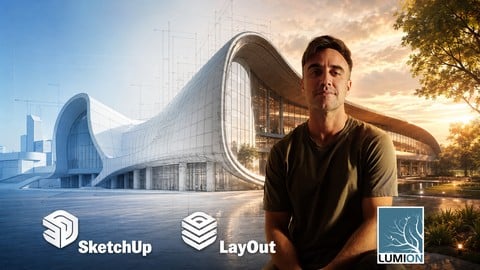
SketchUp Pro & LayOut: The Complete Architectural Workflow (Udemy.com)
Master 3D Modeling, Professional Documentation, and Photorealistic Visualization for Architects and Interior Designers.
Created by: Manuel Pallarés
Last updated May 2026
 What you will learn
- Modeling an architecture, landscape, interior design or industrial design project from scratch to detail.
- Assignment of materials in the project for subsequent rendering
- Creation of technical plans: floorplans, elevations and sections as well as 3D images of the project
- Make professional presentations using your 3D models to create blueprints in a techinal way
How it compares
Against the other 545 rated Udemy courses in 3D Modeling on CourseDuck:
- Rating4.6 out of 5higher than 56% of them
- Reviews57#508 of 546 by number of reviews
- Length15.2 hourslonger than 80% of them
- Last updatedMay 2026more recently than 93% of them
 Course Description
Are you ready to transform your design process and deliver architectural projects that stand out?
Most SketchUp users only scratch the surface, struggling to translate their 3D ideas into professional 2D construction sets. This course is designed to bridge that gap. We don't just teach you which buttons to click; we teach you a professional workflow that saves hours of production time and elevates your design output.
From initial concept to advanced 3D modeling and final presentation through LayOut, you will learn the exact techniques used by top architectural firms. Whether you are designing complex structures or refining interior details, this course provides the technical mastery you need to succeed in the competitive design industry.
What you will learn:
Precision Modeling: Master the SketchUp Pro toolset with a focus on organized, high-performance geometry.
The Power of LayOut: Generate professional-grade construction documents, floor plans, and elevations directly from your 3D model.
Advanced Components: Optimize your workflow using dynamic components and efficient group management.
Professional Presentation: Create stunning visual sets that communicate your vision to clients and contractors with clarity.
Real-World Projects: Apply your skills to architectural exercises, including the modeling of iconic modern structures.
Why enroll in this course?
As a designer or architect, your time is your most valuable asset. This course focuses on Technical Mastery, ensuring that your models are not only beautiful but also technically sound and ready for production.
Join over 100,000 students who have elevated their professional skills with our specialized design training. If you want to stop "playing" with SketchUp and start "building" with it, this is the academy for you.
SKETCHUP
In this Sketchup course we will start from an initiation level to end up mastering the program at an expert level. We will learn all the Sketchup tools such as: materials, styles, scenes, animations, sunlight, connection to Google-Earth, photomatch, dynamic components, terrains, plugins and much more.
It is a very complete course equivalent to 30 teaching hours where theory and practice go hand in hand through numerous exercises that will increase in complexity as more knowledge is acquired. It is designed to end with expert knowledge about the program that will allow us to face any project successfully, no matter how complex it may be.
The course consists of different blocks:
Workspace block. We will start with a presentation of the program, we will see how to install it correctly, we will adjust our preferences as well as the units and we will begin to familiarize ourselves with the workspace. We will learn how to navigate in the three-dimensional environment of Sketchup, how to move using the different views, we will see the selection tools and the keyboard shortcuts that will make our workflow much faster.
Theory and concepts . We will begin to learn important and slightly more complex concepts such as the difference between lines, surfaces, groups and components within Sketchup. We will also see the importance of inverting faces at specific moments
Drawing in 2D. We will explore all the drawing tools in 2D.
Drawing in 3D . It will be time to delve into the most complex tools of the program such as the extrusion tools, move, copy, rotate, scale, follow me or equidistance. In this block we will also see operations between solids.
Measure and text. Which will focus on the use of other types of tools more focused on measurement, such as dimensioning tools, distance and angle measurement, change of position of the coordinate axes or the text tools and of section.
Defaut trays. We will see the so-called ¨default trays¨. We will learn how to use the material tray, entity information, components, layers, styles, scenes or sunshine.
Special tools. We will see some other Sketchup tools of special importance. We will study the use of the wharehouse library, the creation of terrains, the geolocation of our projects through the use of Google Earth, the very interesting photomatch tool, the creation of animations, dynamic components and the use of plugins that extend the capabilities of Sketchup to be able to model everything that is in our imagination.
Utilities. Will deal with functional aspects of the program such as: importing dwg files, exporting images in different formats, as well as useful tips to improve our workflow based on my experience. Finally, the last chapter will make a comparison between Lumion and Vray, the two main rendering software that the market offers us to obtain photorealistic images from our models made in Sketchup.
Each of these blocks will be accompanied by practical exercises at the end of each block to establish the theory explained with specific exercises on those specific topics.
Also to consolidate knowledge, at the end of all the blocks, a 30-question multiple choice questionnaire is proposed, where the student will test their theoretical knowledge of the program.
Updates block. The course is made in the 2021-2022 version.The truth is that there are hardly any differences with the previous versions. In this block I will update a new class every year explaining the most important improvements in the latest Sketchup version.
New Plugins and Artificial Intelligence. Artificial intelligence is changing the way we work. In this section we will focus on the main plugins that emerge in this topic.
Layout course
Using LayOut with SketchUp offers numerous advantages that significantly enhance your workflow, especially when it comes to creating professional documentation and presentations. Here are some key benefits:
Seamless Integration
Direct Link to SketchUp Models: LayOut integrates directly with SketchUp, allowing you to import and update your 3D models effortlessly. Any changes made in SketchUp can be automatically reflected in your LayOut documents, ensuring consistency and saving time.

 Udemy Discount
The discount is applied through our link. Open the course from here and Udemy's current promotional price is applied at checkout on most courses, no code to type.
Some courses are excluded from Udemy's promotions. If the price does not drop, clear your browser cookies and use the button again.
Instructor Details

- 4.6 Rating
 57 Reviews
Manuel Pallarés
Manuel Pallarés | Diseño editorial & Dirección de Arte | Arquitectura y visualización 3D
¡Hola! Soy Manuel Pallarés, diseñador editorial, arquitecto y docente.
El hilo conductor de mi trayectoria profesional es la estructura: organizar ideas, imágenes y espacios para comunicar con claridad, precisión y personalidad. Ese principio está presente tanto en una cubierta y una publicación editorial como en un proyecto arquitectónico o una visualización 3D.
Soy arquitecto por la Universidad de Alcalá y La Sapienza de Roma, y he completado mi formación con un Máster en Diseño Gráfico en Aula Creactiva y un Máster en Diseño Editorial y Publicaciones Digitales en ESDESIGN.
Actualmente trabajo como diseñador editorial en Editorial EDAF, donde he diseñado más de 100 cubiertas y participado en la creación de colecciones y proyectos editoriales. Esta experiencia me permite enseñar Photoshop, Illustrator e InDesign desde una perspectiva profesional: no solo explico las herramientas, sino también cómo se toman decisiones de composición, tipografía, narrativa visual y dirección de arte.
Mi segunda área de especialización es la arquitectura y la visualización 3D. A través de SketchUp y Lumion enseño a transformar modelos técnicos en imágenes capaces de explicar un espacio y transmitir una atmósfera.
 More courses by Manuel Pallarés
More 3D Modeling courses

3D Printing with " Ultimaker CURA Slicer- Start to finish" (2025)
4.9 (192 Reviews)
 Provider: Udemy
 Time: 1h
$34.99

Girl and the Dog Creation in Zbrush for Intermediate Level (2020)
4.9 (173 Reviews)
- Provider: Udemy
- Time: 48.8h
$59.99



Blender Character Creator for Video Games (2026)
4.8 (9,160 Reviews)
- Provider: Udemy
- Time: 34.3h
$159.99

Master SOLIDWORKS 3D CAD using real-world examples (2022)
4.8 (2,451 Reviews)
- Provider: Udemy
- Time: 18.9h
$69.99
 Reviews

By Marc Jones on 7/5/2026
Great course! content is super fun and clear to learn and the teacher is an architect and that gives to the lessons a great performance.
By Pravin Shewale on 5/31/2025
very well explained
By Joshua Nkansah on 1/17/2025
very easy to follow along
By Guine -man on 11/28/2024
very lovely course i highly recommend for anyone trying to learn sketchup from beginner level
By Swarali Thorve on 3/26/2024
detail explanation of everything
By Abdinafia Mohamed Abdishakur on 1/22/2024
It is very interesting to me, when I evaluate the way he explains it, the instructor has a high level of knowledge and experiences for this topic.
By Maria on 10/9/2023
The course is very proffesional. The teacher has a huege knowledge about the softwares and professional experience. I would recommend it.
By Harshit Keerthi on 9/22/2026
By Wayne Scantling on 7/6/2024
By Kanishka Singh on 4/28/2024
 Quality Score
No CourseDuck member has rated this course yet. Taken it? Give each part a thumbs up or down.
Overall Score : 92 / 100
- Video Duration:
 15.2h
15.2h - Price: $10.99
- Provider: Udemy
- Updated:
 May 2026
 - Level:
 All Levels
 - Language:
 English
 - Certificate:
 Yes
Yes
30-day money-back guarantee on most paid courses
Udemy Coupon Price Tracker
