
 Web Development
 Data Science
 Python
 SQL
SQL JavaScript
 Artificial Intelligence
 IT & Software
 IT Certifications
 Hacking
 AWS
AWS Arduino
 DevOps
 3D Modeling
 Graphic Design
 Photoshop
 Drawing
 Digital Painting
 UX Design
 Business
 Data Analysis
 Communication Skills
 Project Management
 Leadership & Management
 Human Resources
 Digital Marketing
 Social Media Marketing
 Marketing
 SEO
SEO Google Analytics
 Branding
 Excel
Excel Office Productivity
 SAP
SAP PowerPoint
 Microsoft Access
 SharePoint
 Finance & Accounting
 Trading & Investing
 Accounting
 Bitcoin
 Personal Finance
 Video Editing & Animation
 Photography
 Adobe Premier Pro
 Adobe Lightroom
 Personal Development
 Productivity
 Career Development
 Life Coaching
 Health & Fitness
 Meditation & Mindfulness
 Yoga
Yoga Music
Music Music Production
 Guitar
 Piano
Piano Singing
 Language Learning
 Teaching & Academics
 Engineering
 Math
Math Lifestyle
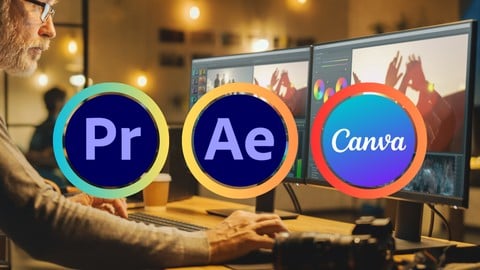
Social Media Video Editing: Premiere Pro After Effect Canva (Udemy.com)
Master Video Editing for Instagram Facebook Youtube TikTok with Premiere Pro, After Effects & Canva
Created by: Learnify IT
Last updated June 2024
 What you will learn
- The fundamentals of video editing: Master the basics of cutting, trimming, transitions, and effects in Premiere Pro.
- Motion graphics magic: Breathe life into your videos with After Effects' powerful animation tools. No prior animation experience needed!
- Canva for captivating visuals: Design stunning graphics, titles, and lower thirds using Canva's user-friendly interface.
- Pro editing techniques: Learn color correction, audio editing, and other advanced editing skills to take your videos to the next level.
How it compares
Against the other 73 rated Udemy courses in Adobe Lightroom on CourseDuck:
- Rating4.2 out of 5higher than 17% of them
- Reviews176#30 of 74 by number of reviews
- Length6 hourslonger than 73% of them
- Last updatedJune 2024more recently than 71% of them
 Course Description
Master Social Media Video Editing: From Beginner to Pro with Premiere Pro, After Effects & Canva
Become a social media video editing powerhouse with this comprehensive course!
In today's social media landscape, captivating video content is key to grabbing attention and growing your audience. This course equips you with the skills to create professional-looking videos for all your favorite platforms, using a powerful combination of industry-standard tools and a user-friendly design platform.
Here's what you'll learn:
Adobe Premiere Pro: Master the fundamentals of video editing in Premiere Pro. Learn to import, edit, trim, and arrange clips, add transitions, and create polished sequences.
Adobe After Effects: Take your videos to the next level with After Effects. Explore motion graphics, animation, and visual effects to add stunning visuals and intros to your content.
Canva: Unlock the powerful video editing features of Canva. Learn to create social media-specific video formats, add text overlays, graphics, and music, and easily export your videos for various platforms.
This course is perfect for:
Anyone who wants to create engaging social media content
By the end of this course, you'll be able to:
Edit and create professional-looking social media videos
Utilize After Effects to add captivating motion graphics and visual effects
Design stunning visuals and text overlays using Canva
Export your videos in the perfect format for each social media platform
The course includes:
Step-by-step tutorials for each software
Practical demonstrations to solidify your learning
Real-world examples to inspire your creativity
No prior experience is necessary! With this comprehensive course, you'll have everything you need to become a social media video editing pro. Enroll today and start creating content that gets noticed!

 Udemy Discount
The discount is applied through our link. Open the course from here and Udemy's current promotional price is applied at checkout on most courses, no code to type.
Some courses are excluded from Udemy's promotions. If the price does not drop, clear your browser cookies and use the button again.
Instructor Details

- 4.2 Rating
 176 Reviews
Learnify IT
I am expert in Microsoft Office and a professional with a deep understanding of the various applications and features of the Microsoft Office suite, including Word, Excel, PowerPoint, Outlook, and Access. I have a degree in a related field such as computer science, information technology. I have extensive experience working with these applications in a professional setting.
 More courses by Learnify IT
Figma Essential for User Interface and User Experience UI UX (2026)
4.3 (1,183 Reviews)
 Provider: Udemy
 Time: 4h
$19.99

Python Programming for Beginners: Learn Python from Scratch (2026)
4.5 (980 Reviews)
- Provider: Udemy
- Time: 6.1h
$11.99
Mastering Microsoft Excel A Comprehensive Guide to Boost You (2026)
4.3 (883 Reviews)
- Provider: Udemy
- Time: 4h
$19.99

Python Machine Learning: From Beginner to Pro (2026)
3.9 (811 Reviews)
- Provider: Udemy
- Time: 5.6h
$11.99

AWS Essentials: A Complete Beginner's Guide (2026)
4.1 (678 Reviews)
- Provider: Udemy
- Time: 5.5h
$11.99
Complete MS Office Course Masterclass: Beginner to Advanced (2026)
4.3 (663 Reviews)
- Provider: Udemy
- Time: 11.3h
$11.99
More Adobe Lightroom courses

Master Adobe Lightroom Classic & Lightroom CC (2026)
4.7 (2,820 Reviews)
- Provider: Udemy
- Time: 22.5h
$129.99



Principles of Photo Composition and Digital Image Post-Production
4.7 (131 Reviews)
- Provider: Coursera
- Time: 16h
Free

Adobe Lightroom CC Photo Editing: Your Lightroom Masterclass (2026)
4.6 (7,321 Reviews)
- Provider: Udemy
- Time: 23.4h
$99.99

 Reviews

By Divine Grace Reas on 10/29/2025
The course is very informative and helpful
By Mohamed Amin Itzouzen on 10/27/2025
It was a useful course for me, because the explanation was clear.
By Amaanulla on 9/30/2025
if u are a beginner u purchase this course this is a best for begginer if u are not a begginer not purchase this
By Angeline Joy Yutuc on 9/22/2025
It's very helpful. It really helped me a lot about editing pictures.
By ASHMITA SRIVASTAVA on 8/5/2025
my experiance with Udemy is so amazing its best for beginners
By John Milton Davala on 7/10/2025
Gained practical skills in editing and creating content for Instagram, YouTube, TikTok, and Facebook.
By Malay Krishna Srivastav on 5/3/2025
Seriously This course is trash It just gives you overview of Canva, Premiere Pro and After effect its the worst course You will learn nothing from this... I mean if you have watched few video on premiere and After effect on youtube previously then you dont need this video... I dont know why I wasted money on this... I'm Kind of lazy so i might have just passed 30 day return policy or else i would have considered for return.... Dont buy this, Save your money...
By Kasaram Priyanka on 3/17/2025
its a wonder full I have learnt so many things canva and premiere Pro
By Nsikak Ekong on 12/21/2024
no exercise file to practice with. just listening. not too good an experience. fustrating!!
By Om Sharma on 10/8/2024
An exceptionally well-structured course, offering profound insights with impeccable clarity and unwavering academic support. Highly commendable for discerning learners.
 Quality Score
No CourseDuck member has rated this course yet. Taken it? Give each part a thumbs up or down.
Overall Score : 84 / 100
- Video Duration:
 6h
6h - Price: $19.99
- Provider: Udemy
- Updated:
 June 2024
 - Level:
 All Levels
 - Language:
 English
 - Certificate:
 Yes
Yes
30-day money-back guarantee on most paid courses
Udemy Coupon Price Tracker
