
 Web Development
 Data Science
 Python
 SQL
SQL JavaScript
 Artificial Intelligence
 IT & Software
 IT Certifications
 Hacking
 AWS
AWS Arduino
 DevOps
 3D Modeling
 Graphic Design
 Photoshop
 Drawing
 Digital Painting
 UX Design
 Business
 Data Analysis
 Communication Skills
 Project Management
 Leadership & Management
 Human Resources
 Digital Marketing
 Social Media Marketing
 Marketing
 SEO
SEO Google Analytics
 Branding
 Excel
Excel Office Productivity
 SAP
SAP PowerPoint
 Microsoft Access
 SharePoint
 Finance & Accounting
 Trading & Investing
 Accounting
 Bitcoin
 Personal Finance
 Video Editing & Animation
 Photography
 Adobe Premier Pro
 Adobe Lightroom
 Personal Development
 Productivity
 Career Development
 Life Coaching
 Health & Fitness
 Meditation & Mindfulness
 Yoga
Yoga Music
Music Music Production
 Guitar
 Piano
Piano Singing
 Language Learning
 Teaching & Academics
 Engineering
 Math
Math Lifestyle
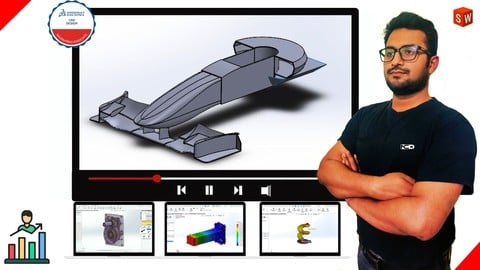
SOLIDWORKS Academy: Complete Beginner to CSWA Certified (Udemy.com)
Learn SOLIDWORKS from Scratch to Advanced | Prepare Confidently for CSWA Exam with Mock Tests, Projects and Quizzes
Created by: Vishal Pandey
Last updated July 2026
 What you will learn
- Master SOLIDWORKS with one of the most comprehensive course on Udemy
- Create 2D & 3D sketches using basic and advanced sketching tools
- Work confidently on part design projects using essential tools and mass properties
- Design assemblies using smart mates and motion simulation
- Create sheet metal parts step by step with a dedicated section
- Perform structural and thermal analysis directly in SOLIDWORKS
- Produce professional industrial drawings for parts, assemblies, and sheet metal
- Prepare effectively for the CSWA certification exam
- Practice with mock tests, exercises, quizzes, and real examples
- Improve career opportunities with job-ready SOLIDWORKS skills
How it compares
Against the other 545 rated Udemy courses in 3D Modeling on CourseDuck:
- Rating4.3 out of 5higher than 15% of them
- Reviews1,388#56 of 546 by number of reviews
- Length28.5 hourslonger than 93% of them
- Last updatedJuly 2026more recently than 97% of them
 Course Description
Course Update Alert!
We’re thrilled to introduce new examples and hands-on practice materials to make your SolidWorks learning experience even more interactive, engaging, and effective!
Why you should take this course?
Firstly this course is made by the professional expert, who has more than 8 years of teaching experience and he knows how to make student understand every tools and topics.
There are 120+ Lectures, almost 27 Hours of On Demand Video covering almost all the tools that is important for Modelling in SolidWorks.
We keep on upgrading this course according to the feedback of the students, and all the upgrades are always free once you enrolled.
We have covered the Motion Study & SolidWorks Simulation Add-Ins, with every details that you require for creating the simulation and different analysis like Structural Analysis & Thermal Analysis of the product and components.
We have also included Sheet Metal Design in SolidWorks, which also covers design of custom forming tools.
We are always there to help you, just ask your doubts, we will clear them as soon as possible.
Topics That We Cover In this Course.
Sketcher: We will be learning basic tools that are required for sketching your 2D Designs, We will learn about basic shapes, basic modification tools, and some advanced tools
Part Design: This Module is the most important section in SolidWorks Since part modeling is what SolidWorks is famous for, So in this section, we will spend a little more time learning all the basics of part modeling in SolidWorks.
Assembly Designs: Assembly is yet another important topic in which we will learn how to assemble parts and sub-assemblies to create a complete product. Here we will be going to use different constraints for our assemblies.
Motion Study & Simulation: It's an interesting section where we are going to see the basic simulation of our assembly products.
Sheet Metal Design: In this section, we will be learning about sheet metal work in SolidWorks. SolidWorks is also widely used for sheet metal design, so here we will be covering important topics that is used in SolidWorks Sheet Metal like forming tools, bends, unbends & different processes associated with the sheet metal designs like punching, rip, etc.
Drafting: In this, we will be learning about how to produce our model into the drawing sheets with different views, like Standard Views, Section Views, etc. We are also going to see various annotations like Dimension, text, etc.
Overview of What you will learn?
Brief understanding of the interface of the SolidWorks.
How to create sketches using different sketch tools.
How to use relations to define your sketch.
How to create solid models with different Modelling tools like, Extrude, Revolve, Loft, etc.
How to create User Defined references, like Reference Plane, Points & Line.
How to apply textures of metals, plastics, rubber, etc. to the parts and product.
How to use Different Pattern tools available in SolidWorks.
We will cover some advance modelling tools, like Lofted Boss/Cuts, Multi-Shell, Helix, etc.
How to assemble the parts in Assembly design workbench.
Some Important Assembly Features, like Belt/Chain Drive, Fillets & Chamfers in an assembly, etc.
After Assembly, we will simulate the product with Motion Study Interface.
We will also learn to create mechanical analysis like stress analysis, thermal analysis for the product.
We will create sheet metal parts using "Sheet metal design interface"
We will going to see tools like Flanges, Walls, Extrusion, Default forming tools.
We will going to create user forming tools as well.
Finally we end this course with Drafting, we create standard drafting using First & Third angle projections.
We will see different view tools, like Section View, Projection View, etc.
We will learn different annotations like dimensions, text, leader.
We will also learn to create Assembly drafting and Sheet Metal Drafting.
So, Overall it's a complete course to learn SolidWorks. And Don't worry about your doubts, we are always there to help you during this course, Just Ask!

 Udemy Discount
The discount is applied through our link. Open the course from here and Udemy's current promotional price is applied at checkout on most courses, no code to type.
Some courses are excluded from Udemy's promotions. If the price does not drop, clear your browser cookies and use the button again.
Instructor Details

- 4.3 Rating
 1,388 Reviews
Vishal Pandey
Vishal is a Co-Founder of AutoKets & Neelchandra Designs India. He holds a Bachelor's Degree in Mechanical Engineering from ITM University, Gwalior, and a Master Certificate Course in Mechanical Design & CAD/CAM from Indo Danish Tool Room, Govt. of India.
Vishal holds more than 8 years of experience in the field of Mechanical Design and has expertise in Designing Moulds and Die Casting for various Automotive products
He is also an MSME(Ministry of Micro, Small & Medium Enterprises), Govt of India certified Instructor with more than 5 years of teaching experience. He provides training in Various Mechanical/Civil CAD Software, like AutoCAD, SolidWorks, CATIA, and Creo.
He is associated with Neelchandra Designs for more than 5 years now and have been involved in the training of almost 5000 students so far, which also includes Corporate training from a various reputed organization like Tata Steel, and Tata Motors, ALIMCO India.
 More 3D Modeling courses

3D Printing with " Ultimaker CURA Slicer- Start to finish" (2025)
4.9 (192 Reviews)
 Provider: Udemy
 Time: 1h
$34.99

Girl and the Dog Creation in Zbrush for Intermediate Level (2020)
4.9 (173 Reviews)
- Provider: Udemy
- Time: 48.8h
$59.99



Blender Character Creator for Video Games (2026)
4.8 (9,160 Reviews)
- Provider: Udemy
- Time: 34.3h
$159.99

Master SOLIDWORKS 3D CAD using real-world examples (2022)
4.8 (2,451 Reviews)
- Provider: Udemy
- Time: 18.9h
$69.99
 Reviews

By Sandy Ronning on 2/24/2026
I learned a lot and there was a lot of good information, but the presentation was not impressive. It's painfully obvious the instructor never reviewed his examples before recording them. A lot of mistakes are made and there's a lot of fumbling around during the demos and even some wrong information given. I personally would have re-recorded many of the examples so there was a smooth, more professional presentation instead of what we got. It seems like the recording of the course was rushed just to have it finished rather than ending with a quality course.
By Daniel Timothy Ashwin on 1/11/2025
It was adequate. I did enjoy and learn a few things that I didn't learn before enrolling. As a suggestion, it would be nice if the tools were explained with an example model or assembly rather than showing what the tools are capable of. This was demonstrated by Chris Sikora on YouTube. "Today, we'll learn and use all tools necessary to make this part". This kind of approach will make the tools to be burnt into the minds of the learners and can think on more than one way to solve the problem.
By RISHIRANJAN Jha on 11/10/2024
First, I want to tell you about what went well in the course, This course I perfect if you want to get familiar with all the commands and tools in solid works, a big thumbs up to the creator of the course a five-star rating for that, the author has tried his best to cover every command in solid works, now the negative side this course is not for someone who is looking for deep learning in solid works I would recommend after you complete this course you must start learning from youtube that will help. thanks
By Asif Irfan I on 7/6/2024
Thank you for providing this valuable course. The course covered all the basics of Sketching, Part Modelling, Assembly, Sheet metal and Drafting with live examples and assignments. Overall, the course contained all the necessary information for a beginner level and touched the surface of intermediate level. Just one drawback, the course would be super good if there are few more examples available for individual to practice and also concepts related to Surface Modelling & Some advanced simulation concepts.
By Nikifor Stefanov on 4/11/2024
Amazing course ! I believe many people will find it helpful to understand the fundamentals in Solidworks and make it easy for you to explore the rest with good bases. Vishal is a great teacher, he completes all the steps slowly for everyone to follow, and his English is great. Please take in mind that this course takes a lot of patience, if you truly want to learn this program from a base level to intermediate this course will take you there, definitely worth the money !
By Alex Rodriguez on 7/9/2023
Es increíble la potencialidad de este software de diseño CAD. Tiene un alcance mas allá del tradicional dibujo 2D que siempre es necesario. Ahora con la fortaleza y beneficio del Diseño y Modelado 3D, la parametrización de los proyectos, los ensambles, la simulación, análisis de esfuerzos, hasta el renderizado es decente para fines de presentación. En conclusión es un software que tiene y valga la expresión: "All in one" para fines de diseño tanto industrial, académico y hasta libre (con fines artísticos y recreativo) apto para una amplia cantidad de entusiastas y profesiones de esta rama de Diseño. Muy complacido con esta formacion online y el material bien documentado y en orden correlacionando cada contenido. Felicidades al equipo de UDEMY y todas las personas que hicieron posible todo esta formacion.
By John Olechowski on 11/8/2022
The instructor seamed to fumble with errors. This course should be done over while correcting bad selections. Should be using the proper call outs in text instead of just selecting something for demonstration purposes. Used 1st angle locations while placing 3rd angle projections. This course could have been better. When making detail parts with prints shouldn't the prints flow with the parts into the assembly. I was not shown this. Do all the Detail prints need to be redone in the assembly? Again this course could have been better.
By Sarthak Sarkar on 4/22/2022
This course let me improve my designing skills and helped me improve at least way better than I learn on my own. Every lecture sir gave us was helpful in its own way. I was earnest to learn this and finally made it to the end. I will definitely recommend my other mechanical enthusiast mates and thank you for this wonderful experience.
By Viswaram Sundaramoorthy on 4/7/2022
seriously i would like to share my experience ..... he taught full solid works with clarity .....his voice is so clear ...... he taught the full topics of solidworks that can not even taught by cadd offline course which is handled over by institutions ...but really thanks sir you helped me a lot with full syllabus of solid works ....thanks udemy also
By Anis Smail on 11/23/2021
Such a great course, I started the course as a total beginner turned into a total different level now, everything is well explained by the instructor, the course is well organized and easy to follow highly recommended for beginners I didn't regret taking this course and in case someone interested to know I played the videos with 1.25x speed, it is perfectly understandable and bit of time saving like that but the normal speed is fine as well
 Quality Score
No CourseDuck member has rated this course yet. Taken it? Give each part a thumbs up or down.
Overall Score : 86 / 100
- Video Duration:
 28.5h
28.5h - Price: $74.99
- Provider: Udemy
- Updated:
 July 2026
 - Level:
 All Levels
 - Language:
 English
 - Certificate:
 Yes
Yes
30-day money-back guarantee on most paid courses
Udemy Coupon Price Tracker
