
 Web Development
 Data Science
 Python
 SQL
SQL JavaScript
 Artificial Intelligence
 IT & Software
 IT Certifications
 Hacking
 AWS
AWS Arduino
 DevOps
 3D Modeling
 Graphic Design
 Photoshop
 Drawing
 Digital Painting
 UX Design
 Business
 Data Analysis
 Communication Skills
 Project Management
 Leadership & Management
 Human Resources
 Digital Marketing
 Social Media Marketing
 Marketing
 SEO
SEO Google Analytics
 Branding
 Excel
Excel Office Productivity
 SAP
SAP PowerPoint
 Microsoft Access
 SharePoint
 Finance & Accounting
 Trading & Investing
 Accounting
 Bitcoin
 Personal Finance
 Video Editing & Animation
 Photography
 Adobe Premier Pro
 Adobe Lightroom
 Personal Development
 Productivity
 Career Development
 Life Coaching
 Health & Fitness
 Meditation & Mindfulness
 Yoga
Yoga Music
Music Music Production
 Guitar
 Piano
Piano Singing
 Language Learning
 Teaching & Academics
 Engineering
 Math
Math Lifestyle
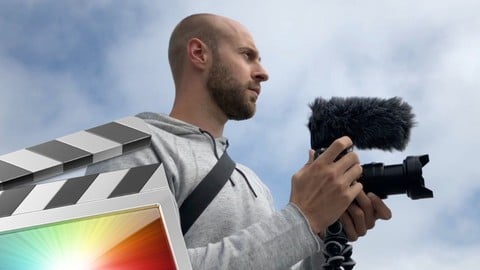
The Complete Final Cut Pro X Course Beginner To Intermediate (Udemy.com)
Learn how to edit videos using Final Cut Pro X with easy-to-follow Final Cut Pro tutorials From Beginner to Intermediate
Created by: Joe Parys
Last updated August 2025
Our take
Based on the ratings of 3,552 students, a sample of their written reviews and the syllabus, as the course stood in August 2025. No course pays to be reviewed.
Joe Parys built a short Final Cut Pro X course for people who have never opened the app, plus editors coming from iMovie or Premiere. The syllabus shows six sections and 47 lectures, about 4.3 hours in total. It runs from preferences, timeline and hotkeys through music, titles, transitions, LUTs, color grading and speed ramps. No editing background is required, and practice clips are downloadable. It was last updated in August 2025.
Reviewers who liked it call the explanations easy to follow and the clips short, and one says it finally got them off iMovie. The complaints are consistent too. Some find Joe moves fast and skips steps, such as how to start a project. Others say the lessons wander, with LUTs split across sections, and that the LUT install method shown no longer works in newer versions. One reviewer calls the transitions and effects videos superficial.
The draw is how little time it asks for. The middling reviews call it a decent starter rather than a class with a steady build, and the 4.2 average across 3,552 ratings fits that. Expect to pause and look things up when the app on screen differs from yours. It suits a first pass on the interface and basic edits, with a deeper course needed for color work or masking.
Pros
- Short clips and plain explanations that first-time editors say are easy to follow
- Covers the practical basics: timeline, hotkeys, music, titles, transitions and LUTs
- Downloadable practice clips and no prior editing knowledge needed
- One reviewer says it let them move off iMovie and finish a first project
Cons
- Some reviewers find the pace fast and say steps are skipped, like starting a project
- Lessons feel loosely ordered, with LUTs covered in one section and revisited later
- The LUT install method shown is outdated, and one reviewer found promised effects no longer free
This was my first time in Final Cut, and I loved it and I also like Joe Parys's way of teaching, I would take a course from him again, I sincerely recommend it.
Suits first-timers. Reviewers call it a beginner tutorial, so experienced editors may find it thin.
Featured in our guide: The Best Video Editing Courses on Udemy in 2026
 What you will learn
- By the end of the course, you'll have edited your own Final Cut Pro X Mini and Master Projects from Scratch!
- Edit videos like a professional from beginner to intermediate
- Use the default transitions and also create your own from scratch!
- Color correct your video to fix any issues with white balance and exposure
- Create speed ramps and speed ramp transitions using Final Cut Pros transitions
- Create high quality YouTube Videos Editing with Final Cut Pro X
- Create High Quality Videos For Your Social Media - like Instagram, YouTube, and TikTok
- Export and save your videos for HD playback
- Design clean and professional titles for you videos
- Edit green screen footage and add backgrounds to take your video to new heights
- Add motion to your titles, photos, and videos to make the more visually appealing to your viewers
Course content
6 sections · 47 lectures · 4.4 hours of video 4 articles
- 1Introduction 2 free previews7 lectures · 21 min
- 2The Basics: Learn The Final Cut Pro Preferences, Timeline, Hotkeys and More 2 free previews7 lectures · 56 min
- 3Final Cut Pro Intermediate - How To Add Music, Titles, Transitions, and More!6 lectures · 55 min
- 4Final Cut Pro Advanced - How To Install Plugins, LUTS, Color Grading & more!18 lectures · 1.2 hours
- 5Final Cut Pro Transitions and Effects! YouTube Effect Tutorials and more!8 lectures · 57 min
- 6Course Conclusion and Bonus Video1 lecture · 2 min
Who it is for
The instructor says it suits
- You are a complete beginner who has never opened Final Cut Pro X (or have never learned how to use it to edit videos properly)
- This course is for beginners and intermediate users looking to create and edit amazing videos with Final Cut Pro X
- You might know how to edit with Adobe Premiere Pro CC, iMovie, Sony Vegas, Premiere Elements, Windows Movie Maker, Camtasia, or Screenflow, But you want to transition to editing with Final Cut Pro X
- Anyone looking to learn how to edit like a professional using Final Cut Pro X
- Anyone interested in learning the ins and outs of Final Cut Pro X
- Editors knowing other editing software and wanting to switch to Final Cut Pro X
What you need before you start
- Students should have Final Cut Pro X installed on their computers to follow along. There are MULTIPLE PRACTICE EXERCISES throughout this course with downloadable practice clips
- You DO NOT need any prior video editing knowledge before taking our course!
- You will need a computer and the Internet to access to use this course
How it compares
Against the other 293 rated Udemy courses in Video Editing & Animation on CourseDuck:
- Rating4.2 out of 5higher than 14% of them
- Reviews3,552#9 of 294 by number of reviews
- Length4.3 hourslonger than 55% of them
- Last updatedAugust 2025more recently than 66% of them
 Course Description
Ready to start editing your videos professionally with Final Cut Pro X?
Have you always wanted to learn Final Cut Pro X but you just don't know where to start?
Or maybe you have started using Final Cut Pro - But you want to take your video editing to the next level?
Then our Complete Final Cut Pro X Course Beginner To Intermediate is for You!
_________________________________________________________________________
Welcome To the “Complete Final Cut Pro X Course Beginner To Intermediate.”
⇉ Join 950,000+ Students Who Have Enrolled in our Udemy Courses!
⇉ 10,000+ Five Star Reviews Show Students Who Enroll in our Courses get Results!
⇉ You Get Over 47 Lectures and 4.5+ hours of premium content
⇉ Watch the Promo Video to see how you can Get Started Today!
_________________________________________________________________________
What do you get with this course?
Hours of easy-to-watch Final Cut Pro X video lessons
Downloadable Resources
Practical activities
Instructor support if you have any questions
Community of students ready to help
What will you learn in our Complete Final Cut Pro X Course Beginner To Intermediate Course?
In short, you'll learn it all! Seriously, our goal is to make the most comprehensive Final Cut Pro X Video Editing course out there - not filled with fluff, but filled with only the most actionable and latest tips and strategies. We'll be updating this course periodically to make sure we're covering any change with Final Cut Pro.
You'll start by an overview of the course, then download the resources and learn about plugins in Final Cut Pro.
You'll then learn the basics like Final Cut Pro preferences, timeline, hotkeys and more.
Once you understand the basics, you will learn how to add music, make titles, transitions, how to install plugins, LUTS, color grading, transitions and effects, and so much more!
By the end of our course you will have learned how to:
Edit videos like a professional from scratch using Final Cut Pro X!
Use the default transitions and also create your own from scratch!
Work with color correction & color grading
Create speed ramps and speed ramp transitions
Make high quality YouTube Videos
Wow Your Friends
Create High Quality Videos For Your Social Media
And So Much More!
Ready to get started?
Once you enroll we recommend students install Final Cut Pro on their computers to follow along with me.
_____
See What Current Students Are Saying About Our Course:
“Yes, it is much better than all the other FCPX courses I've bought from Udemy. I'm sure I can pick up something from the other courses that weren't covered here so I feel good about it. This instructor is good. I wish he'd answer his email though. I would love to see a class just like this for Motion 5. I cannot find one anywhere and if I did I'm certain I could not find one by any instructor better than Joe Parys.”
-Michael Green
“Course is good and helpful. Easy to understand and follow. All the sessions are short and sweet but covered almost everything for what is required for a video creators. Helpful for beginners as well as who already have knowledge of video editing.”
-Sidramappa Jante
“Coming form iMovie, I was familiar with the act of editing but not the interface and the orientation of FCPX. This course has really got me up to speed with using the interface efficiently with the bonus of extra tools such as transitions and effects.”
-Adam Lynch
_____
Who is your instructor?
Joe Parys is the Bestselling Online Instructor, Digital Marketing Expert and Leader in the eLearning industry. He is the CEO of the Joe Parys Academy serving more than 1,000,000+ students in more than 100+ co-authored courses from 190 countries all around the world.
Our goal is to show you the real world and practical ways to start using Final Cut Pro with confidence today!
_________________________________________________________________________
With the right mindset, understanding, and application, you will instantly begin learning how to edit your videos in Final Cut Pro X.
When I learn something new I add it to the course - at no additional cost to you! This is a course that will continue to add more and more to every aspect of your life.
What I can't do in this Course..
I can't guarantee your success – this course does take work on your part. But it can be done!
I am also not responsible for your actions. You are responsible for 100% of the decisions and actions you make while using this course.
NEW UPDATES TO THIS COURSE HAVE BEEN MADE IN 2025
_________________________________________________________________________
It's time to take action!
Our happiness guarantee
This course includes a money back guarantee, so there is no risk to try it out.
Sign up today, see if it's the right one for you.
Enroll now.
Sincerely,
Joe Parys

 Udemy Discount
The discount is applied through our link. Open the course from here and Udemy's current promotional price is applied at checkout on most courses, no code to type.
Some courses are excluded from Udemy's promotions. If the price does not drop, clear your browser cookies and use the button again.
Instructor Details

- 4.2 Rating
 3,552 Reviews
Joe Parys
Why are 950,000+ students enrolled in my online courses?
1) I teach with passion and purpose! Every course is delivered with my students in mind.
2) My courses will help you achieve real results and change your life today.
3) My dedication to teaching online. I have been named a top instructor on Udemy
► Try enrolling in a course with me and see for yourself ◄
__________________________________________________________________
About Joe Parys:
Joe Parys is a bestselling online instructor, entrepreneur, and international speaker whose eLearning courses have been featured on Udemy, Buzzfeed, CBS News, and many other professional platforms.
Business:
The Joe Parys Academy is a Leader in the E-Learning Industry with more than 97+ Co-Authored Courses.
The Founder of The Joe Parys Academy, Joe Parys, is a Bestselling Online Instructor with more than 900,000+ students from around the world.
My CV:
Joe has his bachelors degree from Coe College in Cedar Rapids, IA. He was a four year varsity letter winning college athlete in the sport of men's basketball. He is also a coach for USA basketball.
He is a Licensed Psychology, History and Government teacher for grades 5-12. He has been teaching High School for the past three years.
 More courses by Joe Parys

Microsoft Access 2016 Master Class: Beginner to Advanced
4.8 (14,398 Reviews)
 Provider: Udemy
 Time: 7.2h
$11.99

The Complete jQuery Course: From Beginner To Advanced! (2018)
4.5 (9,433 Reviews)
- Provider: Udemy
- Time: 6.1h
$69.99

The Complete Sass & SCSS Course: From Beginner to Advanced (2016)
4.4 (5,268 Reviews)
- Provider: Udemy
- Time: 4h
$11.99
The Complete Android Developer Course: Beginner To Advanced! (2017)
4.4 (4,212 Reviews)
- Provider: Udemy
- Time: 17.3h
$14.99
The Complete Web Developer Masterclass: Beginner To Advanced (2016)
4.1 (3,929 Reviews)
- Provider: Udemy
- Time: 51.2h
$64.99

Complete Ethical Hacking & Cyber Security Masterclass Course (2026)
4.3 (2,122 Reviews)
- Provider: Udemy
- Time: 13.7h
$99.99
More Video Editing & Animation courses

Learn to Storyboard for Film or Animation (2024)
4.8 (2,727 Reviews)
- Provider: Udemy
- Time: 2.2h
$12.99


Fire Starter Sessions Video Workshop with Danielle LaPorte (2017)
4.8 (1,205 Reviews)
- Provider: Udemy
- Time: 3.7h
$11.99

The Ultimate Color Grading Bootcamp in DaVinci Resolve (2026)
4.8 (947 Reviews)
- Provider: Udemy
- Time: 8.7h
$19.99

The Complete Talking Head Video Production Masterclass (2026)
4.8 (319 Reviews)
- Provider: Udemy
- Time: 17.6h
$59.99

The Complete iMovie Course - from Beginner to Advanced 2026!
4.7 (2,021 Reviews)
- Provider: Udemy
- Time: 11.1h
$10.99
 Reviews

By Giovanni Beggiato on 10/22/2023
I am a completely new user - the course is intuitive and explains mainly the basics & the interface. It's pretty much a tutorial for beginners up till the point I reached (color grading). I see a well thought course, but without any "wow" moment in it. Once the course is completed I believe I might have a good grasp of the tool, and I'll be ready for some more "in depth" courses.
By Wesam Alozaibi on 1/19/2022
My honest review, First of all the structure of the course was not well thought it was all over the place you fell so lost at some points, second the whole course could have been done in a 1 hour to 2 hour max for to much useless repeats of the same thing, 3rd point odd and weird when you look up his youtube channel and webpage its all about cryptocurrency and that kind throws off that he is not really an expert in editing videos or anything rated to that, he is more into making cash kinda business and not helpful. You can feel in his course not worth more $10 course there is better on youtube then this trust me or find someone else worth the money.
By Vidhi Acharya on 6/9/2021
I am a beginner and a month back decided to learn video editing. I must say that I am glad that I stared to learn with this course. The explanation was very easy to understand and learn. Whoever is wanting to learn FCP starting from basic, go for this amazing course! Loved it... Looking forward to make videos in creative way.
By Miguel Páramo on 7/28/2020
Though I learned the necessary to feel confident editing my own videos in FCPX, I thought the teacher wasn't specific and careful enough during his explanations on the how's and why's of each tool presented. Many times he would brush-off explanations by just stating "This looks cool", "This looks bad", "This happens, when you do this"; prompting me to make my own research/studying outside the platform while taking the class to better understand the tools and ideas. Most of the course is padded out by videos that seem to have been made for a Youtube audience in mind.
By Nolan Browning on 2/27/2020
This was a great experience ...... one of the best training videos that I have watched. I caught this at a special price and will look for more of the same. I recently purchased FCPX and was struggling with getting started. The 16-second video exercise at the beginning of the course laid the background for learning the rest. I have watched all the videos ... some multiple times ... and will watch them again and again, if needed. I am 72 years old. You are never too old to learn new technology if it is carefully scripted and presented in a logical learning order. This video is!
By Michael Green on 9/24/2019
Yes, it is much better than all the other FCPX courses I've bought from Udemy. I'm sure I can pick up something from the other courses that weren't covered here so I feel good about it. This instructor is good. I wish he'd answer his email though. I would love to see a class just like this for Motion 5. I cannot find one anywhere and if I did I'm certain I could not find one by any instructor better than Joe Parys
By Kathryn Taylor on 7/1/2019
First lesson to make video was difficult. I almost thought it would take me forever to learn this program. However in subsequent sections everything was done clearly and I was able to proceed more quickly. It will be great to be able to go back to specific lessons to refresh myself when I do my own work. I appreciate that he goes into the various options for doing each procedure without making it too complicated. I also was excited to find interesting applications of the tools that would make my work interesting.
By Eric on 5/13/2019
This class is phenomenal. I know a lot of the stuff being taught but there are a bunch of little hidden gems I didn't know that are going to make me a wiz with this software. Before this course I was using Final Cut Pro X, but I didn't know how to utilize all it has to offer. This class simplifies everything for you so using the software is less intimidating for a beginner. Way to Go and a Big Thanks.
By Bethyana on 2/24/2019
Happy I purchased, he covered a lot of things. A few things felt a little repetitive but I understand why he would repeat things in certain lectures. I absolutely love that he provided those two video clips towards the end so we could do steps along with him. I wish there were more of those hands on learning lectures. But Overall I think its perfect for a beginner.
By Brian Brennan on 2/7/2019
Great course, I have been using FCPX for about a year so I had figured out how to do a lot of the stuff but Joe taught me the right way to do it and how to keep your library efficient and tidy to save memory space, some cool shortcuts and where to find extra stuff online and who to follow for creative ideas! Would have no problem recommending this course to a complete beginner or even someone who is a little more familiar with FCPX! Thanks Joe and keep up the great work!
 Quality Score
No CourseDuck member has rated this course yet. Taken it? Give each part a thumbs up or down.
Overall Score : 84 / 100
- Video Duration:
 4.3h
4.3h - Price: $84.99
- Provider: Udemy
- Updated:
 August 2025
 - Level:
 All Levels
 - Language:
 English
 - Certificate:
 Yes
Yes - Lectures:47 in 6 sections
- Students:23,900
- Subtitles:1 language
30-day money-back guarantee on most paid courses
Udemy Coupon Price Tracker
